rccg-tof
 Emmanuel Tobiloba
Build the foundation of a production-ready church web application called: RCCG Tabernacle of Faith (RCCGTOF) Tagline: "Where Faith Matters" IMPORTANT: This is a real church platform, not a demo. Create a professional, modern Christian/church design. Use the official RCCGTOF logo that I provide. DESIGN: - Professional church appearance - Clean layout - Elegant typography - White, deep navy/blue and gold accents - Excellent spacing - Accessible interface - Responsive design The website must work properly on: - Android - iPhone - Tablets - iPad - Windows - Mac - Laptops - Desktop computers - Large screens NO anime. NO cartoon style. NO childish design. NO gaming-style design. NO heavy animations. NO particle effects. NO moving backgrounds. NO WebGL. NO unnecessary visual effects. Keep the website lightweight and fast. Do not create fake users, fake products, fake events, fake sermons, fake testimonials or fake church information. All content must come from the database or be entered by authorized administrators. Create a clean navigation structure that can later support: Home About Events Ministries Sermons Bible Prayer Testimonies Music/Anthem Livestream Gallery Chat Games Store Referrals Rewards Member Dashboard However, protected/member content must be handled by the authentication system added in the next stage. Create a scalable project structure suitable for adding a real backend and database. Do not use hard-coded demo data. Prioritize: 1. Security 2. Performance 3. Professional design 4. Accessibility 5. Responsive layout 6. Easy administration Do not claim functionality is complete if it is only a visual mockup.

Comments (0)
Sign in to leave a comment
System Requirements
System Requirements Document for RCCG Tabernacle of Faith (RCCGTOF)
1. Introduction
The RCCG Tabernacle of Faith (RCCGTOF) web application is a production-ready platform designed to serve the needs of a modern Christian church community. The application aims to provide a professional, clean, and elegant digital experience that aligns with the church's ethos, using the official RCCGTOF logo and adhering to a design inspired by Jony Ive's principles of quiet precision and elegant minimalism. The platform will prioritize security, performance, accessibility, and scalability, ensuring a responsive and user-friendly interface across various devices.
2. System Overview
The RCCGTOF web application will serve as a digital hub for church visitors and administrators, providing access to church information, events, sermons, and more. The application will feature a clean navigation structure with a focus on responsive design and accessibility. Content will be dynamically managed through a database, with no hard-coded demo data or fabricated information. The application will support a wide range of devices, ensuring a consistent user experience.
2a. Product Interpretation and Delivery Boundary
The RCCGTOF application will deliver a professional church platform with a focus on real content management and user interaction. Public content will be accessible to all visitors, while administrative content management will require authentication. The application will not include any anime, cartoon, childish, or gaming-style designs, and will avoid unnecessary visual effects to maintain a lightweight and fast experience.
2b. Source Content Inventory
Not applicable as no explicit content_source directive was provided.
2c. Page Content and Component Coverage
Home
- Information/State: Church introduction, tagline "Where Faith Matters", RCCGTOF logo.
- Primary Actions: Navigate to other pages.
- Components: Hero section with logo and tagline, navigation menu.
- States: Loading, success, error.
Login
- Information/State: Administrator login form.
- Primary Actions: Authenticate administrator access.
- Components: Login form, error messages.
- States: Loading, success, error.
About
- Information/State: Church history and mission.
- Primary Actions: Read about the church.
- Components: Text content, images.
- States: Loading, success, error.
Events
- Information/State: Upcoming church events.
- Primary Actions: View event details.
- Components: Event list, event details.
- States: Loading, success, error.
Ministries
- Information/State: Information about church ministries.
- Primary Actions: Explore ministries.
- Components: Ministry descriptions, contact information.
- States: Loading, success, error.
Sermons
- Information/State: Sermon content and media.
- Primary Actions: Listen to or read sermons.
- Components: Sermon list, media player.
- States: Loading, success, error.
Bible
- Information/State: Bible access and reading tools.
- Primary Actions: Read the Bible.
- Components: Bible text, search functionality.
- States: Loading, success, error.
Prayer
- Information/State: Prayer requests and resources.
- Primary Actions: Submit prayer requests.
- Components: Prayer request form, prayer resources.
- States: Loading, success, error.
Testimonies
- Information/State: User-submitted testimonies.
- Primary Actions: Read and submit testimonies.
- Components: Testimony list, submission form.
- States: Loading, success, error.
Music/Anthem
- Information/State: Church music and anthems.
- Primary Actions: Listen to music.
- Components: Music player, track list.
- States: Loading, success, error.
Livestream
- Information/State: Live church services.
- Primary Actions: Watch live services.
- Components: Video player, schedule.
- States: Loading, success, error.
Gallery
- Information/State: Church images and media.
- Primary Actions: View gallery.
- Components: Image grid, lightbox viewer.
- States: Loading, success, error.
Chat
- Information/State: Future chat functionality placeholder.
- Primary Actions: Not applicable.
- Components: Placeholder for future chat.
- States: Not applicable.
Games
- Information/State: Future games functionality placeholder.
- Primary Actions: Not applicable.
- Components: Placeholder for future games.
- States: Not applicable.
Store
- Information/State: Future store functionality placeholder.
- Primary Actions: Not applicable.
- Components: Placeholder for future store.
- States: Not applicable.
Referrals
- Information/State: Future referrals functionality placeholder.
- Primary Actions: Not applicable.
- Components: Placeholder for future referrals.
- States: Not applicable.
Rewards
- Information/State: Future rewards functionality placeholder.
- Primary Actions: Not applicable.
- Components: Placeholder for future rewards.
- States: Not applicable.
Member Dashboard
- Information/State: Future member dashboard functionality placeholder.
- Primary Actions: Not applicable.
- Components: Placeholder for future member dashboard.
- States: Not applicable.
Content
- Information/State: Overview of church content management.
- Primary Actions: Manage church content.
- Components: Content list, management tools.
- States: Loading, success, error.
Content Editor
- Information/State: Content editing interface.
- Primary Actions: Edit and save content.
- Components: Text editor, media uploader.
- States: Loading, success, error.
3. Functional Requirements
- As a Church visitor, I should be able to browse public church information and content areas without needing to log in. (explicit)
- As a Church administrator, I should be able to log in to manage church content securely. (required_inference)
- As a Church administrator, I should be able to view and edit church content through a dedicated content management interface. (required_inference)
- As a Church visitor, I should be able to view upcoming events, listen to sermons, and access Bible resources. (explicit)
- As a Church visitor, I should be able to submit prayer requests and read testimonies. (explicit)
- As a Church visitor, I should be able to listen to church music and anthems. (explicit)
- As a Church visitor, I should be able to watch live church services. (explicit)
- As a Church visitor, I should be able to view the church gallery. (explicit)
4. User Personas
- Church Visitor: A public visitor who can browse the church’s public information and content areas.
- Church Administrator: An authorized administrator who can enter and manage database-backed church content.
5. Core User Flows
Church Visitor
-
Access Home Page:
- Trigger: Visitor navigates to the website.
- Outcome: Visitor sees the RCCGTOF logo and tagline, with navigation options.
- Continuation: Visitor can navigate to other public pages.
-
View About Page:
- Trigger: Visitor selects 'About' from the navigation.
- Outcome: Visitor reads about the church's history and mission.
- Continuation: Visitor can return to the home page or navigate to other sections.
-
Explore Events:
- Trigger: Visitor selects 'Events' from the navigation.
- Outcome: Visitor views a list of upcoming church events.
- Continuation: Visitor can click on an event for more details.
-
Listen to Sermons:
- Trigger: Visitor selects 'Sermons' from the navigation.
- Outcome: Visitor listens to or reads sermons.
- Continuation: Visitor can browse other sermons or return to the home page.
-
Access Bible:
- Trigger: Visitor selects 'Bible' from the navigation.
- Outcome: Visitor reads Bible passages.
- Continuation: Visitor can search for specific passages or return to the home page.
-
Submit Prayer Request:
- Trigger: Visitor selects 'Prayer' from the navigation.
- Outcome: Visitor submits a prayer request.
- Continuation: Visitor can read prayer resources or return to the home page.
-
Read Testimonies:
- Trigger: Visitor selects 'Testimonies' from the navigation.
- Outcome: Visitor reads and submits testimonies.
- Continuation: Visitor can return to the home page or explore other sections.
-
Listen to Music/Anthem:
- Trigger: Visitor selects 'Music/Anthem' from the navigation.
- Outcome: Visitor listens to church music.
- Continuation: Visitor can select different tracks or return to the home page.
-
Watch Livestream:
- Trigger: Visitor selects 'Livestream' from the navigation.
- Outcome: Visitor watches live church services.
- Continuation: Visitor can return to the home page or explore other sections.
-
View Gallery:
- Trigger: Visitor selects 'Gallery' from the navigation.
- Outcome: Visitor views church images.
- Continuation: Visitor can return to the home page or explore other sections.
Church Administrator
-
Login:
- Trigger: Administrator navigates to the login page.
- Outcome: Administrator logs in successfully.
- Continuation: Administrator accesses the content management interface.
-
Manage Content:
- Trigger: Administrator accesses the 'Content' page.
- Outcome: Administrator views an overview of church content.
- Continuation: Administrator selects content to edit.
-
Edit Content:
- Trigger: Administrator selects content to edit.
- Outcome: Administrator edits and saves content.
- Continuation: Administrator can continue editing other content or log out.
6. Visuals Colors and Theme
- Muse: Jony Ive
- Palette (light mode):
- Background: #FFFFFF
- Surface: #F7F7F7
- Text: #000000
- Primary: #001F54
- Accent: #FFD700
- Muted: #B0B0B0
- Typography:
- Headings: Inter Tight — Light weights, very large scale contrast, tight tracking
- Body: Karla
- Scale: 1.5 modular, 64/42/28/18/14
- Shape Language: Soft continuous-curve radii, generous whitespace, single-column focus with aligned elements.
- Layout: Wide margins, single-column focus, product-first hero with clear sections for navigation.
7. Signature Design Concept
The homepage will feature a single-column hero section prominently displaying the RCCGTOF logo on a white background. The tagline "Where Faith Matters" will be elegantly placed beneath the logo, using a deep navy color for text, with a delicate gold accent line separating the logo from the tagline. This design will create a serene and focused layout, emphasizing the church's professional and modern appearance.
8. Interaction Model & Motion Direction
- Interaction Model: Static (direction)
- Motion Tempo: Restrained
- Hero Dimensionality: Layered_2d
- Landing Hero Motion Brief: The hero section will feature a composed layout with the RCCGTOF logo and tagline. The reveal-on-scroll animation will smoothly introduce each section as the user scrolls down, maintaining a calm and inviting experience.
9. Non-Functional Requirements
- The application must be lightweight and fast, ensuring quick load times and smooth interactions. (explicit)
- The design must be responsive, adapting seamlessly to various screen sizes and devices. (explicit)
- The application must prioritize security, protecting user data and content management access. (explicit)
- The interface must be accessible, adhering to WCAG standards to ensure usability for all users. (explicit)
10. Tech Stack
- Frontend: React
- Backend: Python/FastAPI
- Database: PostgreSQL
- Containerization: Docker
- Deployment: Kubernetes (if required for scalability)
11. Assumptions and Constraints
- The application will not include any anime, cartoon, childish, or gaming-style designs. (explicit)
- All content must be dynamically managed through a database, with no hard-coded demo data. (explicit)
- Protected/member content handling will be deferred to the next stage with an authentication system. (explicit)
12. Glossary
- RCCGTOF: RCCG Tabernacle of Faith
- Hero Section: The prominent introductory section of a webpage, typically featuring key branding elements.
- WCAG: Web Content Accessibility Guidelines, standards for making web content more accessible.
- Responsive Design: Design approach that ensures a website's layout adapts to different screen sizes and devices.
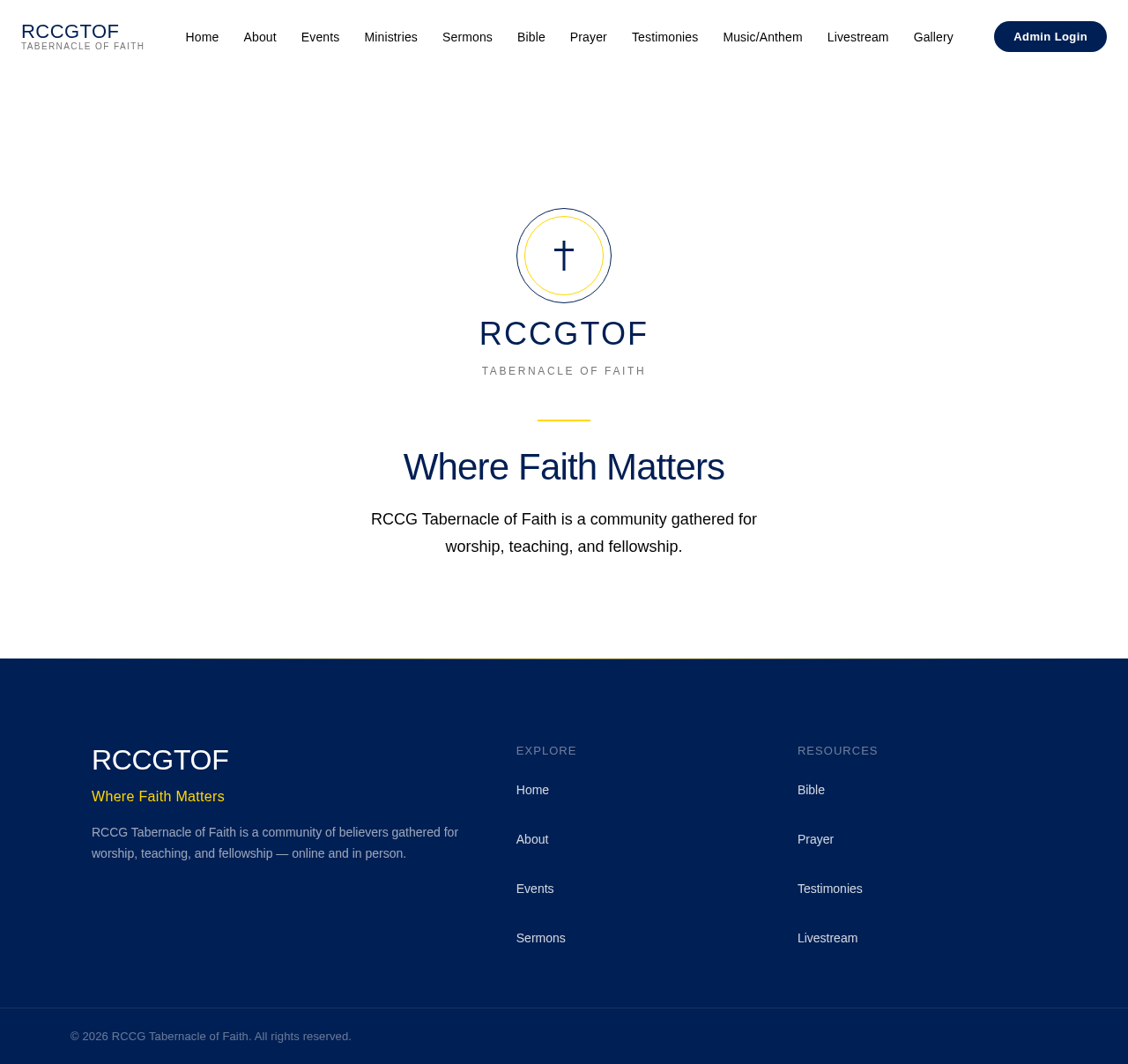
RCCGTOF
Tabernacle of Faith
Where Faith Matters
RCCG Tabernacle of Faith is a community gathered for worship, teaching, and fellowship.
RCCGTOF
Tabernacle of Faith
Where Faith Matters
RCCG Tabernacle of Faith is a community gathered for worship, teaching, and fellowship.
No comments yet. Be the first!