raven-perfume
 Mehran Uddin
Create a modern, elegant, and luxury perfume brand website using Next.js (App Router) and Tailwind CSS. Brand Name: "Noir Essence" (you can change it if needed) Design Style: - Minimal, premium, luxury aesthetic - Soft neutral colors (black, gold, white, beige) - Smooth animations and hover effects - Fully responsive (mobile + desktop) Pages Required: 1. Home Page: - Hero section with luxury perfume banner and tagline (e.g., "Discover Your Signature Scent") - CTA button ("Shop Now") - Featured perfumes section (4–6 items) - Categories preview (Men, Women, Unisex) - Testimonials section - Newsletter subscription - Footer with links and social icons 2. About Us Page: - Brand story (luxury, craftsmanship, elegance) - Mission & vision - Why choose us section - Image + text layout 3. Shop / Products Page: - Display 10 perfumes - Each product should include: - Name - Image - Price - Short description - “View Details” button - Grid layout with filtering by category 4. Categories: - Men’s Perfumes - Women’s Perfumes - Unisex Perfumes Each category page should: - Show relevant products - Clean grid layout 5. Product Detail Page: - Large product image - Name, price, description - Notes (top, middle, base notes) - Add to Cart button (UI only) - Related products section 6. Contact Page: - Contact form (Name, Email, Message) - Business email and phone - Google Maps placeholder - Clean layout 7. Navbar: - Logo on left - Links: Home, Shop, About, Contact - Cart icon (UI only) 8. Footer: - Quick links - Social media icons - Copyright text Tech Requirements: - Next.js (latest version, App Router) - Tailwind CSS for styling - Use reusable components - Clean folder structure - Dummy data for products (10 perfumes with realistic names like "Midnight Oud", "Velvet Rose", etc.) - Use placeholder images (or Unsplash) Extra Features: - Smooth scrolling - Hover animations - Basic SEO meta tags - Fast loading and optimized layout Output: - Full working Next.js code - Components separated properly - Ready to run with `npm install` and `npm run dev`

Comments (0)
Sign in to leave a comment

WhereEleganceMeetsEssence
Discover the art of luxury fragrance. Each scent is meticulously crafted to evoke emotion, confidence, and timeless sophistication.
Featured Fragrances
Discover our handpicked selection of exquisite perfumes, each crafted to evoke elegance and leave a lasting impression.
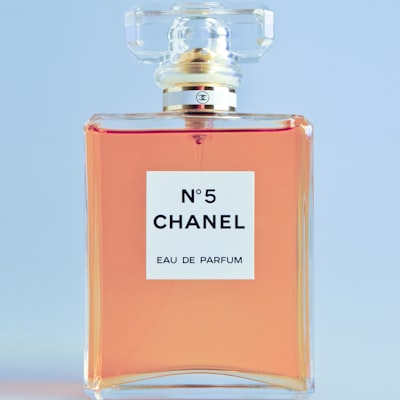 Bestseller
 New
New

 Popular
Browse Our Categories
Discover the perfect fragrance family that resonates with your personality and style.
Floral
24 Fragrances
Oriental
18 Fragrances
Fruity
21 Fragrances
Woody
16 Fragrances
Fresh
19 Fragrances
Spicy
14 Fragrances
Crafted with Elegance, Worn with Confidence
The Story Behind Scent Zone
Born in the heart of Peshawar, Scent Zone Perfume was founded on a singular vision: to capture the essence of luxury and sophistication in every bottle. Our journey began with a deep reverence for the ancient art of perfumery, blending time-honored traditions with modern craftsmanship.
Each fragrance is meticulously composed using the finest ingredients sourced from around the world — from the delicate florals of Grasse to the rich oud of Southeast Asia. We believe that a fragrance is more than a scent; it is a signature, a memory, an emotion captured in a bottle.
Our commitment to excellence drives everything we do. From the careful selection of raw materials to the elegant design of our packaging, every detail reflects our dedication to creating fragrances that are as unique and refined as the people who wear them.
Discover More→
Discover Our Fragrances
Each scent is a masterpiece, crafted with the finest ingredients to capture moments of elegance and allure.
Swipe to explore
What Our Customers Say
Discover why fragrance lovers across Pakistan trust Scent Zone for their signature scents.
Scent Zone has completely transformed my fragrance experience. The Oud Royale collection is absolutely divine — every note unfolds like a story. I receive compliments every time I wear it.
The craftsmanship behind each bottle is remarkable. From the elegant packaging to the long-lasting scent, Scent Zone delivers luxury that rivals international brands at a fraction of the price.
I featured Scent Zone in my latest editorial and the response was overwhelming. The Floral Mist is my personal favourite — subtle yet captivating. Perfect for both day and evening wear.
What sets Scent Zone apart is their attention to detail. The Oriental Amber fragrance has become my signature scent. The longevity is exceptional and the sillage is simply outstanding.
Stay Updated
Subscribe to our newsletter for exclusive offers and updates on the latest fragrances from Scent Zone Perfume.
We respect your privacy. Unsubscribe anytime. Read our Privacy Policy.
Ready to Discover Your Signature Scent?
Explore our curated collection of luxury fragrances, each crafted with the finest ingredients from Peshawar to the world. Find the essence that speaks to you.
No comments yet. Be the first!