rapid-whatsapp
 Ashissh Pattel
Build a Whatsapp Enquiry Manager named Proofeasy Enquiry Manager from the features attached in the screenshot
Comments (0)
Sign in to leave a comment
System Requirements
System Requirements Document (SRD)
Project Name: rapid-whatsapp
1. Introduction
The rapid-whatsapp project aims to create a WhatsApp Enquiry Manager tailored for MSMEs (Micro, Small, and Medium Enterprises) in the industrial and trading sectors. This tool will leverage the WhatsApp Business API and integrate with other platforms like IndiaMART, Facebook, Instagram, and LinkedIn to streamline inquiry management. It is designed to empower small business owners by providing scalable, AI-powered solutions for handling inquiries efficiently across multiple channels.
2. System Overview
The rapid-whatsapp system will serve as a centralized hub for managing inquiries from multiple platforms. It will provide features such as AI-powered categorization, instant replies, inquiry tracking, and photo/document recognition. The system is designed to be scalable, user-friendly, and optimized for MSMEs, enabling them to manage high volumes of inquiries while maintaining personalized communication with clients.
Key highlights include:
- Multi-channel integration (WhatsApp, IndiaMART, Facebook, Instagram, LinkedIn).
- AI-powered categorization and auto-replies.
- Smart handoff for team collaboration.
- Inquiry tracking with conversation and order history.
- Photo/document recognition for extracting order details.
- Priority flagging and alerts for hot leads.
3. Functional Requirements
As User:
- I should be able to connect my WhatsApp Business API account to the system.
- I should be able to integrate my IndiaMART, Facebook, Instagram, and LinkedIn accounts.
- I should receive AI-powered auto-replies to inquiries within 30 seconds.
- I should be able to view categorized inquiries (e.g., lead, follow-up, support).
- I should be able to track past conversations and order history for each client.
- I should be able to upload photos/documents and receive AI-driven recognition of order details.
- I should be alerted immediately for high-priority leads.
- I should be able to export inquiry data to Excel on-demand or schedule auto-reports.
As Admin:
- I should be able to manage user accounts and permissions.
- I should be able to monitor inquiry metrics and system performance.
- I should be able to configure AI settings for categorization and auto-replies.
4. User Personas
1. Small Business Owner (Primary User)
- Focus: Managing inquiries efficiently across multiple channels.
- Needs: Quick responses, inquiry tracking, and priority alerts.
2. Admin/Manager
- Focus: Overseeing system operations and team collaboration.
- Needs: User management, performance monitoring, and configuration control.
5. Visuals Colors and Theme
Color Palette:
- Background: #0D0D1A (Deep Midnight Blue)
- Surface: #1A1A2E (Charcoal Blue)
- Text: #EAEAEA (Soft White)
- Accent: #00A896 (Emerald Teal)
- Muted Tones: #5C5C72 (Muted Slate)
This palette reflects a professional yet approachable tone, aligning with the needs of MSMEs while maintaining a modern aesthetic.
6. Signature Design Concept
Dynamic Inquiry Dashboard with Real-Time AI Insights
The homepage will feature a live inquiry dashboard that dynamically updates with incoming leads from WhatsApp, IndiaMART, Facebook, Instagram, and LinkedIn.
Key Features:
- Real-time Inquiry Feed: A scrolling feed that displays inquiries as they arrive, categorized by platform and priority.
- AI Insights Panel: A side panel that provides instant AI-driven suggestions for replies, categorization, and follow-ups.
- Interactive Priority Alerts: High-priority leads will pulse with a glowing emerald teal border, drawing immediate attention.
- Photo Recognition Animation: When a user uploads a photo, the system will animate a magnifying glass scanning the image before displaying extracted details.
- Export Button Micro-Interaction: The export button will "flip" like a card when hovered over, revealing export options.
This design ensures the system is visually engaging while emphasizing functionality and efficiency.
7. Non-Functional Requirements
- Scalability: Must handle high volumes of inquiries across multiple channels.
- Performance: Response time for AI categorization and auto-replies should not exceed 30 seconds.
- Security: Ensure data encryption for all user information and inquiries.
- Localization: Support Hindi and English for auto-replies.
- Availability: System uptime should be 99.9%.
8. Tech Stack
Frontend:
- React for Web
Backend:
- Python
- FastAPI
Database:
- MySQL or MariaDB (using Alembic for migrations)
AI Models:
- GPT 5.4 for user-friendly responses
- Claude 4.6 Opas for coding and academic tasks
- Google Nano Banana for image recognition
AI Tools:
- Litellm for LLM routing
- Langchain
Orchestration:
- Docker and docker-compose for local orchestration
- Kubernetes for server-side orchestration
9. Assumptions and Constraints
Assumptions:
- Users will have active accounts on WhatsApp Business API, IndiaMART, Facebook, Instagram, and LinkedIn.
- Users will primarily operate in Hindi and English.
Constraints:
- Integration with IndiaMART API depends on API availability and documentation.
- AI-powered features require stable internet connectivity.
10. Glossary
- WhatsApp Business API: A scalable API for managing WhatsApp communications.
- IndiaMART API: An API for integrating IndiaMART inquiries into external systems.
- AI Categorization: Automated sorting of inquiries into predefined categories.
- Photo Recognition: AI-driven extraction of details from uploaded images.
- Priority Alerts: Notifications for high-priority inquiries.
This document is now refreshed and ready to guide the development of the rapid-whatsapp project from the ground up. Let me know if you’d like further refinements!
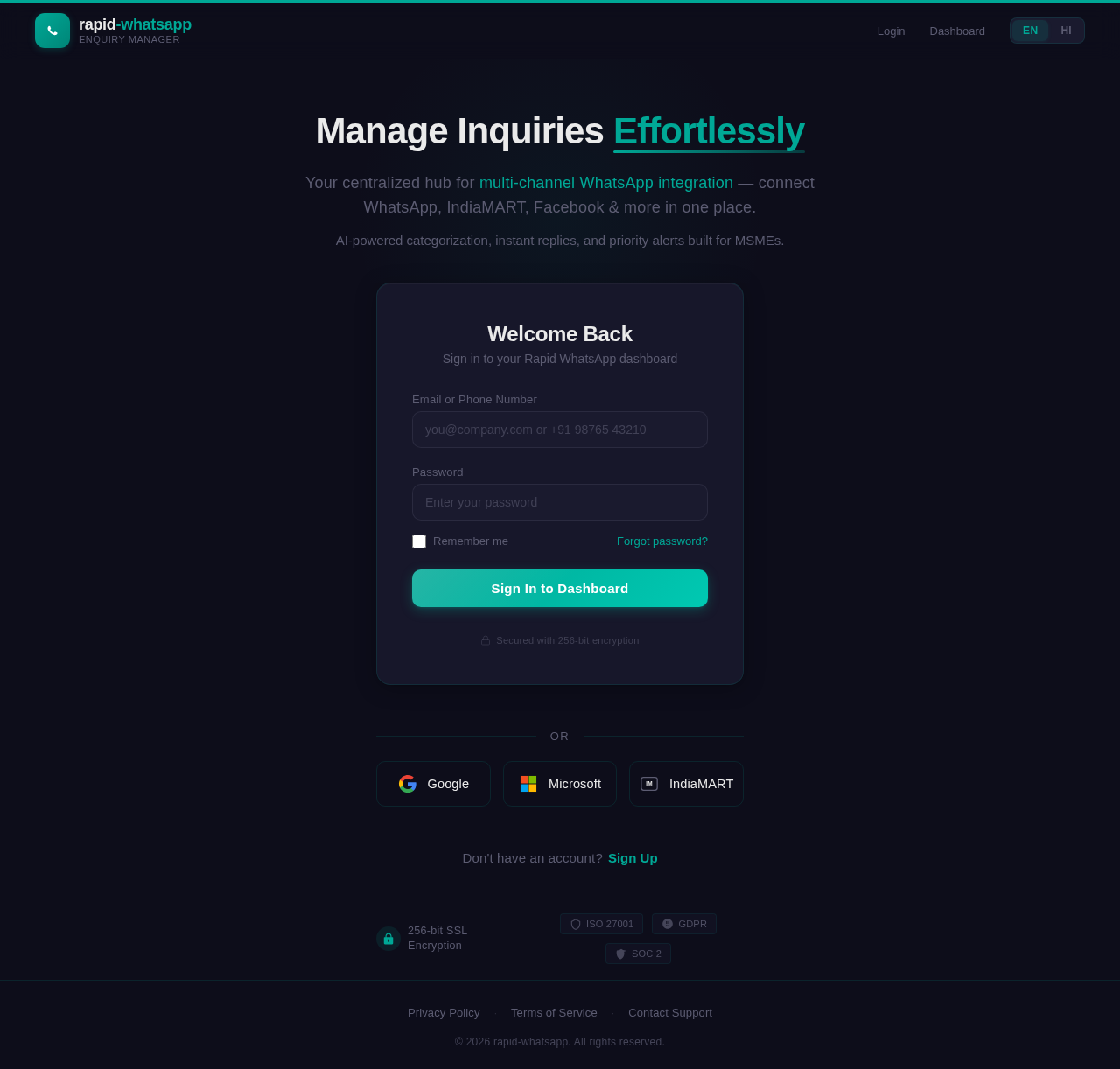
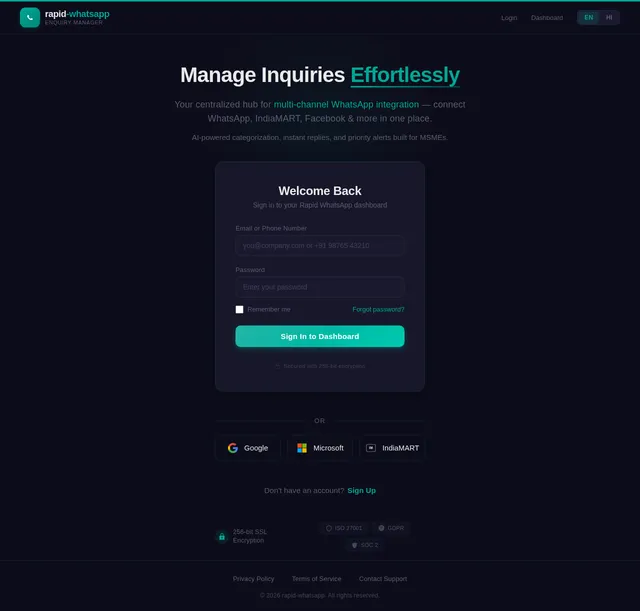
Manage Inquiries Effortlessly
Your centralized hub for multi-channel WhatsApp integration — connect WhatsApp, IndiaMART, Facebook & more in one place.
AI-powered categorization, instant replies, and priority alerts built for MSMEs.
Welcome Back
Sign in to your Rapid WhatsApp dashboard
No comments yet. Be the first!