rapid-website
 Harshil Vaja
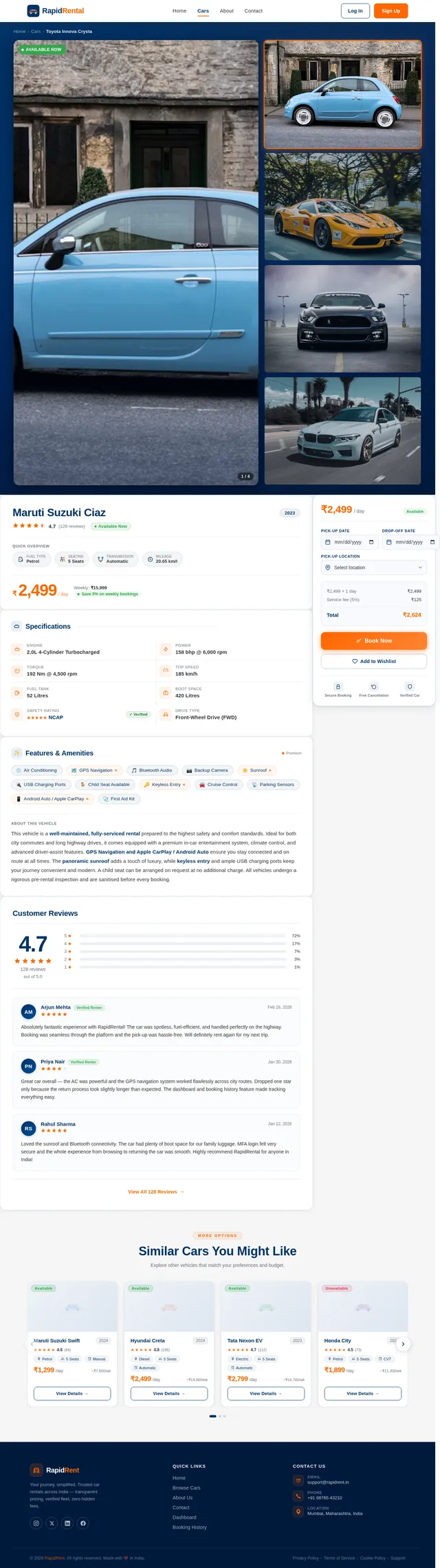
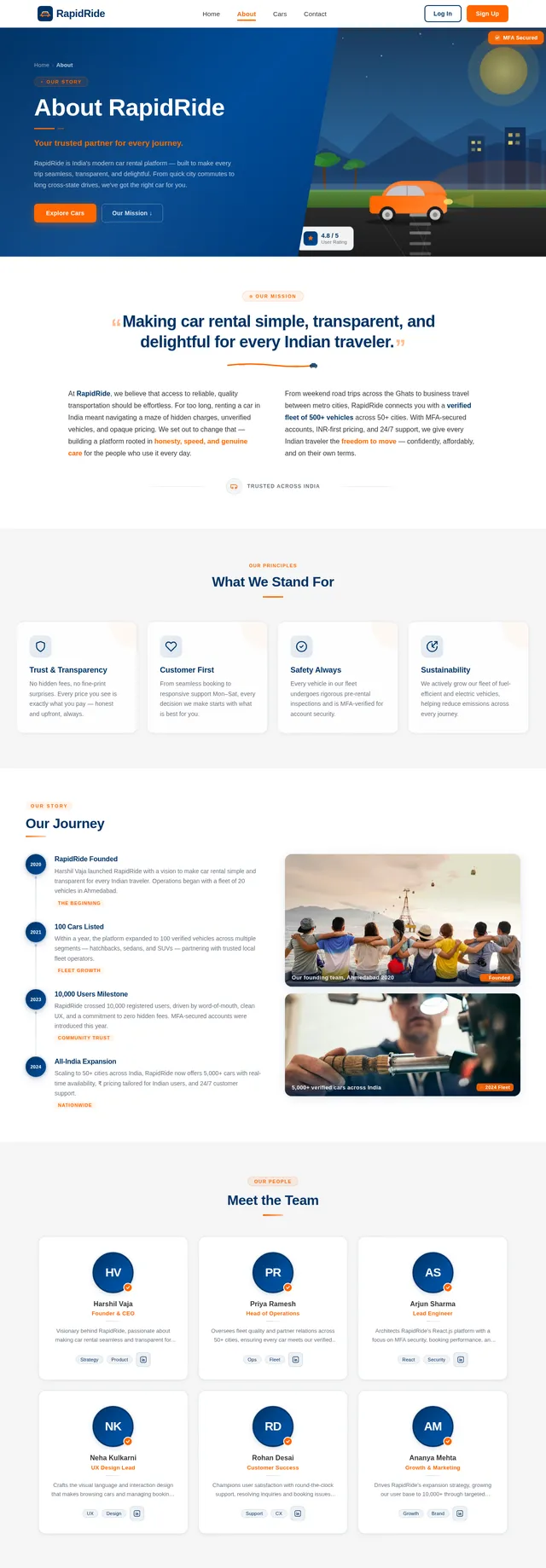
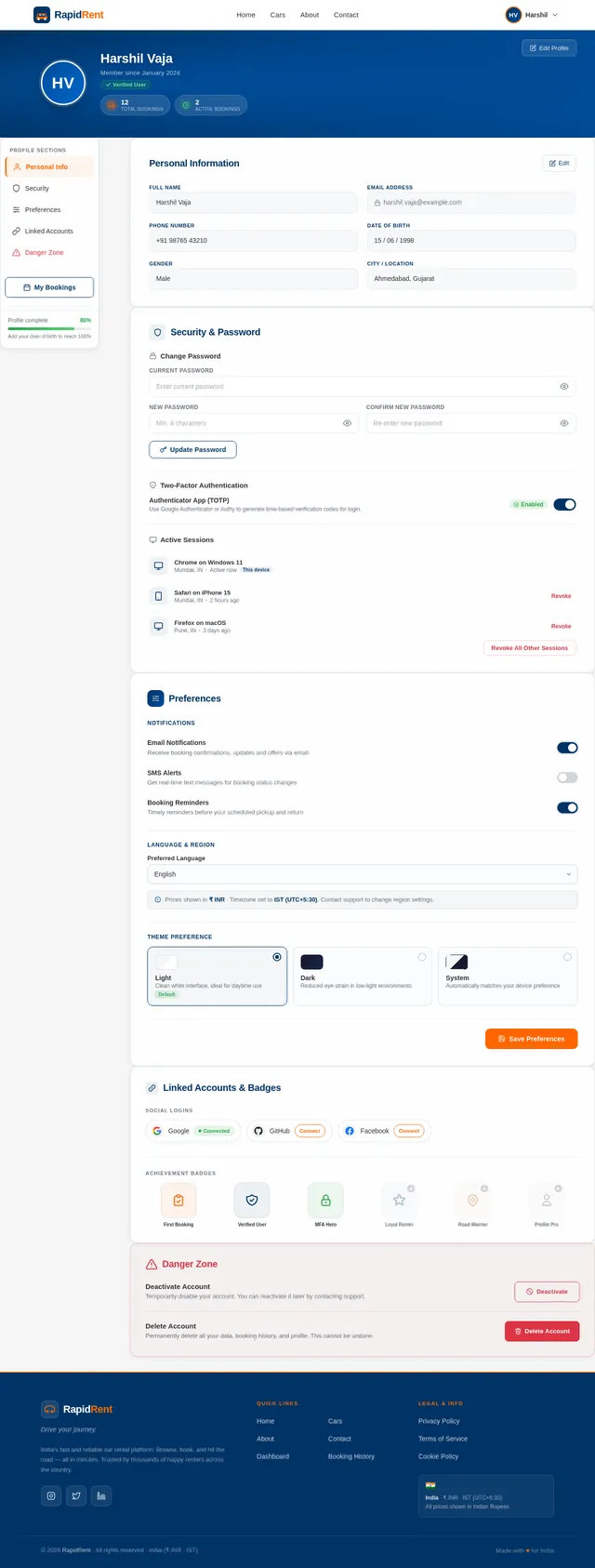
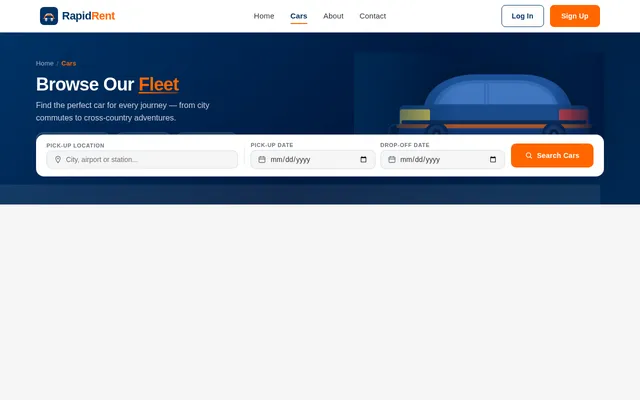
create a car rental service website,there it should container first basic website page and then the login and signup page for use with the MFA. and implements some pages like dashbord ,about page, profile , contact form car details page ect..., and user can book this vehicles and show this history, past booking cars details, car details page i want to cars images, car name, price details seat , feul type, starts,ect.. so please impelmnt this website in rect js


Comments (0)
Sign in to leave a comment
System Requirements
System Requirements Document (SRD) for rapid-website
1. Introduction
The rapid-website project is a car rental service platform designed to provide users with a seamless experience for browsing, booking, and managing car rentals. This document outlines the system requirements for the project, ensuring clarity and alignment with the vision of Harshil Vaja. The platform will focus on user-centric features such as secure authentication, detailed car information, booking history, and admin functionalities, while excluding payment integration to maintain simplicity. Additionally, the system will support selective re-run capability to allow user-triggered regeneration of specific SRD sections.
2. System Overview
The rapid-website is a web-based application that allows users to browse available cars, view detailed information, and book vehicles. The system will include essential pages such as a landing page, login/signup with Multi-Factor Authentication (MFA), a dashboard, car details page, booking history, and more. The platform will be developed using React.js for the frontend, ensuring a responsive and dynamic user experience.
Key features include:
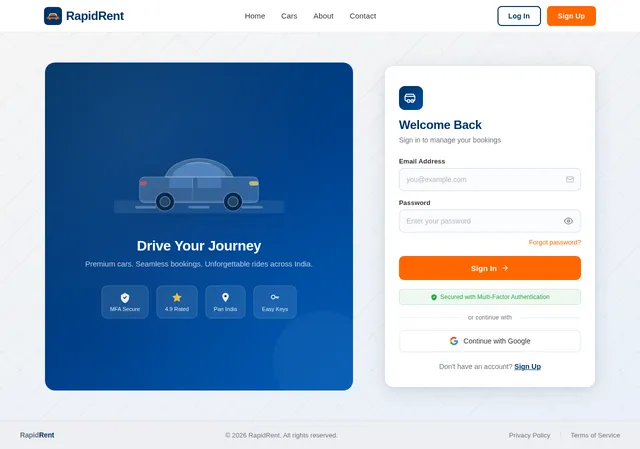
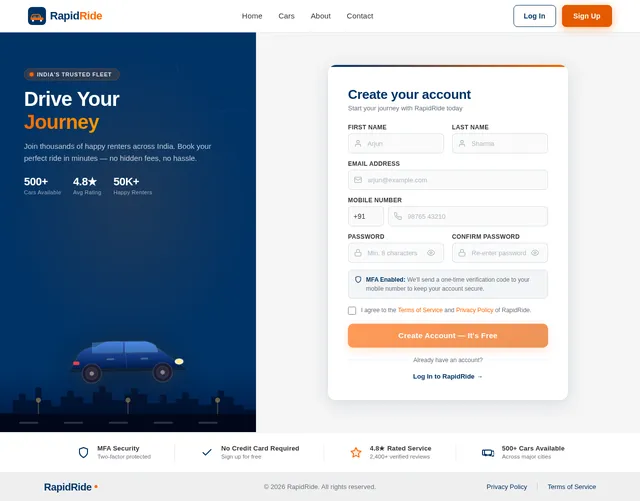
- Secure login and signup with MFA.
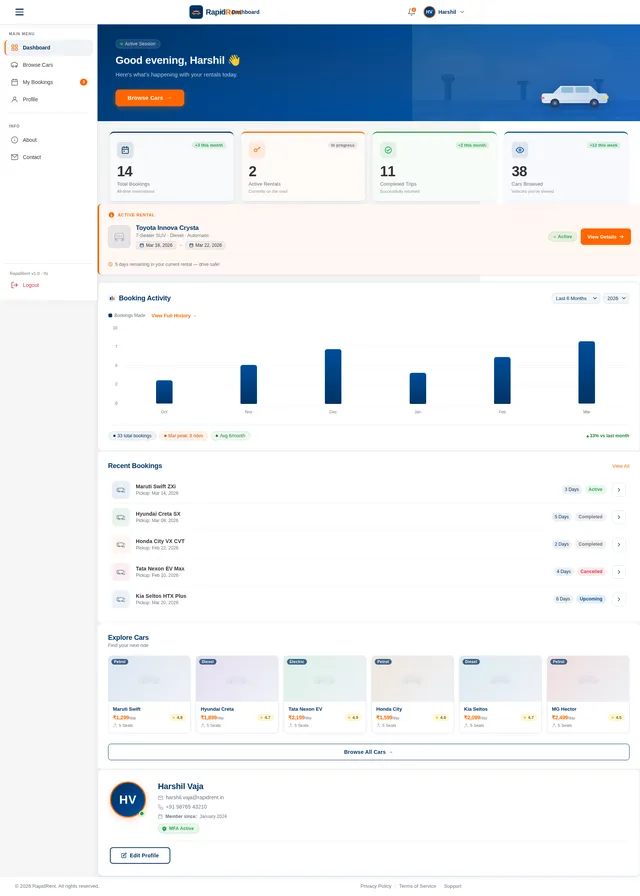
- A dashboard for users to manage their bookings and profile.
- A car details page with comprehensive information (images, price, seats, fuel type, ratings, etc.).
- Booking functionality with a history of past bookings.
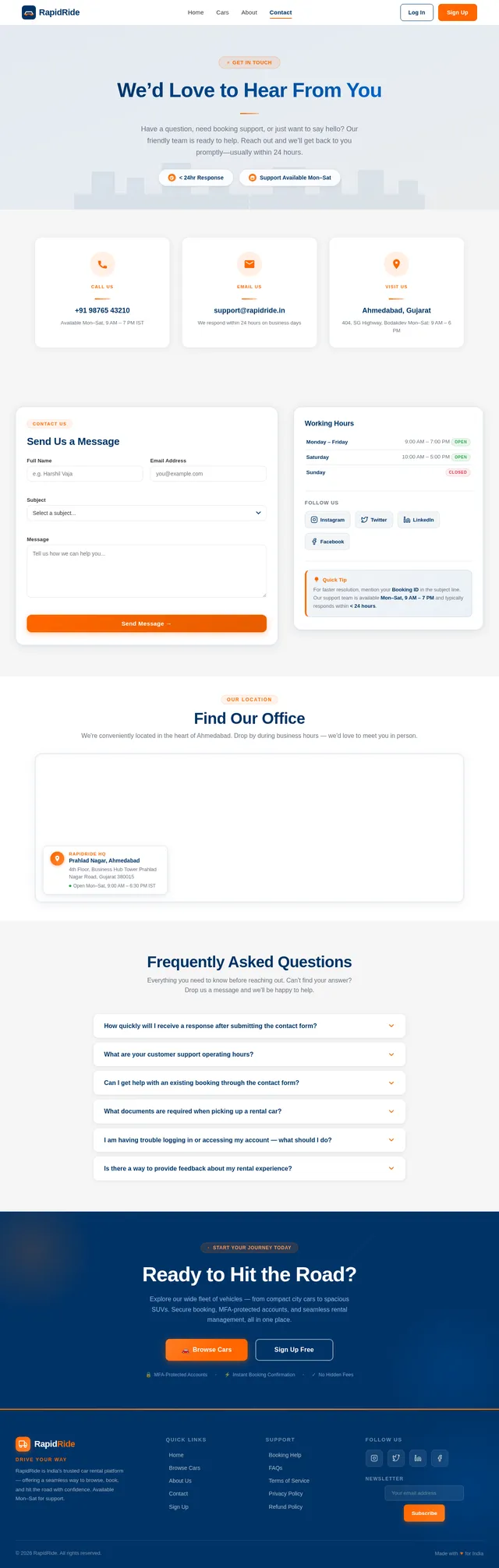
- Informational pages such as About and Contact.
- Pickup and drop-off location selection with map integration (including "current location").
- City-wise car availability filtering.
- Admin dashboard with user management, earnings insights, and booking history.
- Selective re-run capability for user-triggered SRD regeneration.
- Fully responsive design for optimal usability across devices.
3. Functional Requirements
- As a User, I should be able to view a visually appealing landing page.
- As a User, I should be able to sign up and log in securely using MFA.
- As a User, I should be able to view a dashboard with my profile and booking history.
- As a User, I should be able to browse cars and view detailed information, including images, price, seats, fuel type, and ratings.
- As a User, I should be able to book a car.
- As a User, I should be able to view my past bookings and their details.
- As a User, I should be able to access an About page to learn more about the service.
- As a User, I should be able to fill out a Contact form to reach out for inquiries or support.
- As a User, I should be able to click on a car from the About Page, navigate to the Car Details Page, and proceed with the booking process.
- As a User, I should be able to select a pickup and drop-off location, including using my current location, and filter cars by city availability.
- As an Admin, I should be able to view all users, delete users, enable/disable users, and view their past booking history.
- As an Admin, I should be able to view total earnings and filter them by monthly, weekly, and yearly insights.
- As an Admin, I should be able to add cars to the platform (only admins can add cars).
- As an Admin, I should be able to view charts, cards, and recent bookings in the dashboard without overflow issues.
- As a User, I should be able to trigger selective re-runs of specific SRD sections for regeneration.
- As a User, I should be able to click on all components (e.g., cars, login, signup, about) and navigate to their respective pages.
4. User Personas
-
User:
- Primary user of the platform.
- Can browse cars, view details, book vehicles, and manage their profile and booking history.
-
Guest:
- Can access the landing page and view general information.
- Must sign up or log in to access booking features.
-
Admin:
- Can manage car listings, user accounts, and view earnings insights.
- Has exclusive rights to add cars to the platform.
- Can view and manage user details, including enabling/disabling accounts and viewing booking history.
5. Visuals Colors and Theme
The website will adopt a modern and professional theme with the following color palette:
- Primary Color: Deep Blue (#003366) – Represents trust and professionalism.
- Secondary Color: Bright Orange (#FF6600) – Adds vibrancy and highlights call-to-action elements.
- Background: Light Gray (#F5F5F5) – Ensures readability and a clean design.
- Text: Dark Gray (#333333) – For primary text content.
- Accent Colors: Soft Green (#28A745) for success messages and Red (#DC3545) for error messages.
Typography:
- Headings: Sans-serif font (e.g., Poppins or Montserrat).
- Body Text: Serif font (e.g., Roboto or Open Sans).
6. Signature Design Concept
Interactive Car Showcase with Dynamic Filters
The homepage will feature an interactive car showcase that immediately captivates users. The design will include:
- A 3D rotating carousel of car images that users can swipe or click through. Each car will "pop out" slightly when hovered over, with a subtle shadow effect.
- Dynamic filters at the top of the page to sort cars by price, fuel type, seating capacity, or ratings. As users adjust the filters, the carousel updates in real-time with a smooth transition.
- A parallax scrolling effect on the homepage background, featuring a scenic road or cityscape that moves subtly as users scroll.
- Micro-interactions such as buttons that "bounce" slightly when clicked and tooltips that appear when hovering over icons.
- A call-to-action button ("Explore Cars") that glows softly to draw attention.
This design ensures the homepage is visually stunning and interactive, leaving a lasting impression on users.
7. Non-Functional Requirements
- The website must be responsive and function seamlessly on desktops, tablets, and mobile devices.
- The system should support a high level of security, including MFA for authentication.
- The platform should load within 3 seconds on a standard internet connection.
- The database should handle up to 10,000 users and 5,000 car listings efficiently.
- The system should be scalable for future enhancements, such as adding advanced filters or additional admin roles.
- Selective re-run capability must allow users to regenerate specific SRD sections without affecting the entire document.
8. Tech Stack
- Frontend: React.js
- Backend: Python with FastAPI
- Database: MySQL (with Alembic for migrations)
- Map Integration: Google Maps API
- AI Tools (if applicable): GPT 5.2 for user-friendly responses
- Orchestration:
- Local: Docker, docker-compose
- Server-side: Kubernetes
9. Assumptions and Constraints
- The system will not include payment integration, as per the user's request.
- The platform will primarily target users in India (IN), with locale-specific defaults such as timezones (IST) and currency symbols (₹) for car prices.
- The system assumes users will have a stable internet connection for optimal performance.
- Only admins will have the ability to add cars to the platform.
- The project will focus on the core functionalities outlined above, with additional features considered for future iterations.
- Selective re-run capability assumes users will specify the sections they wish to regenerate.
10. Glossary
- MFA: Multi-Factor Authentication, a security process requiring two or more verification methods.
- Dashboard: A user interface that provides an overview of key information and functionalities.
- Parallax Scrolling: A design effect where background images move slower than foreground images, creating a 3D effect.
- Carousel: A rotating set of images or content that users can navigate through.
- Responsive Design: A design approach ensuring the website adapts to different screen sizes and devices.
- Selective Re-run Capability: A feature allowing users to regenerate specific sections of the SRD without affecting the entire document.
- Map Integration: Embedding a map interface (e.g., Google Maps) for location-based features.
This document serves as the foundation for the development of the rapid-website project. Harshil, if there are any additional features or changes you'd like to incorporate, feel free to share your thoughts!

Drive Your Dream Car Today
Explore hundreds of premium vehicles. Book in minutes, no credit card required.
Find the Perfect Ride
 Petrol
Hyundai Creta
₹2,499 /day
 Electric
Tata Nexon EV
₹3,199 /day
 Petrol
Maruti Swift
₹1,299 /day
 Diesel
Toyota Fortuner
₹5,499 /day
 Diesel
Mahindra Thar
₹3,999 /day
 Petrol
Honda City
₹2,199 /day
 Diesel
Kia Seltos
₹2,799 /day
 Electric
MG ZS EV
₹3,499 /day
How It Works
Browse & Filter
Explore hundreds of premium vehicles. Use smart filters to find the perfect car by price, fuel type, or seating capacity.
Book Your Car
Pick your dates and confirm your booking in under two minutes. No credit card required to reserve your ride.
Hit the Road
Collect your keys and drive away. Enjoy a seamless rental experience backed by 24/7 support across India.
Why Choose Rapid
Built with security, transparency, and convenience at the core — so you can focus on the road ahead.
MFA Security
Your account is safeguarded with multi-factor authentication at every login. We combine password protection with OTP verification to ensure only you can access your bookings and personal data.
Real-Time Availability
See live vehicle availability across our entire fleet, updated every second. No more guesswork — know exactly which cars are ready for pickup before you book, saving you time and hassle.
Detailed Car Info
Every vehicle listing comes packed with comprehensive details including high-quality images, pricing, star ratings, fuel type, seating capacity, and transmission — everything you need to make an informed choice.
Booking History
Keep track of every trip with a detailed booking timeline. View past reservations, trip dates, costs, and vehicle details all in one place so you can rebook favourites or reference previous journeys instantly.
What Drivers Say
"Rapid made my weekend trip to Lonavala absolutely hassle-free. The car was spotless, booking took under 2 minutes, and the pricing was transparent. Highly recommend!"
"I was skeptical about renting online, but Rapid changed my mind. The real-time availability feature saved me so much time. Booked a sedan for a client visit in minutes."
"Great selection of cars and the MFA login makes me feel secure. I have rented three times already and every experience has been smooth. The support team is top-notch."
"From browsing to booking, everything was seamless. The detailed car info with fuel type and ratings helped me choose the perfect SUV for our family road trip to Pondicherry."
"What sets Rapid apart is the ease of use. No hidden fees, no unnecessary paperwork. I booked a hatchback for my daily commute and extended it with just a few taps."
"Affordable, reliable, and incredibly user-friendly. The booking history feature helps me track all my past trips. Rapid is now my go-to for every car rental need."
Got Questions?
No! You can freely browse our entire fleet and view car details, prices, fuel types, seating capacity, and ratings as a guest. However, you will need to sign up and log in to book a vehicle and access your dashboard.
When you sign up or log in, we use MFA to add an extra layer of security. After entering your password, you will receive a one-time verification code via your registered email or phone. This ensures that only you can access your account.
Currently, Rapid does not integrate online payment processing. You can book a car through our platform and complete the payment directly at the rental location during pickup. This keeps the booking process fast and hassle-free.
Absolutely. Once logged in, your dashboard provides a complete history of all your past bookings, including car details, booking dates, and trip information. You can review any previous rental at any time.
Each car listing includes high-quality images, the car name, price per day in INR, number of seats, fuel type (petrol, diesel, or electric), star ratings from other drivers, and additional specifications to help you make the right choice.
We are actively expanding our pan-India fleet. Currently, Rapid operates in major cities and popular travel destinations. Check our car listings to see available vehicles in your area, and stay tuned as we add more locations.
You can reach our support team anytime through the Contact page on our website. Simply fill out the inquiry form with your details and message, and our team will get back to you within 24 hours. We also offer 24/7 assistance for urgent matters.
Ready to Hit the Road?
Sign up free and book your first car in under 2 minutes. No credit card required.
No comments yet. Be the first!