Page 1 of 6
System Requirements Document for rapid-todo
1. Introduction
This document outlines the system requirements for the "rapid-todo" project, a full-stack task management application designed to help individual users manage their personal and work tasks effectively.
2. System Overview
Page 2 of 6
2a. Product Interpretation and Delivery Boundary
-
Domain Descriptor: Task Management
- Source Evidence: The application is designed to help users manage tasks effectively.
- Confidence: 0.9
-
Product Intent: A task management application for individual users to manage personal and work tasks.
-
Excluded Assumptions: Generic enterprise features and multi-user collaboration are not included.
-
Custom Pages:
- Task Management: Central interface for managing tasks, including adding, editing, deleting, marking complete/incomplete, organizing into categories/projects, setting due dates and priorities, filtering/sorting, and searching tasks.
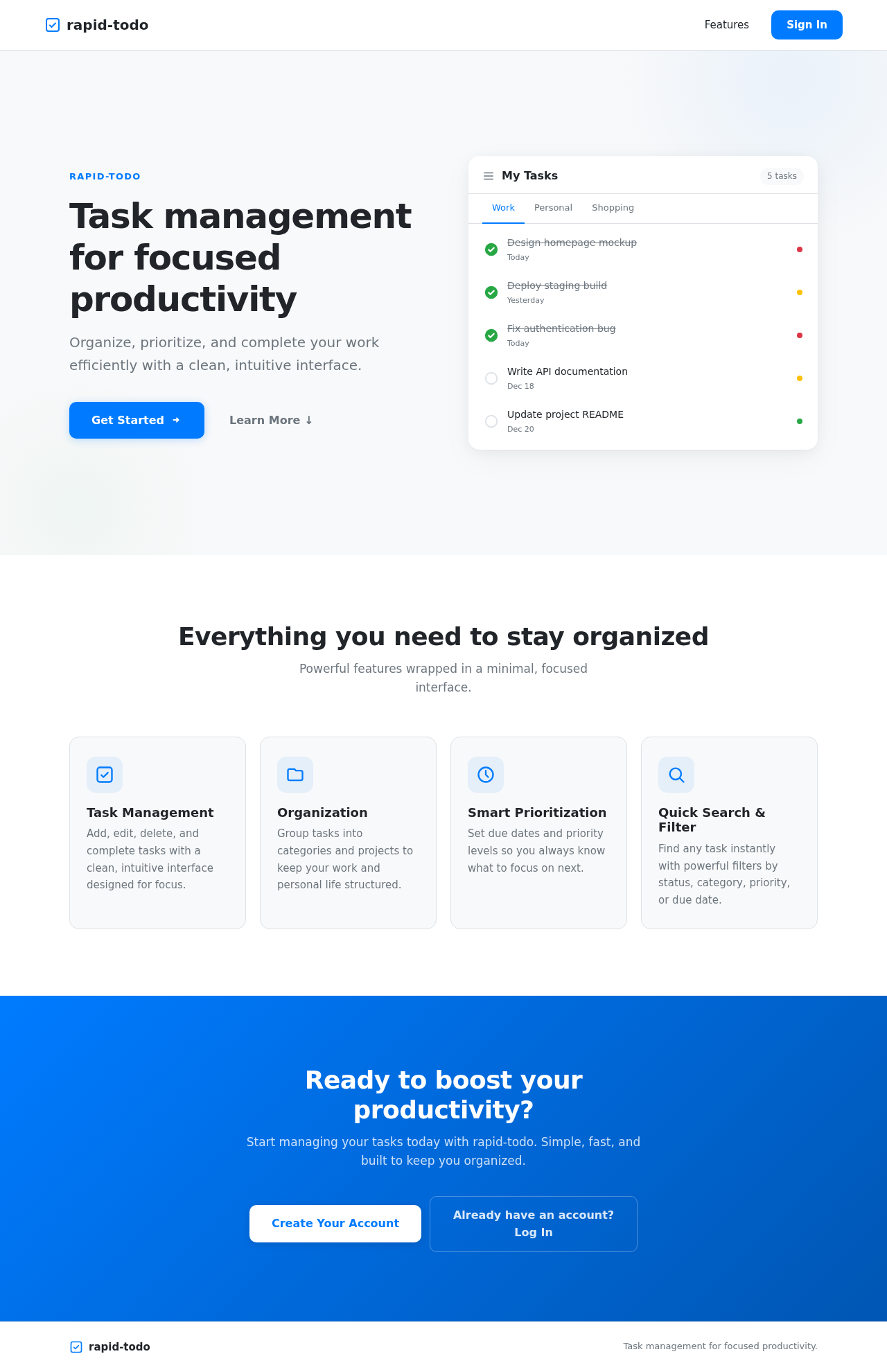
- Landing: A separate public entry required to orient and acquire users before they enter the durable, identity-bound task management workflow.
- Authentication: Required for account sign-up, login, and session access.
-
Access: Application-owned identity is required for durable, privately owned task records.
-
Behavior Contracts:
- Manage Tasks: Users can add, edit, delete, and mark tasks as complete/incomplete.
- Organize Tasks: Users can organize tasks into categories/projects.
- Set Task Attributes: Users can set due dates and priority levels.
- Filter and Sort Tasks: Users can filter or sort tasks by various criteria.
- Search Tasks: Users can search tasks by title.
Page 3 of 6
2b. Page Content and Component Coverage
-
Task Management Page:
- Information: Task details, categories, due dates, priority levels.
- Actions: Add, edit, delete, mark complete/incomplete, organize, set attributes, filter/sort, search.
- States: Empty, loading, success, error.
- Components: Task list, category/project organizer, attribute setter, filter/sort interface, search bar.
-
Landing Page:
- Purpose: Orient and acquire users.
- Components: Introduction to the app, sign-up/login prompts.
-
Authentication Page:
- Purpose: Manage user authentication.
- Components: Login form, sign-up form, password recovery.
3. Functional Requirements as Story Points
- As an individual user, I should be able to add tasks to my task list.
explicit
- As an individual user, I should be able to edit tasks in my task list.
explicit
- As an individual user, I should be able to delete tasks from my task list.
explicit
- As an individual user, I should be able to mark tasks as complete or incomplete.
explicit
- As an individual user, I should be able to organize tasks into categories or projects.
explicit
- As an individual user, I should be able to set due dates and priority levels for tasks.
explicit
- As an individual user, I should be able to filter and sort tasks by status, category, priority, or due date.
explicit
- As an individual user, I should be able to search tasks by title.
explicit
- As an individual user, I should be able to use optional features like recurring tasks, subtasks/checklists, reminders/notifications, drag-and-drop reordering, and dark mode.
explicit
- As an individual user, I should be able to sign up, log in, and manage my session.
required_inference
Page 4 of 6
4. User Personas
- Individual Users Managing Tasks: The app is designed for users to manage their personal and work tasks.
5. Core User Flows
Individual User Task Management Flow
- Landing Page: User accesses the app and is introduced to its features.
- Authentication Page: User signs up or logs in to access their task management interface.
- Task Management Page: User manages tasks by adding, editing, deleting, marking complete/incomplete, organizing, setting attributes, filtering/sorting, and searching.
6. Visuals Colors and Theme
- Primary: #007BFF (blue)
- Primary Light: #66B2FF
- Secondary: #6C757D (gray)
- Accent: #28A745 (green)
- Highlight: #FFC107 (yellow)
- Background: #F8F9FA (light gray)
- Surface: #FFFFFF (white)
- Text: #212529 (dark gray)
- Text Muted: #6C757D (gray)
- Border: #DEE2E6 (light gray)
Page 5 of 6
7. Signature Design Concept
The "Task Management" page will feature a minimal and clean design, focusing on usability and clarity. The interface will use a card-based layout for tasks, with clear typography and ample white space to ensure readability. The color palette will provide a professional and modern look, with interactive elements highlighted using the accent color. The design will support both light and dark modes to enhance user comfort.
8. Interaction Model & Motion Direction
- Task Management Page: Animated interaction model with moderate scroll-triggered reveals and hover transitions for interactive elements. This will provide a polished user experience while maintaining clarity and usability.
9. Non-Functional Requirements
- No additional non-functional requirements were inferred beyond those necessary for the stated functional behaviors.
10. Tech Stack
- Frontend: React
- Backend: Node/Express
- Database: MongoDB
- Authentication: Yes, with login/signup
Page 6 of 6
11. Assumptions and Constraints
- The application is designed for individual users and does not support multi-user collaboration.
- Optional features like recurring tasks, subtasks, reminders, and dark mode are not mandatory for the initial release.
12. Glossary
- Task Management: The process of managing a task through its lifecycle.
- Category/Project: A grouping of tasks based on a common theme or goal.
- Priority Level: An indicator of the importance of a task.
- Authentication: The process of verifying the identity of a user.
This document provides a comprehensive overview of the requirements for the "rapid-todo" project, ensuring all necessary features and functionalities are clearly defined and understood.



No comments yet. Be the first!