rapid-game
 Kapil kumar
You are an elite AI software architect and autonomous system builder. Your task is to design and build a FULLY FUNCTIONAL SaaS-based AI 3D Game Engine (similar to Buildbox but far more advanced), which can autonomously generate complete 3D games from user prompts using multiple APIs and AI agents working continuously. --- ## 🎯 CORE OBJECTIVE Build a system called “AutoGame AI Engine” with the following capabilities: * User enters a prompt like: “Create a GTA-style open-world 3D racing game with islands, traffic, and missions” * The system automatically: * Plans the full game architecture * Generates 3D assets (cars, buildings, characters) * Creates environment (terrain, roads, cities) * Implements physics and player controls * Writes full game logic * Builds a playable game * The system runs continuously (24/7 loop) until the game is complete * User can download: * Executable game (EXE) * Full source code (Unity project) --- ## 🧠 SYSTEM ARCHITECTURE ### 1. FRONTEND (SaaS Dashboard) * Build a modern dark-themed UI (like a game engine) * Sections: * Prompt input box * API management panel * AI agents live status * Progress bar * Download button * Tech: React or Flutter (desktop/web SaaS) --- ### 2. BACKEND (AI ORCHESTRATION SYSTEM) * Use Python (FastAPI) or Node.js * Responsibilities: * Handle API connections * Manage AI agents * Store progress * Trigger Unity build pipeline --- ### 3. AI MASTER BRAIN * Use LLM APIs (OpenAI / Claude) * Responsibilities: * Understand user prompt * Break into tasks: * Environment creation * Asset generation * Physics setup * Game logic * Assign tasks to agents --- ### 4. AI AGENT SYSTEM (MULTI-AGENT ARCHITECTURE) Create specialized agents: * Environment Agent: * Generates terrain, roads, cities * Asset Agent: * Generates 3D models via APIs (Meshy, Sloyd) * Physics Agent: * Configures Unity physics system * Logic Agent: * Writes scripts (C# for Unity) * Animation Agent: * Adds animations (Mixamo or equivalent) Each agent must: * Work independently * Communicate with the master brain * Run asynchronously * Continuously improve outputs --- ### 5. API INTEGRATION SYSTEM Allow dynamic API addition: Example config: { "agent": "Car Generator", "api": "Meshy AI", "task": "Generate realistic 3D cars" } System must: * Let users add APIs * Assign APIs to specific agents * Handle API failures gracefully --- ### 6. UNITY INTEGRATION (CORE ENGINE) * Automatically create/update Unity project * Import assets into Unity folders * Generate scripts dynamically * Use Unity CLI for auto-build: * Build target: Windows EXE * Ensure project is always runnable --- ### 7. CONTINUOUS GENERATION LOOP Implement infinite loop: while(game_not_complete): analyze_progress() assign_new_tasks() generate_assets() integrate_into_engine() test_game_build() improve_quality() --- ### 8. CLOUD SYSTEM * Deploy backend on AWS or GCP * Use storage for assets (S3 or Firebase) * Ensure system runs 24/7 --- ### 9. EXPORT SYSTEM Allow user to download: * EXE game file * Full Unity project folder --- ### 10. SECURITY * Add login system * Add password protection * Secure API keys --- ## ⚡ ADVANCED FEATURES * AI self-improvement (retry low-quality assets) * Versioning system (multiple builds) * Real-time logs display * Multi-project support --- ## ⚠️ RULES * The system must be modular and scalable * Code must be production-ready * Avoid fake simulations — all features must be real and implementable * Use actual APIs and real workflows --- ## 🎯 FINAL OUTPUT Generate: 1. Full system architecture 2. Backend code (API orchestration) 3. Frontend UI code 4. Unity automation scripts 5. AI agent logic 6. Deployment instructions The system must be REAL, WORKABLE, and ready for incremental development. Start building immediately.

Comments (0)
Sign in to leave a comment
Architecture
No Services Diagrams Yet

Generate 3D Games with AI
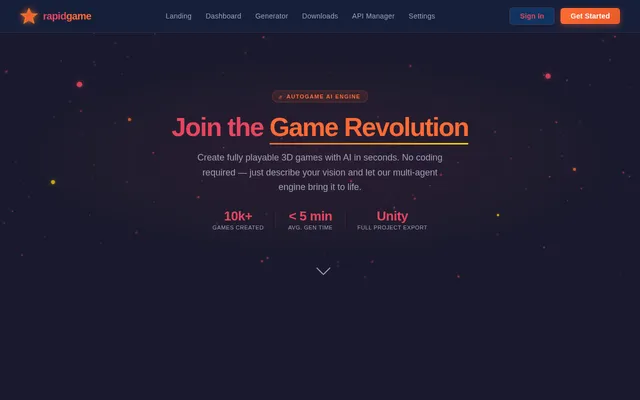
From Prompt to Playable Game in Minutes. Describe your vision and let our AutoGame AI Engine build it for you.
Everything You Need to Build Games with AI
From idea to executable in minutes. rapid-game combines cutting-edge AI with seamless workflows to make game creation accessible to everyone.
AI-Powered Generation
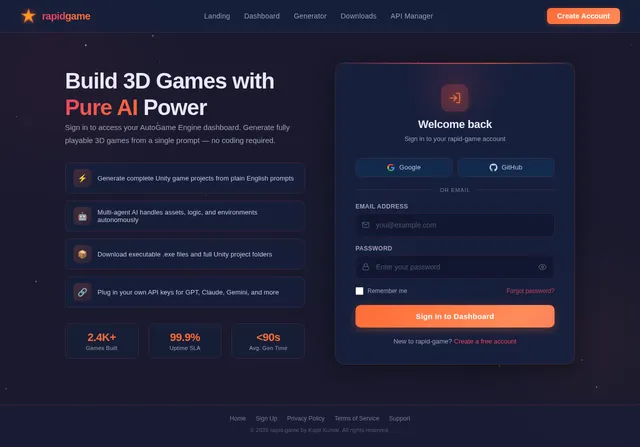
Describe your game in plain language and let our multi-agent AI architecture handle planning, asset creation, environment design, and game logic automatically.
One-Click Deployment
Go from prompt to playable game in minutes. Export executables and full Unity project files with a single click — no build pipeline setup required.
Full Control & Customization
Manage your own APIs, fine-tune generation parameters, and download complete project files to customize every aspect of your game in Unity.
Enterprise-Grade Security
Built on scalable cloud infrastructure with robust authentication, role-based access control, and encrypted data pipelines to protect your creative assets.
Everything You Need to Create Games
From a simple text prompt to a fully playable 3D game. Explore the powerful features that make rapid-game the ultimate AI game engine.
Prompt-Based Game Generation
Describe your dream game in plain language, and our multi-agent AI architecture transforms your vision into a fully playable 3D experience. No coding required, no technical expertise needed.
- ✓Natural language processing for complex game descriptions
- ✓AI-powered planning, asset generation, and assembly
- ✓Supports diverse game genres and mechanics
Real-Time Progress Tracking
Watch your game come to life with detailed progress updates. Monitor each AI agent as it completes tasks from planning and asset creation to final game assembly, all in real-time.
- ✓Live status updates for every AI agent in the pipeline
- ✓Detailed logs and stage-by-stage breakdown
- ✓Estimated completion time and resource monitoring
Download Executable & Project Files
Get the complete package: a ready-to-play executable game file and the full Unity project folder. Customize, iterate, and deploy your game on your own terms with total creative control.
- ✓One-click download for both .exe and project files
- ✓Full Unity project for further customization
- ✓Cloud storage with secure download links
From Prompt to Playable Game
Five simple steps power the AutoGame AI Engine. Click any step to learn more about the magic behind rapid-game.
Enter Prompt
Describe the game you want to create using natural language.
AI Planning
Multi-agent AI architects your game blueprint automatically.
Asset Generation
3D models, textures, and audio are created by AI pipelines.
Game Assembly
Unity automation assembles scenes, logic, and assets into a project.
Download
Get your executable game file and full Unity project folder.
Core Capabilities
Everything you need to go from prompt to playable game, powered by cutting-edge AI and cloud-native infrastructure.
Multi-Agent AI Architecture
Specialized AI agents collaborate asynchronously to handle asset generation, environment creation, and game logic with precision.
Real-Time Monitoring
Track every stage of game generation with live logs, status updates, and agent activity feeds as your game comes to life.
API Management
Add and manage APIs for asset generation, environment creation, and third-party integrations from a unified control panel.
One-Click Export
Download your executable game file and full Unity project folder instantly, ready for distribution or further customization.
Cloud Deployment
Enterprise-grade cloud infrastructure ensures 24/7 availability, fast build times, and seamless access from anywhere.
Scalable Infrastructure
Built on Docker and Kubernetes for horizontal scaling, handling thousands of concurrent game generation pipelines effortlessly.
How Users Navigate rapid-game
Two distinct personas, two streamlined paths. Explore how creators and administrators interact with the platform from start to finish.
User Flow
Create 3D games from prompts without any coding
Explore
Sign In / Sign Up
Enter Prompt
Track Progress
Download
Admin Flow
Monitor platform health and manage system settings
Sign In
Dashboard
Manage Users
Settings
API Manager
Powered by Modern Tech
The AutoGame AI Engine is built on a robust, scalable stack designed for autonomous 3D game generation at production scale.
Frontend
Backend
AI Models
Infrastructure
Trusted by Creators Worldwide
See how rapid-game is transforming the way people build 3D games with AI-powered generation.
I described a sci-fi racing game and rapid-game delivered a fully playable prototype in under an hour. The multi-agent system handled everything from terrain generation to vehicle physics seamlessly.
I described a sci-fi racing game and rapid-game delivered a fully playable prototype in under an hour. The multi-agent system handled everything from terrain generation to vehicle physics seamlessly.
As a game design teacher, rapid-game has completely transformed how I introduce students to 3D game development. They go from idea to executable game without writing a single line of code.
The API management panel and real-time agent monitoring give us full visibility into the generation pipeline. We integrated our custom asset APIs and the system handled them flawlessly.
From prompt to a downloadable Unity project with complete game logic, rapid-game is the closest thing to magic I have seen in game development tooling. Kapil's vision is truly revolutionary.
Ready to Create Games with AI?
Join hundreds of creators building the future of gaming. Go from a simple text prompt to a fully playable 3D game in minutes.
No comments yet. Be the first!