queation-and-answer-section
 Ogenyi Uzondu
i need an app for a question and answer section in my seminar where participants can ask and answer by scanning my qr code and i view from my back end


Comments (0)
Sign in to leave a comment
System Requirements
System Requirements Document for queation-and-answer-section
1. Introduction
The "queation-and-answer-section" project is designed to facilitate interactive audience engagement during seminars. Participants can ask and answer questions by scanning a QR code, while the seminar organizer can view these interactions from a backend interface. The application aims to create a dynamic and engaging environment for seminar participants.
2. System Overview
This system provides a question-and-answer section for seminars, accessible via a QR code. Participants can submit and respond to questions, and the seminar organizer can review these interactions through a backend interface. The application emphasizes interactive design, inspired by Yugo Nakamura, to enhance user engagement.
2a. Product Interpretation and Delivery Boundary
The application is designed to be accessed by scanning a QR code, which directs participants to a public Q&A experience. The seminar organizer accesses a protected backend to view interactions. The system requires app-owned identity for the organizer to ensure secure access to the backend. The application does not include adjacent capabilities such as account management or external integrations beyond the QR code access and backend review.
2b. Source Content Inventory
Not applicable as there is no explicit content_source directive.
2c. Page Content and Component Coverage
Landing
- Information/State: Introduction to the seminar Q&A, instructions for scanning the QR code.
- Primary Actions: Direct participants to scan the QR code.
- Components: QR code display, brief instructions.
- States: Loading, empty (no QR code), success (QR code scanned), error (QR code not recognized).
Login
- Information/State: Organizer login interface.
- Primary Actions: Organizer login.
- Components: Username and password fields, login button.
- States: Loading, success (login successful), error (invalid credentials).
Q&A
- Information/State: Display of questions and answers.
- Primary Actions: Submit a question, submit an answer.
- Components: Question list, answer input fields, submit buttons.
- States: Loading, empty (no questions), success (question/answer submitted), error (submission failed).
Review
- Information/State: List of submitted questions and answers.
- Primary Actions: Review questions and answers.
- Components: Question and answer list, review controls.
- States: Loading, empty (no submissions), success (review completed), error (review failed).
3. Functional Requirements
- As a Seminar participant, I should be able to access the Q&A section by scanning a QR code. (explicit)
- As a Seminar participant, I should be able to ask questions in the Q&A section. (explicit)
- As a Seminar participant, I should be able to answer questions in the Q&A section. (explicit)
- As a Seminar organizer, I should be able to view participant questions and answers from a backend. (explicit)
- As a Seminar organizer, I should complete self-service enrollment before first backend use. (required_inference)
- As a Seminar organizer, I should complete returning verification before accessing the protected review workflow. (required_inference)
4. User Personas
- Seminar participant: Engages with the Q&A section by asking and answering questions after scanning the seminar QR code.
- Seminar organizer: Manages and reviews participant interactions through the backend interface.
5. Core User Flows
Seminar Participant Flow
- Scan the seminar QR code.
- Access the Q&A section.
- View existing questions.
- Submit a new question or answer an existing question.
- Receive confirmation of submission.
Seminar Organizer Flow
- Complete self-service enrollment for backend access.
- Log in to the backend interface.
- View submitted questions and answers.
- Review and manage participant interactions.
6. Visuals Colors and Theme
- Muse: Yugo Nakamura
- Palette:
- Background: #FFFFFF
- Surface: #F6F6F6
- Text: #222222
- Primary: #FF5722
- Accent: #FFC107
- Muted: #E0E0E0
- Typography:
- Headings: Inter Tight, large, tight tracking, uppercase
- Body: Space Grotesk
- Scale: 1.414 modular (48/34/24/18/16)
- Shape Language: Full-viewport layouts with minimal chrome and cursor-driven interaction elements.
- Layout: Generative grids with interactive elements responding to user actions.
- Motion: Cursor-reactive physics with kinetic typography and elastic layouts.
7. Signature Design Concept
An interactive full-viewport playground with cursor-responsive elements and kinetic typography. The design uses bright primary orange accents for interactive elements, creating an engaging and dynamic user experience.
8. Interaction Model & Motion Direction
- Interaction Model: Animated
- Motion Tempo: Expressive
- Hero Dimensionality: Layered_2d
- Landing Hero Motion Brief: An interactive playground with cursor-reactive elements and kinetic typography. The user scans the QR code, triggering a dynamic transformation that highlights the interactive elements and guides them to the Q&A section.
9. Non-Functional Requirements
- The system must ensure secure access to the backend for the seminar organizer.
- The application should be responsive and provide a seamless user experience across devices.
10. Tech Stack
- Frontend: React
- Backend: Python/FastAPI
- Storage: Appropriate database for storing questions and answers
- Deployment: Docker/docker-compose
11. Assumptions and Constraints
- The seminar organizer is responsible for generating and distributing the QR code.
- Participants must have a device capable of scanning QR codes to access the Q&A section.
12. Glossary
- QR Code: A machine-readable code used for accessing the Q&A section.
- Backend: The interface used by the seminar organizer to view and manage participant interactions.
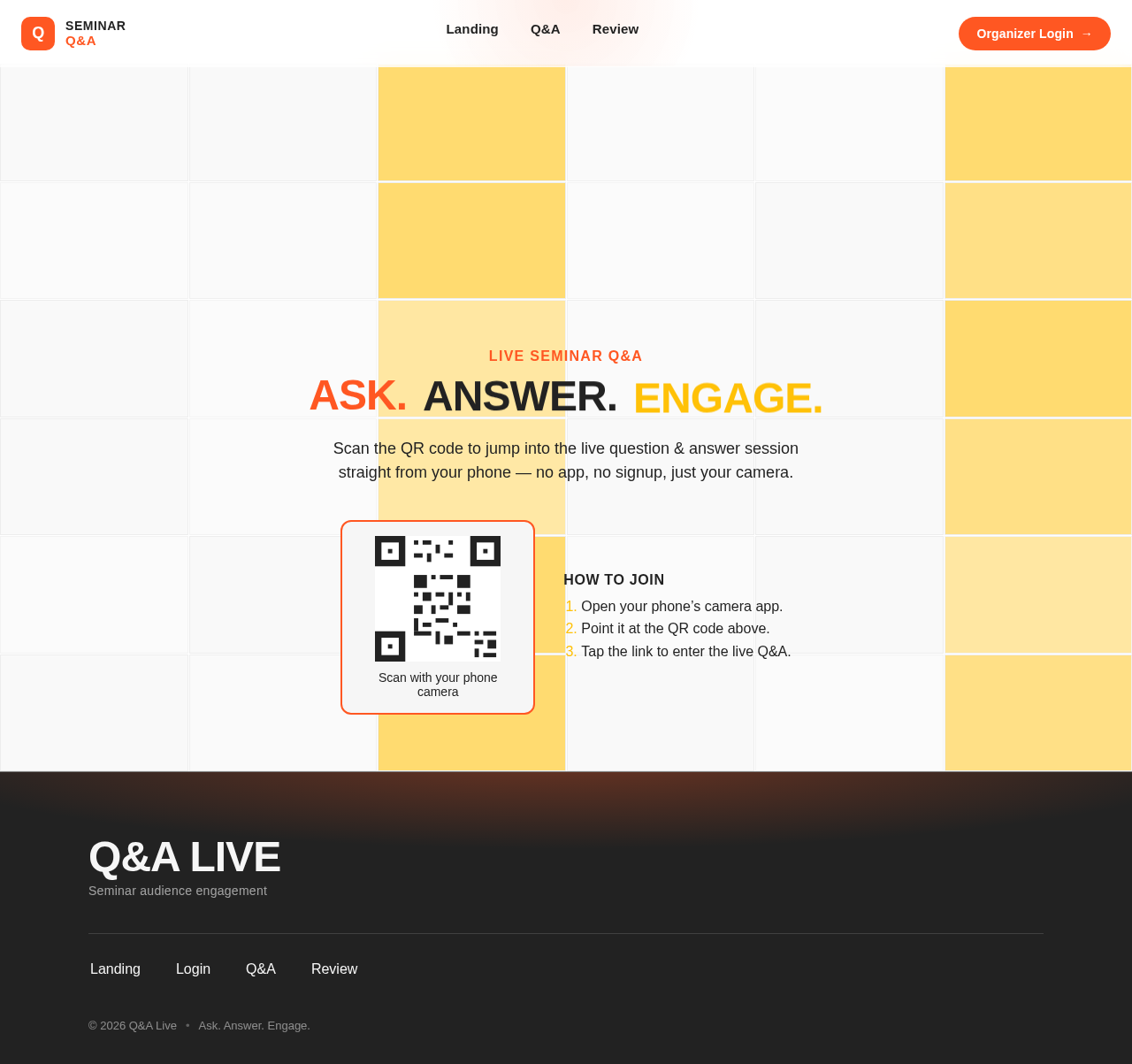
Live Seminar Q&A
Ask.Answer.Engage.
Scan the QR code to jump into the live question & answer session straight from your phone — no app, no signup, just your camera.
How to join
- Open your phone’s camera app.
- Point it at the QR code above.
- Tap the link to enter the live Q&A.
Live Seminar Q&A
Ask.Answer.Engage.
Scan the QR code to jump into the live question & answer session straight from your phone — no app, no signup, just your camera.
How to join
- Open your phone’s camera app.
- Point it at the QR code above.
- Tap the link to enter the live Q&A.
No comments yet. Be the first!