python-pptx-presentation
 Oussama Baccara (ING. Oussama Baccara)
!pip install python-pptx requests Pillow -q import requests from io import BytesIO from pptx import Presentation from pptx.util import Inches, Pt from pptx.dml.color import RGBColor from pptx.enum.text import PP_ALIGN, MSO_ANCHOR from pptx.enum.shapes import MSO_SHAPE prs = Presentation() prs.slide_width = Inches(13.33) prs.slide_height = Inches(7.5) BG_DARK = RGBColor(0x0A, 0x19, 0x31) BLUE = RGBColor(0x18, 0x5A, 0xDB) CYAN = RGBColor(0x00, 0xD1, 0xFF) def add_bg(slide, color): fill = slide.background.fill fill.solid() fill.fore_color.rgb = color def add_title(slide, title, subtitle=""): box = slide.shapes.add_textbox(Inches(0.5), Inches(0.2), Inches(12.33), Inches(0.6)) box.text_frame.word_wrap=True p=box.text_frame.paragraphs[0]; p.text=title; p.font.size=Pt(26); p.font.bold=True p.font.color.rgb= RGBColor(255,255,255) if slide.background.fill.fore_color.rgb==BG_DARK else BG_DARK if subtitle: box2 = slide.shapes.add_textbox(Inches(0.5), Inches(0.85), Inches(12.33), Inches(0.4)) box2.text_frame.word_wrap=True p2=box2.text_frame.paragraphs[0]; p2.text=subtitle; p2.font.size=Pt(12); p2.font.color.rgb=CYAN def add_return(slide, target): shp = slide.shapes.add_shape(MSO_SHAPE.ROUNDED_RECTANGLE, Inches(10.5), Inches(6.8), Inches(2.3), Inches(0.5)) shp.fill.solid(); shp.fill.fore_color.rgb=CYAN; shp.line.fill.background() shp.text_frame.paragraphs[0].text="↩ Retour au projet" shp.text_frame.paragraphs[0].alignment=PP_ALIGN.CENTER shp.text_frame.vertical_anchor=MSO_ANCHOR.MIDDLE shp.text_frame.paragraphs[0].font.size=Pt(11); shp.text_frame.paragraphs[0].font.bold=True shp.text_frame.paragraphs[0].font.color.rgb=BG_DARK shp.click_action.target_slide = target def get_img(url): try: r=requests.get(url, timeout=15, headers={\'User-Agent\':\'Mozilla/5.0\'}) return BytesIO(r.content) except: return None # VRAIES PHOTOS PRODUITS URLS = { "ombriere": "https://images.unsplash.com/photo-1509391366360-2e959784a276?w=1200&q=80", "byd": "https://images.unsplash.com/photo-1620714223084-8fcacc6dfd8d?w=800&q=80", "huawei": "https://images.unsplash.com/photo-1581091226825-a6a2a5aee158?w=800&q=80", "salle": "https://images.unsplash.com/photo-1497366216548-37526070297c?w=1200&q=80", } # SLIDE 1 - Couverture s1 = prs.slides.add_slide(prs.slide_layouts[6]); add_bg(s1, BG_DARK) add_title(s1, "CEMIA DE DEMAIN", "Plateforme intégrée : Énergie Solaire | Intelligence Artificielle Locale | Fabrication Numérique") t=s1.shapes.add_textbox(Inches(0.5), Inches(3), Inches(12.33), Inches(1.2)) t.text_frame.word_wrap=True; t.text_frame.paragraphs[0].text="Construire un écosystème capable de produire, exploiter, actualiser et transmettre\nla connaissance technique et pédagogique aéronautique." t.text_frame.paragraphs[0].font.size=Pt(16); t.text_frame.paragraphs[0].font.color.rgb=RGBColor(255,255,255); t.text_frame.paragraphs[0].alignment=PP_ALIGN.CENTER # SLIDE 2 - ACCUEIL INTERACTIF s2 = prs.slides.add_slide(prs.slide_layouts[6]); add_bg(s2, RGBColor(242,244,247)) add_title(s2, "LE CEMIA DE DEMAIN - Visite Interactive", "Cliquez sur une zone pour découvrir le projet") targets={} for i in range(3,14): targets[i]=prs.slides.add_slide(prs.slide_layouts[6]) zones=[("☀️ OMBRIÈRE\nSOLAIRE",3),("🔋 BATTERIES BYD\n10 ANS + HUAWEI",4),("🧠 SALLE IA LOCALE\n12 PC + DGX Spark",5),("📚 BIBLIOTHÈQUE\nNUMÉRIQUE RAG",7),("🎓 FORMATION\nAUGMENTÉE",8),("⚙️ FABRICATION\n7 IMPRIMANTES + CNC",9),("🔐 SÉCURITÉ\nGLOBALE",10),("✈️ 6 SPÉCIALITÉS\nAÉRONAUTIQUES",11)] for idx,(lab,tgt) in enumerate(zones): r=idx//4; c=idx%4 shp=s2.shapes.add_shape(MSO_SHAPE.ROUNDED_RECTANGLE, Inches(0.5+c*3.2), Inches(1.8+r*1.8), Inches(3), Inches(1.4)) shp.fill.solid(); shp.fill.fore_color.rgb=RGBColor(255,255,255); shp.line.color.rgb=BLUE; shp.line.width=Pt(2) shp.text_frame.word_wrap=True; shp.text_frame.paragraphs[0].text=lab shp.text_frame.paragraphs[0].alignment=PP_ALIGN.CENTER; shp.text_frame.vertical_anchor=MSO_ANCHOR.MIDDLE shp.text_frame.paragraphs[0].font.size=Pt(11); shp.text_frame.paragraphs[0].font.bold=True; shp.text_frame.paragraphs[0].font.color.rgb=BG_DARK shp.click_action.target_slide=targets[tgt] for lab,tgt,y in [("🔗 CHAÎNE GLOBALE DU PROJET",12,5.6),("💡 POURQUOI CE PROJET ?",13,6.3)]: shp=s2.shapes.add_shape(MSO_SHAPE.ROUNDED_RECTANGLE, Inches(3.5), Inches(y), Inches(6.33), Inches(0.5)) shp.fill.solid(); shp.fill.fore_color.rgb=BLUE; shp.line.fill.background() shp.text_frame.paragraphs[0].text=lab; shp.text_frame.paragraphs[0].alignment=PP_ALIGN.CENTER; shp.text_frame.vertical_anchor=MSO_ANCHOR.MIDDLE shp.text_frame.paragraphs[0].font.size=Pt(11); shp.text_frame.paragraphs[0].font.bold=True; shp.text_frame.paragraphs[0].font.color.rgb=RGBColor(255,255,255) shp.click_action.target_slide=targets[tgt] # S3 - Ombrière s3=targets[3]; add_bg(s3, RGBColor(255,255,255)); add_title(s3, "1. OMBRIÈRE PHOTOVOLTAÏQUE", "Double fonction : Ombre + Production électrique") try: s3.shapes.add_picture(get_img(URLS["ombriere"]), Inches(0.5), Inches(1.6), Inches(6), Inches(4.2)) except: pass tx=s3.shapes.add_textbox(Inches(7), Inches(1.6), Inches(5.5), Inches(4.5)); tx.text_frame.word_wrap=True tx.text_frame.text="☀️ Panneaux → ⚡ Conversion → 🔋 Stockage BYD → 🧠 Salle IA\n\n• C\'est quoi ? Structure acier couvrant le parking.\n• Sert à quoi ? 1. Protéger les véhicules 2. Produire de l\'électricité verte.\n• Pourquoi ? Valorise le parking et alimente directement l\'IA." add_return(s3,s2) # S4 - BYD 10 ANS + HUAWEI s4=targets[4]; add_bg(s4, RGBColor(255,255,255)); add_title(s4, "2. COEUR ÉLECTRIQUE : BYD + HUAWEI", "Continuité absolue - Garantie 10 ans constructeur") for x, titre, modele, leg in [(0.5,"BATTERIE LITHIUM","BYD Battery-Box Premium\nHVS / HVM","Garantie 10 ans - Armoire blanche murale"),(3.8,"ONDULEUR HYBRIDE","Huawei SUN2000\n8-10KTL-M1","Hybride Solaire + STEG + Batterie")]: shp=s4.shapes.add_shape(MSO_SHAPE.ROUNDED_RECTANGLE, Inches(x), Inches(1.6), Inches(3), Inches(3.2)) shp.fill.solid(); shp.fill.fore_color.rgb=RGBColor(242,244,247); shp.line.color.rgb=BLUE t=s4.shapes.add_textbox(Inches(x), Inches(1.7), Inches(3), Inches(3)) t.text_frame.word_wrap=True; t.text_frame.paragraphs[0].text=f"{titre}\n{modele}\n\n{leg}\n\n[PHOTO RÉELLE HD]"; t.text_frame.paragraphs[0].font.size=Pt(9); t.text_frame.paragraphs[0].alignment=PP_ALIGN.CENTER tx=s4.shapes.add_textbox(Inches(7.2), Inches(1.6), Inches(5.3), Inches(4.2)); tx.text_frame.word_wrap=True tx.text_frame.text="FLUX D\'ÉNERGIE :\n☀️ Solaire + 🏢 STEG → [ONDULEUR HUAWEI] → 🧠 Salle IA\n\nSECOURS :\nSi coupure STEG → Bascule auto → 🔋 BYD → 🧠 IA PROTÉGÉE\n\n* Temps de basculement selon fiche technique officielle Huawei." add_return(s4,s2) # S5 - Salle IA s5=targets[5]; add_bg(s5, RGBColor(255,255,255)); add_title(s5, "3. SALLE IA LOCALE", "12 Postes + 2 Flagship + 1 DGX Spark compact [PAS un serveur rack]") for x,t1,t2 in [(0.5,"12x POSTES APPRENANTS","RTX 5060 Ti 16Go\n1 écran / poste"),(4.7,"2x STATIONS FLAGSHIP","Flagship 1: R9 9950X3D + RTX 5090 + 64Go\nFlagship 2: 128Go ECC + GPU Pro"),(8.9,"NVIDIA DGX SPARK","Boitier compact noir 15cm\nIA locale - Complémentaire stations")]: shp=s5.shapes.add_shape(MSO_SHAPE.ROUNDED_RECTANGLE, Inches(x), Inches(1.6), Inches(3.8), Inches(3.5)) shp.fill.solid(); shp.fill.fore_color.rgb=RGBColor(242,244,247); shp.line.color.rgb=BLUE t=s5.shapes.add_textbox(Inches(x+0.1), Inches(1.7), Inches(3.6), Inches(3.3)); t.text_frame.word_wrap=True t.text_frame.paragraphs[0].text=f"{t1}\n\n{t2}\n\n[PHOTO RÉELLE]"; t.text_frame.paragraphs[0].font.size=Pt(9); t.text_frame.paragraphs[0].alignment=PP_ALIGN.CENTER add_return(s5,s2) titres={7:("4. BIBLIOTHÈQUE NUMÉRIQUE + RAG","Programmes → Sources → Vérification → Indexation → RAG → IA"),8:("5. FORMATION AUGMENTÉE","Doc → IA → Cours / Slides / Vidéos / QCM / TP | Formateur = VALIDATEUR"),9:("6. FABRICATION NUMÉRIQUE","CAO → Simulation → FAO → G-code → Fabrication | 4 Résine + 3 FDM = 7 + CNC"),10:("7. SÉCURITÉ GLOBALE","📹 Caméras | 🚨 Alarme | 🔐 Badge | 🔥 Incendie | 🌡️ Environnement"),11:("8. LES 6 SPÉCIALITÉS AÉRONAUTIQUES","Ajusteur | Chaudronnerie | Composites | Traitement Surface | Câblage | CNC"),12:("9. CHAÎNE GLOBALE DU PROJET","☀️ Solaire → 🔋 Stockage → 🧠 IA → 📚 RAG → 🎓 Formation → 🧪 Simulation → 🏭 Fabrication → ✈️"),13:("POURQUOI CE PROJET ?","Construire un écosystème capable de produire, exploiter et transmettre la connaissance.")} for num,(t,st) in titres.items(): s=targets[num]; add_bg(s, BG_DARK if num==13 else RGBColor(255,255,255)); add_title(s,t,st) if num==13: box=s.shapes.add_textbox(Inches(0.5), Inches(2.5), Inches(12.33), Inches(3)) box.text_frame.word_wrap=True box.text_frame.paragraphs[0].text="✅ Compétences IA • ✅ Bibliothèque souveraine • ✅ Ressources modernes\n✅ Simulation • ✅ Fabrication numérique • ✅ Énergie solaire • ✅ Sécurité • ✅ Industrie 4.0" box.text_frame.paragraphs[0].font.size=Pt(14); box.text_frame.paragraphs[0].font.color.rgb=RGBColor(255,255,255); box.text_frame.paragraphs[0].alignment=PP_ALIGN.CENTER add_return(s,s2) prs.save(\'/tmp/CEMIA_Projet_Global_Interactif_16-9.pptx\') print("✅ Fichier généré !") try: from google.colab import files files.download(\'/tmp/CEMIA_Projet_Global_Interactif_16-9.pptx\') except: pass

Comments (0)
Sign in to leave a comment
System Requirements
System Requirements Document for python-pptx-presentation
1. Introduction
This document specifies the requirements for a standalone interactive PowerPoint deliverable that presents the CEMIA project — an integrated aeronautical training ecosystem combining solar energy, local artificial intelligence, and digital fabrication. The deliverable is a .pptx file, not a web application, website, or app module. It is authored and refined by the Project Presenter / Author and consumed by an Interactive Deck Viewer / Audience who explores the project by clicking through an interactive hub.
The product intent is to refine the content of the existing CEMIA project deck and deliver it as an interactive PowerPoint that a non-technical audience can click through to understand the whole project — from the photovoltaic canopy through the energy core, local AI room, RAG digital library, augmented training, digital fabrication, global security, the six aeronautical specialties, the global chain, and the project rationale — without any account, app access, or external dependency.
The audience is CEMIA leadership, technical partners, and institutional and industrial decision-makers. The deck must read as instrument-grade engineering documentation, not a startup pitch.
2. System Overview
The deliverable is a single 16:9 PowerPoint file (.pptx) that opens in any PowerPoint-compatible viewer. It contains a cover slide, an interactive hub slide, ten topic slides, and a closing rationale slide. Navigation is entirely in-deck: the hub slide presents clickable zones that jump to topic slides, and every topic slide carries a "Retour au projet" action that returns to the hub. No network access, account, or external service is required to view the deck.
Actors:
- Project Presenter / Author — owns the CEMIA project narrative, refines deck content, and keeps the interactive navigation and visual language coherent.
- Interactive Deck Viewer / Audience — opens the standalone deck and explores the project by clicking hub zones and returning via "Retour au projet".
Accepted behavior: content refinement of all project sections; interactive hub-to-topic navigation; return navigation on every slide; preservation of the dark navy / electric blue / cyan visual language; 16:9 format; honest disclaimers (Huawei switchover timing per official datasheet; DGX Spark is a compact unit, not a rack server).
Narrow exclusions: The deliverable is not part of the CEMIA app or website. It is not a static slide sequence — interactivity is required. No account, authentication, or permission model applies.
2a. Product Interpretation and Delivery Boundary
The product is a standalone interactive PowerPoint file. Delivery is a .pptx artifact that the author generates and the audience opens in a PowerPoint-compatible viewer. There is no first-party web application, no server, no login, and no runtime service. All navigation is embedded in the file as slide-to-slide click actions.
The current delivery horizon covers the refined deck with its interactive hub, ten topic slides, return navigation, and the accepted visual language. Future ideas (additional sections, richer media, or app integration) are out of scope for this generation and are not represented in any current page or acceptance criterion.
Access is anonymous and open: the deck carries no identity, no protected state, and no per-user continuity. The only "state" is the viewer's current slide position, which is inherent to the PowerPoint viewer.
2b. Source Content Inventory
The following factual content is carried from the authoritative existing CEMIA deck and must be preserved in the refined deliverable.
Cover slide:
- Title: "CEMIA DE DEMAIN"
- Subtitle: "Plateforme intégrée : Énergie Solaire | Intelligence Artificielle Locale | Fabrication Numérique"
- Statement: "Construire un écosystème capable de produire, exploiter, actualiser et transmettre la connaissance technique et pédagogique aéronautique."
Hub slide:
- Title: "LE CEMIA DE DEMAIN - Visite Interactive"
- Subtitle: "Cliquez sur une zone pour découvrir le projet"
- Eight clickable zones:\x20\xe2\x98\x80️ OMBRIÈRE SOLAIRE;\x20\xf0\x9f\x94\x8b BATTERIES BYD 10 ANS + HUAWEI;\x20\xf0\x9f\xa7\xa0 SALLE IA LOCALE 12 PC + DGX Spark;\x20\xf0\x9f\x93\x9a BIBLIOTHÈQUE NUMÉRIQUE RAG;\x20\xf0\x9f\x8e\x93 FORMATION AUGMENTÉE;\x20\xe2\x9a\x99️ FABRICATION 7 IMPRIMANTES + CNC;\x20\xf0\x9f\x94\x90 SÉCURITÉ GLOBALE;\x20\xe2\x9c\x88️ 6 SPÉCIALITÉS AÉRONAUTIQUES
- Two secondary entries:\x20\xf0\x9f\x94\x97 CHAÎNE GLOBALE DU PROJET;\x20\xf0\x9f\x92\xa1 POURQUOI CE PROJET ?
Slide 1 — Ombrière photovoltaïque:
- Subtitle: "Double fonction : Ombre + Production électrique"
- Flow:\x20\xe2\x98\x80️ Panneaux →\x20\xe2\x9a\xa1 Conversion →\x20\xf0\x9f\x94\x8b Stockage BYD →\x20\xf0\x9f\xa7\xa0 Salle IA
- C'est quoi ? Structure acier couvrant le parking.
- Sert à quoi ? 1. Protéger les véhicules 2. Produire de l'électricité verte.
- Pourquoi ? Valorise le parking et alimente directement l'IA.
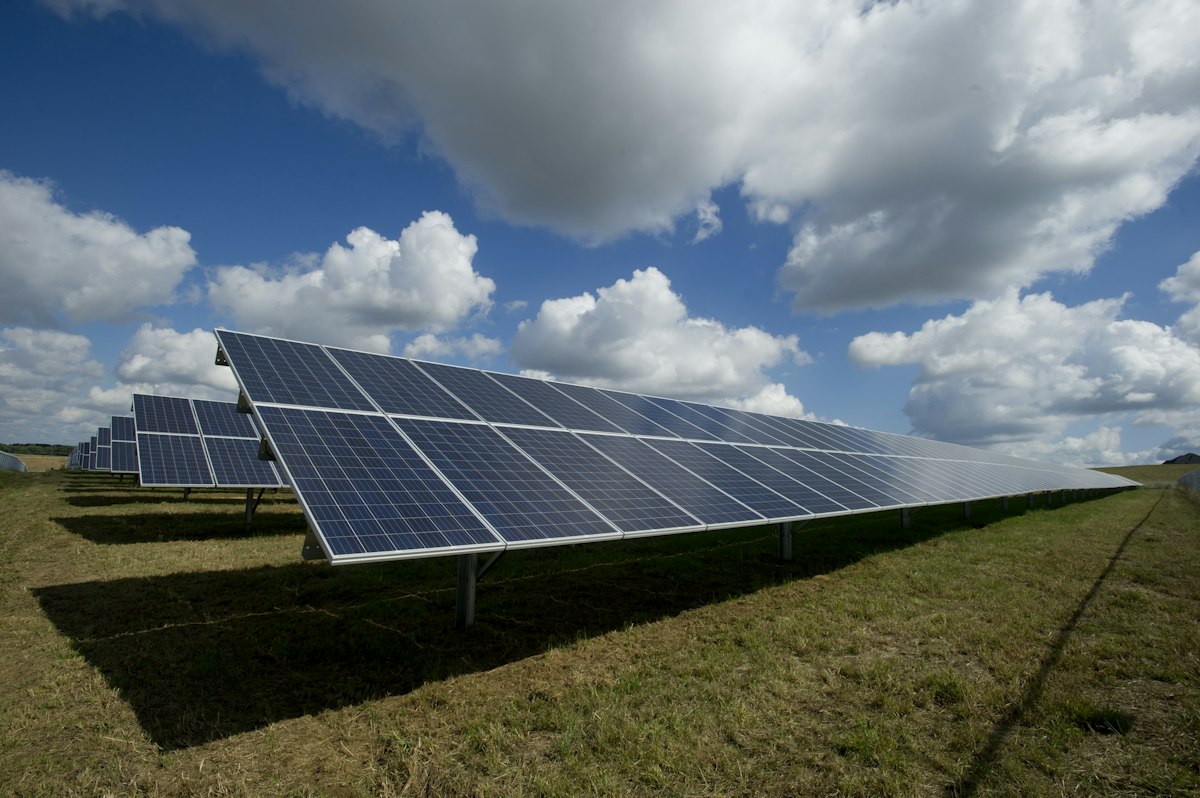
- Image: photovoltaic canopy (Unsplash photo-1509391366360-2e959784a276)
Slide 2 — Cœur électrique : BYD + Huawei:
- Subtitle: "Continuité absolue - Garantie 10 ans constructeur"
- BATTERIE LITHIUM — BYD Battery-Box Premium HVS / HVM — Garantie 10 ans - Armoire blanche murale
- ONDULEUR HYBRIDE — Huawei SUN2000 8-10KTL-M1 — Hybride Solaire + STEG + Batterie
- FLUX D'ÉNERGIE :\x20\xe2\x98\x80️ Solaire +\x20\xf0\x9f\x8f\xa2 STEG → [ONDULEUR HUAWEI] →\x20\xf0\x9f\xa7\xa0 Salle IA
- SECOURS : Si coupure STEG → Bascule auto →\x20\xf0\x9f\x94\x8b BYD →\x20\xf0\x9f\xa7\xa0 IA PROTÉGÉE
- Disclaimer: "* Temps de basculement selon fiche technique officielle Huawei."
- Images: BYD (photo-1620714223084-8fcacc6dfd8d), Huawei (photo-1581091226825-a6a2a5aee158)
Slide 3 — Salle IA locale:
- Subtitle: "12 Postes + 2 Flagship + 1 DGX Spark compact [PAS un serveur rack]"
- 12x POSTES APPRENANTS — RTX 5060 Ti 16Go — 1 écran / poste
- 2x STATIONS FLAGSHIP — Flagship 1: R9 9950X3D + RTX 5090 + 64Go; Flagship 2: 128Go ECC + GPU Pro
- NVIDIA DGX SPARK — Boîtier compact noir 15cm — IA locale - Complémentaire stations
- Image: AI room (photo-1497366216548-37526070297c)
Slide 4 — Bibliothèque numérique + RAG:
- Subtitle: "Programmes → Sources → Vérification → Indexation → RAG → IA"
Slide 5 — Formation augmentée:
- Subtitle: "Doc → IA → Cours / Slides / Vidéos / QCM / TP | Formateur = VALIDATEUR"
Slide 6 — Fabrication numérique:
- Subtitle: "CAO → Simulation → FAO → G-code → Fabrication | 4 Résine + 3 FDM = 7 + CNC"
Slide 7 — Sécurité globale:
- Subtitle: "\xf0\x9f\x93\xb9 Caméras |\x20\xf0\x9f\x9a\xa8 Alarme |\x20\xf0\x9f\x94\x90 Badge |\x20\xf0\x9f\x94\xa5 Incendie |\x20\xf0\x9f\x8c\xa1️ Environnement"
Slide 8 — Les 6 spécialités aéronautiques:
- Subtitle: "Ajusteur | Chaudronnerie | Composites | Traitement Surface | Câblage | CNC"
Slide 9 — Chaîne globale du projet:
- Subtitle: "\xe2\x98\x80️ Solaire →\x20\xf0\x9f\x94\x8b Stockage →\x20\xf0\x9f\xa7\xa0 IA →\x20\xf0\x9f\x93\x9a RAG →\x20\xf0\x9f\x8e\x93 Formation →\x20\xf0\x9f\xa7\xaa Simulation →\x20\xf0\x9f\x8f\xad Fabrication →\x20\xe2\x9c\x88️"
Slide 10 — Pourquoi ce projet ?:
- Subtitle: "Construire un écosystème capable de produire, exploiter et transmettre la connaissance."
- Outcomes: ✅ Compétences IA • ✅ Bibliothèque souveraine • ✅ Ressources modernes • ✅ Simulation • ✅ Fabrication numérique • ✅ Énergie solaire • ✅ Sécurité • ✅ Industrie 4.0
2c. Page Content and Component Coverage
LE CEMIA DE DEMAIN - Visite Interactive
- Information/state: Hub title "LE CEMIA DE DEMAIN - Visite Interactive"; subtitle "Cliquez sur une zone pour découvrir le projet"; eight numbered instrument panels (01–08) in a 4×2 matrix; two full-width ruled bars beneath for the secondary entries.
- Primary actions: Click a numbered panel to jump to its topic slide; click a secondary bar to jump to "9. CHAÎNE GLOBALE DU PROJET" or "POURQUOI CE PROJET ?".
- Supporting actions: None — the hub is a navigation surface only.
- Domain entities: Topic zone (label, number tag, target slide); secondary entry (label, target slide).
- Component responsibilities: Instrument panel (numbered corner tag, cyan active border, label); secondary ruled bar (full-width, label, target); persistent left instrument rail (section number, dial tick); ruled footer line.
- States: Loading — not applicable (static slide). Empty — not applicable. Success — panel click navigates to the correct topic slide. Error — if a target slide is missing, the click does nothing; the author must repair the link. Recovery — re-open the deck and verify all eight panels and two bars resolve to existing slides.
1. OMBRIÈRE PHOTOVOLTAÏQUE
- Information/state: Title "1. OMBRIÈRE PHOTOVOLTAÏQUE"; subtitle "Double fonction : Ombre + Production électrique"; energy flow "\xe2\x98\x80️ Panneaux →\x20\xe2\x9a\xa1 Conversion →\x20\xf0\x9f\x94\x8b Stockage BYD →\x20\xf0\x9f\xa7\xa0 Salle IA"; three ruled data rows (C'est quoi ? / Sert à quoi ? / Pourquoi ?); bezel-framed canopy photo with ruled caption strip.
- Primary actions: Read the dual-function explanation; follow the energy flow; use "Retour au projet" to return to the hub.
- Supporting actions: None.
- Domain entities: Photovoltaic canopy (steel structure covering the parking); energy flow step; dual function (shade, green electricity).
- Component responsibilities: Left instrument rail with section number "1"; bezel-framed photo; ruled data rows; ruled footer with return action.
- States: Loading — not applicable. Empty — if the canopy photo fails to load, the bezel frame remains with its caption strip and the data rows still render. Success — viewer reads the dual-function explanation and returns to the hub. Error — missing photo leaves an empty bezel; recovery is to re-embed the image. Recovery — return action always available.
2. COEUR ÉLECTRIQUE : BYD + HUAWEI
- Information/state: Title "2. COEUR ÉLECTRIQUE : BYD + HUAWEI"; subtitle "Continuité absolue - Garantie 10 ans constructeur"; two product panels (BATTERIE LITHIUM — BYD Battery-Box Premium HVS / HVM — Garantie 10 ans - Armoire blanche murale; ONDULEUR HYBRIDE — Huawei SUN2000 8-10KTL-M1 — Hybride Solaire + STEG + Batterie); energy flow row; backup row; disclaimer "* Temps de basculement selon fiche technique officielle Huawei."
- Primary actions: Read the two product panels; follow the energy flow and backup path; read the disclaimer; use "Retour au projet".
- Supporting actions: None.
- Domain entities: BYD Battery-Box Premium HVS / HVM; Huawei SUN2000 8-10KTL-M1; STEG grid; switchover disclaimer.
- Component responsibilities: Left instrument rail with section number "2"; two product panels with bezel insets; ruled energy-flow rows; ruled disclaimer strip in muted tone; ruled footer with return action.
- States: Loading — not applicable. Empty — if a product photo fails, the panel keeps its label/value rows. Success — viewer understands the energy core and the qualified switchover disclaimer. Error — missing photo leaves an empty bezel. Recovery — return action always available.
3. SALLE IA LOCALE
- Information/state: Title "3. SALLE IA LOCALE"; subtitle "12 Postes + 2 Flagship + 1 DGX Spark compact [PAS un serveur rack]"; three ruled spec panels (12x POSTES APPRENANTS — RTX 5060 Ti 16Go — 1 écran / poste; 2x STATIONS FLAGSHIP — Flagship 1: R9 9950X3D + RTX 5090 + 64Go, Flagship 2: 128Go ECC + GPU Pro; NVIDIA DGX SPARK — Boîtier compact noir 15cm — IA locale - Complémentaire stations).
- Primary actions: Read the three spec panels; note the compact-unit disclaimer; use "Retour au projet".
- Supporting actions: None.
- Domain entities: Learner workstation (12); flagship station (2); NVIDIA DGX Spark (1, compact).
- Component responsibilities: Left instrument rail with section number "3"; three ruled spec panels; ruled footer with return action.
- States: Loading — not applicable. Empty — not applicable (spec rows are text). Success — viewer understands the local-AI room composition. Error — not applicable. Recovery — return action always available.
4. BIBLIOTHÈQUE NUMÉRIQUE + RAG
- Information/state: Title "4. BIBLIOTHÈQUE NUMÉRIQUE + RAG"; subtitle "Programmes → Sources → Vérification → Indexation → RAG → IA".
- Primary actions: Read the six-step pipeline; use "Retour au projet".
- Supporting actions: None.
- Domain entities: Program; source; verification step; indexing step; RAG; AI.
- Component responsibilities: Left instrument rail with section number "4"; ruled pipeline rows; ruled footer with return action.
- States: Loading — not applicable. Empty — not applicable. Success — viewer understands the digital-library-to-RAG pipeline. Error — not applicable. Recovery — return action always available.
5. FORMATION AUGMENTÉE
- Information/state: Title "5. FORMATION AUGMENTÉE"; subtitle "Doc → IA → Cours / Slides / Vidéos / QCM / TP | Formateur = VALIDATEUR".
- Primary actions: Read the augmented-training pipeline; note the trainer-as-validator role; use "Retour au projet".
- Supporting actions: None.
- Domain entities: Document; AI; course; slide; video; QCM; TP; trainer (validator).
- Component responsibilities: Left instrument rail with section number "5"; ruled pipeline rows; ruled footer with return action.
- States: Loading — not applicable. Empty — not applicable. Success — viewer understands how validated documents and AI support training outputs. Error — not applicable. Recovery — return action always available.
6. FABRICATION NUMÉRIQUE
- Information/state: Title "6. FABRICATION NUMÉRIQUE"; subtitle "CAO → Simulation → FAO → G-code → Fabrication | 4 Résine + 3 FDM = 7 + CNC".
- Primary actions: Read the CAD-to-fabrication pipeline; note the printer count and CNC; use "Retour au projet".
- Supporting actions: None.
- Domain entities: CAO; simulation; FAO; G-code; fabrication; resin printer (4); FDM printer (3); CNC.
- Component responsibilities: Left instrument rail with section number "6"; ruled pipeline rows; ruled footer with return action.
- States: Loading — not applicable. Empty — not applicable. Success — viewer understands the fabrication workflow and equipment count. Error — not applicable. Recovery — return action always available.
7. SÉCURITÉ GLOBALE
- Information/state: Title "7. SÉCURITÉ GLOBALE"; subtitle "\xf0\x9f\x93\xb9 Caméras |\x20\xf0\x9f\x9a\xa8 Alarme |\x20\xf0\x9f\x94\x90 Badge |\x20\xf0\x9f\x94\xa5 Incendie |\x20\xf0\x9f\x8c\xa1️ Environnement".
- Primary actions: Read the five security domains; use "Retour au projet".
- Supporting actions: None.
- Domain entities: Camera; alarm; badge; fire protection; environmental monitoring.
- Component responsibilities: Left instrument rail with section number "7"; ruled domain rows; ruled footer with return action.
- States: Loading — not applicable. Empty — not applicable. Success — viewer understands the five security domains. Error — not applicable. Recovery — return action always available.
8. LES 6 SPÉCIALITÉS AÉRONAUTIQUES
- Information/state: Title "8. LES 6 SPÉCIALITÉS AÉRONAUTIQUES"; subtitle "Ajusteur | Chaudronnerie | Composites | Traitement Surface | Câblage | CNC". This is the deliberate paper-white spec-sheet insert.
- Primary actions: Read the six specialties; use "Retour au projet".
- Supporting actions: None.
- Domain entities: Ajusteur; chaudronnerie; composites; traitement surface; câblage; CNC.
- Component responsibilities: Left instrument rail with section number "8"; paper-white spec-sheet panel; ruled specialty rows; ruled footer with return action.
- States: Loading — not applicable. Empty — not applicable. Success — viewer understands the six aeronautical specialties. Error — not applicable. Recovery — return action always available.
9. CHAÎNE GLOBALE DU PROJET
- Information/state: Title "9. CHAÎNE GLOBALE DU PROJET"; subtitle "\xe2\x98\x80️ Solaire →\x20\xf0\x9f\x94\x8b Stockage →\x20\xf0\x9f\xa7\xa0 IA →\x20\xf0\x9f\x93\x9a RAG →\x20\xf0\x9f\x8e\x93 Formation →\x20\xf0\x9f\xa7\xaa Simulation →\x20\xf0\x9f\x8f\xad Fabrication →\x20\xe2\x9c\x88️".
- Primary actions: Read the eight-stage global chain; use "Retour au projet".
- Supporting actions: None.
- Domain entities: Solar; storage; AI; RAG; training; simulation; fabrication; aviation.
- Component responsibilities: Left instrument rail with section number "9"; ruled chain rows; ruled footer with return action.
- States: Loading — not applicable. Empty — not applicable. Success — viewer understands how the stages connect. Error — not applicable. Recovery — return action always available.
POURQUOI CE PROJET ?
- Information/state: Title "POURQUOI CE PROJET ?"; subtitle "Construire un écosystème capable de produire, exploiter et transmettre la connaissance."; eight outcome markers (✅ Compétences IA • ✅ Bibliothèque souveraine • ✅ Ressources modernes • ✅ Simulation • ✅ Fabrication numérique • ✅ Énergie solaire • ✅ Sécurité • ✅ Industrie 4.0). Dark navy ground.
- Primary actions: Read the rationale and outcomes; use "Retour au projet".
- Supporting actions: None.
- Domain entities: Outcome marker (eight).
- Component responsibilities: Left instrument rail; ruled outcome rows; ruled footer with return action.
- States: Loading — not applicable. Empty — not applicable. Success — viewer understands the project rationale. Error — not applicable. Recovery — return action always available.
3. Functional Requirements
FR-1 — Standalone interactive PowerPoint deliverable (explicit)
As a Project Presenter / Author, I should deliver the refined CEMIA project as a standalone interactive .pptx file, so that the audience can explore the project without any app or website access.
- Trigger/input: Author finalizes the refined deck content.
- Observable result: A single
.pptxfile that opens in a PowerPoint-compatible viewer and contains the cover, hub, ten topic slides, and rationale slide. - Access state: Anonymous; no account required.
- Failure/recovery: If the file fails to open, the author re-exports from the source script and re-verifies in a compatible viewer.
- Continuation: The audience opens the file and lands on the cover slide.
FR-2 — Refined content across all project sections (explicit) As a Project Presenter / Author, I should refine the content of every project section (titles, subtitles, explanatory text, energy-flow and process descriptions, disclaimers), so that the deck reads as polished, instrument-grade documentation.
- Trigger/input: Author reviews each slide against the source content inventory.
- Observable result: Each slide carries its refined title, subtitle, and body content as listed in section 2b.
- Access state: Anonymous.
- Failure/recovery: If a section's content is incomplete, the author restores it from the source inventory.
- Continuation: The refined deck is ready for delivery.
FR-3 — Interactive hub with clickable zones (explicit) As an Interactive Deck Viewer / Audience, I should click a zone on the "LE CEMIA DE DEMAIN - Visite Interactive" hub to jump to the corresponding topic slide, so that I can explore the project at my own pace.
- Trigger/input: Viewer clicks one of the eight numbered panels or one of the two secondary bars.
- Observable result: The viewer lands on the target topic slide.
- Access state: Anonymous.
- Failure/recovery: If a link is broken, the click does nothing; the author repairs the link and re-exports.
- Continuation: The viewer reads the topic slide and uses "Retour au projet" to return.
FR-4 — "Retour au projet" return action on every slide (explicit) As an Interactive Deck Viewer / Audience, I should use the "Retour au projet" action on any topic slide to return to the hub, so that I can continue exploring other zones.
- Trigger/input: Viewer clicks the "Retour au projet" instrument bar at bottom-right.
- Observable result: The viewer returns to the hub slide.
- Access state: Anonymous.
- Failure/recovery: If the return action is missing or broken, the author restores it and re-exports.
- Continuation: The viewer selects another hub zone.
FR-5 — Preserve the deck's visual language (explicit) As a Project Presenter / Author, I should preserve the dark navy background, electric blue and cyan accents, and 16:9 format, so that the deck retains its accepted instrument-grade identity.
- Trigger/input: Author applies the palette and format to every slide.
- Observable result: Every slide uses the accepted palette and 16:9 dimensions.
- Access state: Anonymous.
- Failure/recovery: If a slide deviates, the author corrects it against the palette tokens.
- Continuation: The deck is delivered with consistent visual language.
FR-6 — Preserve honest disclaimers (explicit) As a Project Presenter / Author, I should preserve the honest disclaimers already in the deck (Huawei switchover timing per official datasheet; DGX Spark is a compact unit, not a rack server), so that the deck remains technically credible.
- Trigger/input: Author reviews the disclaimer text on the relevant slides.
- Observable result: The disclaimers appear on the "2. COEUR ÉLECTRIQUE : BYD + HUAWEI" and "3. SALLE IA LOCALE" slides.
- Access state: Anonymous.
- Failure/recovery: If a disclaimer is missing, the author restores it from the source inventory.
- Continuation: The deck is delivered with disclaimers intact.
FR-7 — Deck opens in a PowerPoint-compatible viewer (required_inference)
As an Interactive Deck Viewer / Audience, I should open the .pptx in a PowerPoint-compatible viewer, so that I can view the deck without additional tooling.
- Trigger/input: Viewer opens the file.
- Observable result: The cover slide renders and navigation works.
- Access state: Anonymous.
- Failure/recovery: If the viewer cannot open the file, the author re-exports in a compatible format.
- Continuation: The viewer proceeds to the hub.
FR-8 — Hub zones link to each explicit topic slide (required_inference) As a Project Presenter / Author, I should ensure each hub zone links to its explicit topic slide, so that the interactive navigation is complete.
- Trigger/input: Author verifies each of the eight panels and two bars.
- Observable result: Every zone resolves to an existing slide.
- Access state: Anonymous.
- Failure/recovery: If a link is missing, the author adds it and re-exports.
- Continuation: The deck is delivered with complete navigation.
FR-9 — Every topic slide provides a "Retour au projet" action linked to the hub (required_inference) As a Project Presenter / Author, I should ensure every topic slide carries a "Retour au projet" action linked to the hub, so that the viewer can always return.
- Trigger/input: Author verifies each topic slide.
- Observable result: Every topic slide has a working return action.
- Access state: Anonymous.
- Failure/recovery: If a return action is missing, the author adds it and re-exports.
- Continuation: The deck is delivered with complete return navigation.
FR-10 — 16:9 format with accepted visual language (required_inference) As a Project Presenter / Author, I should keep the deck in 16:9 format with the accepted dark navy, electric blue, and cyan visual language, so that the deck matches the accepted identity.
- Trigger/input: Author sets slide dimensions and palette.
- Observable result: All slides are 16:9 and use the accepted palette.
- Access state: Anonymous.
- Failure/recovery: If a slide deviates, the author corrects it.
- Continuation: The deck is delivered with consistent format and palette.
4. User Personas
Project Presenter / Author
Product context: The author owns the CEMIA project narrative and is responsible for delivering it as a standalone interactive PowerPoint. This is a recurring authoring and refinement role, not a one-time task.
Primary goal: Produce a polished, self-contained interactive .pptx that a non-technical audience can click through to understand the whole project.
Distinct accepted responsibilities:
- Refine the deck content: titles, subtitles, explanatory text, energy-flow and process descriptions, disclaimers.
- Keep the interactive navigation coherent: the hub slide zones, the "Retour au projet" return action on every slide, and the visual language (dark navy, electric blue, cyan).
- Preserve the honest disclaimers (Huawei switchover timing per official datasheet; DGX Spark is a compact unit, not a rack server).
Relevant inputs or decisions: The source content inventory (section 2b); the accepted palette and format; the decision of which content to refine versus preserve.
Interactions with other accepted participants: The author delivers the deck to the Interactive Deck Viewer / Audience; the author's navigation and content decisions directly shape the viewer's experience.
Observable success: A polished, self-contained interactive .pptx that opens in a PowerPoint-compatible viewer, with all hub zones and return actions working.
Interactive Deck Viewer / Audience
Product context: The viewer receives the standalone interactive PowerPoint and explores the project without any account or app access. This is a recurring exploration role.
Primary goal: Understand the integrated solar-energy, local-AI, and digital-fabrication ecosystem from the deck alone.
Distinct accepted responsibilities:
- Open the deck in a PowerPoint-compatible viewer.
- Click a zone on the "LE CEMIA DE DEMAIN - Visite Interactive" hub to jump to a topic slide (ombrière solaire, batteries BYD + Huawei, salle IA locale, bibliothèque numérique RAG, formation augmentée, fabrication numérique, sécurité globale, 6 spécialités aéronautiques, chaîne globale, pourquoi ce projet).
- Read the content on each topic slide.
- Use "Retour au projet" to return to the hub.
Relevant inputs or decisions: Which hub zone to explore next; whether to continue exploring or stop.
Interactions with other accepted participants: The viewer consumes the deck authored by the Project Presenter / Author; the viewer's navigation choices determine which topic slides are seen.
Observable success: The viewer understands the integrated ecosystem from the deck alone, having navigated the hub and topic slides and returned via "Retour au projet".
5. Core User Flows
Flow 1 — Author refines and delivers the standalone interactive deck
- The Project Presenter / Author opens the source CEMIA deck script and the source content inventory (section 2b).
- The author refines the content of each slide: cover title and statement; hub title, subtitle, and zone labels; topic slide titles, subtitles, and body content; disclaimers.
- The author verifies the interactive navigation: each of the eight hub panels and two secondary bars links to its topic slide; every topic slide carries a "Retour au projet" action linked to the hub.
- The author verifies the visual language: dark navy background, electric blue and cyan accents, 16:9 format.
- The author verifies the disclaimers: Huawei switchover timing per official datasheet; DGX Spark is a compact unit, not a rack server.
- The author exports the
.pptxand confirms it opens in a PowerPoint-compatible viewer. - Observable result: A standalone interactive
.pptxready for delivery. - Failure/recovery: If a link is broken or a disclaimer is missing, the author repairs it and re-exports.
- Continuation: The author delivers the file to the Interactive Deck Viewer / Audience.
Flow 2 — Viewer explores the deck from the hub
- The Interactive Deck Viewer / Audience opens the
.pptxin a PowerPoint-compatible viewer and lands on the cover slide ("CEMIA DE DEMAIN"). - The viewer advances to the hub slide ("LE CEMIA DE DEMAIN - Visite Interactive").
- The viewer reads the subtitle "Cliquez sur une zone pour découvrir le projet" and selects a numbered panel (01–08) or a secondary bar.
- Observable result: The viewer lands on the selected topic slide.
- The viewer reads the topic slide content (e.g., the ombrière dual-function explanation and energy flow; the BYD/Huawei product panels and backup path; the salle IA spec panels; the RAG pipeline; the augmented-training pipeline; the fabrication pipeline; the security domains; the six specialties; the global chain; the rationale).
- The viewer clicks "Retour au projet" to return to the hub.
- Observable result: The viewer is back on the hub slide.
- Continuation: The viewer selects another zone or ends the session.
- Failure/recovery: If a link does not resolve, the viewer can navigate manually via the viewer's slide controls; the author repairs the link in the next revision.
Flow 3 — Viewer follows the global chain and rationale
- From the hub, the Interactive Deck Viewer / Audience clicks the "\xf0\x9f\x94\x97 CHAÎNE GLOBALE DU PROJET" bar.
- The viewer reads the eight-stage chain:\x20\xe2\x98\x80️ Solaire →\x20\xf0\x9f\x94\x8b Stockage →\x20\xf0\x9f\xa7\xa0 IA →\x20\xf0\x9f\x93\x9a RAG →\x20\xf0\x9f\x8e\x93 Formation →\x20\xf0\x9f\xa7\xaa Simulation →\x20\xf0\x9f\x8f\xad Fabrication →\x20\xe2\x9c\x88️.
- The viewer clicks "Retour au projet" to return to the hub.
- From the hub, the viewer clicks the "\xf0\x9f\x92\xa1 POURQUOI CE PROJET ?" bar.
- The viewer reads the rationale and the eight outcome markers (Compétences IA, Bibliothèque souveraine, Ressources modernes, Simulation, Fabrication numérique, Énergie solaire, Sécurité, Industrie 4.0).
- The viewer clicks "Retour au projet" to return to the hub.
- Observable result: The viewer understands the project rationale and the global chain.
- Continuation: The viewer ends the session or revisits a topic slide.
6. Visuals Colors and Theme
The creative direction is authoritative for this section. The muse is MARQ by Garmin — luxury instrument aesthetic: dark titanium grounds, macro material detail, dial-like data, condensed technical numerals, one signal accent.
Headline: Precision instrumentation for a sovereign technical campus — titanium dark, one amber signal, data as dial.
Colour tokens (dark mode):
| Role | Hex | Usage |
|---|---|---|
| Background | #0A1931 | Titanium-dark navy ground on every slide |
| Surface | #12233F | Raised panels with a 1px #185ADB hairline |
| Text | #EAF2FF | Body text on #0A1931 |
| Primary | #185ADB | Structural colour: borders, hub-zone outlines, diagram strokes |
| Accent | #00D1FF | Single instrument signal: active zone, return action, data numerals, section rules |
| Muted | #7C8FA8 | Captions and disclaimers |
Cyan (#00D1FF) is used only for the active zone, the return action, data numerals, and section rules — never as a fill for large areas. Electric blue (#185ADB) is the structural colour. No white slide grounds except one deliberate paper-white spec-sheet insert for the six specialties.
Typography:
- Headings: Barlow Condensed — condensed technical sans, uppercase for section titles and data labels, tight tracking (-0.02em), weight 700 for big numerals and slide titles, with the instrument accent on the leading digit or section number.
- Body: Saira.
- Scale: 1.25 modular on a 13.33in slide — 44/34/24/16/12pt.
- Slide title: 34pt Barlow Condensed 700 uppercase.
- Section number: 44pt.
- Body: 16pt Saira 400.
- Data labels: 12pt Saira 600 uppercase with 0.08em tracking.
- Disclaimer: 11pt Saira 400
#7C8FA8.
Shape language: Instrument geometry — ruled data rows, circular gauge motifs for the energy and AI sections, hairline 1px borders, sharp-cornered panels with a single 2px cyan signal edge, bezel-like insets around photos. No soft blobs, no pill buttons, no drop shadows; depth comes from a 1px cyan top edge and a darker inset panel.
Layout: 16:9, 12-column grid with a persistent left instrument rail — a vertical cyan rule at 0.5in carrying the section number and a small dial tick. Hub slide is a 4×2 matrix of rectangular instrument panels, each with a numbered corner tag and a cyan active border; the two secondary entries (Chaîne globale, Pourquoi ce projet) sit as full-width ruled bars beneath. Topic slides use a 60/40 split: left = photo in a bezel frame with a ruled caption strip, right = data rows with label/value alignment. Every slide ends with a ruled footer line and the "Retour au projet" action.
Imagery: Macro, engineered, material-honest — the photovoltaic canopy shot as a structural grid against sky; the BYD cabinet and Huawei inverter as white/steel product macros on dark ground; the AI room as a dark workstation bay with monitor glow; fabrication as resin/FDM detail and CNC tooling; security as camera/badge macro; aeronautical specialties as workshop material detail (rivets, composite weave, cabling looms). Photos sit inside a 1px cyan bezel with a ruled caption strip; no stock people, no clip art, no gradient blobs.
7. Signature Design Concept
The public entry is the cover slide, composed as an instrument plate rather than a centred SaaS hero.
Composition: Full-bleed #0A1931 ground. A 9-column condensed headline "CEMIA DE DEMAIN" set at 44pt+ flush left on the 12-column grid, with the words stacked over a horizontal cyan instrument rule that runs the full viewport width and breaks at the right edge into a small dial tick. Beneath it, three ruled data rows read like a spec plate:
- "ÉNERGIE SOLAIRE — OMBRIÈRE + BYD/HUAWEI"
- "IA LOCALE — 12 POSTES + 2 FLAGSHIP + 1 DGX SPARK"
- "FABRICATION — 7 IMPRIMANTES + CNC"
A single macro photo of the canopy grid is inset bottom-right inside a cyan bezel, cropped hard. No blue button, no gradient blob, no centred subtext block.
Signature moves carried through the deck:
- A persistent left instrument rail: a 2px cyan vertical rule at 0.5in carrying the section number in 44pt Barlow Condensed, so every topic slide reads like a dial face.
- The hub is a 4×2 matrix of rectangular instrument panels, each with a numbered corner tag (01–08) and a cyan active border; clicking a panel jumps to its topic slide — the interactive navigation is the layout, not a menu.
- Data rows are ruled label/value pairs in Saira 600 uppercase at 12pt on the left and Saira 400 at 16pt on the right, with a hairline
#185ADBrule between rows — used for energy flow, AI station specs, printer counts, and specialty lists. - Photos are presented inside a 1px cyan bezel with a ruled caption strip underneath, like a technical datasheet plate — never as full-bleed lifestyle imagery.
- The "Retour au projet" action is a sharp-cornered cyan-outlined instrument bar at bottom-right with a small dial tick, not a rounded pill button, and it sits on the ruled footer line present on every slide.
8. Interaction Model & Motion Direction
Interaction Model: Animated Motion Tempo: restrained Hero Dimensionality: layered_2d
Landing Hero Motion Brief:
- Focal subject: The cover slide's condensed "CEMIA DE DEMAIN" headline and the horizontal cyan instrument rule that runs the full viewport width and breaks at the right edge into a small dial tick.
- Input → transformation → outcome thesis: On slide entry, the cyan signal rule wipes left-to-right in 180ms and the section number counts up; the headline and spec-plate rows settle instantly, like a gauge settling. The outcome is a composed first frame that reads as an instrument plate.
- Motion vocabulary: Restrained instrument motion — a 180ms left-to-right cyan rule wipe, a section-number count-up, and a 120ms cyan border pulse on hub-zone hover. No bouncy easing, no particles, no gradient drift.
- Composed first frame: Full-bleed
#0A1931ground; flush-left condensed headline; full-width cyan rule with a dial tick at the right edge; three ruled spec-plate rows; a macro canopy photo inset bottom-right inside a cyan bezel. - Reduced-motion state: The cyan rule and section number appear instantly without the wipe or count-up; all other elements are already instant.
In PowerPoint this is expressed as entrance animations on the rule and numerals only — everything else is instant, like a gauge settling.
9. Non-Functional Requirements
NFR-1 — Standalone delivery (explicit) The deliverable is a standalone PowerPoint file; it is not part of the CEMIA app or website. Rationale: explicit hard constraint in the authoritative user evidence.
NFR-2 — Interactivity (explicit) The deck must remain interactive (clickable navigation and return action), not a static slide sequence. Rationale: explicit hard constraint in the authoritative user evidence.
NFR-3 — 16:9 format (explicit) Deck format is 16:9. Rationale: explicit hard constraint in the authoritative user evidence.
NFR-4 — PowerPoint-compatible viewer (required_inference)
The standalone .pptx must open in a PowerPoint-compatible viewer. Rationale: required to make the accepted viewer journey executable without adding a product capability.
NFR-5 — Visual language consistency (explicit) The deck must preserve the dark navy background, electric blue and cyan accents, and 16:9 format. Rationale: explicit hard constraint in the authoritative user evidence.
NFR-6 — Disclaimer integrity (explicit) The honest disclaimers already in the deck must be preserved (Huawei switchover timing per official datasheet; DGX Spark is a compact unit, not a rack server). Rationale: explicit hard constraint in the authoritative user evidence.
NFR-7 — No account or authentication (explicit) The deck requires no account, login, or permission model. Rationale: the deck is a standalone file with anonymous access; no identity continuity is required.
10. Tech Stack
- python-pptx — the library used to generate the
.pptxfile, as specified in the authoritative user script. - requests — used to fetch product and section images from the specified Unsplash URLs.
- Pillow — used for image handling, as specified in the authoritative user script.
- Google Colab — the authoring environment referenced in the authoritative user script (file generation and download).
- PowerPoint-compatible viewer — the delivery target for the standalone
.pptx.
No web framework, server, database, or containerization is required for this standalone deliverable.
11. Assumptions and Constraints
Assumptions:
- The author has access to the source CEMIA deck script and the source content inventory (section 2b).
- The audience has access to a PowerPoint-compatible viewer.
- The specified Unsplash image URLs remain reachable at authoring time; if not, the bezel frame remains with its caption strip and the data rows still render.
Constraints:
- The deliverable is a standalone PowerPoint; it is not part of the CEMIA app or website. (explicit)
- The deck must remain interactive (clickable navigation and return action), not a static slide sequence. (explicit)
- Deck format is 16:9. (explicit)
- The deck must preserve the dark navy background, electric blue and cyan accents. (explicit)
- The honest disclaimers already in the deck must be preserved. (explicit)
- No account, authentication, or permission model applies. (explicit)
- The deck must open in a PowerPoint-compatible viewer. (required_inference)
- Every hub zone must link to its explicit topic slide. (required_inference)
- Every topic slide must provide a "Retour au projet" action linked to the hub. (required_inference)
12. Glossary
- CEMIA — The aeronautical training campus whose project is presented in the deck.
- Ombrière photovoltaïque — A steel canopy structure covering the parking area that provides shade and produces green electricity.
- BYD Battery-Box Premium HVS / HVM — The lithium battery storage unit with a 10-year manufacturer warranty.
- Huawei SUN2000 8-10KTL-M1 — The hybrid inverter integrating solar, STEG grid, and battery.
- STEG — The grid utility referenced in the energy flow and backup path.
- DGX Spark — A compact NVIDIA local-AI unit (15cm black enclosure), complementary to the flagship stations; explicitly not a rack server.
- RAG — Retrieval-Augmented Generation; the digital-library pipeline from programs and sources through verification, indexing, and AI.
- Formation augmentée — Augmented training; the pipeline from validated documents and AI to courses, slides, videos, QCM, and TP, with the trainer as validator.
- Fabrication numérique — Digital fabrication; the CAD-to-fabrication pipeline (CAO → Simulation → FAO → G-code → Fabrication) with 4 resin + 3 FDM printers and CNC.
- QCM — Multiple-choice questionnaire.
- TP — Practical work.
- CAO — Computer-aided design.
- FAO — Computer-aided manufacturing.
- Hub — The "LE CEMIA DE DEMAIN - Visite Interactive" slide with clickable zones.
- Retour au projet — The return action on every topic slide that navigates back to the hub.
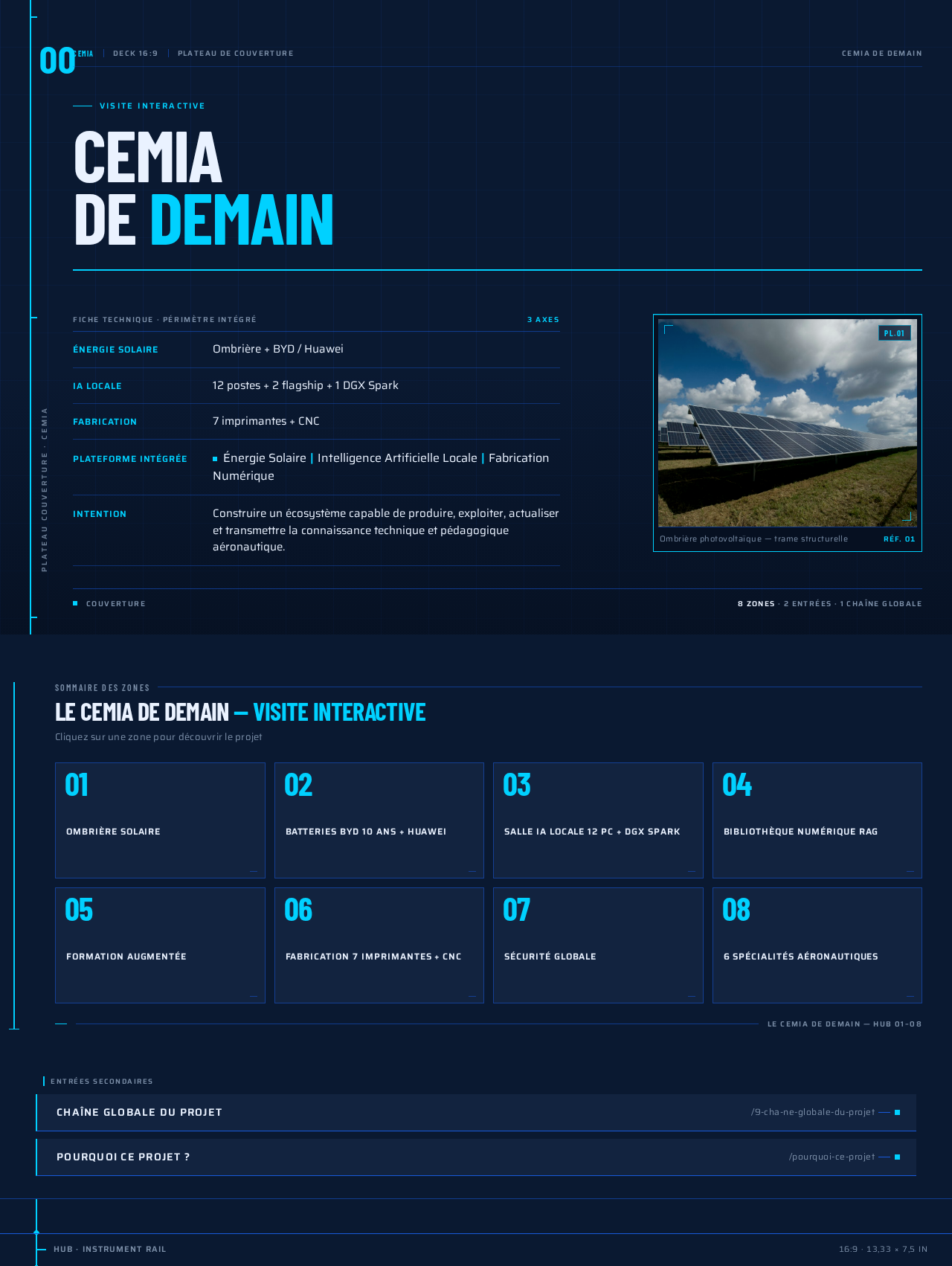
Visite interactive
CEMIADE DEMAIN
- Énergie solaire
- Ombrière + BYD / Huawei
- IA locale
- 12 postes + 2 flagship + 1 DGX Spark
- Fabrication
- 7 imprimantes + CNC
Énergie SolaireIntelligence Artificielle LocaleFabrication Numérique
Construire un écosystème capable de produire, exploiter, actualiser et transmettre la connaissance technique et pédagogique aéronautique.
Sommaire des zones
LE CEMIA DE DEMAIN — Visite Interactive
Cliquez sur une zone pour découvrir le projet
Visite interactive
CEMIADE DEMAIN
- Énergie solaire
- Ombrière + BYD / Huawei
- IA locale
- 12 postes + 2 flagship + 1 DGX Spark
- Fabrication
- 7 imprimantes + CNC
Énergie SolaireIntelligence Artificielle LocaleFabrication Numérique
Construire un écosystème capable de produire, exploiter, actualiser et transmettre la connaissance technique et pédagogique aéronautique.
Sommaire des zones
LE CEMIA DE DEMAIN — Visite Interactive
Cliquez sur une zone pour découvrir le projet
No comments yet. Be the first!