purple-website
https://share.google/4QgnQVTVQbfeJxm5z. Make a website on this room interior with all facilities and show a 3d model of a room beautifully designed where a customer can see add whatsapp button and proper contact in the whatsapp

Comments (0)
Sign in to leave a comment
System Requirements
System Requirements Document (SRD)
Project Name: purple-website
1. Introduction
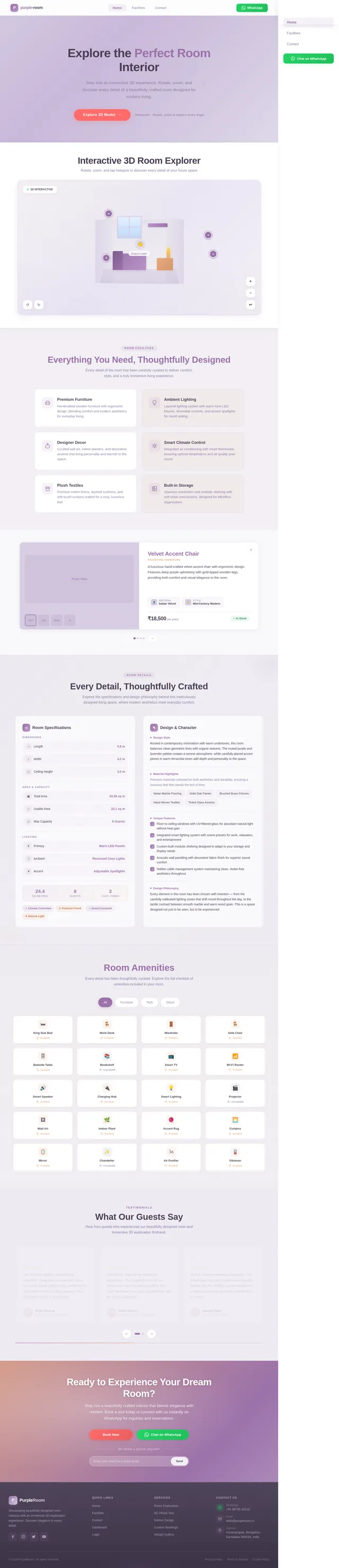
The purple-website project aims to create a visually stunning and highly functional website that showcases a beautifully designed room interior. The website will feature an interactive 3D model of the room, allowing customers to explore the space dynamically. Additionally, the website will include a WhatsApp contact button for instant communication and a section highlighting the room's facilities. This document outlines the system requirements for the development of the purple-website project, tailored to the user's needs and preferences.
2. System Overview
The purple-website will serve as a platform to showcase a room interior design with all its facilities. The primary focus is on delivering an immersive user experience through a 3D interactive model of the room, which users can rotate and explore. The website will also provide a seamless way for customers to connect via WhatsApp and highlight the room's features and amenities.
Key objectives:
- Create a visually appealing and user-friendly website.
- Integrate an interactive 3D model of the room interior.
- Add a WhatsApp button for instant customer communication.
- Highlight room facilities and features effectively.
Locale-specific considerations:
- The website will cater to users in India (IN), ensuring compatibility with local preferences, timezone (IST), and currency (INR).
3. Functional Requirements
Story Points:
- As a User, I should be able to rotate and explore the 3D model of the room interactively.
- As a User, I should be able to view all facilities of the room, including furniture, lighting, and decor.
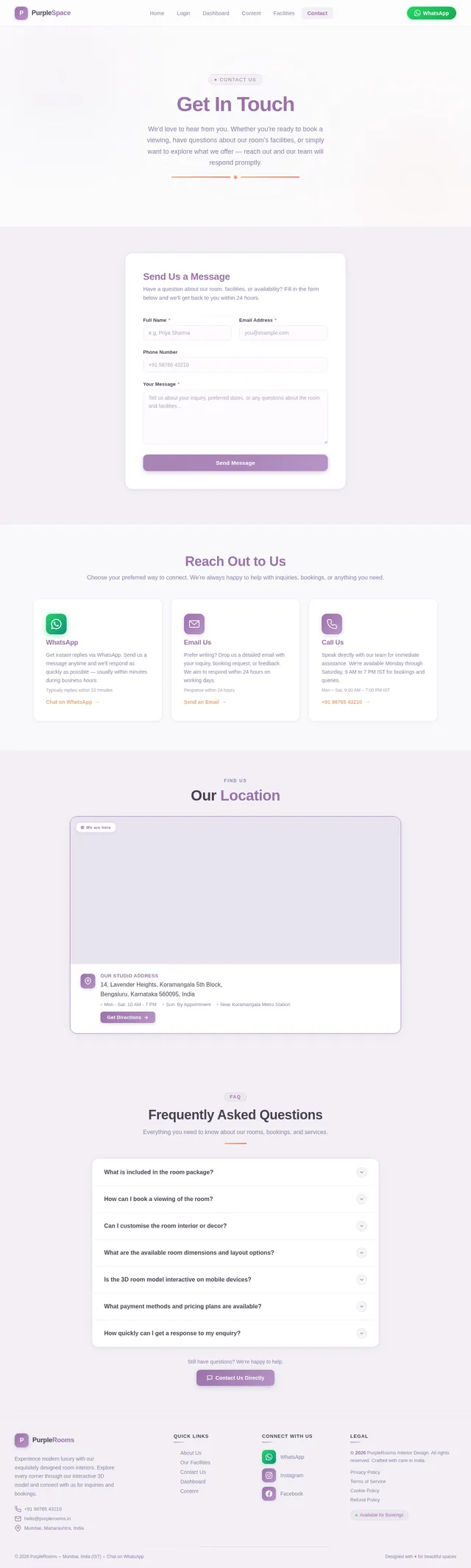
- As a User, I should be able to click a WhatsApp button to instantly connect with the business.
- As a User, I should be able to access proper contact details via the WhatsApp button.
4. User Personas
1. Customer
- Description: Individuals interested in exploring and booking the room showcased on the website.
- Goals: To view the room interior, explore facilities, and connect instantly via WhatsApp for inquiries or bookings.
- Needs:
- Interactive 3D model for immersive exploration.
- Clear and visible WhatsApp contact button.
- Detailed information about room facilities.
2. Admin
- Description: The business owner or manager responsible for maintaining the website.
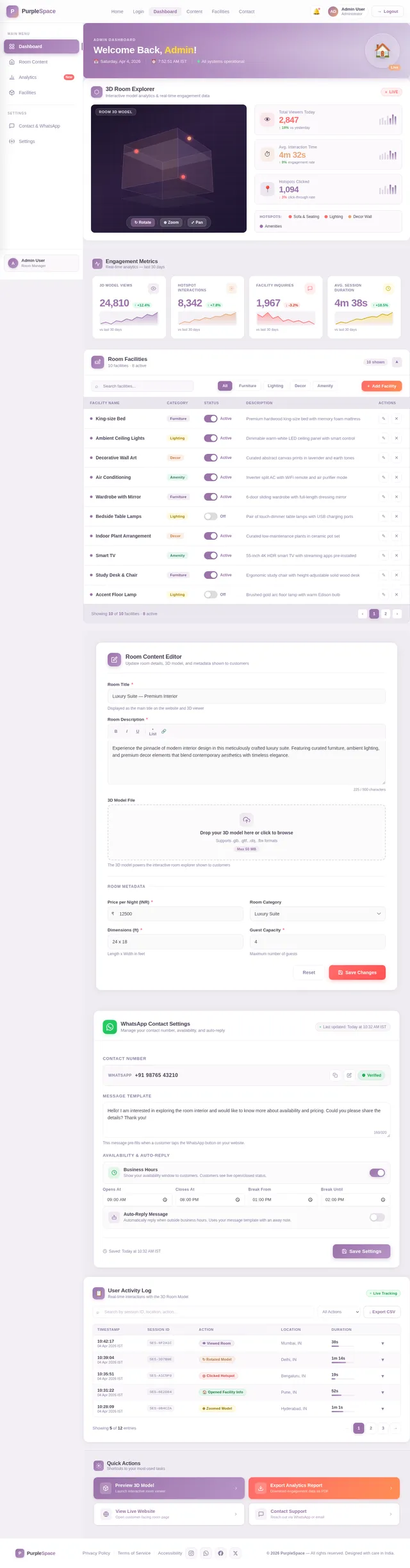
- Goals: To ensure the website is functional, visually appealing, and provides accurate information.
- Needs:
- Easy-to-update content management system.
- Analytics to track user engagement.
5. Visuals Colors and Theme
Color Palette:
The purple-website will feature a unique and elegant color palette inspired by the theme of modern interior design.
- Background: #F2F0F5 (Soft Lavender Gray)
- Surface: #FFFFFF (Pure White)
- Text: #4A3F55 (Deep Purple Gray)
- Accent: #9B72AA (Muted Purple)
- Muted Tones: #D6CDE2 (Light Lilac)
This palette creates a sophisticated and calming aesthetic, complementing the room's interior design.
6. Signature Design Concept
Interactive 3D Room Exploration
The homepage of the purple-website will feature a bold and unforgettable design concept: an interactive 3D model of the room interior.
Key Features:
- Dynamic Exploration: Users can rotate, zoom, and pan the 3D model to explore the room from every angle.
- Realistic Textures and Lighting: The model will showcase high-quality textures and realistic lighting to mimic the actual room.
- Hotspots for Facilities: Interactive hotspots will highlight key features like furniture, decor, and amenities. Clicking on a hotspot will display detailed information.
- Smooth Transitions: Animations will ensure smooth transitions between interactions, creating a seamless user experience.
- Ambient Background: A subtle ambient animation (e.g., shifting light patterns) will enhance the immersive feel.
WhatsApp Integration:
A prominently placed WhatsApp button will feature a hover animation (e.g., glowing effect) to draw attention. Clicking the button will open a chat window for instant communication.
This design concept will make the website instantly fascinating and memorable, ensuring a strong first impression.
7. Non-Functional Requirements
- Performance: The website should load within 3 seconds on standard broadband connections.
- Scalability: The system should handle up to 10,000 concurrent users.
- Accessibility: Ensure compliance with WCAG 2.1 standards for accessibility.
- Security: Implement HTTPS and secure user data.
8. Tech Stack
Frontend:
- React for Web
Backend:
- Python
- FastAPI
Database:
- MySQL (with Alembic for migrations)
AI Tools:
- Litellm for LLM Routing
Local Orchestration:
- Docker
- docker-compose
Server-Side Orchestration:
- Kubernetes
9. Assumptions and Constraints
Assumptions:
- Users will primarily access the website via desktop and mobile browsers.
- The 3D model will be pre-rendered and optimized for web performance.
Constraints:
- The website must adhere to India's data protection laws.
- The WhatsApp button integration must comply with WhatsApp's API guidelines.
10. Glossary
- Interactive 3D Model: A digital representation of the room that users can manipulate to view from different angles.
- Hotspots: Clickable areas within the 3D model that provide additional information about specific features.
- WCAG 2.1: Web Content Accessibility Guidelines, a standard for making web content accessible to all users.
- WhatsApp API: An interface for integrating WhatsApp functionality into websites and applications.
No comments yet. Be the first!