purple-pemutar
 Kopi Lama
Buatkan saya pemutar musik seperti Poto ini dan pastikan semua berpungsi dengan baik

Comments (0)
Sign in to leave a comment
Project Tasks
20 planning tasksGenerate system requirement document
Generate personas & user flows
Create flow for Music Listener
Landing
Fix Landing review finding: frontend/src/components/Landing Hero Entry.jsx: the primary…
Landing / Navigation
Landing / Hero Stage
Landing / Hero Entry
Landing / Capability Strip
Landing / Now Playing Band
Landing / Surface Nav
Landing / Route Band
Landing / Footer
Navigation
Footer
Music Library
Player
Volume
Architecture
Workspace task plan
purplepemutar
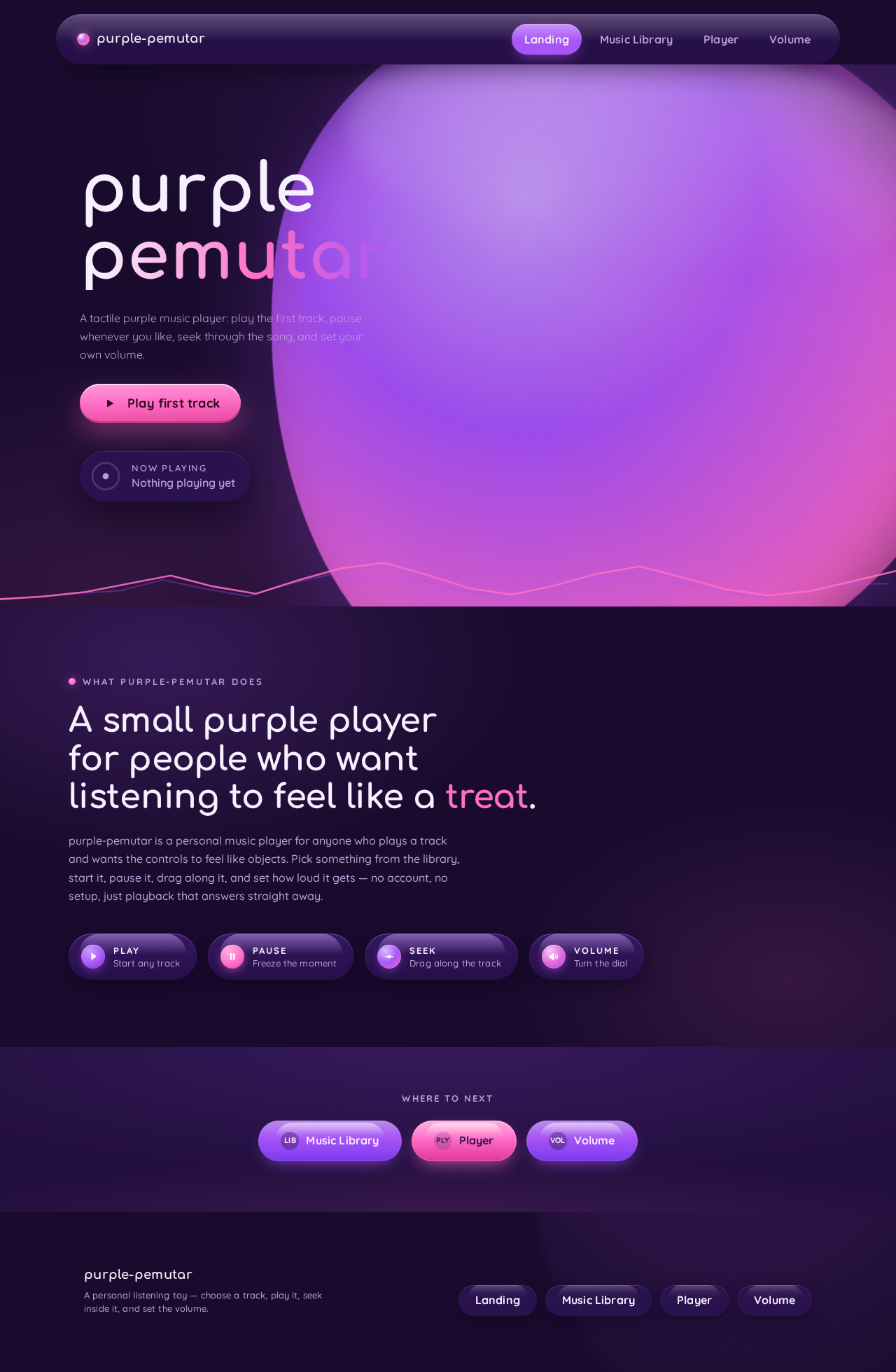
A tactile purple music player: play the first track, pause whenever you like, seek through the song, and set your own volume.
What purple-pemutar does
A small purple player for people who want listening to feel like a treat.
purple-pemutar is a personal music player for anyone who plays a track and wants the controls to feel like objects. Pick something from the library, start it, pause it, drag along it, and set how loud it gets — no account, no setup, just playback that answers straight away.
- PlayStart any track
- PauseFreeze the moment
- SeekDrag along the track
- VolumeTurn the dial
purplepemutar
A tactile purple music player: play the first track, pause whenever you like, seek through the song, and set your own volume.
What purple-pemutar does
A small purple player for people who want listening to feel like a treat.
purple-pemutar is a personal music player for anyone who plays a track and wants the controls to feel like objects. Pick something from the library, start it, pause it, drag along it, and set how loud it gets — no account, no setup, just playback that answers straight away.
- PlayStart any track
- PauseFreeze the moment
- SeekDrag along the track
- VolumeTurn the dial
No comments yet. Be the first!