pure-logistics
 Bad Bunny
Create a logistics company with a tracking code number

Comments (0)
Sign in to leave a comment
System Requirements
System Requirements Document for pure-logistics
1. Introduction
The pure-logistics project aims to create an international shipping logistics company that provides customers with the ability to track shipments using a tracking code number. The primary audience includes shipment customers who need to track their shipments and logistics staff responsible for managing and updating shipment information.
2. System Overview
The system will deliver a logistics platform with international shipping capabilities, allowing shipment customers to track their shipments and logistics staff to manage shipment records. The platform will include a public entry point for tracking and a protected area for logistics staff to manage shipments. The system will ensure data durability for shipment records and tracking codes.
2a. Product Interpretation and Delivery Boundary
The product will be delivered as a web application with custom UI, supporting both public and protected access. Shipment customers will access tracking features without authentication, while logistics staff will require identity verification to manage shipments. The system will adhere to international shipping constraints and provide a clear, efficient interface inspired by Dieter Rams' principles.
2b. Source Content Inventory
Not applicable as no content_source directive was provided.
2c. Page Content and Component Coverage
Landing
- Purpose: Introduce the international shipping service and direct users to tracking.
- Components:
- Introduction to the logistics company
- Navigation to the Tracking page
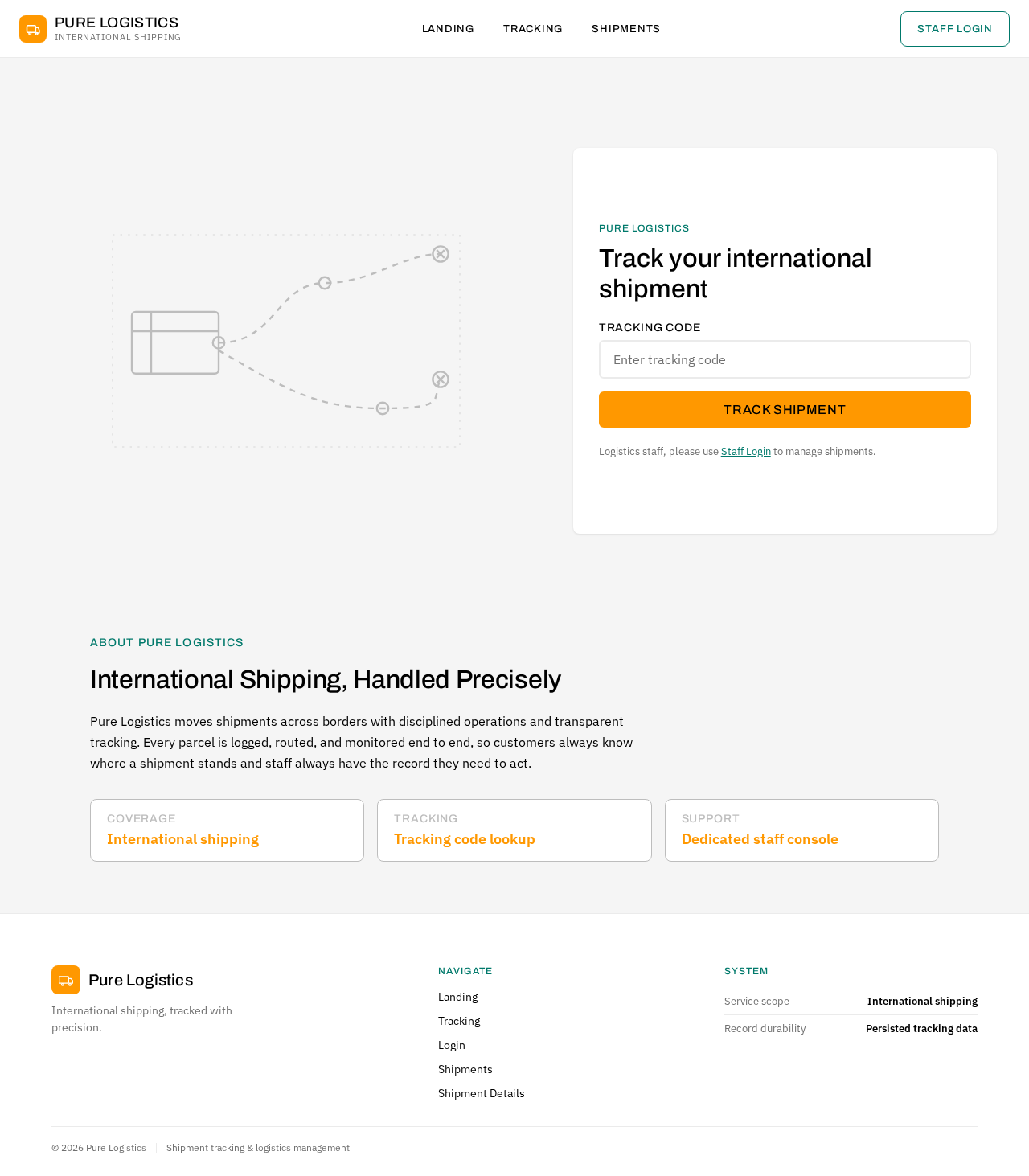
- Split-screen hero with shipment diagram and tracking input panel
Tracking
- Purpose: Allow shipment customers to track shipments using a tracking code.
- Components:
- Tracking code input field
- Shipment progress display
- Error message for invalid tracking codes
- Instant feedback on input
Login
- Purpose: Provide access for logistics staff to manage shipments.
- Components:
- Username and password fields
- Login button
- Error message for failed login attempts
Shipments
- Purpose: Workspace for logistics staff to browse and manage shipments.
- Components:
- List of shipments with status indicators
- Search and filter options
- Navigation to Shipment Details
Shipment Details
- Purpose: Detailed view for managing an individual shipment's tracking information.
- Components:
- Shipment status update controls
- Tracking information display
- Save changes button
- Error handling for update failures
3. Functional Requirements
- As a Shipment Customer, I should be able to enter a tracking code to view the progress of my shipment. (Provenance: explicit)
- As a Logistics Staff, I should be able to log in to manage shipment records. (Provenance: required_inference)
- As a Logistics Staff, I should be able to update the tracking information of shipments. (Provenance: required_inference)
- As a Logistics Staff, I should be able to view a list of all shipments and their statuses. (Provenance: required_inference)
4. User Personas
- Shipment Customer: Needs to track an international shipment using its tracking code and view shipment progress.
- Logistics Staff: Needs to manage international shipments and update tracking information for the logistics company.
5. Core User Flows
Shipment Customer Flow
- Access the Landing page.
- Navigate to the Tracking page.
- Enter a tracking code.
- View shipment progress.
- Receive feedback on tracking code validity.
Logistics Staff Flow
- Access the Login page.
- Enter credentials and log in.
- Navigate to the Shipments page.
- Browse and search for shipments.
- Select a shipment to view details.
- Update tracking information and save changes.
6. Visuals Colors and Theme
- Muse: Dieter Rams
- Palette:
- Background: #F5F5F5
- Surface: #FFFFFF
- Text: #000000
- Primary: #FF9800
- Accent: #00796B
- Muted: #BDBDBD
- Typography:
- Headings: Archivo, Medium weight, small caps
- Body: IBM Plex Sans
- Scale: 1.25 modular
- Shape Language: Rounded-rectangle controls
- Layout: Strict modular grid
- Imagery: Diagrammatic line art and product silhouettes
7. Signature Design Concept
The Landing page will feature a split-screen hero design. The left side will display a large shipment diagram in muted grey, while the right side will feature a tracking input panel with a strong orange call-to-action button. This design emphasizes clarity and functionality, aligning with the project's creative direction.
8. Interaction Model & Motion Direction
- Interaction Model: Static (direction)
- Motion Tempo: Restrained
- Hero Dimensionality: Flat
- Landing Hero Motion Brief: The hero will present a composed split-screen with instant visual feedback on tracking inputs, ensuring clarity and efficiency without unnecessary motion.
9. Non-Functional Requirements
- The system must ensure data durability for shipment records and tracking codes. (Provenance: required_inference)
- The interface must provide instant feedback on user inputs to enhance user experience. (Provenance: required_inference)
10. Tech Stack
- Frontend: React
- Backend: Python/FastAPI
- Database: PostgreSQL
- Containerization: Docker
- Deployment: Kubernetes (if required)
11. Assumptions and Constraints
- The logistics service scope is limited to international shipping. (Provenance: explicit)
- Logistics staff must be provisioned or invited before accessing shipment management. (Provenance: required_inference)
12. Glossary
- Shipment Customer: An individual or entity tracking their shipment.
- Logistics Staff: Personnel responsible for managing shipment records and updates.
- Tracking Code: A unique identifier used to track the progress of a shipment.
Pure Logistics
Track your international shipment
Logistics staff, please use Staff Login to manage shipments.
About Pure Logistics
International Shipping, Handled Precisely
Pure Logistics moves shipments across borders with disciplined operations and transparent tracking. Every parcel is logged, routed, and monitored end to end, so customers always know where a shipment stands and staff always have the record they need to act.
- Coverage
- International shipping
- Tracking
- Tracking code lookup
- Support
- Dedicated staff console
Pure Logistics
Track your international shipment
Logistics staff, please use Staff Login to manage shipments.
About Pure Logistics
International Shipping, Handled Precisely
Pure Logistics moves shipments across borders with disciplined operations and transparent tracking. Every parcel is logged, routed, and monitored end to end, so customers always know where a shipment stands and staff always have the record they need to act.
- Coverage
- International shipping
- Tracking
- Tracking code lookup
- Support
- Dedicated staff console
No comments yet. Be the first!