proud-ecommerce
 Bhavin
Create an ecommerce site with aesthetic design
Comments (0)
Sign in to leave a comment
Project Tasks20
Implement Theme & Base Structure
As a Frontend Developer, I want to implement the global theme, color palette, and base structure across all existing scaffold pages so they look identical to the mock-design pages. This includes applying the primary colors (Rich burgundy #800020, royal gold #FFD700), secondary colors (creamy beige #F5F5DC, charcoal gray #333333), accent color (sapphire blue #0F52BA), typography (Playfair Display for headings, Open Sans for body), subtle gradients, gold accents for buttons/borders, and removing any pages not present in the design. This task is independent of all other tasks and must be completed first.
Implement Products API
As a Backend Developer, I want to implement the Products REST API using FastAPI so that the frontend can browse product categories, view product details, and Admins can add, edit, and delete product listings. Endpoints: GET /products, GET /products/{id}, POST /products, PUT /products/{id}, DELETE /products/{id}.
Implement User Profile API
As a Backend Developer, I want to implement the User Profile and Account Management API using FastAPI so that Users can view and update their account details, and Admins can manage user accounts. Endpoints: GET /users/{id}, PUT /users/{id}, GET /users (admin), DELETE /users/{id} (admin).
Build Home Page
As a Frontend Developer, I want to build the Home page featuring the Immersive Golden Bazaar Experience as described in the SRD signature design concept — with animated product stalls, gold accents, Indian motifs (paisley, lattice), horizontal scroll navigation, 3D rotating product displays, hover shimmer effects, and a glowing sapphire blue 'Explore Now' CTA button. This page is the entry point for Guest and User personas and links to Categories and Login pages. No existing JSX design — design and implementation should be done together following the SRD signature design concept.
Build Login Page
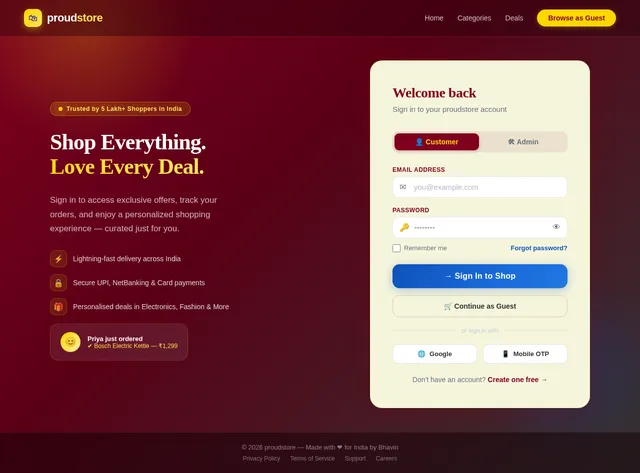
As a Frontend Developer, I want to implement the Login page based on the existing JSX design (Login v3). This page is accessible from the Home page for both Guest and User personas and navigates to the Admin Dashboard for Admins and the Home/Profile page for Users. Ensure it aligns with the established burgundy/gold theme and color system.
Build Categories Page
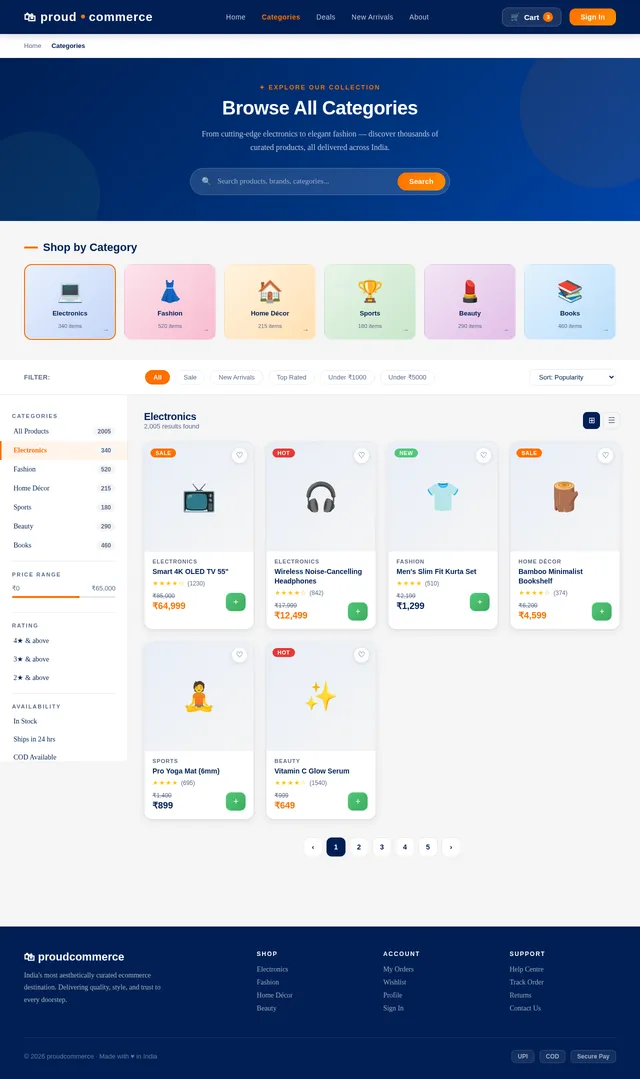
As a Frontend Developer, I want to implement the Categories page based on the existing JSX design (Categories v2). This page is reached from the Home page and allows Guests and Users to browse product categories. It links to the Product Details page. Include category filters and grid/list view with burgundy/gold theming.
Build Product Detail Page
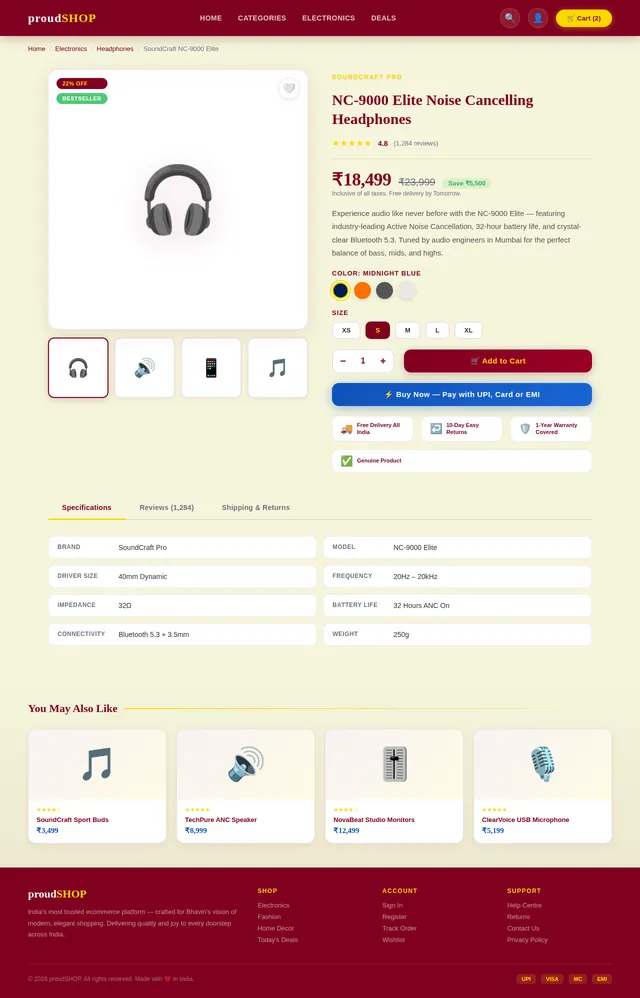
As a Frontend Developer, I want to implement the Product Detail page based on the existing JSX design (Product v2). This page is reached from Categories and displays detailed product information including images, price, ratings, and description. Users and Guests can add items to the cart from this page. Hover shimmer effects on product images as per the signature design concept.
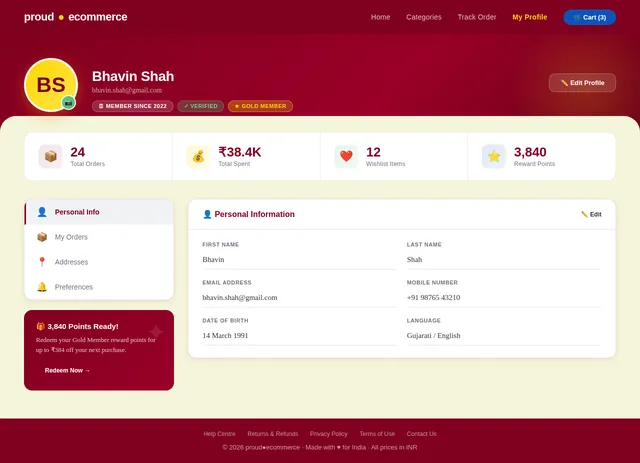
Build Profile Page
As a Frontend Developer, I want to implement the User Profile page based on the existing JSX design (Profile v3). This page allows logged-in Users to view and edit their account details. It is accessible after login and links to the Orders tracking page.
Build Admin Dashboard Page
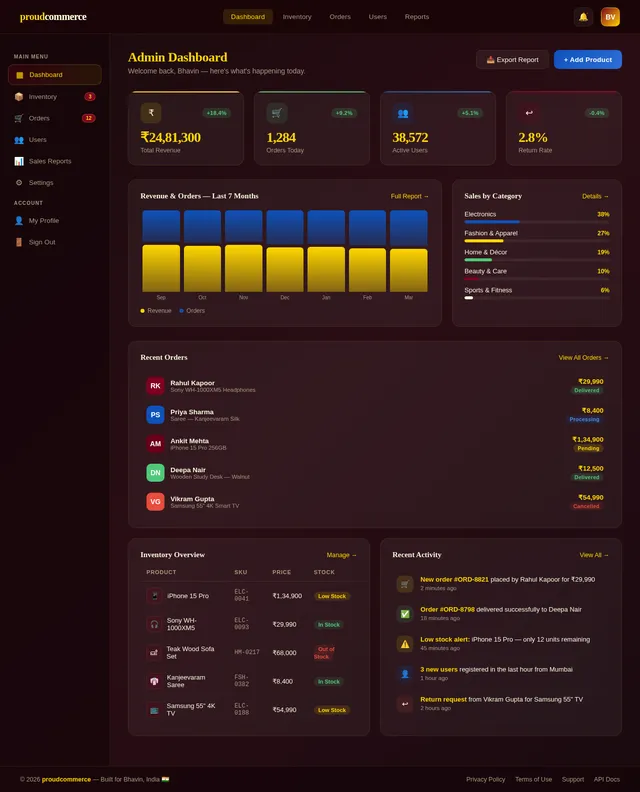
As a Frontend Developer, I want to implement the Admin Dashboard page based on the existing JSX design (Dashboard v2). This page is the central hub for Admins after login, displaying sales reports and navigation to Inventory, Users, and Orders management sections.
Implement Cart & Checkout API
As a Backend Developer, I want to implement the Cart and Checkout REST API using FastAPI so that Users and Guests can add items to a cart, review the cart, and proceed through checkout. Endpoints: POST /cart, GET /cart, PUT /cart/{item_id}, DELETE /cart/{item_id}, POST /checkout.
Implement AI Recommendations API
As an AI Engineer, I want to implement personalized product recommendation API using GPT and Langchain orchestration via Litellm routing so that Users receive tailored product suggestions based on their browsing and purchase history. Endpoint: GET /recommendations/{user_id}.
Build Cart Page
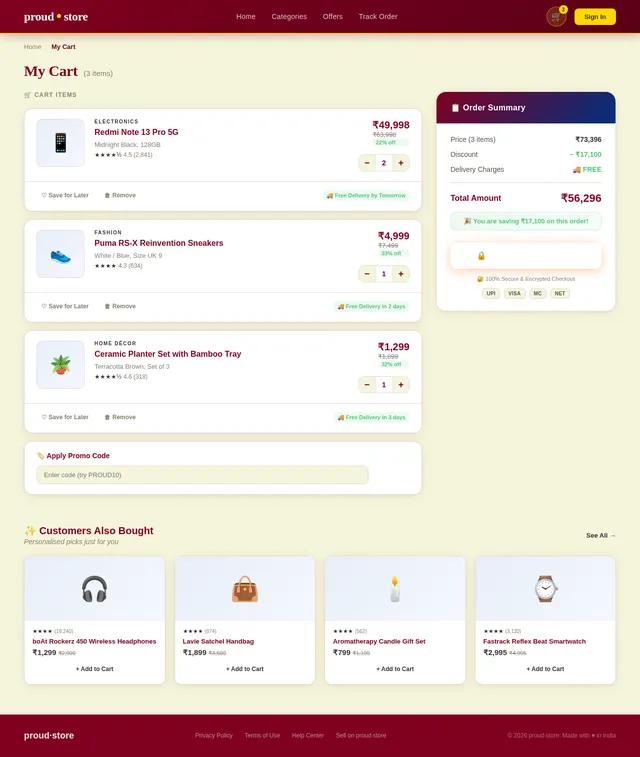
As a Frontend Developer, I want to implement the Cart page based on the existing JSX design (Cart v2). This page allows Guests and Users to review added items, update quantities, and proceed to Checkout. It is reached from the Product Detail page and links to the Checkout page.
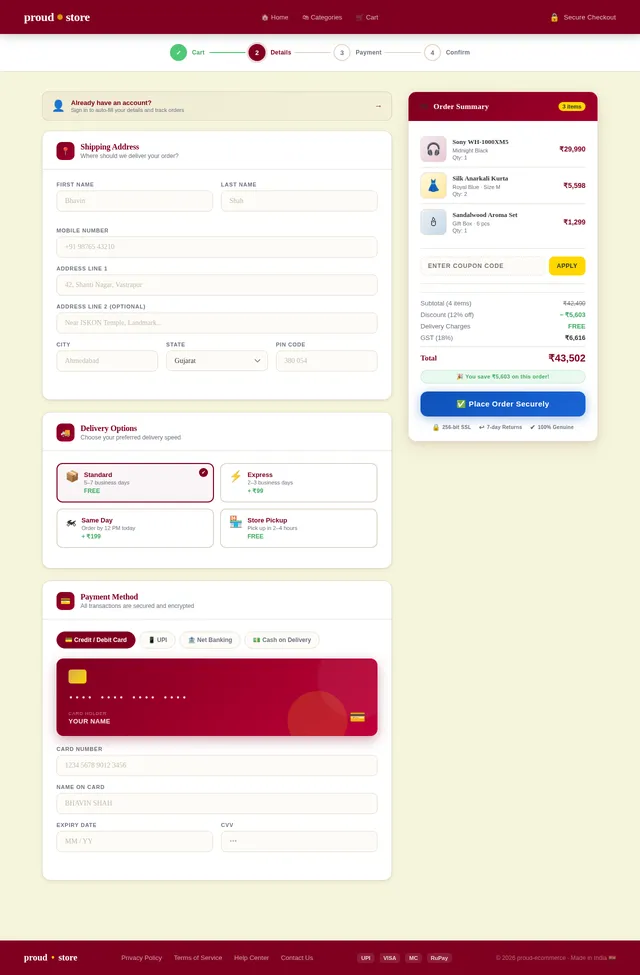
Build Checkout Page
As a Frontend Developer, I want to implement the Checkout page based on the existing JSX design (Checkout v3). This page supports both guest checkout and logged-in user checkout flows. Users enter shipping details and order summary before proceeding to Payment. It links from Cart and to Payment.
Build Inventory Management Page
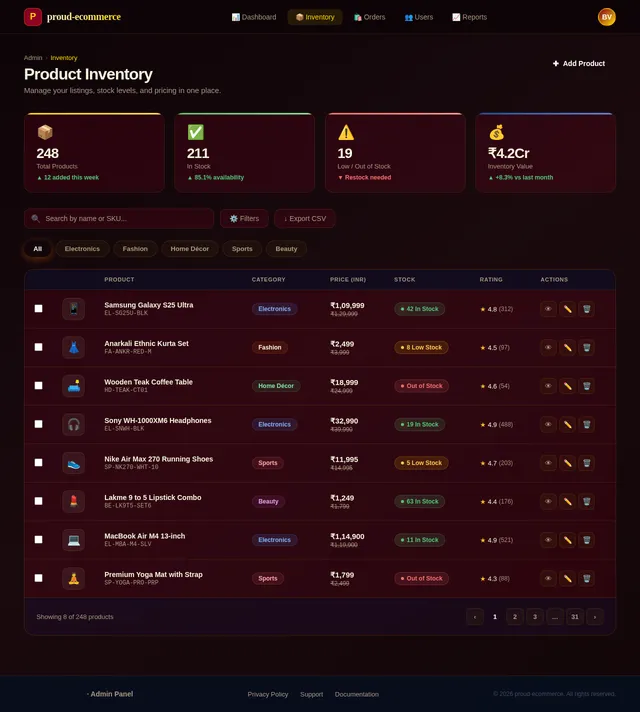
As a Frontend Developer, I want to implement the Inventory page based on the existing JSX design (Inventory v2). This page allows Admins to add, edit, and delete product listings. It is accessible from the Admin Dashboard and includes product form, image upload, and listing table.
Build User Management Page
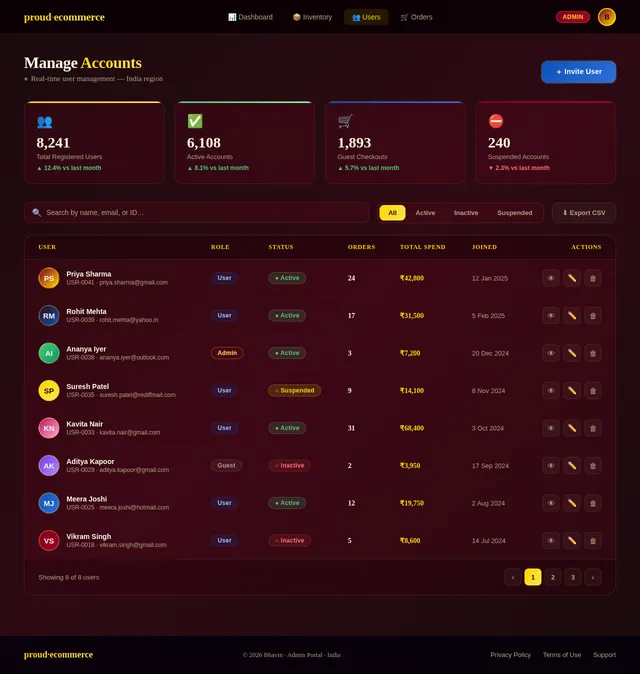
As a Frontend Developer, I want to implement the Users management page based on the existing JSX design (Users v2). This page allows Admins to view, manage, and control user accounts. It is accessible from the Admin Dashboard and links to the Orders view.
Implement Payment Gateway API
As a Backend Developer, I want to integrate Indian payment gateways (UPI, major banks) via FastAPI so that Users and Guests can complete purchases securely in INR. This includes payment initiation, verification, and order confirmation webhooks.
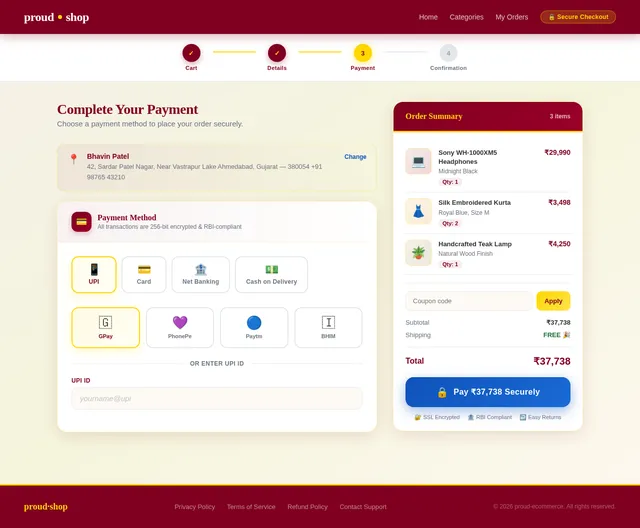
Build Payment Page
As a Frontend Developer, I want to implement the Payment page based on the existing JSX design (Payment v3). This page supports INR currency and Indian payment methods including UPI and major bank gateways. It is reached from Checkout and completes the purchase flow for both Guests and Users.
Implement Orders API
As a Backend Developer, I want to implement the Orders REST API using FastAPI so that Users can track their orders and Admins can view and manage all orders. Endpoints: GET /orders, GET /orders/{id}, PUT /orders/{id}/status.
Integrate AI Product Image Generation
As an AI Engineer, I want to integrate Google Nano Banana via Litellm for dynamic product image generation so that Admins can auto-generate product images when adding listings to the Inventory. This integrates with the Inventory management API and frontend.
Build Orders Page
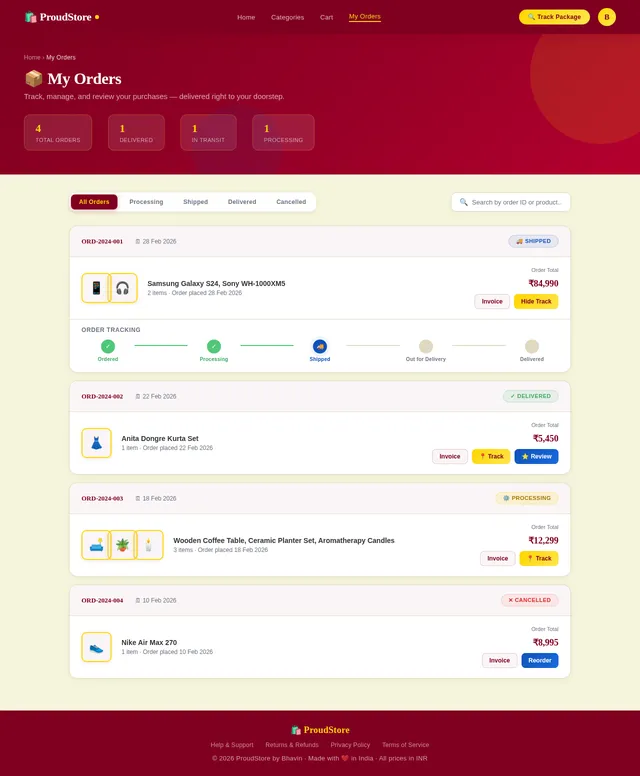
As a Frontend Developer, I want to implement the Orders page based on the existing JSX design (Orders v2). This page allows logged-in Users to track their orders after completing a purchase. It is reached from the Payment confirmation and Profile page. Admins can also view all orders from the Dashboard.
No comments yet. Be the first!