project-e5a5d1e7
 Shivhari Lokhande
# Job Pilot v2 — Build Prompt (paste into a fresh Cowork session) First connect the folder `JobPilot-v2` from your home directory, then paste everything below: --- Build the Job Pilot v2 application from scratch. The complete, binding specification already exists in the folder I've connected (`~/JobPilot-v2`) — do not redesign or re-scope anything, implement exactly what the documents say. **Read in this order before writing any code:** 1. `docs/00-context.md` — vision + hard constraints (local-only, Claude Code CLI with subscription login and the mandatory Ollama env-override, BrowserClaw MCP at http://127.0.0.1:9000/mcp, human submit gate, zero npm dependencies) 2. `docs/02-prd.md` — features and acceptance criteria (P0 first, then P1) 3. `docs/05-architecture-hld.md` + `docs/06-lld.md` — architecture, module tree, data model, REST + SSE contracts, prompt catalog. Follow the LLD literally. 4. `docs/07-trd.md` — CLI invocation contracts, MOCK_AGENT=1 test mode, safety invariants with named tests 5. `docs/03-ux-spec.md` + `design/prototype.html` — the UI must visually match the prototype (same design tokens, layout, components). Open the prototype and reuse its CSS as the starting point. 6. `docs/04-delivery-plan.md` — build in its phases with its definition-of-done gates: Phase 0 scaffold/store/adapters → Phase 1 P0 modules in dependency order (Profile → Discovery → Evaluation → Tracker → Tailoring → Apply → Auto-Pilot) → Phase 2 P1 (Interviews, Resume templates) → Phase 3 hardening + QA checklist 7. `docs/01-brd.md` and `docs/08-cloudhire-research.md` — background reference only **Execution rules:** - Create the app in a `app/` subfolder of this same connected folder; deploy/run on port 7878; do NOT touch the existing v1 at ~/JobPilot - Zero npm dependencies (Node 26 built-ins only), per ADR-02 storage is JSON-file collections with atomic writes + JSONL event logs — no SQLite - After each phase: run syntax checks, endpoint smoke tests with MOCK_AGENT=1, and confirm the UI loads before proceeding - The 10 safety invariants in the TRD are non-negotiable: the agent never clicks submit, never stores credentials, stops on CAPTCHA/2FA - At the end: start the server, verify http://localhost:7878 serves the app, run the QA checklist from the delivery plan, and give me a short acceptance report Track progress with a task list per phase. If a document is ambiguous, resolve it in favor of the LLD, and log the decision in `docs/09-build-decisions.md` rather than asking me.


Comments (0)
Sign in to leave a comment
System Requirements
project-e5a5d1e7 System Requirements Document
Introduction
This document outlines the system requirements for project-e5a5d1e7. The project involves building the Job Pilot v2 application from scratch, adhering strictly to the specifications provided in the connected folder ~/JobPilot-v2. The application is designed to operate locally with specific constraints and features as detailed in the provided documents.
System Overview
The Job Pilot v2 application is a local-only application that utilizes the Claude Code CLI with a subscription login and the mandatory Ollama environment override. It includes a BrowserClaw MCP accessible at http://127.0.0.1:9000/mcp, and features a human submit gate with zero npm dependencies. The application is to be deployed and run on port 7878, ensuring that it does not interfere with the existing v1 located at ~/JobPilot.
Source Content Inventory
- docs/00-context.md: Vision and hard constraints.
- docs/02-prd.md: Features and acceptance criteria.
- docs/05-architecture-hld.md and docs/06-lld.md: Architecture, module tree, data model, REST + SSE contracts, prompt catalog.
- docs/07-trd.md: CLI invocation contracts, MOCK_AGENT=1 test mode, safety invariants.
- docs/03-ux-spec.md and design/prototype.html: UI specifications.
- docs/04-delivery-plan.md: Build phases and definition-of-done gates.
- docs/01-brd.md and docs/08-cloudhire-research.md: Background reference.
Functional Requirements as Story Points
- As a Developer, I should be able to build the application in the
app/subfolder and deploy it on port 7878. - As a Developer, I should ensure zero npm dependencies, using Node 26 built-ins only.
- As a Developer, I should implement JSON-file collections with atomic writes and JSONL event logs for storage.
- As a Developer, I should follow the build phases as outlined in the delivery plan.
- As a Developer, I should adhere to the 10 safety invariants specified in the TRD.
- As a Developer, I should run syntax checks and endpoint smoke tests with MOCK_AGENT=1 after each phase.
- As a Developer, I should confirm the UI loads before proceeding to the next phase.
- As a Developer, I should log any ambiguous document resolutions in
docs/09-build-decisions.md.
User Personas
- Developer: Responsible for building and deploying the application according to the specified requirements and constraints.
Core User Flows
- Developer reads the context and constraints from
docs/00-context.md. - Developer implements features according to
docs/02-prd.md. - Developer follows architecture guidelines from
docs/05-architecture-hld.mdanddocs/06-lld.md. - Developer adheres to CLI invocation contracts and safety invariants from
docs/07-trd.md. - Developer matches the UI to the prototype as per
docs/03-ux-spec.md. - Developer follows the delivery plan phases from
docs/04-delivery-plan.md. - Developer logs decisions in
docs/09-build-decisions.md.
Visuals Colors and Theme
[Default — not specified by user]
- primary: #2A9D8F (Teal)
- primary_light: #A8DADC (Light Teal)
- secondary: #E76F51 (Coral)
- accent: #F4A261 (Orange)
- highlight: #E9C46A (Gold)
- bg: #F1FAEE (Off White)
- surface: rgba(42, 157, 143, 0.8)
- text: #264653 (Dark Blue)
- text_muted: #8D99AE (Gray)
- border: rgba(233, 105, 81, 0.2)
Signature Design Concept
Interactive Workflow Animation
The homepage will feature an interactive workflow animation where users can see the application's process in action. The animation will depict a job application journey, starting from profile creation, moving through discovery, evaluation, and tracking, and culminating in the application submission. Each stage will be represented by animated icons that users can click to learn more about each phase. The animation will use motion/react for smooth transitions and interactions.
Landing Hero Motion Brief
The landing hero will feature a continuous 2D motion loop illustrating the transformation of a job seeker's profile into a successful application. The animation will start with a profile icon that morphs into a discovery icon, then into an evaluation icon, followed by a tracking icon, and finally into an application icon. Each transformation will highlight the application's capabilities and outcomes, providing a clear narrative of the user's journey. The animation will be responsive and maintain clarity in reduced-motion settings.
Interaction Model & Motion Direction
- Intended Interaction Model: Animated
- The landing page will feature moderate scroll-triggered reveals, hover transitions, and spring physics on interactive elements.
- Each section will have a distinctive core mechanic, such as morphing SVGs or kinetic typography, to engage users and enhance storytelling.
Non-Functional Requirements
- The application must operate locally with zero npm dependencies.
- The application must adhere to the safety invariants specified in the TRD.
- The application must be deployed on port 7878 and should not interfere with the existing v1.
Tech Stack
- Frontend: Node 26 built-ins only (no npm dependencies)
- Backend: Node 26 built-ins only (no npm dependencies)
- Storage: JSON-file collections with atomic writes and JSONL event logs
Assumptions and Constraints
- The application will be local-only, with no external dependencies.
- The application will use the Claude Code CLI with a subscription login.
- The application will adhere to the mandatory Ollama environment override.
Glossary
- Claude Code CLI: Command-line interface for executing code with specific constraints.
- Ollama Environment Override: A mandatory environment setting for the application.
- BrowserClaw MCP: A local management control panel for the application.
- MOCK_AGENT=1: A test mode for running endpoint smoke tests.
- JSONL Event Logs: A format for logging events in JSON Lines format.
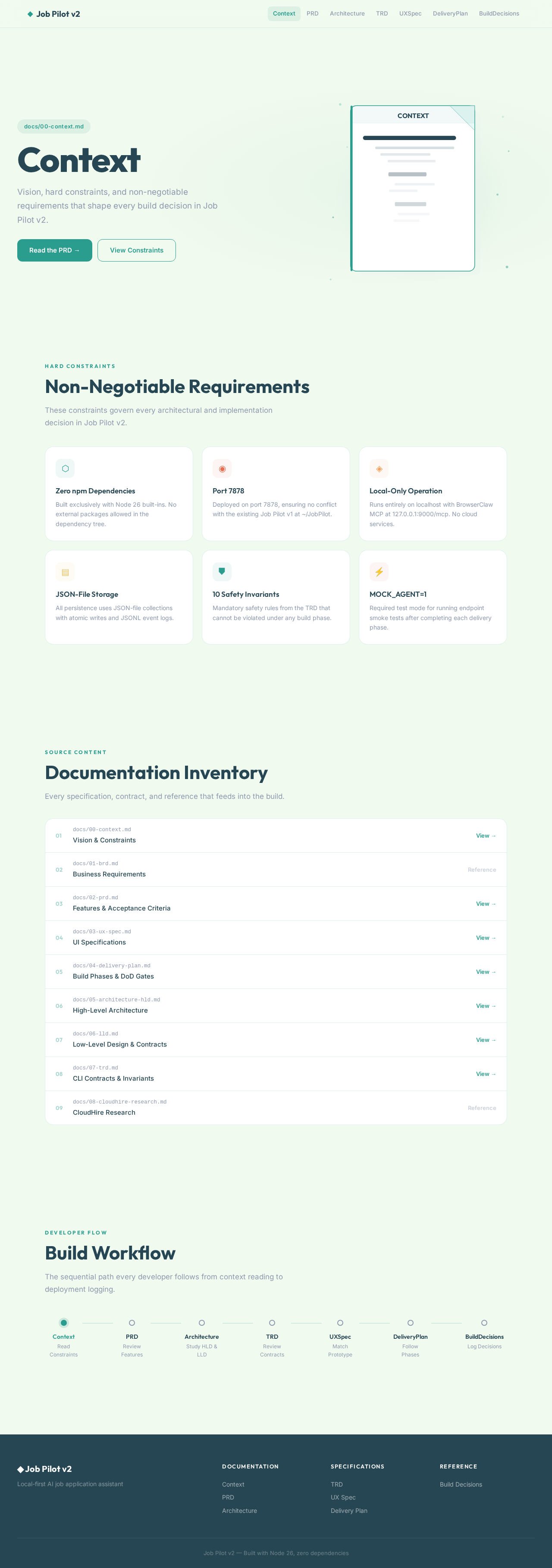
Context
Vision, hard constraints, and non-negotiable requirements that shape every build decision in Job Pilot v2.
Non-Negotiable Requirements
These constraints govern every architectural and implementation decision in Job Pilot v2.
Zero npm Dependencies
Built exclusively with Node 26 built-ins. No external packages allowed in the dependency tree.
Port 7878
Deployed on port 7878, ensuring no conflict with the existing Job Pilot v1 at ~/JobPilot.
Local-Only Operation
Runs entirely on localhost with BrowserClaw MCP at 127.0.0.1:9000/mcp. No cloud services.
JSON-File Storage
All persistence uses JSON-file collections with atomic writes and JSONL event logs.
10 Safety Invariants
Mandatory safety rules from the TRD that cannot be violated under any build phase.
MOCK_AGENT=1
Required test mode for running endpoint smoke tests after completing each delivery phase.
Documentation Inventory
Every specification, contract, and reference that feeds into the build.
docs/01-brd.mdBusiness Requirementsdocs/08-cloudhire-research.mdCloudHire ResearchBuild Workflow
The sequential path every developer follows from context reading to deployment logging.
Context
Vision, hard constraints, and non-negotiable requirements that shape every build decision in Job Pilot v2.
Non-Negotiable Requirements
These constraints govern every architectural and implementation decision in Job Pilot v2.
Zero npm Dependencies
Built exclusively with Node 26 built-ins. No external packages allowed in the dependency tree.
Port 7878
Deployed on port 7878, ensuring no conflict with the existing Job Pilot v1 at ~/JobPilot.
Local-Only Operation
Runs entirely on localhost with BrowserClaw MCP at 127.0.0.1:9000/mcp. No cloud services.
JSON-File Storage
All persistence uses JSON-file collections with atomic writes and JSONL event logs.
10 Safety Invariants
Mandatory safety rules from the TRD that cannot be violated under any build phase.
MOCK_AGENT=1
Required test mode for running endpoint smoke tests after completing each delivery phase.
Documentation Inventory
Every specification, contract, and reference that feeds into the build.
docs/01-brd.mdBusiness Requirementsdocs/08-cloudhire-research.mdCloudHire ResearchBuild Workflow
The sequential path every developer follows from context reading to deployment logging.
No comments yet. Be the first!