project-d4a3c576
 Infinix
ပုံလေးလုပ်ခိုင်းမို့

Comments (0)
Sign in to leave a comment
Project Tasks22
Apply Theme & Structure
As a frontend developer, I want to implement the global color theme, typography, and layout structure across all scaffold pages so they match the mock-design pages exactly. Apply the design tokens: Primary #003366, Secondary #FF6600, Accent #F2F2F2, Background #FFFFFF, font Inter. Remove any scaffold pages not present in the design (e.g. welcome page, dashboard/ai-assistant, dashboard/settings if not mapped). This task is independent and must be completed before all other frontend page tasks.
Implement User Registration API
As a user I want to be able to use the backend API for account registration — POST /auth/register endpoint accepting full name, email, password, and language preference. Validates input, hashes password, stores user in MySQL, returns JWT token. Supports UAE data compliance requirements.
Build Landing Page
As a user I want to be able to use the frontend Landing page that features the Interactive Canvas design concept — dynamic floating images, cursor-reactive animations, time-based background themes, micro-interactions, and CTAs for Login and Signup. Implement based on the existing Landing (v2) JSX design. Page links to: Login, Gallery (Guest browse), Signup.
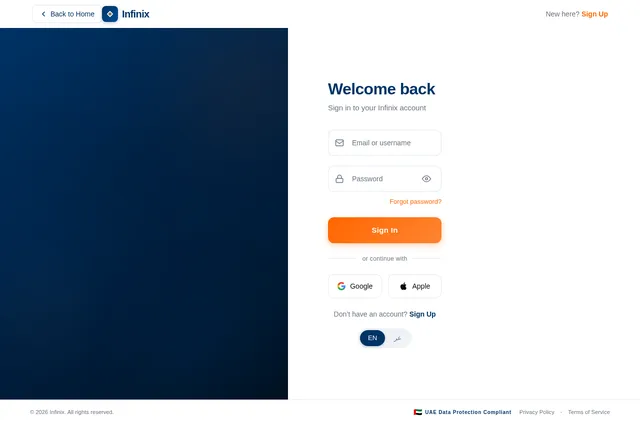
Build Login Page
As a user I want to be able to use the frontend Login page to sign in with email/password. Implement based on the existing Login (v2) JSX design. Page includes form validation, show/hide password, error states, and links to Signup. On success navigates to Gallery (Registered User) or Dashboard (Admin).
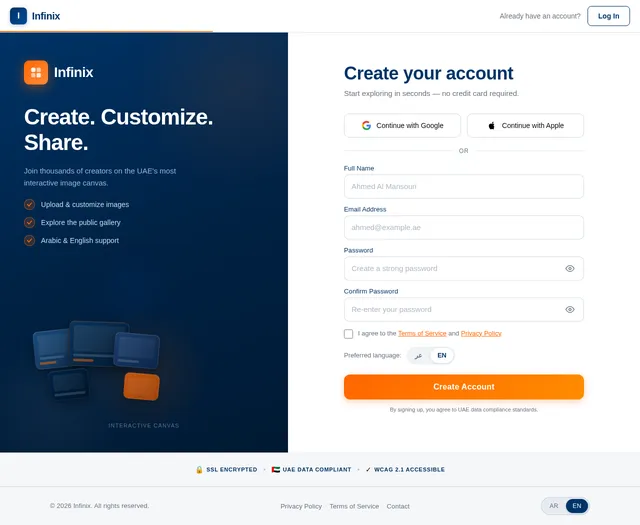
Build Signup Page
As a user I want to be able to use the frontend Signup page to create a new account. Implement based on the existing Signup (v2) JSX design. Includes full name, email, password with strength indicator, confirm password, terms checkbox, language preference toggle (AR/EN), UAE data compliance note. On success navigates to Gallery.
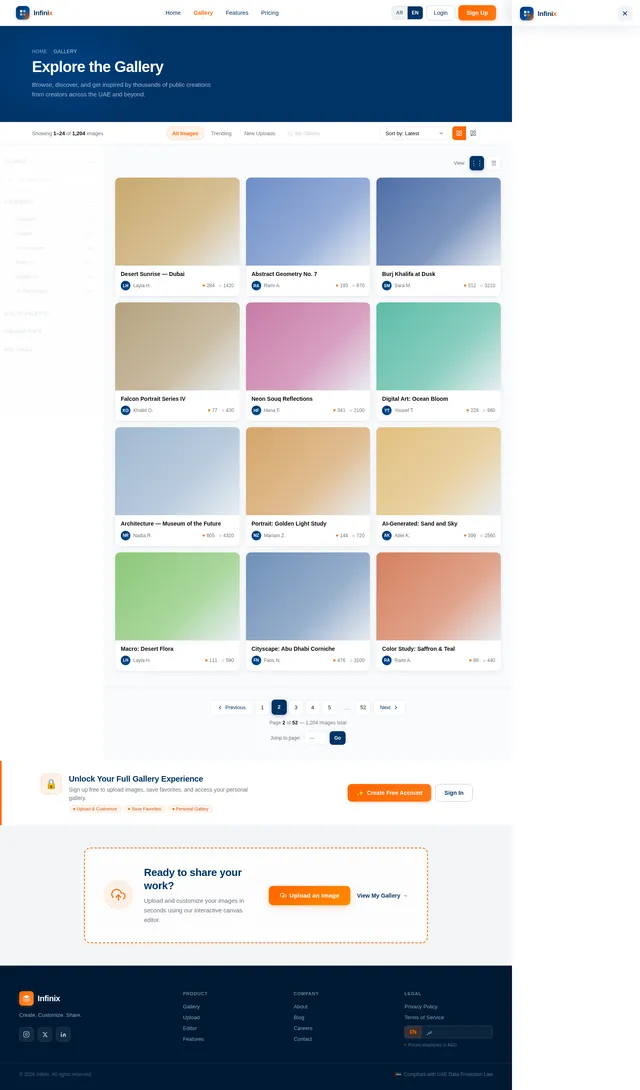
Build Gallery Page
As a user I want to be able to use the frontend Gallery page to browse public and personal images. Implement based on the existing Gallery (v2) JSX design. Includes GalleryHero banner, GalleryToolbar (view toggle, sort, tabs: All/Trending/New/My Gallery), FilterSidebar (search, category, color, date, likes), GalleryGrid (uniform/masonry modes, hover overlays, like/view/edit actions, staggered animations, skeleton loaders), PaginationBar, GuestUpsell banner, UploadPromptBanner. Page links to: Image Detail, Upload, Landing.
Implement User Login API
As a user I want to be able to use the backend API for login — POST /auth/login endpoint accepting email and password, returning JWT access and refresh tokens. Includes role-based claims (admin/user/guest) for routing to correct pages post-login.
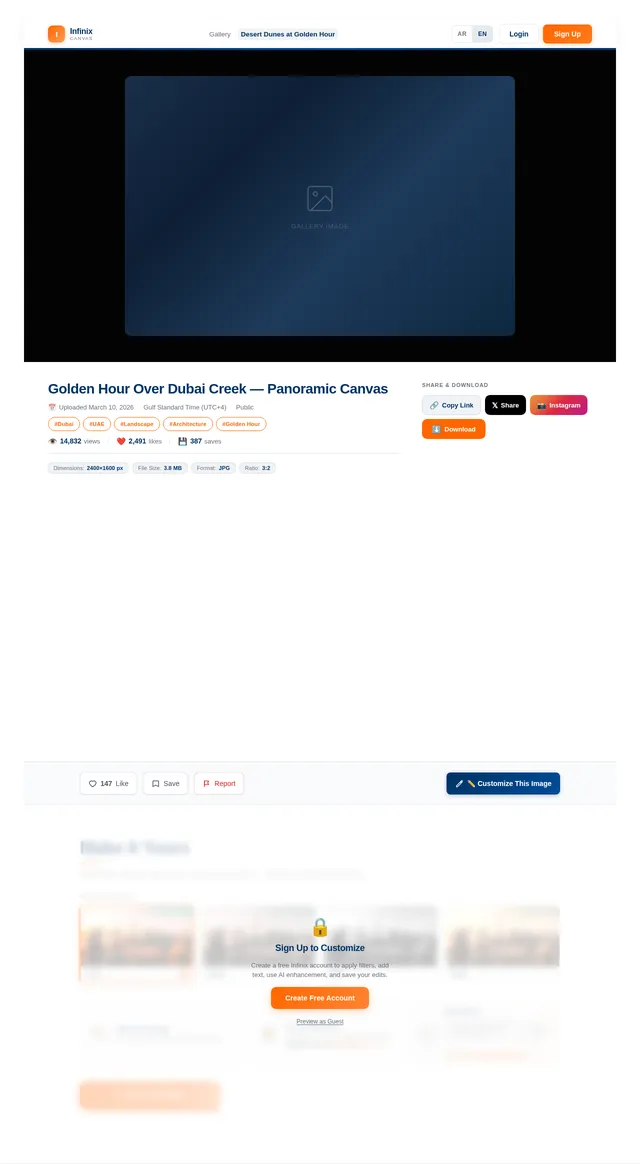
Build Image Detail Page
As a user I want to be able to use the frontend Image Detail page to view a full image with metadata, uploader info, like/comment interactions, and related images. Implement based on the existing Image (v2) JSX design. Accessible from Gallery grid card click. Links back to Gallery and to Editor (for owners).
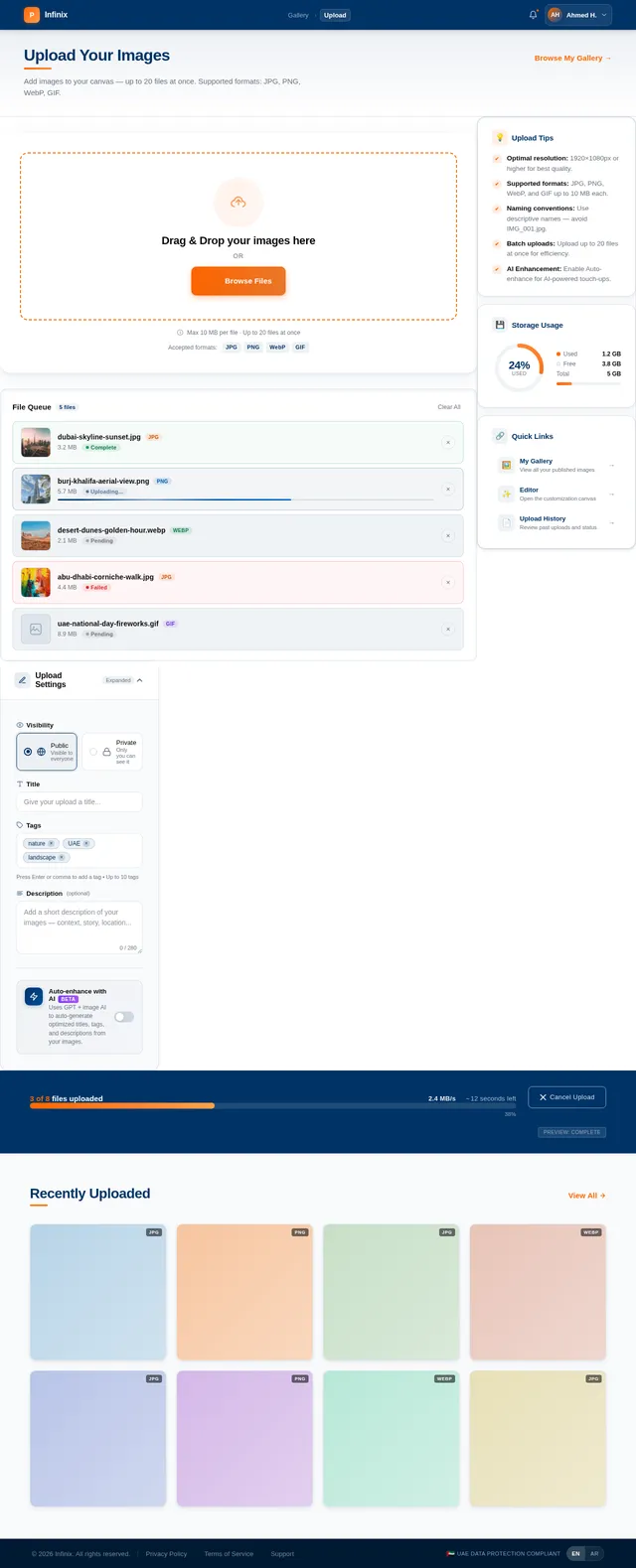
Build Upload Page
As a user I want to be able to use the frontend Upload page to add new images to the platform. Implement based on the existing Upload (v2) JSX design. Includes drag-and-drop upload zone, file validation, title/tags/category fields, privacy toggle, progress indicator. On success navigates to Editor. Only accessible to Registered Users.
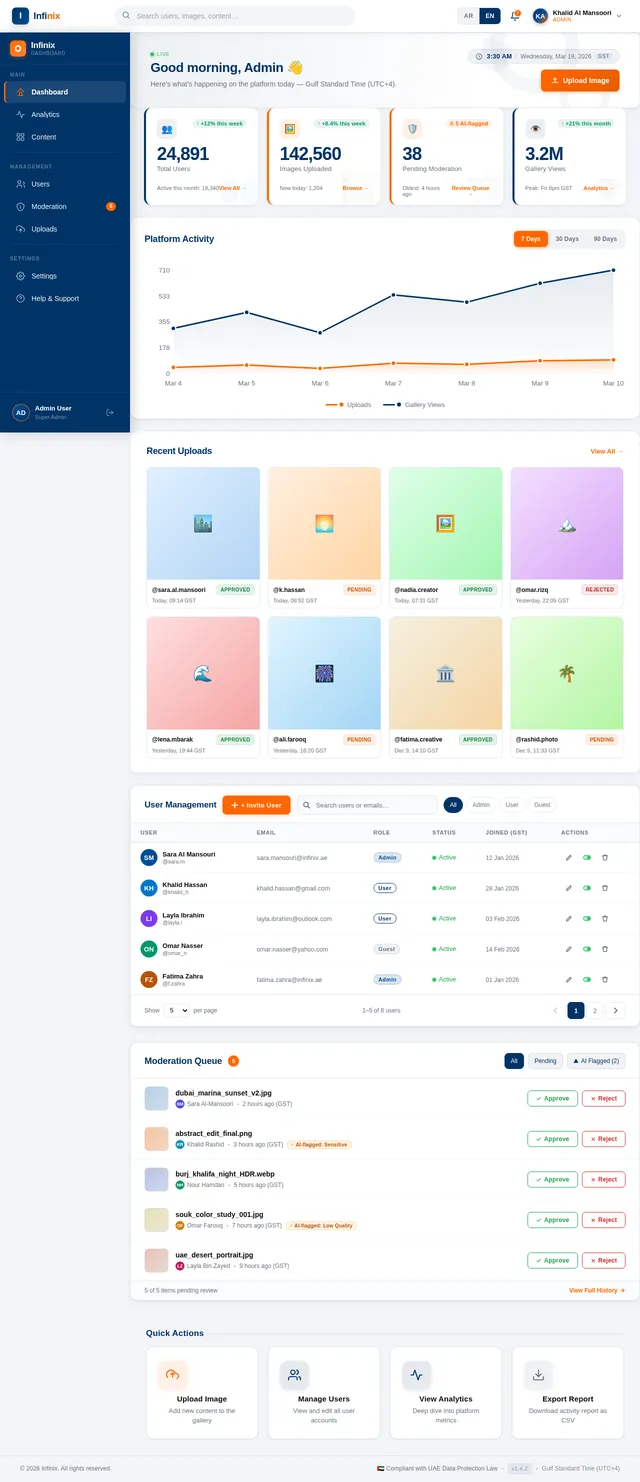
Build Dashboard Page
As an admin I want to be able to use the frontend Dashboard page to view platform analytics including user stats, upload counts, and engagement metrics. Implement based on the existing Dashboard (v2) JSX design. Includes TopBar with breadcrumb, AdminSidebar navigation, analytics charts, and summary KPI cards. Links to Users management and Content moderation pages.
Implement Image Upload API
As a user I want to be able to use the backend API to upload images — POST /images/upload endpoint accepting multipart form data (image file, title, tags, category, privacy). Validates file type/size, stores file in object storage, saves metadata to MySQL, returns image ID and URL.
Implement Users Management API
As an admin I want to be able to use the backend API for user management — GET /admin/users with search/filter/pagination; GET /admin/users/{id} for full profile; PUT /admin/users/{id} to update account details and role; DELETE /admin/users/{id} or PATCH to suspend/activate accounts.
Implement AR/EN Localization
As a user I want to be able to switch between Arabic and English languages across all frontend pages. Implement i18n using react-i18next with translation files for both languages. Support RTL layout for Arabic. Language preference saved to user profile (authenticated) or localStorage (guest). Applied on Landing, Login, Signup, Gallery, and Editor pages.
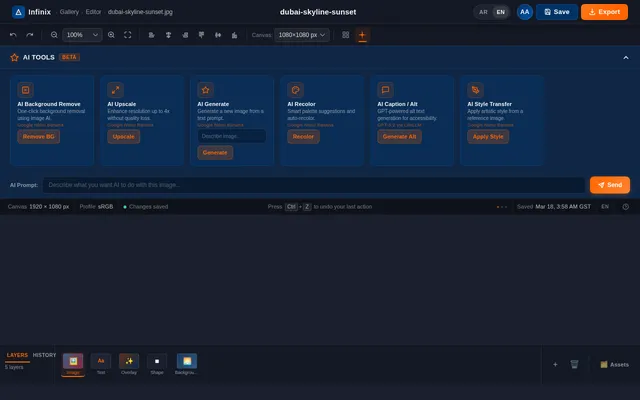
Build Editor Page
As a user I want to be able to use the frontend Editor page to customize uploaded images with filters, text overlays, color adjustments, and cropping tools. Implement based on the existing Editor (v2) JSX design. Accessible after upload or from image detail (owner only). On save navigates to Gallery (My Gallery view).
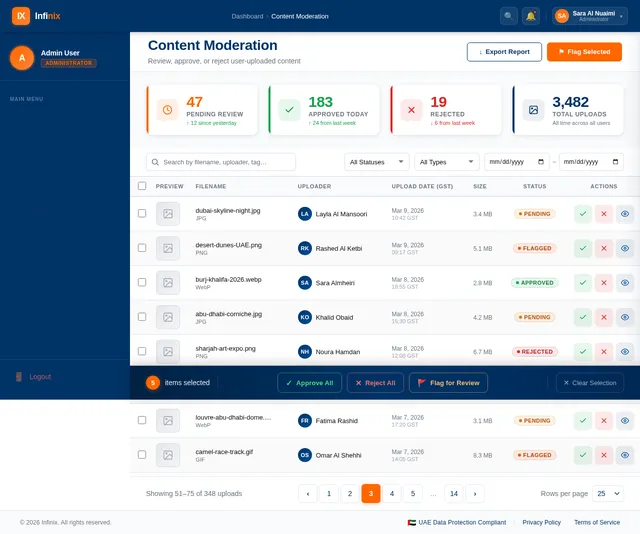
Build Content Moderation Page
As an admin I want to be able to use the frontend Content Moderation page to review, approve, or reject user-uploaded images. Implement based on the existing Content (v2) JSX design. Includes ContentPageHeader, ModerationStatsBar (pending/approved/rejected/total), ContentFilterToolbar, UploadsTable with status badges and action buttons, BulkActionBar, ContentDetailPanel (slide-in), and PaginationBar.
Build Users Management Page
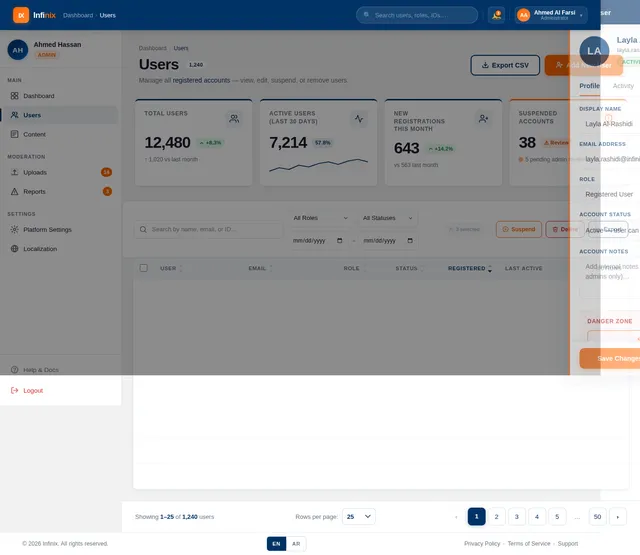
As an admin I want to be able to use the frontend Users Management page to view, edit, and manage registered user accounts. Implement based on the existing Users (v2) JSX design. Includes user list/table with search and filters, edit account panel, role management, and account status controls. Accessible from Dashboard sidebar.
Implement Gallery Images API
As a user I want to be able to use the backend API to fetch gallery images — GET /images endpoint with query params for pagination, sorting (latest/most liked/most viewed), filtering (category, color, date range, likes range, search term). Returns paginated list of public images with uploader info, like/view counts.
Implement Image Editor Save API
As a user I want to be able to use the backend API to save customized image edits — PUT /images/{id}/edit endpoint accepting edited image data (applied filters, text overlays, color adjustments, crop parameters). Saves new version to storage, updates metadata record, returns updated image URL.
Implement Image Detail & Like API
As a user I want to be able to use the backend API for image detail and interactions — GET /images/{id} returns full image metadata; POST /images/{id}/like toggles like for authenticated user; GET /images/{id}/related returns similar images. Supports view count increment on fetch.
Implement Content Moderation API
As an admin I want to be able to use the backend API for content moderation — GET /admin/uploads with filters (status, date, uploader, search); PATCH /admin/uploads/{id}/status to approve/reject/flag with optional moderation note; POST /admin/uploads/bulk-action for batch operations. Returns paginated uploads with full metadata.
Implement WCAG 2.1 Accessibility
As a user I want to be able to use the platform with assistive technologies — audit and fix all pages for WCAG 2.1 compliance: proper ARIA labels, keyboard navigation, focus management, color contrast ratios (deep blue #003366 on white meets AA), screen reader support, and skip-to-content links. Verify TrustBar SSL/UAE/WCAG badges are accurate.
Implement Dashboard Analytics API
As an admin I want to be able to use the backend API for dashboard analytics — GET /admin/analytics returning KPIs: total users, new registrations (period), total uploads, pending moderation count, approved/rejected counts, top liked images, engagement trends. Aggregated from MySQL with caching.




Create. Customize. Share.
Your interactive image canvas — explore, drag, and make it yours.
Everything You Need to Create
Upload & Organize
Seamlessly upload your images in any format, organize them into custom collections, and manage your creative library with intuitive drag-and-drop sorting.
AI-Powered Customization
Apply intelligent filters, text overlays, and color adjustments powered by GPT and advanced image AI tools — turning every photo into a masterpiece.
Interactive Gallery
Browse and share stunning public galleries or keep your work private. Explore curated collections from creators across the UAE and beyond.
Micro-Interactions
Delight in smooth hover effects, fluid transitions, and playful animations that make every interaction on the platform feel alive and responsive.
Drag & Explore Canvas
Our signature experience — grab, drag, and explore floating images on a dynamic full-screen canvas that reacts to your every move.
Arabic & English Support
Full bilingual support with seamless RTL layout for Arabic and LTR for English, crafted for creators in the UAE and the wider Gulf region.
How It Works
From browsing to sharing — create stunning visuals in three simple steps.
Browse or Upload
Explore the public gallery or upload your own images to get started on the interactive canvas.
Customize Your Image
Apply AI-powered filters, text overlays, and color adjustments to make every image uniquely yours.
Share to Gallery
Publish your creations to the public gallery and let the community discover your work.
No account needed — explore the canvas as a guest.
Explore the Gallery
View All →





Built for Everyone
Whether you're exploring, creating, or managing — there's a perfect experience waiting for you.
Guest
Just Browsing? No problem.
Dive into the public gallery and explore stunning creations from our community. No account needed — just pure inspiration at your fingertips.
- Browse the full public gallery
- No sign-up or login required
- Preview image customization tools
Registered User
Ready to Create?
Upload your images, customize with powerful AI tools, and share your work with the world. Your creative journey starts here.
- Upload and organize your images
- AI-powered filters and editing
- Share creations to the gallery
Admin
Managing a Team?
Take control with powerful moderation tools, detailed analytics, and streamlined user management — all from one intuitive dashboard.
- Advanced user management
- Content moderation dashboard
- Platform analytics and insights
Loved by Creators
The interactive canvas completely changed how I present my artwork. Dragging and customizing images feels so intuitive — I published my first gallery in under ten minutes!
I love the AI-powered filters and the seamless Arabic support. It finally feels like a creative platform built for our region. The gallery sharing feature is brilliant.
As a guest, I could explore the full gallery before signing up. Once I did, uploading and customizing my photos was effortless. The micro-interactions are a delight!
Managing my team's creative assets is incredibly smooth with the admin tools. The moderation dashboard and analytics give us full visibility across all uploaded content.
The drag-and-explore canvas is unlike anything I've used before. Combined with the real-time customization and AED pricing, this platform is perfectly tailored for UAE creators.
Uploading images and applying filters takes seconds. The public gallery has been a huge source of inspiration, and I've connected with so many fellow creatives here.
Your Canvas Awaits.
Join thousands of creators. Upload, customize, and share — starting today.
No comments yet. Be the first!