project-d486a306
 Diya Trivedi
create a project to build a simple single page design of calculator

Comments (0)
Sign in to leave a comment
Project Tasks
4Implement CalculatorDisplay for Calculator Page
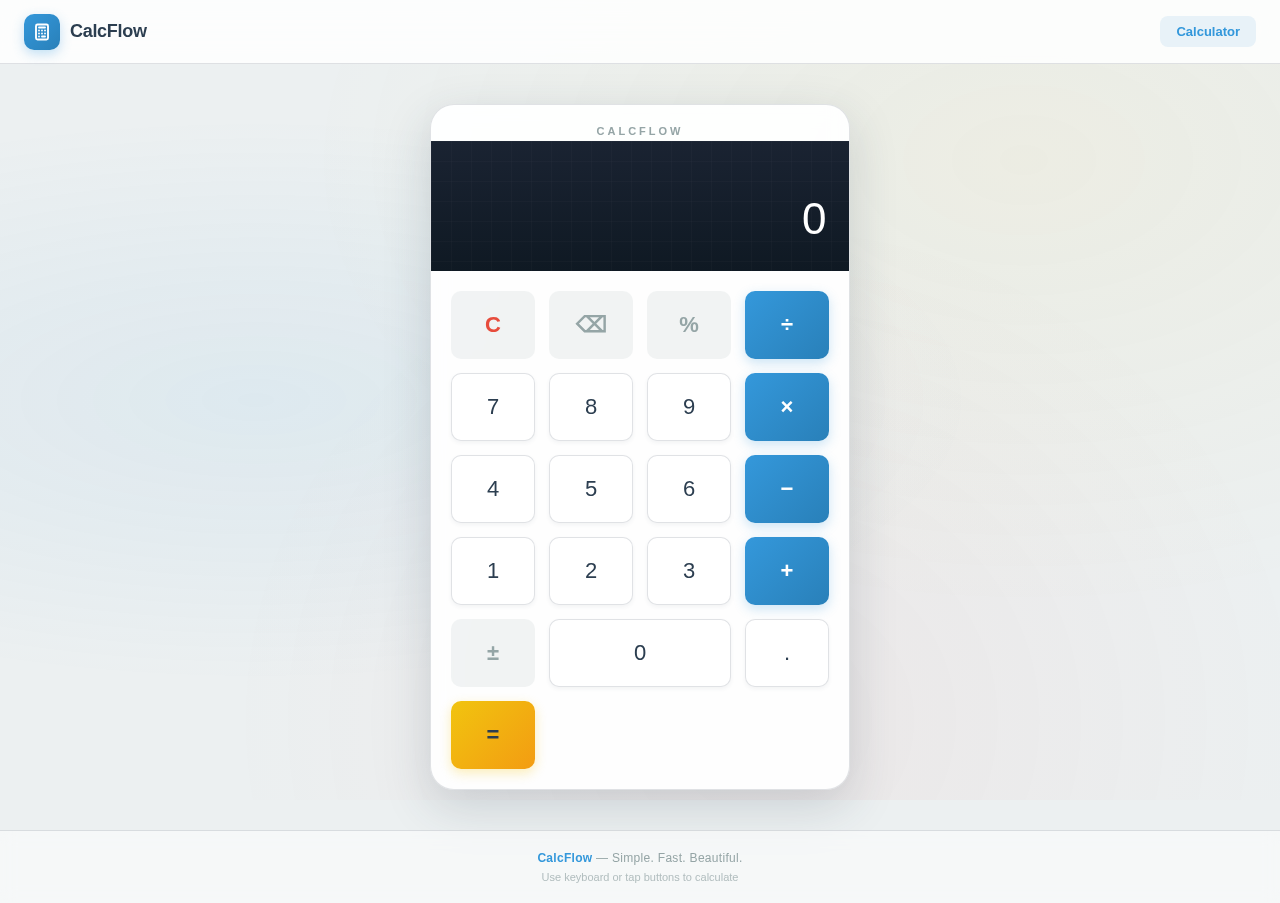
As a frontend developer, implement the CalculatorDisplay section to show the current value and expression. Use the `formatValue` function to format numbers and handle errors. The display should update dynamically with a flip animation using the `flipKey` prop. Ensure the display handles edge cases like trailing decimals and zeroes. Page access: shared by all personas (User).
Implement CalculatorKeypad for Calculator Page
As a frontend developer, implement the CalculatorKeypad section to handle user input for numbers, operators, and actions. Use the `handleClick` function to manage button interactions and state updates. Ensure buttons have appropriate classes for styling and active states, and implement the flip animation for button presses. Page access: shared by all personas (User).
Implement Footer for Calculator Page
As a frontend developer, implement the Footer section to display the CalcFlow branding and usage hints. Ensure the footer is styled consistently with the rest of the page and provides a clear message about using the keyboard or buttons for calculations. Page access: shared by all personas (User).
Implement Navbar for Calculator Page
As a frontend developer, implement the Navbar section to provide navigation and branding for the CalcFlow application. Implement scroll detection to apply a 'scrolled' class for styling changes. Ensure the navbar links are functional and styled according to the design. Page access: shared by all personas (User).
No comments yet. Be the first!