Page 1 of 4
project-bb215b68 System Requirements Document
Introduction
This document outlines the system requirements for project-bb215b68, a multi-page todo application. The goal is to enhance the system design to support multi-page functionality, moving beyond a simple single-page design.
System Overview
The project-bb215b68 application is designed to manage tasks efficiently. It will provide users with the ability to create, update, delete, and view tasks across multiple pages, enhancing user experience and application scalability.
Functional Requirements as Story Points
- As a User, I should be able to create a new task.
- As a User, I should be able to view a list of all tasks.
- As a User, I should be able to update an existing task.
- As a User, I should be able to delete a task.
- As a User, I should be able to navigate between different pages of the application.
- As a User, I should be able to filter tasks based on their status (e.g., completed, pending).
- As a User, I should be able to search for tasks using keywords.
User Personas
- Regular User: Can create, view, update, and delete tasks. Can navigate through different pages and use filtering and search functionalities.
Page 2 of 4
Core User Flows
- User logs in -> navigates to the task list page -> creates a new task -> updates an existing task -> deletes a task -> logs out.
- User navigates to the task list page -> filters tasks by status -> searches for a specific task -> views task details.
Visuals Colors and Theme
- primary: #1E90FF (Dodger Blue)
- primary_light: #63B8FF (Light Dodger Blue)
- secondary: #FF6347 (Tomato)
- accent: #32CD32 (Lime Green)
- highlight: #FFD700 (Gold)
- bg: #F0F8FF (Alice Blue)
- surface: rgba(255, 255, 255, 0.8)
- text: #000000 (Black)
- text_muted: #696969 (Dim Gray)
- border: rgba(169, 169, 169, 0.2)
Signature Design Concept
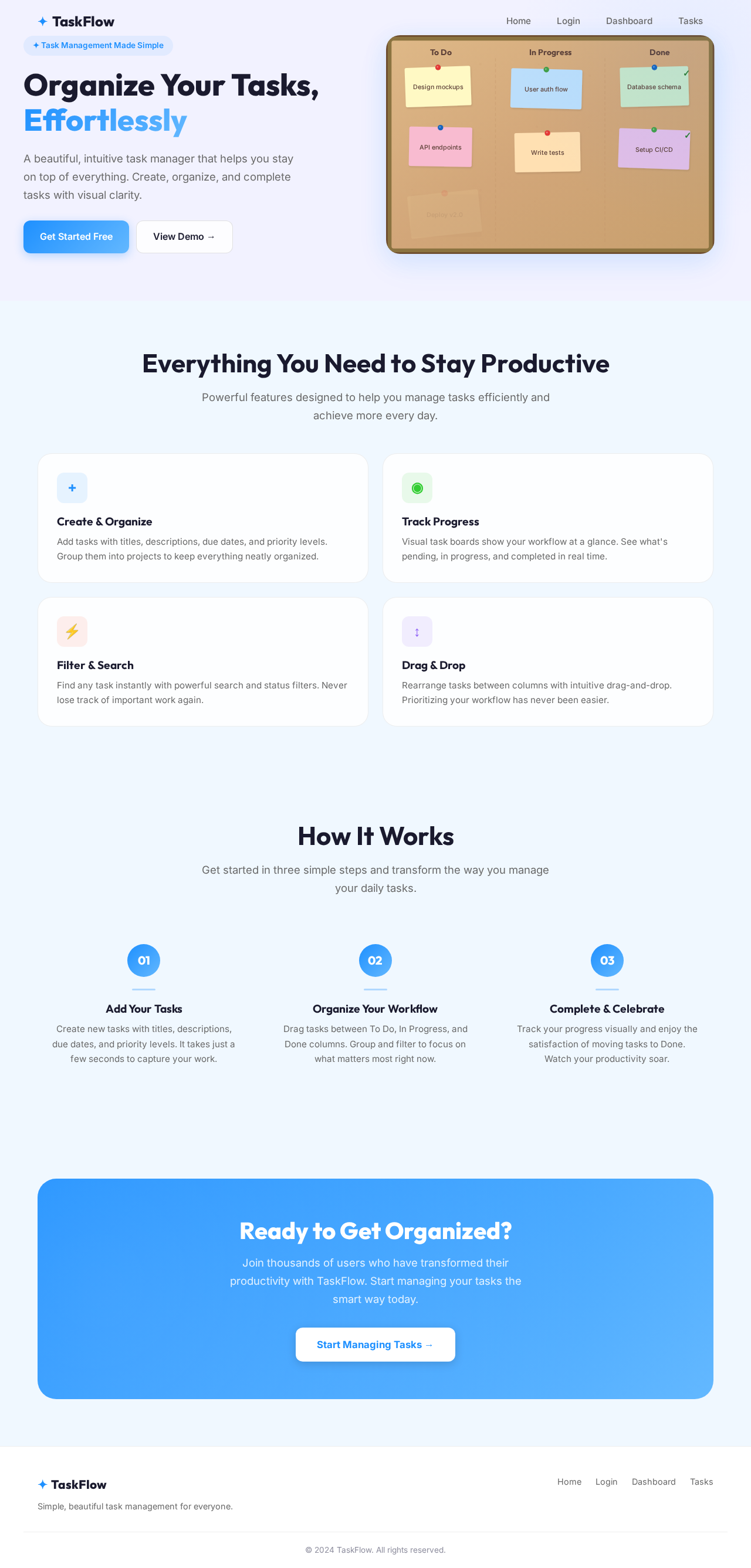
The homepage of project-bb215b68 will feature an interactive task board that visually represents tasks as sticky notes on a virtual corkboard. Users can drag and drop tasks between different status columns (e.g., To Do, In Progress, Done). The background will subtly change colors based on the time of day, providing a dynamic and engaging user experience. This concept will be implemented using motion/react for smooth animations and transitions.
Page 3 of 4
Landing Hero Motion Brief
The landing page will feature a dynamic animation where tasks appear as paper notes being pinned onto a corkboard. As users scroll, the notes will shuffle and rearrange themselves, demonstrating the application's task management capabilities. The animation will loop every 10 seconds, showing tasks being completed and new ones being added. This will be achieved using CSS animations and motion/react for interactive elements.
Interaction Model & Motion Direction
- Interaction Model: Animated
- The application will feature moderate scroll-triggered reveals and hover transitions. Interactive elements will have spring physics for a polished user experience.
Non-Functional Requirements
- The application must be responsive and work seamlessly on both desktop and mobile devices.
- The application should load within 2 seconds on a standard internet connection.
- Ensure data security and user privacy.
Tech Stack
- Frontend: React for Web
- Backend: Python with FastAPI
- Database: MySQL or MariaDB, using Alembic for migrations
- Local Orchestration: Docker, docker-compose
Page 4 of 4
Assumptions and Constraints
- The application will initially support English language only.
- The application will be hosted on a cloud platform with scalability options.
- User authentication and authorization are assumed to be handled by a third-party service.
Glossary
- Task: An item that a user can create, update, delete, or view within the application.
- Multi-page: An application design that involves multiple web pages rather than a single-page application (SPA).
- Responsive Design: A design approach that ensures the application works well on various devices and screen sizes.


No comments yet. Be the first!