Saffron Risotto
Creamy arborio rice infused with premium saffron threads and aged parmesan, finished with a drizzle of truffle oil.
$28Order Now →
 het Game
Build a modern full-stack restaurant website called "Zafrani" with a responsive UI and AI-powered customer assistance. Tech Stack: - Frontend: HTML5, CSS3, JavaScript (Vanilla) - Backend: Node.js + Express - Database: JSON file/localStorage (mock database) - REST API architecture Features: Customer Features: - Beautiful landing page with hero section - Responsive navigation - Food menu with category filters and search - Add-to-cart functionality - Shopping cart with quantity management - Checkout process - User authentication (Login & Signup) - Table reservation system - My Orders page - Order history with status tracking - Contact page - About page Admin Features: - Secure admin login - Dashboard with analytics - Revenue statistics - Manage food menu (CRUD) - Manage customer orders - Manage table bookings - Manage customers - Update order status - Enable/Disable menu items AI Features: - AI chatbot for customer support - Food recommendations based on user preferences - Answer menu-related questions - Suggest popular dishes - Reservation assistance - Order tracking support Technical Requirements: - Fully responsive design - Mobile-first layout - Clean modern UI - LocalStorage support when backend is unavailable - Express REST API - JSON-based database - Modular JavaScript files - Organized project structure - Form validation - Error handling - Smooth animations - Fast loading performance Pages: - Home - Menu - Cart - Login/Signup - Book Table - Orders - About - Contact - Admin Dashboard API Endpoints: - Authentication - Menu CRUD - Orders CRUD - Bookings CRUD - Customer management Deliver production-quality code with clean architecture, reusable components, and professional UI/UX.


Sign in to leave a comment
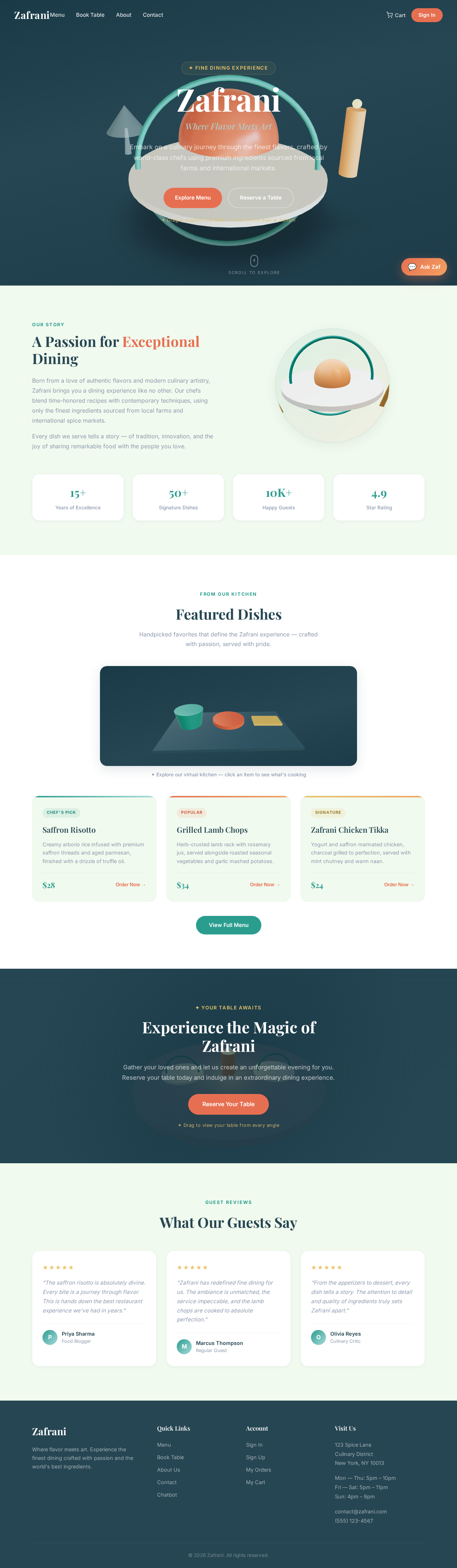
Where Flavor Meets Art
Embark on a culinary journey through the finest flavors, crafted by world-class chefs using premium ingredients sourced from local farms and international markets.
✦ Drag to explore the table — your virtual seat at Zafrani
Born from a love of authentic flavors and modern culinary artistry, Zafrani brings you a dining experience like no other. Our chefs blend time-honored recipes with contemporary techniques, using only the finest ingredients sourced from local farms and international spice markets.
Every dish we serve tells a story — of tradition, innovation, and the joy of sharing remarkable food with the people you love.
Gather your loved ones and let us create an unforgettable evening for you. Reserve your table today and indulge in an extraordinary dining experience.
Reserve Your Table✦ Drag to view your table from every angle
“The saffron risotto is absolutely divine. Every bite is a journey through flavor. This is hands down the best restaurant experience we've had in years.”
“Zafrani has redefined fine dining for us. The ambiance is unmatched, the service impeccable, and the lamb chops are cooked to absolute perfection.”
“From the appetizers to dessert, every dish tells a story. The attention to detail and quality of ingredients truly sets Zafrani apart.”
Where Flavor Meets Art
Embark on a culinary journey through the finest flavors, crafted by world-class chefs using premium ingredients sourced from local farms and international markets.
✦ Drag to explore the table — your virtual seat at Zafrani
Born from a love of authentic flavors and modern culinary artistry, Zafrani brings you a dining experience like no other. Our chefs blend time-honored recipes with contemporary techniques, using only the finest ingredients sourced from local farms and international spice markets.
Every dish we serve tells a story — of tradition, innovation, and the joy of sharing remarkable food with the people you love.
Gather your loved ones and let us create an unforgettable evening for you. Reserve your table today and indulge in an extraordinary dining experience.
Reserve Your Table✦ Drag to view your table from every angle
“The saffron risotto is absolutely divine. Every bite is a journey through flavor. This is hands down the best restaurant experience we've had in years.”
“Zafrani has redefined fine dining for us. The ambiance is unmatched, the service impeccable, and the lamb chops are cooked to absolute perfection.”
“From the appetizers to dessert, every dish tells a story. The attention to detail and quality of ingredients truly sets Zafrani apart.”
No comments yet. Be the first!