project-514ef487
 Diya Trivedi
start a project to build a simple single page design of the calculator

Comments (0)
Sign in to leave a comment
System Requirements
project-514ef487
Introduction
The purpose of this document is to outline the system requirements for project-514ef487, which involves developing a basic single-page calculator design. This project aims to create a simple, user-friendly calculator interface suitable for quick arithmetic operations.
System Overview
Project-514ef487 will deliver a single-page web application that functions as a basic calculator. The application will allow users to perform standard arithmetic operations such as addition, subtraction, multiplication, and division. The design will focus on simplicity and ease of use, ensuring that users can quickly perform calculations without unnecessary complexity.
Functional Requirements as Story Points
- As a User, I should be able to perform addition operations.
- As a User, I should be able to perform subtraction operations.
- As a User, I should be able to perform multiplication operations.
- As a User, I should be able to perform division operations.
- As a User, I should be able to clear the current input.
- As a User, I should be able to view the result of my calculations immediately.
User Personas
- Basic User: A person who needs to perform quick and simple arithmetic calculations without advanced features.
Core User Flows
- User opens the calculator -> inputs numbers and selects an operation -> views the result -> clears input for new calculation.
Visuals Colors and Theme
- primary: #4A90E2 (a calming blue for the main interface)
- primary_light: #A6C8FF (a lighter blue for hover states)
- secondary: #F5A623 (a contrasting orange for emphasis)
- accent: #7ED321 (a vibrant green for active states)
- highlight: #F8E71C (a bright yellow for notifications)
- bg: #FFFFFF (a clean white background)
- surface: rgba(255, 255, 255, 0.9) (a slightly opaque white for panels)
- text: #333333 (a dark grey for primary text)
- text_muted: #777777 (a lighter grey for secondary text)
- border: rgba(0, 0, 0, 0.1) (a subtle grey for borders)
Signature Design Concept
The calculator will feature an interactive, minimalist design where the buttons appear to "press" down when clicked, providing tactile feedback. The interface will have a clean, modern look with rounded buttons and a digital display that mimics a classic calculator screen. The design will include subtle animations using motion/react to enhance user interaction, such as buttons slightly enlarging on hover and a smooth transition when displaying results.
Landing Hero Motion Brief
The landing page will feature a continuous animation loop where numbers and operations appear to float into the calculator display, demonstrating its functionality. Using motion/react, the animation will show numbers being entered, operations being performed, and results being displayed, all in a seamless loop. This will visually communicate the calculator's purpose and ease of use.
Interaction Model & Motion Direction
- Interaction Model: Animated
- The calculator will feature moderate animations for button presses and result displays.
- Hover transitions and spring physics will be applied to interactive elements to provide a polished user experience.
Non-Functional Requirements
- The application should load quickly and perform calculations with minimal delay.
- The design should be responsive and function well on both desktop and mobile devices.
Tech Stack
- Frontend: React for Web
- Backend: Not applicable for a single-page application
- Database: Not applicable for a single-page application
- Local orchestration: Docker for development environment setup
Assumptions and Constraints
- The calculator will not support advanced mathematical functions such as trigonometry or logarithms.
- The application will be developed as a single-page web application without server-side components.
Glossary
- Single-page application (SPA): A web application that interacts with the user by dynamically rewriting the current page rather than loading entire new pages from the server.
- React: A JavaScript library for building user interfaces, particularly single-page applications where data can change over time without requiring a page reload.
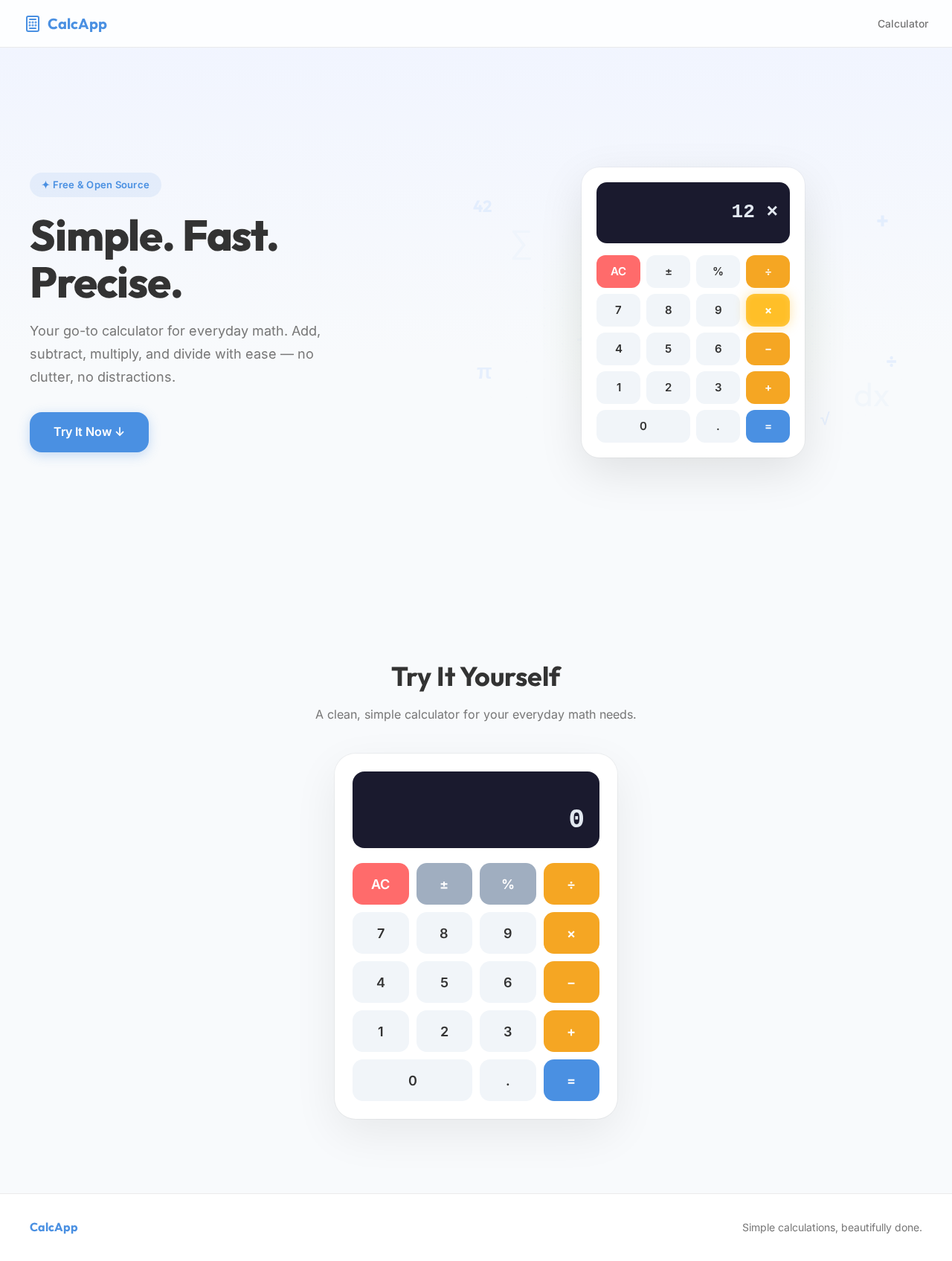
Simple. Fast.
Precise.
Your go-to calculator for everyday math. Add, subtract, multiply, and divide with ease — no clutter, no distractions.
Try It Yourself
A clean, simple calculator for your everyday math needs.
Simple. Fast.
Precise.
Your go-to calculator for everyday math. Add, subtract, multiply, and divide with ease — no clutter, no distractions.
Try It Yourself
A clean, simple calculator for your everyday math needs.
No comments yet. Be the first!