project-27ba3421

byjames chambers (fun23)

a button

Landing
Landing

Comments (0)

No comments yet. Be the first!

System Requirements

System Requirement Document
Page 1 of 3

Project-27ba3421

Introduction

Project-27ba3421 is designed to provide a simple interactive experience where users can engage with a button on a website that triggers an alert displaying "Hello World". This document outlines the system requirements for the project, ensuring clarity and alignment with the user's expectations.

System Overview

The system will consist of a web-based interface featuring a single button. When pressed, this button will trigger an alert displaying the message "Hello World". This functionality is intended to be straightforward, providing a basic interactive element for users.

Functional Requirements as Story Points

  • As a User, I should be able to press a button on the website.
  • As a User, I should see an alert displaying "Hello World" when I press the button.

User Personas

  • User: An individual visiting the website who interacts with the button to trigger the alert.

Core User Flows

  • User visits the website -> User sees a button -> User presses the button -> An alert displays "Hello World".
Page 2 of 3

Visuals Colors and Theme

  • primary: #4A90E2 (a calming blue for the button)
  • primary_light: #8AB4F8 (a lighter blue for hover states)
  • secondary: #F5A623 (a contrasting orange for emphasis)
  • accent: #D0021B (a vibrant red for active states)
  • highlight: #F8E71C (a bright yellow for notifications)
  • bg: #FFFFFF (a clean white background)
  • surface: rgba(255, 255, 255, 0.8) (a translucent white for panels)
  • text: #333333 (a dark grey for primary text)
  • text_muted: #777777 (a softer grey for secondary text)
  • border: rgba(0, 0, 0, 0.1) (a subtle border color)

Signature Design Concept

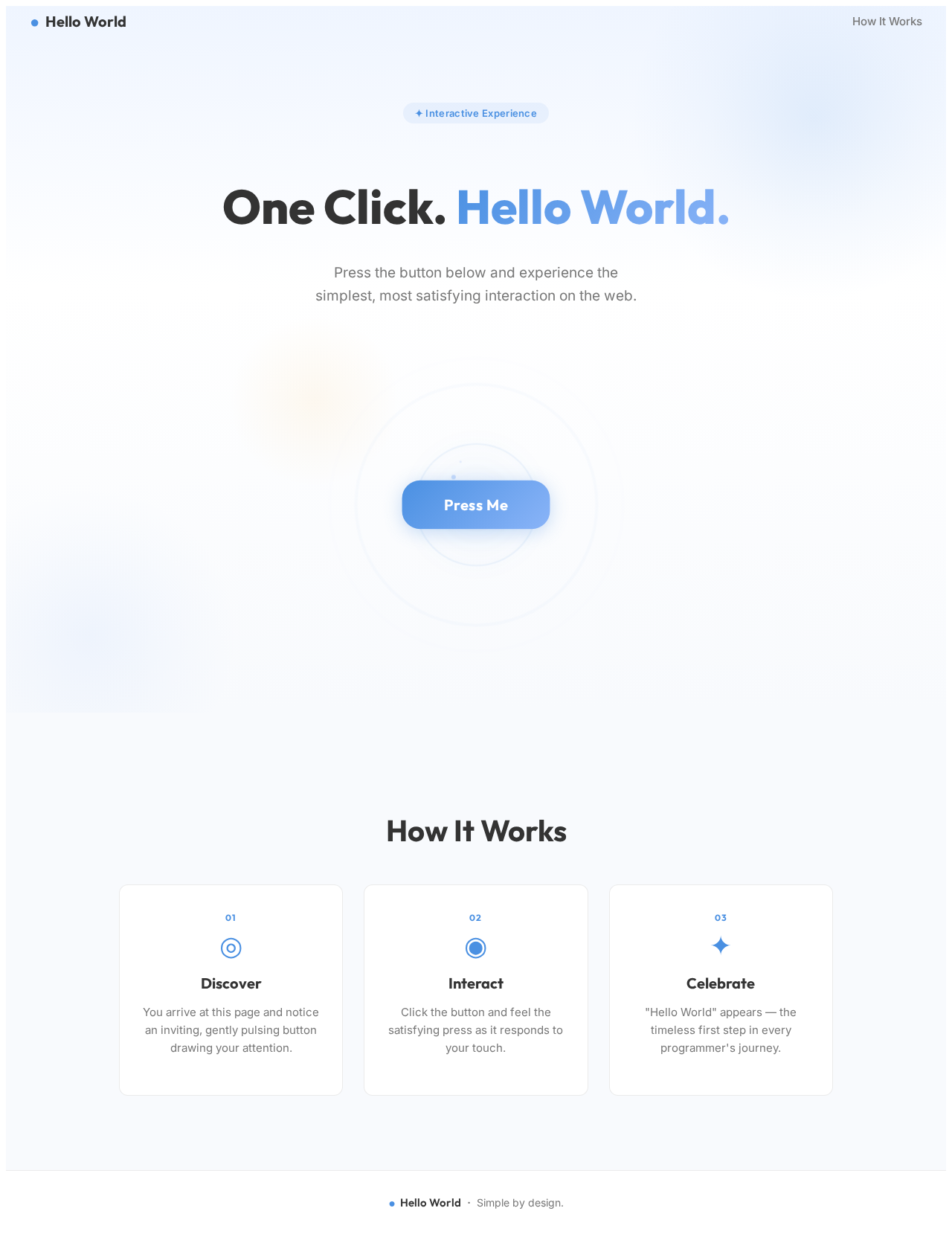
The homepage will feature an interactive button that visually responds to user interaction. The button will have a subtle animation that makes it appear to "pulse" gently, inviting users to click. Upon clicking, the button will trigger an alert with the message "Hello World". This interaction will be enhanced with a smooth transition effect using motion/react to create a satisfying user experience.

Landing Hero Motion Brief

The landing page will feature a central button that subtly pulses with a breathing effect, drawing attention. When clicked, the button will expand slightly and then contract, triggering the "Hello World" alert. This animation will loop every 10 seconds to maintain user engagement. The button will be the focal point, with a clean, minimalist background to ensure clarity and focus.

Page 3 of 3

Interaction Model & Motion Direction

  • Intended Interaction Model: Animated
    • The button will have hover transitions and a click animation to enhance user interaction.
    • The landing page will feature a continuous 2D motion loop to maintain user engagement.

Non-Functional Requirements

  • The system should be responsive and work across all modern web browsers.
  • The alert should appear promptly upon button press without noticeable delay.

Tech Stack

  • Frontend: React for Web
  • Backend: Not applicable for this simple interaction
  • Database: Not applicable for this simple interaction

Assumptions and Constraints

  • The project assumes a basic web environment where JavaScript alerts are supported.
  • The interaction is limited to a single button and alert functionality.

Glossary

  • Alert: A pop-up message that appears on the screen.
  • Button: An interactive element that users can click to trigger an action.
Landing design preview
Landing: View Info
Landing: Press Button
Landing: See Alert