project-0d306eb3

byTest

build a simple single page design of todo application

App
App

Comments (0)

No comments yet. Be the first!

System Requirements

System Requirement Document
Page 1 of 4

project-0d306eb3 System Requirements Document

Introduction

This System Requirements Document (SRD) outlines the requirements for the project named "project-0d306eb3," which involves the development of a todo application. The document details the system overview, functional requirements, user personas, core user flows, visual design, and other essential components necessary for the successful implementation of the project.

System Overview

The todo application is intended to be a straightforward, user-friendly tool that allows users to manage their tasks efficiently on a single page. The application will provide essential functionalities such as adding, editing, and deleting tasks, with a focus on simplicity and ease of use.

Functional Requirements (Single-Page Design)

  • As a User, I should be able to add a new task to my todo list.
  • As a User, I should be able to edit an existing task in my todo list.
  • As a User, I should be able to delete a task from my todo list.
  • As a User, I should be able to view all my tasks on a single page.

User Personas

  • User: The primary user of the application who wants to manage their tasks efficiently. This persona values simplicity and quick access to task management features.
Page 2 of 4

Core User Flows

  • User opens the application -> User adds a new task -> Task appears on the list.
  • User selects a task -> User edits the task details -> Updated task is saved.
  • User selects a task -> User deletes the task -> Task is removed from the list.

Visuals Colors and Theme

  • primary: #3498db (a calming blue for the main interface elements)
  • primary_light: #5dade2 (a lighter blue for hover states)
  • secondary: #e74c3c (a contrasting red for important actions like delete)
  • accent: #f1c40f (a vibrant yellow for call-to-action buttons)
  • highlight: #f39c12 (an orange for notifications and active states)
  • bg: #ecf0f1 (a light gray for the background)
  • surface: rgba(255, 255, 255, 0.9) (a white for cards and panels)
  • text: #2c3e50 (a dark blue for primary text)
  • text_muted: #95a5a6 (a muted gray for secondary text)
  • border: rgba(44, 62, 80, 0.2) (a subtle border color)

Signature Design Concept

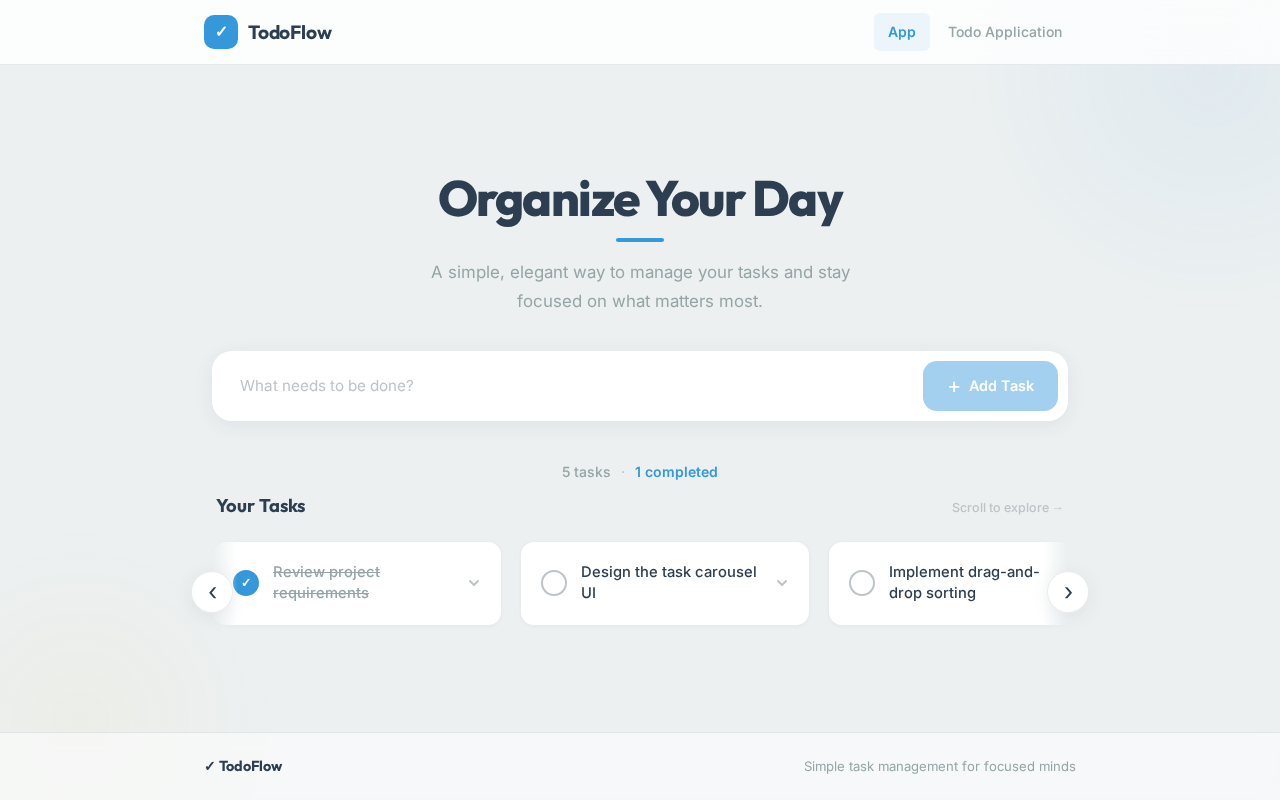
The homepage of the todo application will feature an interactive "Task Carousel." This carousel will allow users to swipe through their tasks horizontally, providing a dynamic and engaging way to interact with their todo list. Each task will appear as a card that users can click to expand for more details or edit options. The carousel will use smooth animations powered by framer-motion to enhance the user experience, making task management feel fluid and intuitive.

Page 3 of 4

Interaction Model & Motion Direction

The intended interaction model for the landing page is "animated." The application will feature moderate scroll-triggered reveals and hover transitions to provide a polished and responsive user experience. The task carousel will be the core mechanic, offering a distinctive interactive element that sets the application apart.

Non-Functional Requirements

  • The application should load quickly and perform efficiently on both desktop and mobile devices.
  • The user interface should be intuitive and require minimal learning for new users.
  • The application should be accessible, adhering to standard accessibility guidelines.

Tech Stack

  • Frontend: React for Web
  • Backend: Not applicable for a single-page application without server-side logic
  • Database: Not applicable for a single-page application without persistent storage

Assumptions and Constraints

  • The application will be developed as a single-page application without server-side components.
  • The application will not require user authentication or data persistence beyond the current session.
Page 4 of 4

Glossary

  • Task: An item on the user's todo list that can be added, edited, or deleted.
  • Carousel: An interactive component that allows users to swipe through items horizontally.

This document provides a comprehensive overview of the requirements and design for the project-0d306eb3 todo application, ensuring a clear and focused development process.

App design preview
App: Open App
App: View Tasks
App: Add Task
App: View Tasks
App: Select Task
App: Edit Task
App: Delete Task
App: Expand Task Card
App design preview
App: Open App
App: View Tasks
App: Add Task
App: View Tasks
App: Select Task
App: Edit Task
App: Delete Task
App: Expand Task Card