project-07b4ce75
תבנה מחשבון
Comments (0)
Sign in to leave a comment
System Requirements
System Requirements Document (SRD) for project-07b4ce75
1. Introduction
This document outlines the system requirements for project-07b4ce75, a basic calculator application. The project is designed to provide users with a simple and intuitive tool for performing foundational arithmetic operations. The requirements have been updated to reflect the acknowledgment of basic foundational functionality as pre-resolved by the API supervisor.
2. System Overview
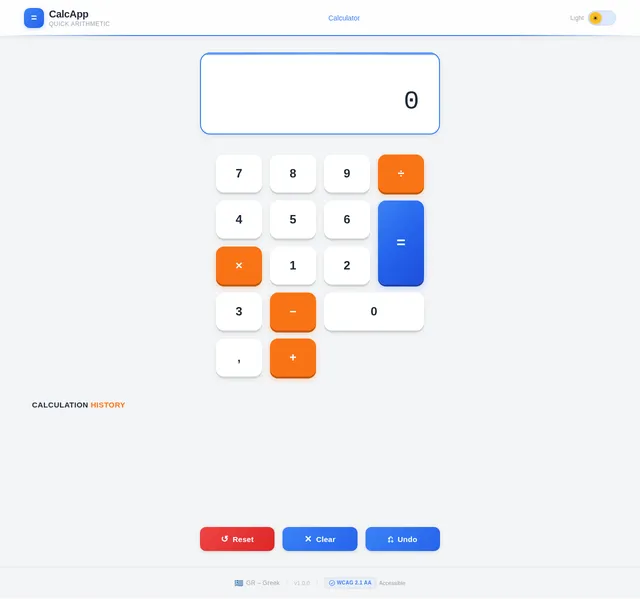
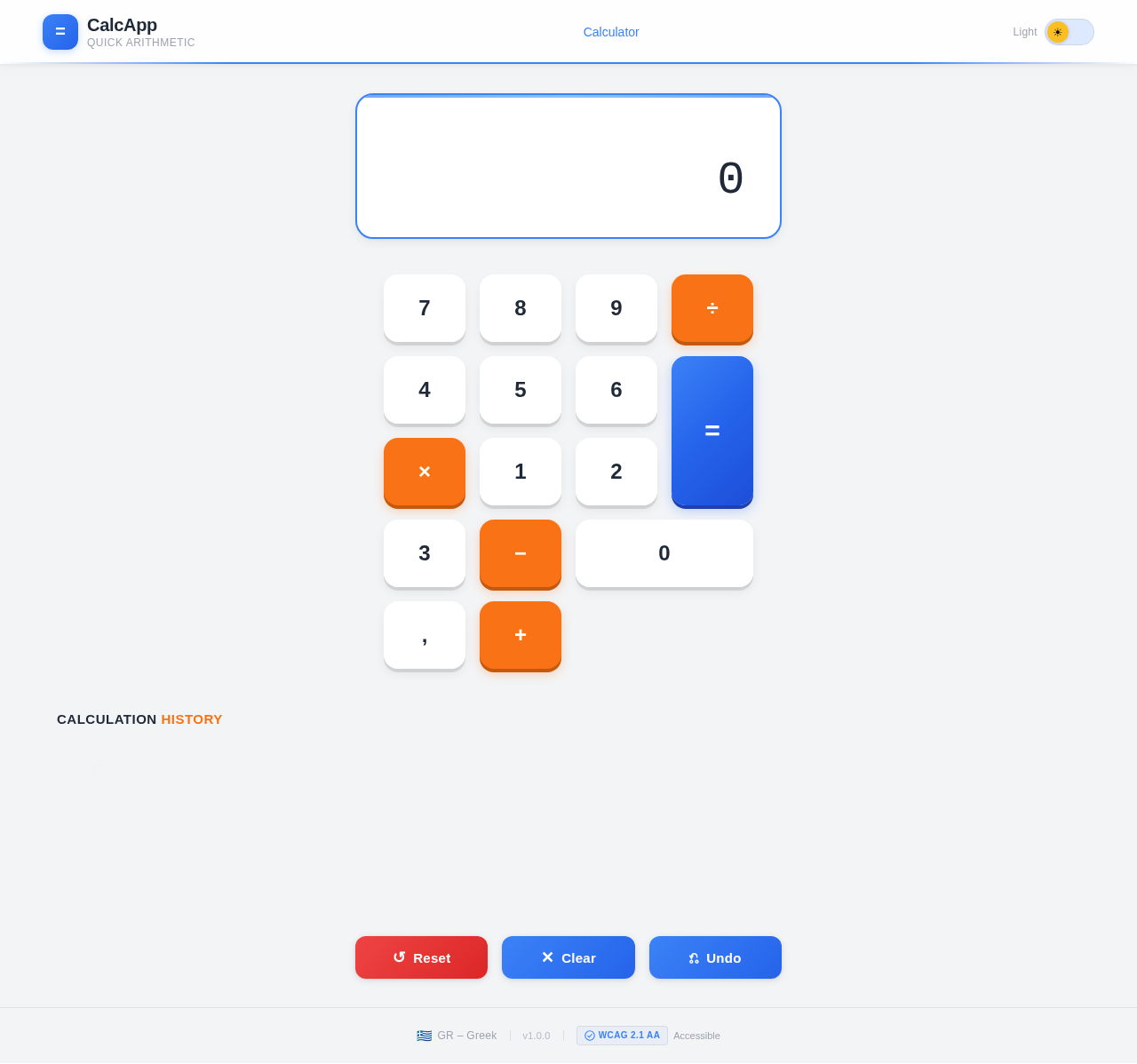
The goal of project-07b4ce75 is to deliver a lightweight, user-friendly calculator application that supports essential arithmetic operations. The application will cater to users who need a straightforward tool for quick calculations without the complexity of advanced scientific functions. The system will be accessible via a web interface and optimized for both desktop and mobile platforms.
Key features include:
- Basic arithmetic operations: addition, subtraction, multiplication, and division.
- A clean and intuitive user interface.
- Responsive design for usability across devices.
Locale-specific considerations for Greece (GR) include:
- Default language: Greek.
- Numeric formatting: Use commas as decimal separators and periods for thousand separators (e.g., 1.000,50).
3. Functional Requirements
The following functional requirements are defined for project-07b4ce75:
- As a User, I should be able to perform addition, subtraction, multiplication, and division.
- As a User, I should see clear error messages for invalid inputs (e.g., division by zero).
- As a User, I should be able to reset the calculator to its default state with a single click.
- As a User, I should see a history of my last five calculations.
- As a User, I should be able to toggle between light and dark mode for the interface.
4. User Personas
4.1 Regular User
- Description: A general user who needs a simple calculator for everyday arithmetic tasks.
- Goals: Perform quick and accurate calculations.
- Pain Points: Overly complex interfaces, lack of clarity in error handling.
4.2 Student
- Description: A student who uses the calculator for basic math homework or studies.
- Goals: Solve arithmetic problems efficiently.
- Pain Points: Difficulty in accessing recent calculations or resetting the calculator.
5. Visuals Colors and Theme
The following unique color palette has been designed for project-07b4ce75:
- Background: #F3F4F6 (Soft Light Gray)
- Surface: #FFFFFF (Pure White)
- Text: #1F2937 (Charcoal Gray)
- Accent: #3B82F6 (Vivid Blue)
- Muted: #9CA3AF (Cool Gray)
This palette ensures a clean, modern, and professional look while maintaining high readability and accessibility.
6. Signature Design Concept
The Signature Design Concept for project-07b4ce75 is a "Dynamic Calculator Interface" that visually transforms based on user interaction.
Key Features:
- Interactive Button Animations: Buttons will "press" with a subtle 3D effect when clicked, giving users tactile feedback.
- Calculation History Carousel: The last five calculations will appear as a horizontal carousel at the bottom of the screen, with smooth scrolling animations.
- Theme Transition Effect: Switching between light and dark mode will trigger a fluid gradient animation that transitions the background and text colors seamlessly.
- Error State Animation: Invalid inputs (e.g., division by zero) will trigger a gentle shake animation of the calculator screen, accompanied by a red highlight around the input field.
This design ensures the calculator feels alive and engaging while maintaining its simplicity.
7. Non-Functional Requirements
- Performance: The application should load within 2 seconds on standard broadband connections.
- Accessibility: The interface must comply with WCAG 2.1 AA standards.
- Localization: The application must support Greek as the default language and numeric formatting conventions.
- Compatibility: The application must function seamlessly on modern browsers (Chrome, Firefox, Safari, Edge) and mobile devices.
8. Tech Stack
The following technologies will be used for project-07b4ce75:
Frontend
- React for Web
Backend
- Python
- FastAPI
Database
- MySQL (with Alembic for migrations)
Local Orchestration
- Docker
- docker-compose
9. Assumptions and Constraints
Assumptions
- Users will primarily access the calculator via modern web browsers.
- The foundational arithmetic operations (addition, subtraction, multiplication, division) are pre-resolved by the API supervisor.
Constraints
- The application must remain lightweight and performant, with a maximum size of 2MB for the frontend assets.
- Only basic arithmetic operations will be supported; no advanced scientific functions will be included.
10. Glossary
- API Supervisor: The system or individual responsible for ensuring the foundational functionality of the calculator is pre-resolved and operational.
- WCAG: Web Content Accessibility Guidelines, a set of standards for ensuring web accessibility.
- Light/Dark Mode: A feature allowing users to switch between a light-themed and dark-themed interface.
- Alembic: A database migration tool for Python.
No comments yet. Be the first!