prism-todo
 Hemen Ashodia
build a todo list which is very tactile inspired by bubble wrap
Comments (0)
Sign in to leave a comment
System Requirements
System Requirements Document (SRD)
prism-todo
1. Introduction
The prism-todo project is a unique and engaging task management tool designed to make productivity fun and tactile. Inspired by the satisfying experience of popping bubble wrap, this application aims to provide users with a visually and interactively delightful way to manage their to-do lists. Developed for Hemen Ashodia in India, the system will cater to a global audience while considering locale-specific defaults such as Indian Standard Time (IST) and INR currency symbols where applicable.
This document outlines the system requirements for prism-todo, ensuring a clear understanding of its features, design, and technical specifications.
2. System Overview
The prism-todo application will be a lightweight, three-page productivity tool accessible via web and mobile platforms. Its core focus is to provide users with a tactile and visually engaging experience for managing their tasks. The system will feature a bubble wrap-inspired interface, where users can "pop" tasks to mark them as complete, creating a sense of satisfaction and accomplishment.
The application will include the following pages:
- Homepage: A welcoming landing page introducing the app and its unique features.
- Tasks List Page: The main interface for viewing, adding, and managing tasks.
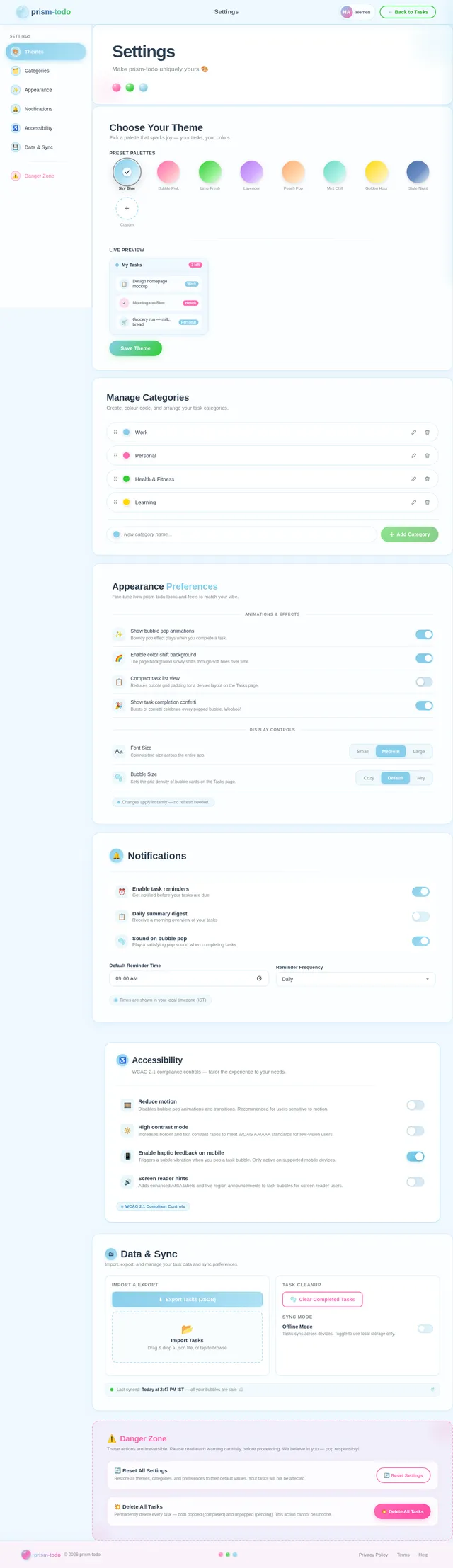
- Settings Page: A page for customizing categories, themes, and other preferences.
3. Functional Requirements
- As a User, I should be able to view a homepage that introduces the app and its features.
- As a User, I should be able to add, edit, and delete tasks on the tasks list page.
- As a User, I should be able to mark tasks as complete by "popping" them, inspired by bubble wrap.
- As a User, I should be able to customize categories and themes on the settings page.
- As a User, I should experience a simple, intuitive, and tactile interface across all pages.
4. User Personas
-
General User:
- Description: Individuals looking for a fun and engaging way to manage their daily tasks.
- Goals: Simplify task management, enjoy a tactile experience, and stay productive.
- Pain Points: Boring or overly complex task management tools.
-
Casual User:
- Description: Users who occasionally need to jot down and track tasks.
- Goals: Quickly add and complete tasks without unnecessary complexity.
- Pain Points: Overwhelming features or cluttered interfaces.
5. Visuals Colors and Theme
The visual design of prism-todo will emphasize playfulness and simplicity, reflecting the bubble wrap inspiration. The proposed color scheme includes:
- Primary Colors:
- Soft Sky Blue (#87CEEB) for a calming and inviting background.
- Bright Bubble White (#FFFFFF) for the bubbles and task areas.
- Accent Colors:
- Popping Pink (#FF69B4) for completed tasks.
- Vibrant Lime Green (#32CD32) for active tasks.
- Typography:
- Rounded, friendly fonts like "Poppins" or "Nunito" to enhance the tactile aesthetic.
6. Signature Design Concept
Bubble Wrap Interactive Landing Page
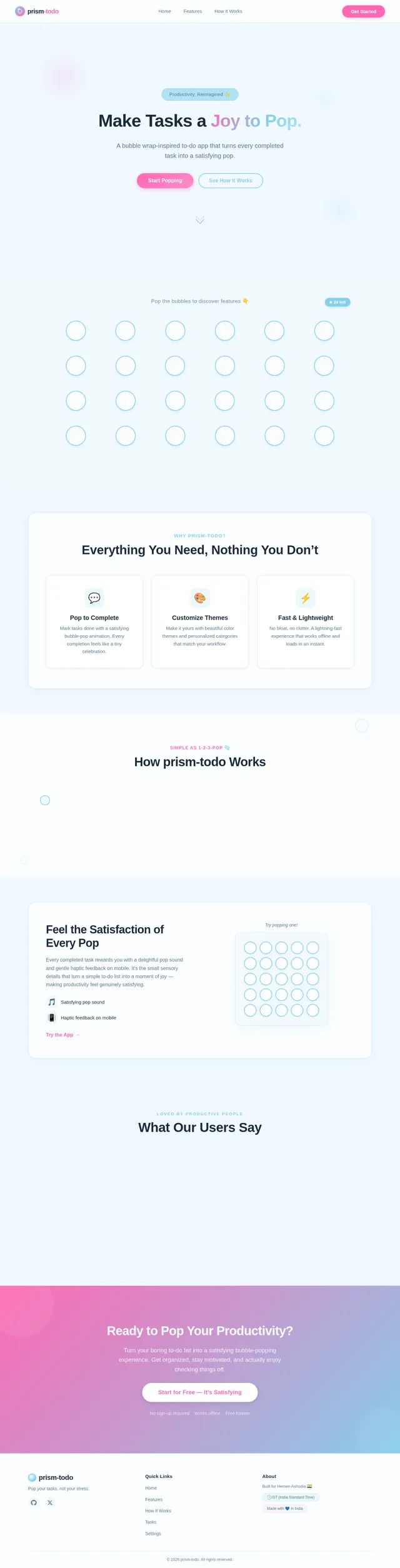
The homepage of prism-todo will immediately captivate users with an interactive bubble wrap design. The entire screen will be covered with digital "bubbles" that users can pop by clicking or tapping. Each bubble will reveal a feature or benefit of the app, such as "Add Tasks," "Pop to Complete," or "Customize Themes."
Details:
- Animation: Bubbles will inflate slightly when hovered over and "pop" with a satisfying sound and visual burst when clicked.
- Transitions: Smooth fade-ins and slide-ins for text and icons revealed under the bubbles.
- Micro-Interactions: Subtle vibrations or haptic feedback on mobile devices when popping bubbles.
- Color Shifts: The background will subtly change hues (e.g., from soft blue to light pink) as users interact with the bubbles, creating a dynamic and engaging experience.
This playful and tactile design will set the tone for the entire app, making it memorable and enjoyable from the first interaction.
7. Non-Functional Requirements
- The system must load within 2 seconds on both web and mobile platforms.
- The interface should be responsive and optimized for various screen sizes.
- The application must support offline functionality for task management.
- The system should provide haptic feedback on supported mobile devices.
- The app must comply with accessibility standards (e.g., WCAG 2.1).
8. Tech Stack
-
Frontend:
- React for Web
- React Native for Mobile App
-
Backend:
- Python
- FastAPI
-
Database:
- MySQL (with Alembic for migrations)
-
AI Tools:
- Litellm for LLM Routing
-
Local Orchestration:
- Docker
- docker-compose
-
Server-Side Orchestration:
- Kubernetes
9. Assumptions and Constraints
- The application will primarily target users in India but will be accessible globally.
- The system will support English as the default language, with potential for localization in the future.
- The tactile "bubble wrap" interface will be optimized for both mouse and touch interactions.
- The app will be lightweight, with a maximum size of 50MB for mobile downloads.
10. Glossary
- Bubble Wrap Interface: A design element inspired by bubble wrap, where users can "pop" bubbles to interact with the app.
- Haptic Feedback: A tactile response provided by a device, such as a vibration, to enhance user interaction.
- WCAG 2.1: Web Content Accessibility Guidelines, a standard for making web content more accessible.
- Alembic: A database migration tool for Python.
This concludes the updated System Requirements Document for prism-todo. Let me know if there are any additional changes or features you'd like to include, Hemen!
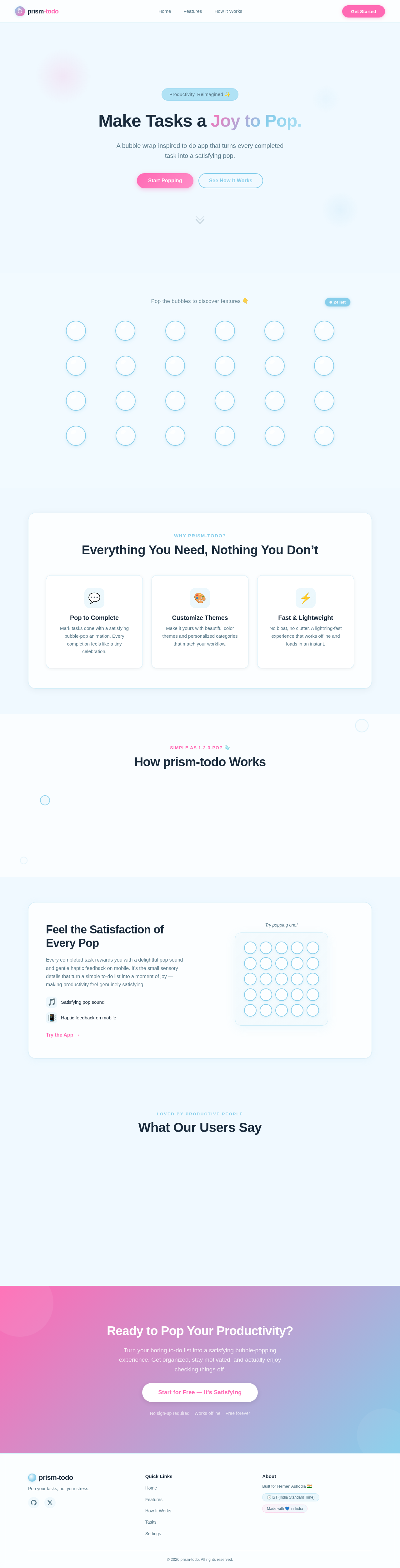
Make Tasks a Joy to Pop.
A bubble wrap-inspired to-do app that turns every completed task into a satisfying pop.
Pop the bubbles to discover features 👇
Why prism-todo?
Everything You Need, Nothing You Don’t
Pop to Complete
Mark tasks done with a satisfying bubble-pop animation. Every completion feels like a tiny celebration.
Customize Themes
Make it yours with beautiful color themes and personalized categories that match your workflow.
Fast & Lightweight
No bloat, no clutter. A lightning-fast experience that works offline and loads in an instant.
How prism-todo Works
Feel the Satisfaction of Every Pop
Every completed task rewards you with a delightful pop sound and gentle haptic feedback on mobile. It's the small sensory details that turn a simple to-do list into a moment of joy — making productivity feel genuinely satisfying.
Loved by Productive People
What Our Users Say
Priya Sharma
Freelance Designer, Mumbai
prism-todo turned my chaotic daily lists into something I actually look forward to. Popping tasks feels so satisfying that I find myself being more productive just to pop more bubbles!
James Mitchell
Product Manager, London
I have tried dozens of to-do apps, and none of them stuck. prism-todo is the first one that made completing tasks genuinely fun. The haptic feedback on mobile is a game-changer.
Aiko Tanaka
Software Engineer, Tokyo
Lightweight, fast, and works offline. As a developer, I appreciate the simplicity. As a human, I love the little pop sounds. It is the perfect balance of utility and delight.
Ready to Pop Your Productivity?
Turn your boring to-do list into a satisfying bubble-popping experience. Get organized, stay motivated, and actually enjoy checking things off.
No sign-up required·Works offline·Free forever
No comments yet. Be the first!