prism-space
 Hamdan
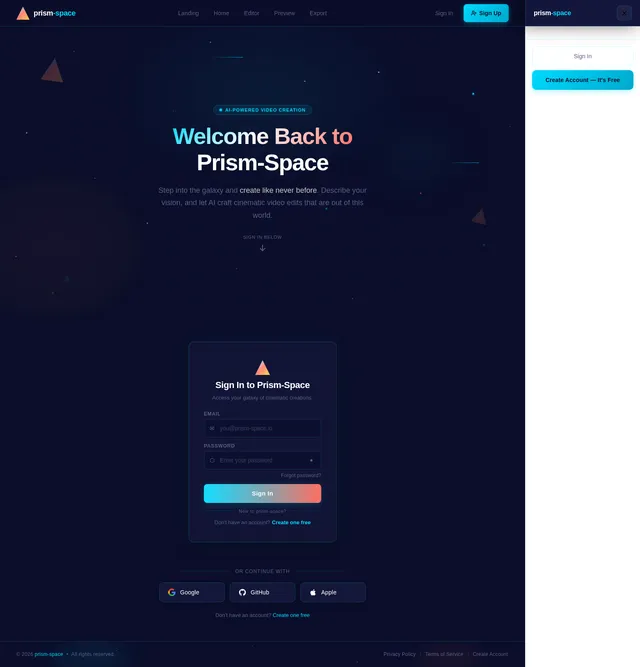
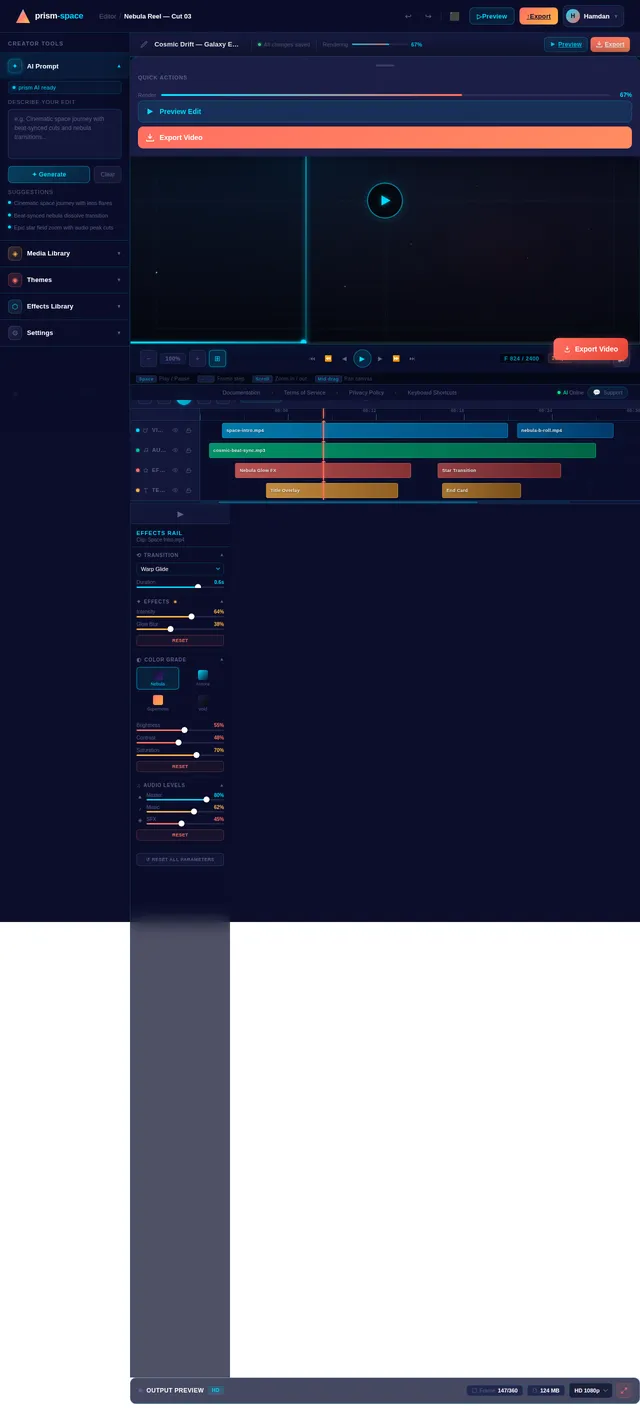
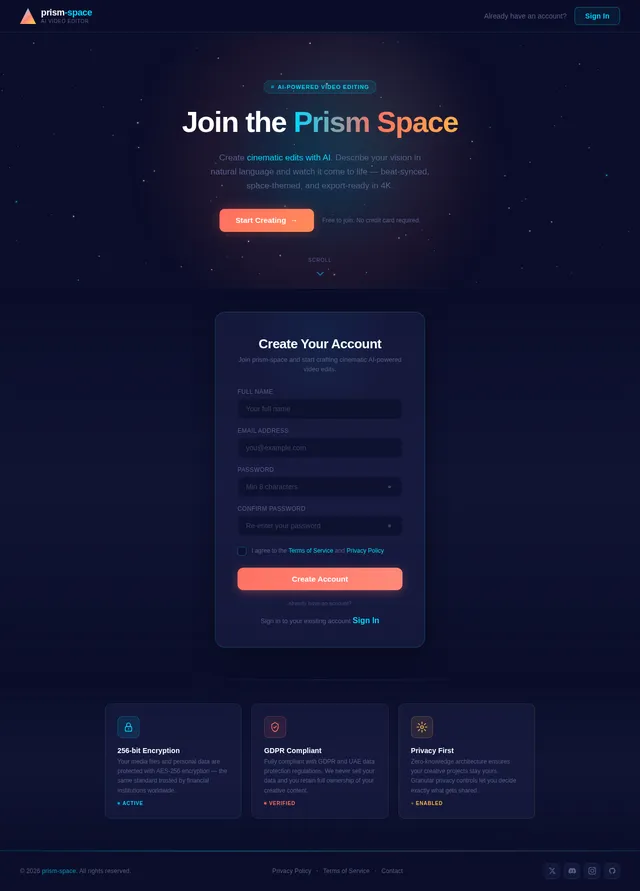
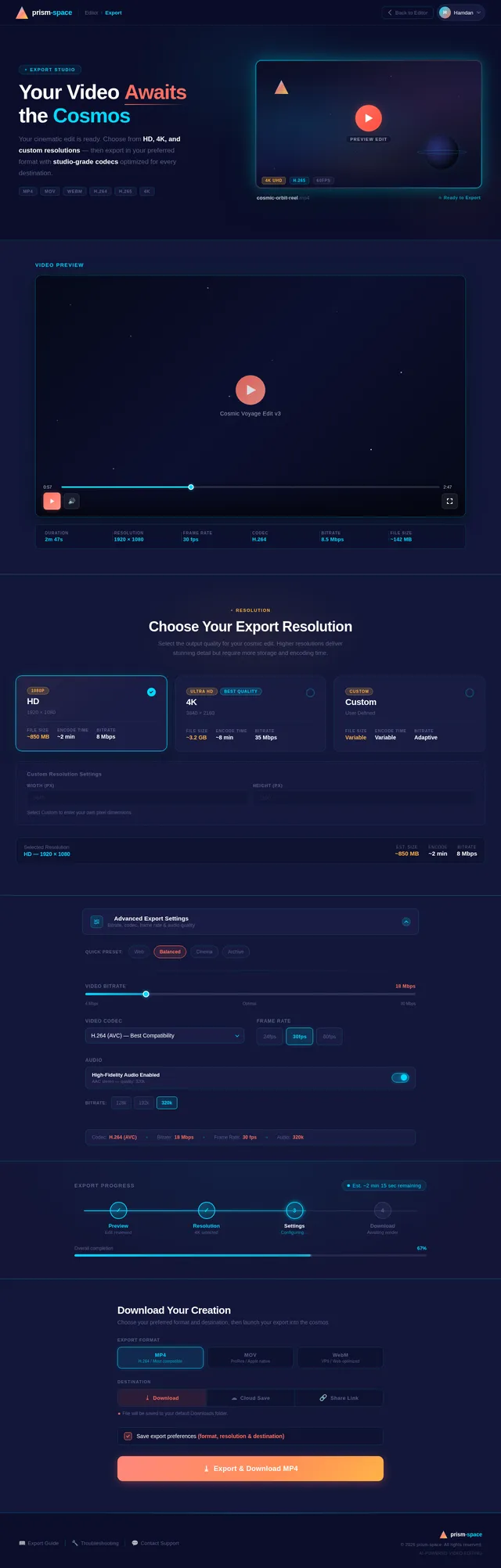
Can u make me a cool and beautiful space edit and add the song “escaping gravity” made by TheFatRat and these are the instructions. Alright—here’s a clean step-by-step plan to make a 🔥 10/10 space edit using Escaping Gravity: ⸻ 🌌 1. Intro (0:00 – ~0:20) – Slow & Mysterious • Start with Earth from space or a dark star field • Add slow zoom-in/out • Keep transitions very smooth (fade, blur) • Maybe add a text like: “We were never meant to stay…” 👉 Goal: Build curiosity ⸻ 🚀 2. Build-Up (0:20 – ~0:50) – Rising Energy • Show: • Rockets preparing / launching • Astronauts • Planets slowly moving • Start adding slight beat sync • Increase brightness and motion slowly 👉 Goal: Feels like something big is coming ⸻ 💥 3. DROP (Best Part 🔥) – ~0:50 • When the beat drops: • CUT HARD to something epic: • Galaxy zoom • Warp speed effect • Explosion / supernova • Use: • Flash transition • Shake effect (light, not too crazy) • Speed ramp 👉 This moment decides if your edit is 10/10 ⸻ 🌠 4. Main Action (After Drop) – Fast & Powerful • Rapid clips: • Flying through stars • Black holes • Nebulae • Sync every beat with: • Cuts • Zooms • Transitions 👉 Keep it smooth but energetic ⸻ 🌌 5. Emotional Part (Mid-late song) • Slow it down a bit: • Lonely astronaut • View of Earth far away • Add glow, soft effects 👉 Gives the edit meaning, not just effects ⸻ ✨ 6. Final Drop / Ending • Go BIG: • Massive galaxy shot • Fade into white or black • End with: • “Beyond gravity…” or similar text ⸻ ⚠️ Pro Tips (THIS is what makes it 10/10) • Don’t spam effects ❌ • Always sync with the beat ✅ • Use HD clips only • Keep colors consistent (space = dark + neon glow) ⸻ If you follow this, your edit won’t just be “good”—it’ll actually feel like a mini movie 🎬


Comments (0)
Sign in to leave a comment
System Requirements
System Requirements Document (SRD)
prism-space
1. Introduction
The prism-space project is an innovative application designed to revolutionize the way users create video edits. By leveraging cutting-edge AI technologies, prism-space empowers users to generate cinematic-quality edits simply by describing their vision in natural language. This document outlines the system requirements for the development of this application, ensuring it meets the creative needs of users like Hamdan in the UAE and beyond.
The app will cater to both casual creators and professionals, offering a seamless, intuitive, and powerful editing experience. With a focus on space-themed aesthetics and dynamic storytelling, prism-space aims to make video editing accessible, fun, and awe-inspiring.
2. System Overview
prism-space is an AI-powered video editing application that allows users to create professional-grade edits by providing natural language instructions. The system will interpret user inputs, generate video sequences, apply effects, and synchronize them with music or other media.
Key features include:
- AI-driven natural language processing to understand user requests.
- Automated video generation with customizable themes, transitions, and effects.
- Integration with music tracks for beat-synced edits.
- Space-inspired visuals and themes as a core aesthetic.
- Support for exporting high-definition (HD) videos.
The application will be available on both web and mobile platforms, ensuring accessibility for users across different devices.
3. Functional Requirements
- As a User, I should be able to describe my desired video edit in natural language and have the AI generate it.
- As a User, I should be able to upload my own video clips, images, and audio files for use in the edit.
- As a User, I should be able to select from pre-defined themes (e.g., space, nature, urban) to guide the AI's creative direction.
- As a User, I should be able to preview the generated edit before finalizing it.
- As a User, I should be able to customize specific elements of the edit (e.g., transitions, effects, text overlays).
- As a User, I should be able to export the final video in multiple resolutions, including HD and 4K.
- As an Admin, I should be able to manage user accounts and monitor app usage.
- As an Admin, I should be able to update and add new themes, effects, and AI models.
4. User Personas
1. Casual Creator
- Description: A hobbyist who wants to create visually stunning edits for personal use or social media.
- Goals: Quick and easy video creation with minimal technical knowledge.
- Pain Points: Lack of time and expertise in traditional editing tools.
2. Professional Editor
- Description: A content creator or filmmaker looking for a tool to speed up their workflow.
- Goals: High-quality, customizable edits that meet professional standards.
- Pain Points: Time constraints and the need for precise control over edits.
3. Admin
- Description: The system administrator responsible for maintaining the app and its content.
- Goals: Ensure smooth operation, update features, and manage user feedback.
- Pain Points: Keeping the app updated with the latest trends and technologies.
5. Visuals Colors and Theme
The prism-space app will feature a futuristic, space-inspired color palette to align with its theme.
- Background: #0B0E2A (Deep Space Blue)
- Surface: #1C1F47 (Cosmic Indigo)
- Text: #FFFFFF (Stellar White)
- Accent: #FF6F61 (Supernova Coral)
- Muted Tones: #5A5F8C (Nebula Gray)
This palette creates a sleek, modern aesthetic while maintaining readability and visual appeal.
6. Signature Design Concept
The prism-space homepage will feature an interactive galaxy map as its centerpiece.
Concept Details:
- Visuals: A 3D galaxy rendered in real-time, with stars, planets, and nebulae representing different features of the app.
- Interaction: Users can navigate the galaxy by clicking on celestial objects, which will "zoom in" to reveal specific functionalities (e.g., "Create Edit," "Upload Media," "Explore Themes").
- Animations: Smooth transitions between galaxy navigation and feature pages, with subtle particle effects and glowing trails.
- Color Shifts: The galaxy's colors will subtly shift based on the time of day, creating a dynamic and immersive experience.
- Micro-interactions: Hovering over stars will display tooltips with feature descriptions, and clicking will trigger a zoom animation.
This design will make the app instantly memorable and engaging, setting it apart from traditional editing platforms.
7. Non-Functional Requirements
- The system must process natural language inputs with a response time of under 5 seconds.
- The app must support video exports in resolutions up to 4K.
- The system must ensure data security and comply with GDPR and UAE data protection regulations.
- The app must be accessible on both web and mobile platforms, with consistent performance across devices.
- The system must handle concurrent usage by up to 10,000 users without performance degradation.
8. Tech Stack
Frontend
- React for Web
- React Native for Mobile
Backend
- Python
- FastAPI
Database
- MySQL (with Alembic for migrations)
AI Models
- GPT 5.4 for natural language understanding and user-friendly responses.
- Google Nano Banana for generating space-themed visuals.
AI Tools
- LangChain for AI workflow orchestration.
- LiteLLM for LLM routing.
Orchestration
- Docker for local development.
- Kubernetes for server-side orchestration.
9. Assumptions and Constraints
- The app assumes users will have access to high-speed internet for optimal performance.
- The system will initially focus on English for natural language processing, with plans to add multilingual support in future updates.
- The app will prioritize space-themed visuals but will allow for expansion into other themes based on user demand.
- The system's AI capabilities will rely on cloud-based processing, which may incur additional costs for high usage.
10. Glossary
- Natural Language Processing (NLP): A field of AI that enables computers to understand and interpret human language.
- Beat Sync: Synchronizing video transitions and effects with the rhythm of a music track.
- 4K Resolution: A video resolution of 3840 x 2160 pixels, offering high-definition quality.
- Docker: A platform for developing, shipping, and running applications in containers.
- Kubernetes: An open-source system for automating deployment, scaling, and management of containerized applications.

Create Cinematic Edits with AI
Describe your vision in natural language and let prism-space transform your ideas into stunning, professional-grade video edits — no timeline expertise required.
Explore the Galaxy
Navigate the cosmos of creativity. Each celestial object unlocks a powerful feature of prism-space.
Describe your vision and let AI generate cinematic edits
Import your own clips, images, and audio files
Choose from Space, Nature, Urban, Sci-Fi and more
Browse and share your finished cinematic creations
Describe your vision and let AI generate cinematic edits
Import your own clips, images, and audio files
Choose from Space, Nature, Urban, Sci-Fi and more
Browse and share your finished cinematic creations
Click any celestial object to explore its feature
Everything You Need to Create
Powerful AI-driven tools that turn your creative vision into stunning cinematic edits, no expertise required.
AI Natural Language Processing
Simply describe your vision in plain English and watch the AI transform your words into cinematic video sequences with intelligent scene composition.
Multiple Themes
Choose from curated space, nature, urban, sci-fi, and cinematic themes that guide the AI's creative direction for a cohesive visual story.
Beat Sync Music
Automatically synchronize cuts, transitions, and effects to the rhythm of your chosen soundtrack for perfectly timed, dynamic edits.
HD & 4K Export
Export your finished projects in stunning high-definition and 4K resolution, ready for social media, presentations, or professional distribution.
Real-Time Preview
Preview every change instantly as you refine your edit. See effects, transitions, and color grades applied live before finalizing.
Custom Effects
Go beyond presets with fully customizable transitions, overlays, text animations, and particle effects tailored to your creative style.
Built for Every Creator
Whether you are a hobbyist sharing on social media or a filmmaker delivering to clients, prism-space adapts to your workflow.
Casual Creator
Quick, effortless edits with zero technical knowledge. Just describe and go.
Sign Up & Onboard
Create your free account in seconds and tell us about your style preferences.
Describe Your Vision
Type a natural language description of the video edit you imagine.
Select a Theme
Choose from Space, Nature, Urban, Cinematic and more pre-built themes.
Export & Share
Download your finished edit in HD and share directly to social media.
Professional Editor
Full control over every frame. Upload assets, customize details, and export in 4K.
Log In to Workspace
Access your professional dashboard with saved projects and assets.
Upload Your Media
Import your own clips, images, and audio files for full creative control.
Customize Every Detail
Fine-tune transitions, effects, text overlays, and beat-synced timing.
Export in 4K
Render your final cut in up to 4K resolution for professional delivery.
From Idea to Cinema in Three Steps
No timeline editing. No complex tools. Just describe what you want and let prism-space bring your vision to life.
Describe Your Vision
Type a natural language description of your ideal video edit. Our AI understands creative direction, mood, pacing, and style.
AI Generates Magic
Our engine interprets your vision, selects themes, applies transitions, syncs music beats, and assembles a cinematic edit.
Download & Share
Preview your creation in real-time, fine-tune any details, then export in HD or 4K ready for social media or professional use.
Set the Mood for Your Story
Choose from curated visual themes that transform your footage into cinematic masterpieces, or craft your own from scratch.
Space
Deep cosmos visuals with nebulae, stars, and orbital dynamics for epic storytelling.
Nature
Lush organic tones with forests, oceans, and earth textures for grounded narratives.
Urban
Gritty cityscapes with neon lights, concrete textures, and golden hour warmth.
Sci-Fi
Futuristic holograms, cyber grids, and luminous teal accents for tech-forward edits.
Cinematic
Warm amber tones, film grain, and dramatic contrasts for blockbuster-quality footage.
Abstract
Bold gradients, geometric shapes, and vibrant color collisions for artistic expression.
Create Custom Theme
Design your own unique visual style with custom color palettes, effects, and transitions.
Loved by Creators Everywhere
See how prism-space is transforming the way people create stunning video edits with the power of AI.
Sarah Mitchell
Casual Creator
I had zero editing experience, but prism-space made it effortless. I just described the vibe I wanted and the AI delivered a cinematic edit that blew my friends away. It feels like magic.
James Okafor
Professional Editor
As a filmmaker, I was skeptical about AI editing. But prism-space cut my post-production time in half. The beat-sync feature alone is worth it — it nails the rhythm every single time.
Layla Hassan
Content Creator
I post daily content and prism-space is my secret weapon. The space themes are gorgeous, 4K exports are flawless, and I can go from idea to finished video in under ten minutes.
Plans That Scale with Your Vision
From casual social media edits to cinematic productions, find the perfect plan to power your AI-driven creativity.
Free
Perfect for trying out AI-powered editing with basic features.
No credit card required
What's included
- ✓AI natural language editing
- ✓3 video exports per month
- ✓HD resolution (1080p)
- ✓2 pre-defined themes
- ✕Beat sync music editing
- ✕Custom effects & transitions
- ✕4K export
Creator
Ideal for content creators who want cinematic edits fast.
Billed annually, save 20%
What's included
- ✓Everything in Free
- ✓Unlimited video exports
- ✓All themes including Space & Sci-Fi
- ✓Beat sync music editing
- ✓Custom text overlays
- ✓HD & 4K export
- ✕Priority AI processing
Professional
For filmmakers and studios demanding total creative control.
Billed annually, save 20%
What's included
- ✓Everything in Creator
- ✓Priority AI processing
- ✓Upload custom media & audio
- ✓Advanced custom effects
- ✓Real-time collaborative editing
- ✓API access & integrations
- ✓Dedicated support channel
Frequently Asked Questions
Everything you need to know about creating stunning video edits with prism-space.
Still have questions? Get in touch with our team or explore the galaxy map.
Ready to Create Magic?
Start your AI video journey today. Describe your vision, and let prism-space transform it into cinematic reality.
No credit card required · Free tier available · Cancel anytime
No comments yet. Be the first!