Live Player Telemetry
Every movement, reload, and reaction time is streamed in real time. Prism Shooting reads your telemetry stream to shape encounter pacing as you play.
 DANIEL UGOCHUKWU LUCKY
BUILD A SHOOTING GAME APP LIKE COD THAT USES DATA TO PLAY


Sign in to leave a comment
The prism-shooting project aims to develop a shooting game application inspired by Call of Duty (COD), leveraging data to enhance gameplay. The target audience is gaming enthusiasts seeking a futuristic and immersive experience. The game will incorporate advanced visual elements and interactive depth to engage players.
The prism-shooting game will deliver a data-driven shooting experience similar to COD. It will feature two main pages: a Landing page for anonymous entry and a Game page for the primary gameplay experience. The game will utilize data to influence gameplay dynamics, ensuring an engaging and immersive experience for players.
The game is designed as a custom UI application with two primary pages: the Landing page and the Game page. The Landing page serves as the public entry point, providing an overview of the game and its data-driven mechanics. The Game page is where players engage in the shooting experience, utilizing data to influence gameplay. The application does not require user accounts, allowing players to access the game anonymously.
Not applicable as there is no explicit content_source directive.
Landing Page:
Game Page:
The Landing page will feature a full-bleed 3D scene with a central glowing volumetric form, using electric cyan and magenta glows on a deep navy ground. Interactive parallax effects will enhance the immersive experience, with hover-reveal data panels floating above the scene.
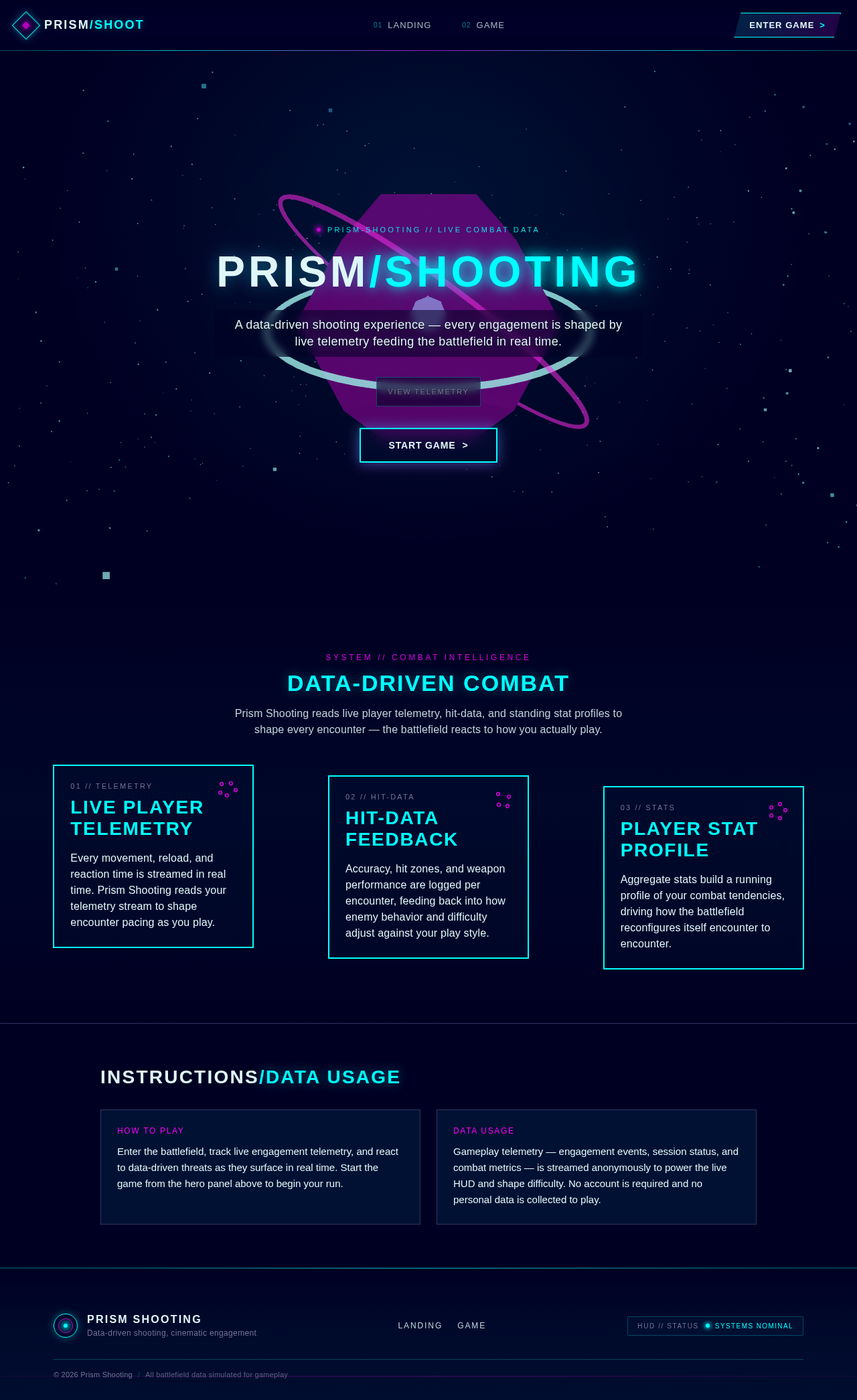
A data-driven shooting experience — every engagement is shaped by live telemetry feeding the battlefield in real time.
Telemetry Feed
Prism Shooting reads live player telemetry, hit-data, and standing stat profiles to shape every encounter — the battlefield reacts to how you actually play.
Every movement, reload, and reaction time is streamed in real time. Prism Shooting reads your telemetry stream to shape encounter pacing as you play.
Accuracy, hit zones, and weapon performance are logged per encounter, feeding back into how enemy behavior and difficulty adjust against your play style.
Aggregate stats build a running profile of your combat tendencies, driving how the battlefield reconfigures itself encounter to encounter.
How to Play
Enter the battlefield, track live engagement telemetry, and react to data-driven threats as they surface in real time. Start the game from the hero panel above to begin your run.
Data Usage
Gameplay telemetry — engagement events, session status, and combat metrics — is streamed anonymously to power the live HUD and shape difficulty. No account is required and no personal data is collected to play.
A data-driven shooting experience — every engagement is shaped by live telemetry feeding the battlefield in real time.
Telemetry Feed
Prism Shooting reads live player telemetry, hit-data, and standing stat profiles to shape every encounter — the battlefield reacts to how you actually play.
Every movement, reload, and reaction time is streamed in real time. Prism Shooting reads your telemetry stream to shape encounter pacing as you play.
Accuracy, hit zones, and weapon performance are logged per encounter, feeding back into how enemy behavior and difficulty adjust against your play style.
Aggregate stats build a running profile of your combat tendencies, driving how the battlefield reconfigures itself encounter to encounter.
How to Play
Enter the battlefield, track live engagement telemetry, and react to data-driven threats as they surface in real time. Start the game from the hero panel above to begin your run.
Data Usage
Gameplay telemetry — engagement events, session status, and combat metrics — is streamed anonymously to power the live HUD and shape difficulty. No account is required and no personal data is collected to play.
No comments yet. Be the first!