prism-read
 Aayush Rewale
First read it then tell me when you got idea if any doubt ask me
Comments (0)
Sign in to leave a comment
System Requirements
System Requirements Document (SRD)
Project Name: Prism-Read
1. Introduction
The Prism-Read project aims to provide an AI-powered platform for startup founders, especially those from non-technical backgrounds, to validate their ideas quickly and efficiently. By generating professional landing pages tailored to specific industries, Prism-Read helps founders gauge demand and collect actionable insights without requiring coding or design expertise.
This document outlines the system requirements, user personas, design concepts, and technical specifications to ensure clarity and alignment for all stakeholders, including developers and agents.
2. System Overview
Prism-Read is a web application that allows users to input their startup idea and receive a fully functional, AI-generated landing page within seconds. The platform includes:
- Landing Page Generation: AI creates industry-specific designs and content.
- Analytics Dashboard: Tracks page views and email signups.
- Sharing Features: Generates a single shareable link for all platforms.
- Pricing Plans: Offers Free and Pro tiers to cater to different user needs.
The system is designed to be intuitive, trustworthy, and visually appealing, ensuring ease of use for non-technical users while maintaining a professional aesthetic.
3. Functional Requirements
User Stories:
- As a User, I should be able to input my startup idea and generate a landing page.
- As a User, I should be able to view basic analytics (page views and signups) for my landing page.
- As a User, I should be able to share my landing page using a single link across platforms.
- As a Pro User, I should be able to export collected leads in CSV format.
- As a Pro User, I should be able to customize branding (subdomain, logo, etc.) for my landing pages.
- As an Admin, I should be able to manage user accounts and monitor system performance.
4. User Personas
1. Founder (Free User)
- Description: First-time startup founders testing their ideas.
- Goals: Validate their idea, collect email signups, and gauge demand.
- Pain Points: Lack of technical skills, limited budget.
2. Founder (Pro User)
- Description: Active founders refining multiple ideas.
- Goals: Access advanced features like custom branding and lead export.
- Pain Points: Need for professional tools and detailed analytics.
3. Admin
- Description: Platform managers ensuring smooth operations.
- Goals: Monitor user activity, resolve issues, and maintain system integrity.
5. Visuals Colors and Theme
Color Palette:
Inspired by the provided design reference, the theme is professional and modern with a dark background and vibrant accents.
- Background:
#121212(Dark Charcoal) - Surface:
#1E1E1E(Deep Gray) - Text:
#FFFFFF(White) - Accent:
#00BFFF(Bright Cyan) - Muted Tones:
#808080(Gray)
6. Signature Design Concept
Dynamic Industry-Specific Landing Pages
The homepage will feature an interactive AI-driven design generator.
Key Features:
- Live Preview: Users see their landing page being built in real-time as they input their idea.
- Industry-Specific Animations: Subtle animations (e.g., healthcare icons morphing into a stethoscope, tech icons transforming into circuits) based on the selected industry.
- Micro-Interactions: Hover effects on buttons and cards to enhance user engagement.
- Trust Elements: Testimonials, badges, and subtle animations to build credibility.
User Experience:
Upon visiting the homepage, users are greeted with a clean, dark interface. A large text area invites them to type their idea, while the AI dynamically generates a preview of the landing page. The preview updates live, showcasing the headline, benefits, and design tailored to their industry.
7. Non-Functional Requirements
- Performance: The system should generate landing pages within 10 seconds.
- Scalability: Support up to 10,000 concurrent users.
- Security: Ensure data encryption for user inputs and collected leads.
- Reliability: Maintain 99.9% uptime.
8. Tech Stack
Frontend:
- React (Web Application)
Backend:
- Python (FastAPI for API development)
Database:
- MySQL (Primary RDBMS for user and analytics data)
- MongoDB (NoSQL for session management)
AI Models:
- Gemini 3.1 Pro (Landing page generation)
AI Tools:
- LangChain (AI workflow orchestration)
Deployment:
- Docker (Local orchestration)
- Kubernetes (Server-side orchestration)
9. Assumptions and Constraints
Assumptions:
- Users have basic familiarity with web applications.
- The platform will initially target English-speaking users.
Constraints:
- Limited budget for initial development.
- Must adhere to GDPR for data privacy.
10. Glossary
- Landing Page: A single web page designed to capture leads and showcase a startup idea.
- AI: Artificial Intelligence used for generating designs and content.
- Pro User: A paid user with access to advanced features.
- CSV Export: A file format for downloading collected leads.
11. Agent Code-Writing Flow
Step-by-Step Guide for Agents:
Frontend Development:
- Create modular React components for:
- Input form (startup idea).
- Landing page preview.
- Analytics dashboard.
- Subscription settings.
- Implement dynamic styling based on the color palette.
- Add micro-interactions (hover effects, animations).
Backend Development:
- Set up FastAPI endpoints for:
- Landing page generation.
- Analytics tracking.
- Subscription management.
- Integrate Gemini AI for content and design generation.
- Use MySQL for storing user data and MongoDB for session management.
Deployment:
- Containerize the application using Docker.
- Deploy on Kubernetes for scalability.
Testing:
- Test all features individually (unit testing).
- Conduct end-to-end testing to ensure smooth user flow.
This document ensures clarity for all stakeholders and provides a solid foundation for development. Let me know if any adjustments are needed, Aayush!
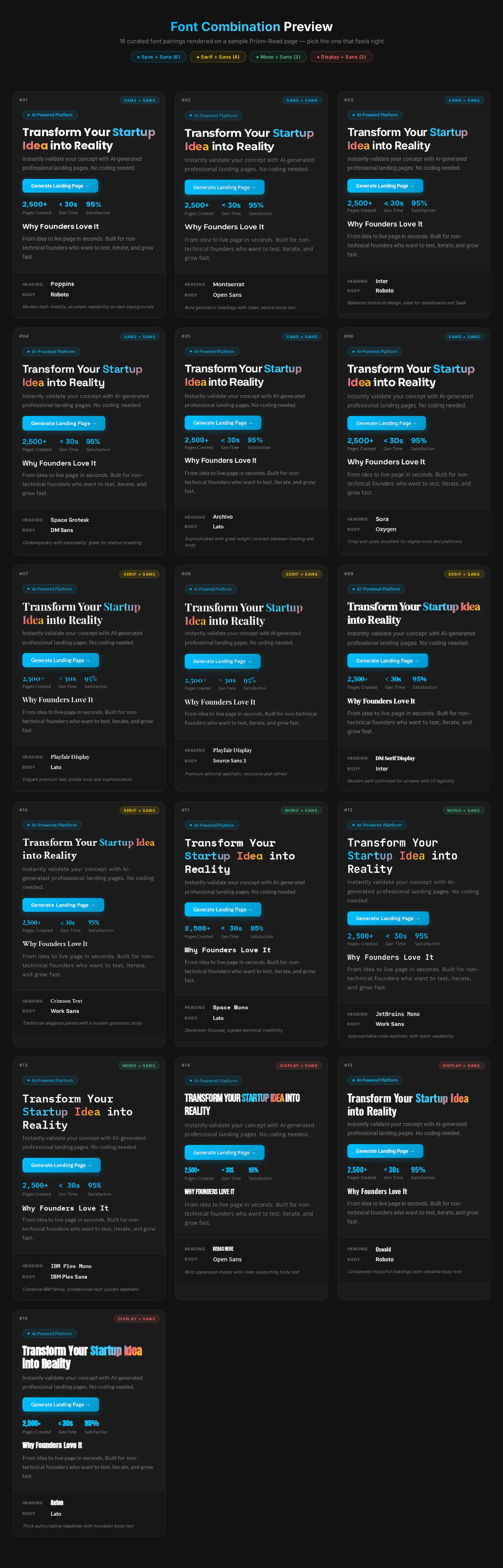
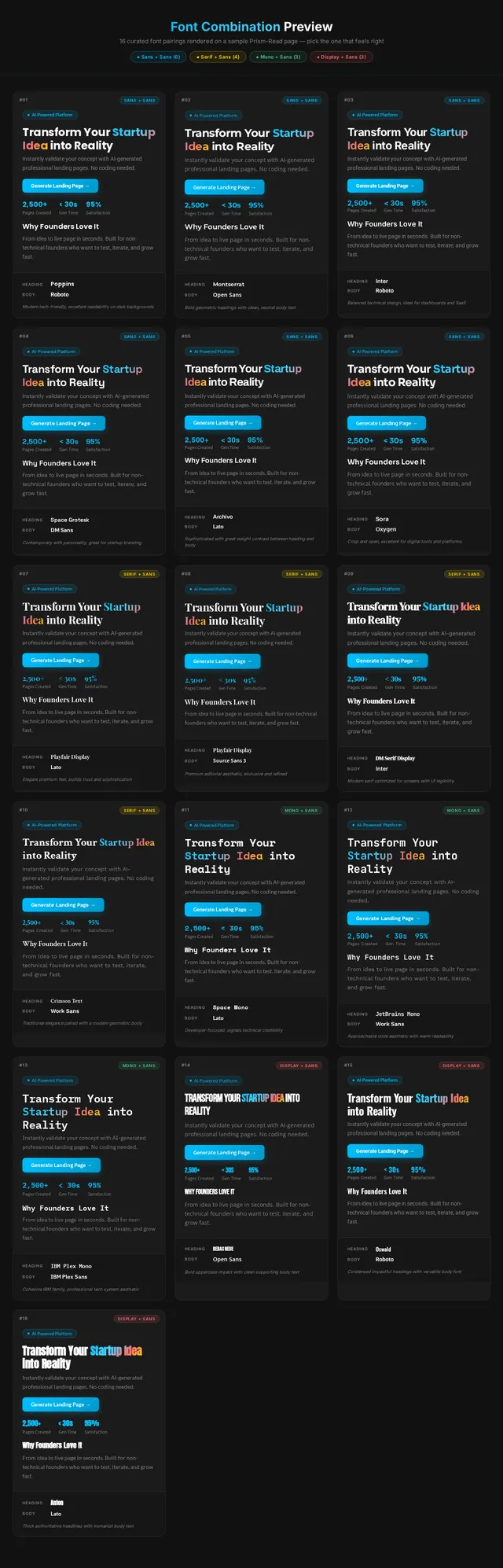
Font Combination Preview
16 curated font pairings rendered on a sample Prism-Read page — pick the one that feels right
Transform Your Startup Idea into Reality
Instantly validate your concept with AI-generated professional landing pages. No coding needed.
Why Founders Love It
From idea to live page in seconds. Built for non-technical founders who want to test, iterate, and grow fast.
Transform Your Startup Idea into Reality
Instantly validate your concept with AI-generated professional landing pages. No coding needed.
Why Founders Love It
From idea to live page in seconds. Built for non-technical founders who want to test, iterate, and grow fast.
Transform Your Startup Idea into Reality
Instantly validate your concept with AI-generated professional landing pages. No coding needed.
Why Founders Love It
From idea to live page in seconds. Built for non-technical founders who want to test, iterate, and grow fast.
Transform Your Startup Idea into Reality
Instantly validate your concept with AI-generated professional landing pages. No coding needed.
Why Founders Love It
From idea to live page in seconds. Built for non-technical founders who want to test, iterate, and grow fast.
Transform Your Startup Idea into Reality
Instantly validate your concept with AI-generated professional landing pages. No coding needed.
Why Founders Love It
From idea to live page in seconds. Built for non-technical founders who want to test, iterate, and grow fast.
Transform Your Startup Idea into Reality
Instantly validate your concept with AI-generated professional landing pages. No coding needed.
Why Founders Love It
From idea to live page in seconds. Built for non-technical founders who want to test, iterate, and grow fast.
Transform Your Startup Idea into Reality
Instantly validate your concept with AI-generated professional landing pages. No coding needed.
Why Founders Love It
From idea to live page in seconds. Built for non-technical founders who want to test, iterate, and grow fast.
Transform Your Startup Idea into Reality
Instantly validate your concept with AI-generated professional landing pages. No coding needed.
Why Founders Love It
From idea to live page in seconds. Built for non-technical founders who want to test, iterate, and grow fast.
Transform Your Startup Idea into Reality
Instantly validate your concept with AI-generated professional landing pages. No coding needed.
Why Founders Love It
From idea to live page in seconds. Built for non-technical founders who want to test, iterate, and grow fast.
Transform Your Startup Idea into Reality
Instantly validate your concept with AI-generated professional landing pages. No coding needed.
Why Founders Love It
From idea to live page in seconds. Built for non-technical founders who want to test, iterate, and grow fast.
Transform Your Startup Idea into Reality
Instantly validate your concept with AI-generated professional landing pages. No coding needed.
Why Founders Love It
From idea to live page in seconds. Built for non-technical founders who want to test, iterate, and grow fast.
Transform Your Startup Idea into Reality
Instantly validate your concept with AI-generated professional landing pages. No coding needed.
Why Founders Love It
From idea to live page in seconds. Built for non-technical founders who want to test, iterate, and grow fast.
Transform Your Startup Idea into Reality
Instantly validate your concept with AI-generated professional landing pages. No coding needed.
Why Founders Love It
From idea to live page in seconds. Built for non-technical founders who want to test, iterate, and grow fast.
Transform Your Startup Idea into Reality
Instantly validate your concept with AI-generated professional landing pages. No coding needed.
Why Founders Love It
From idea to live page in seconds. Built for non-technical founders who want to test, iterate, and grow fast.
Transform Your Startup Idea into Reality
Instantly validate your concept with AI-generated professional landing pages. No coding needed.
Why Founders Love It
From idea to live page in seconds. Built for non-technical founders who want to test, iterate, and grow fast.
Transform Your Startup Idea into Reality
Instantly validate your concept with AI-generated professional landing pages. No coding needed.
Why Founders Love It
From idea to live page in seconds. Built for non-technical founders who want to test, iterate, and grow fast.
No comments yet. Be the first!