prism-pdfs
 Aanal Trivedi
PROMPT: Build a full-stack SaaS web application for automated PDF network map comparison and annotation. 🎯 Product Overview The system allows users to upload "Before" and "After" PDF network maps. The backend processes these files using AI/ML pipelines to detect differences and generates annotated PDFs. 🧱 Core Modules 1. Authentication & User Management JWT-based authentication Role-based access (Admin, User) User invitation via email Bulk user upload (CSV) User profile management 2. Project Management Create, edit, delete projects Each project contains: Name Description Created by Status (Pending, Processing, Completed, Failed) 3. File Upload & Processing Upload "Before" and "After" PDFs Store files securely (S3 or local storage) On upload → trigger async job queue Track processing status 4. Queue System (VERY IMPORTANT) Implement background job processing Use queue system (Celery + Redis or equivalent) Jobs: PDF ingestion AI processing Change detection PDF annotation generation 5. AI Processing Pipeline (Mock initially) Placeholder API endpoints for: Object detection Change detection Rules engine Design system to support future integration with: YOLO models PyMuPDF processing 6. Dashboard UI Home dashboard showing: Total projects In-progress jobs Completed jobs Project list view with filters: Status Date Real-time status updates 7. File Preview & Download Preview PDFs in browser Download annotated output file 8. Notifications Email notification on: User invitation Job completion Job failure 🎨 UI/UX Requirements Clean modern dashboard UI Use color theme: Primary: #1954BF Accent: #F0B70F Responsive design Sidebar navigation Status badges (Processing, Completed, Failed) ⚙️ Tech Stack Preferences Frontend: React (with modern UI library) Backend: Django / FastAPI Database: PostgreSQL Queue: Celery + Redis Storage: AWS S3 (or local fallback) Deployment: Docker + Kubernetes 🔌 API Requirements REST APIs for all modules Proper error handling Pagination, filtering, sorting 🧪 Testing Unit tests for backend API testing Basic UI testing 🚀 Deployment Setup staging and production environments Dockerized services CI/CD pipeline 📊 Additional Requirements Scalable microservice-friendly architecture Logging and monitoring support Secure file handling 🧠 Important Instructions Build production-ready architecture, not prototype Keep backend modular for AI integration later Ensure async processing is reliable and scalable
Comments (0)
Sign in to leave a comment
System Requirements
System Requirements Document (SRD)
Project Name: EnergiTek Map Automation
1. Introduction
The EnergiTek Map Automation project is a full-stack SaaS web application designed for automated PDF network map comparison and annotation. This document outlines the system requirements for the application, ensuring it meets the needs of its intended users: Admins and Designers.
The system will allow users to upload "Before" and "After" PDF network maps, process these files using AI/ML pipelines to detect differences, and generate annotated PDFs. The application is tailored for non-technical users, ensuring ease of use and accessibility.
This document has been prepared for Aanal Trivedi, based in India, and reflects locale-specific considerations such as timezone (IST) and currency (INR) where applicable.
2. System Overview
The EnergiTek Map Automation application will consist of the following core functionalities:
- Authentication & User Management: Secure access with role-based permissions.
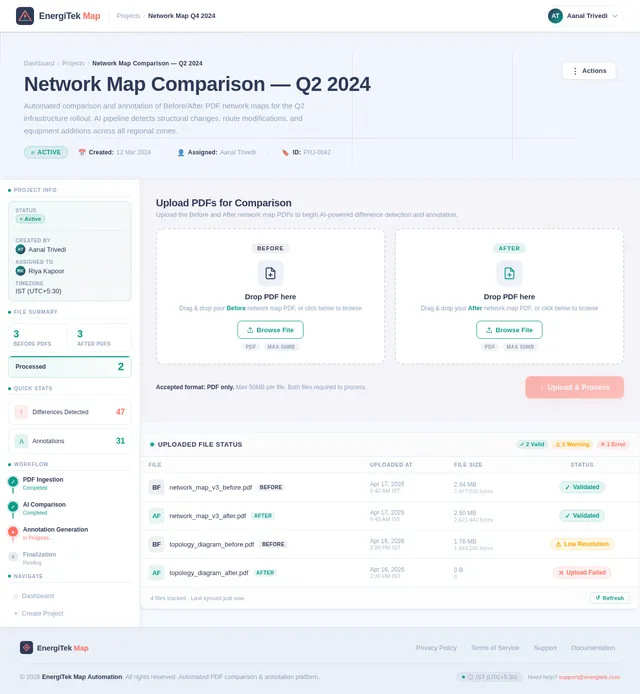
- Create Project: Guided input flow for creating projects with node selection and specific workflows for coax and fiber.
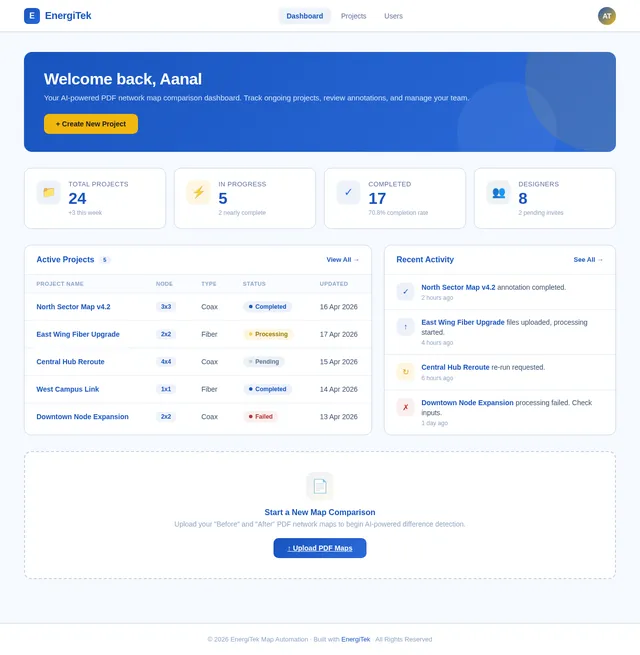
- Projects Listing: Simple table format for viewing project details and statuses.
- Queue System: Reliable background job processing for scalable operations.
- AI Processing Pipeline: Modular design for future AI integrations.
- Dashboard UI: Unified interface for both Admins and Designers.
- Notifications: Email alerts for key events like job completion or failure.
- Selective Re-run Capability: Users can manually trigger SRD regeneration for specific projects.
The system will cater to two user roles: Admins and Designers. Admins will manage users and projects, while Designers will focus on uploading and working with PDFs.
3. Functional Requirements
Authentication & User Management
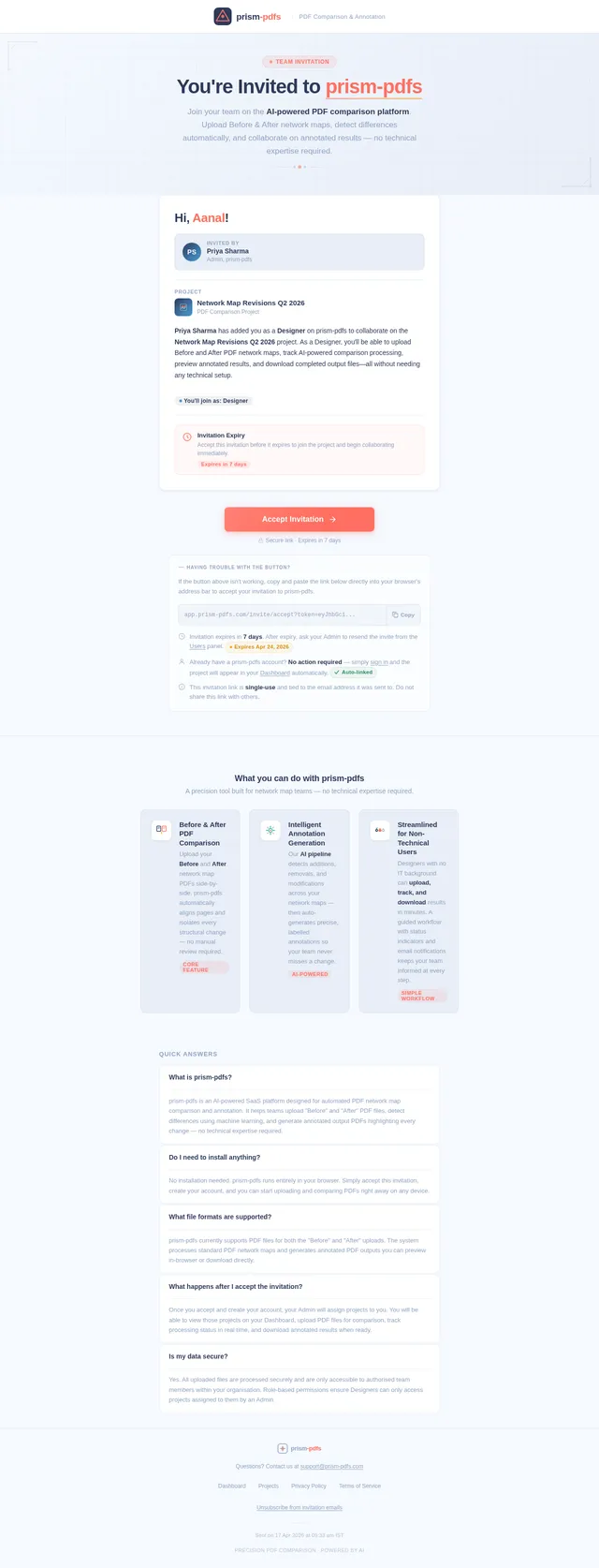
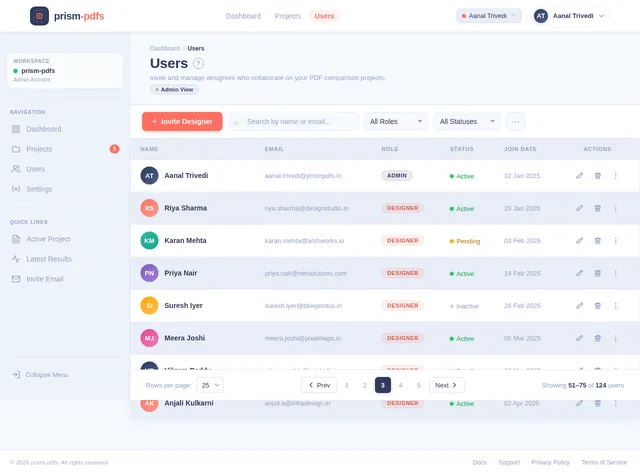
- As Admin, I should be able to invite Designers via email.
- As Admin, I should be able to manage user roles and permissions.
- As Designer, I should be able to sign up, log in, and access my assigned projects.
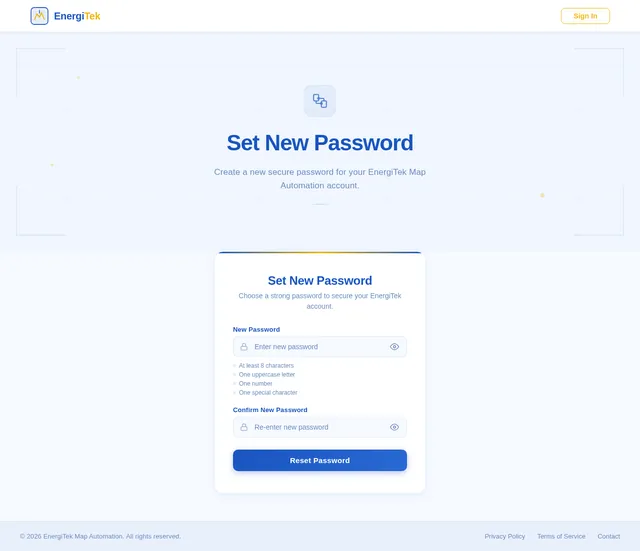
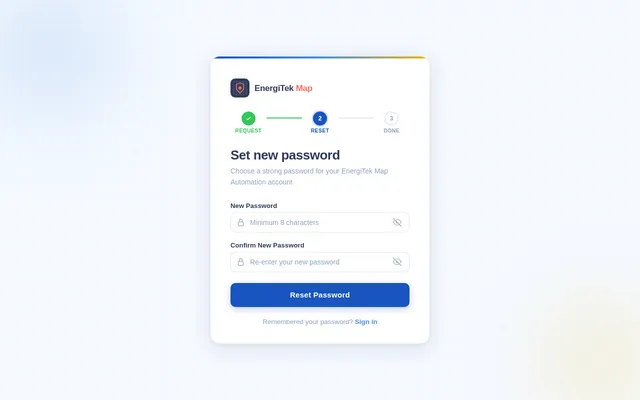
- As Designer, I should be able to reset my password if forgotten.
Create Project
- As Designer, I should be able to select a node type (1x1, 2x2, 3x3, 4x4).
- As Designer, I should be able to provide common input details such as Instance Name, Prism Image, PID(s), and Node Name(s).
- As Designer, I should be guided through specific workflows for coax and fiber inputs.
- As Designer, I should be able to upload required files (e.g., PDFs, BOMs, schematics).
Projects Listing
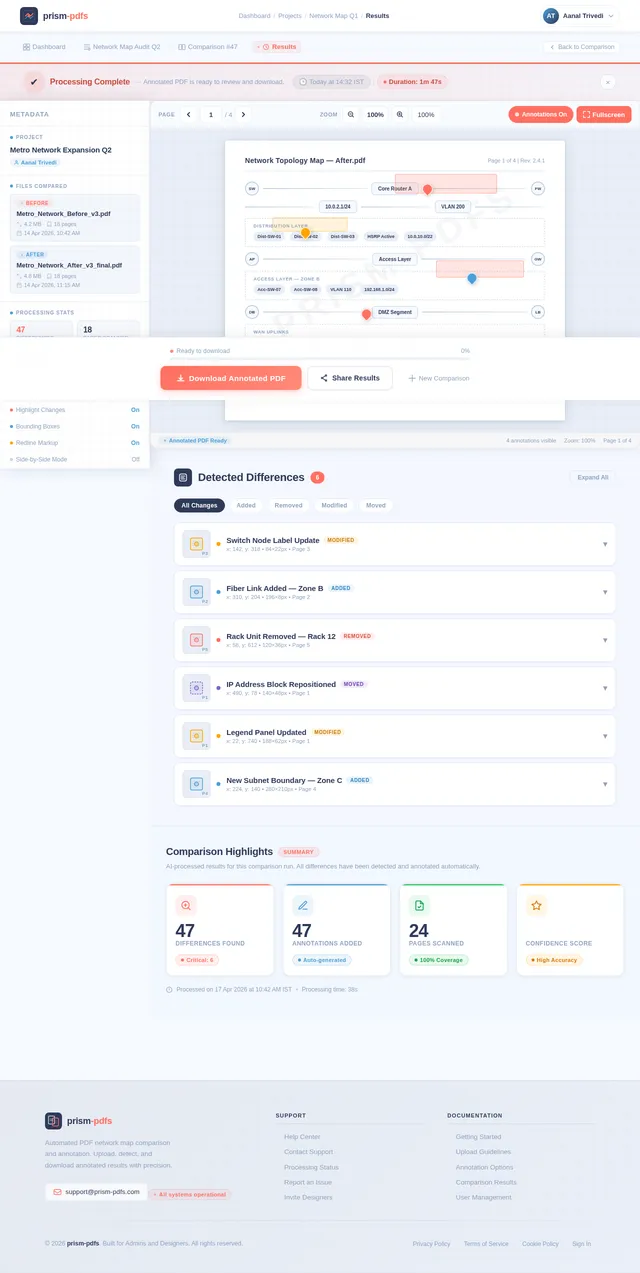
- As Admin, I should be able to view all projects in a table format with statuses and outputs.
- As Designer, I should be able to view only my assigned projects in a table format with statuses and outputs.
Queue System
- As System, I should process uploaded PDFs asynchronously using a job queue.
- As System, I should handle tasks like PDF ingestion, AI processing, and annotation generation.
AI Processing Pipeline
- As System, I should detect differences between "Before" and "After" PDFs.
- As System, I should generate annotated PDFs highlighting detected changes.
Dashboard UI
- As Designer, I should see a summary of my projects and their statuses on the dashboard.
- As Admin, I should see an overview of all projects, including in-progress and completed jobs.
Notifications
- As Admin, I should receive email notifications when a Designer is invited.
- As Designer, I should receive email notifications when a job is completed or fails.
Selective Re-run Capability
- As Designer, I should be able to manually trigger SRD regeneration for specific projects.
- As Admin, I should be able to view and approve selective re-run requests.
4. User Personas
Admin
- Role: Manages users and projects.
- Responsibilities: Inviting Designers, assigning projects, overseeing progress.
- Technical Skill Level: Moderate.
Designer
- Role: Uploads PDFs and works on annotations.
- Responsibilities: Uploading files, tracking processing, downloading results.
- Technical Skill Level: Low (non-IT users).
5. Visuals Colors and Theme
Color Palette
The EnergiTek Map Automation application will use the specified color palette for a cohesive and professional look:
- Background: #F5F9FF (soft blue-gray for a clean workspace)
- Surface: #FFFFFF (neutral white for clarity)
- Text: #1954BF (deep blue for readability and branding)
- Accent: #F0B70F (vibrant yellow for highlights and buttons)
- Muted Tones: #C4D3E0 (light steel blue for secondary elements)
6. Signature Design Concept
Simplified Project Creation Flow
The homepage will feature a clean and modern dashboard tailored for non-technical users.
Key Features:
- Streamlined Navigation: Only essential options like "Dashboard," "Create Project," "Projects," and "Logout" are visible.
- Guided Project Creation: A step-by-step flow for selecting node types and uploading required files.
- Table-Based Project Listing: Projects are displayed in a simple table format with statuses and outputs.
- Color-Coded Status Badges: Visual indicators for project statuses (e.g., Pending, Processing, Completed, Failed).
- Micro-Interactions: Smooth transitions and hover effects for buttons and table rows.
This design ensures ease of use while maintaining a professional aesthetic.
7. Non-Functional Requirements
- Scalability: Support for hundreds of concurrent users and projects.
- Reliability: Ensure async job processing is robust and fault-tolerant.
- Security: Implement secure file handling and role-based access control.
- Performance: Optimize AI pipelines for fast processing of large PDFs.
- Accessibility: Design UI for non-technical users with intuitive navigation.
8. Tech Stack
Frontend
- React for Web
Backend
- FastAPI
Database
- PostgreSQL
Queue System
- Celery + Redis
AI Models
- GPT 5.4 for user-friendly responses
- PyMuPDF for PDF processing
Local Orchestration
- Docker + docker-compose
Server-Side Orchestration
- Kubernetes
9. Assumptions and Constraints
Assumptions
- Users will primarily access the system via web browsers.
- Designers are non-technical and require a simple, intuitive interface.
- Admins will manage user invitations and project assignments.
Constraints
- Processing large PDFs may require significant computational resources.
- AI pipeline integration will initially use mock endpoints.
10. Glossary
- PDF Network Map: A visual representation of network connections in PDF format.
- Annotated PDF: A PDF file with added highlights, comments, or graphical annotations.
- Async Job Queue: A system for processing tasks asynchronously in the background.
- Celery: A Python-based task queue system.
- Redis: An in-memory data structure store used for caching and message brokering.
- PyMuPDF: A Python library for PDF processing.
- FastAPI: A modern web framework for building APIs with Python.
This document ensures the EnergiTek Map Automation application is designed to meet the needs of its users while maintaining scalability, reliability, and ease of use.
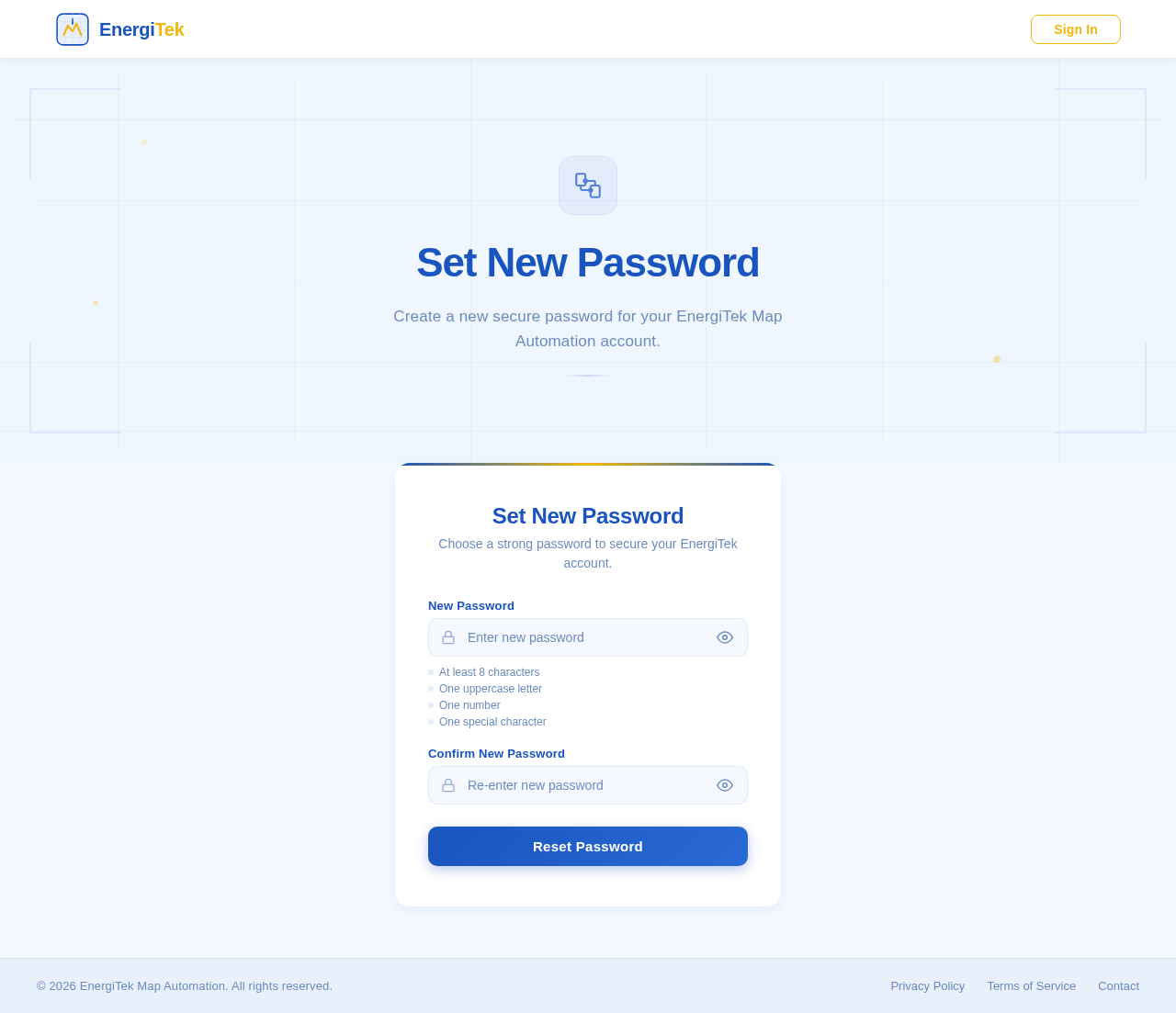
Set New Password
Create a new secure password for your EnergiTek Map Automation account.
Set New Password
Choose a strong password to secure your EnergiTek account.
- At least 8 characters
- One uppercase letter
- One number
- One special character
No comments yet. Be the first!