pos-frs
 Debashish Mukherjee
I want to build an application for my fashion retail store which can take an IP camera feed. The application should capture the face of any person at my billing counter whose billing amount exceeds a certain value. I want the application to store the details of the transaction with optionally customer name, email, phone number. I also want to be notified the next time the same customer walks into my store. The application should be lightweight to run off a i3 PC without the need for a GPU


Comments (0)
Sign in to leave a comment
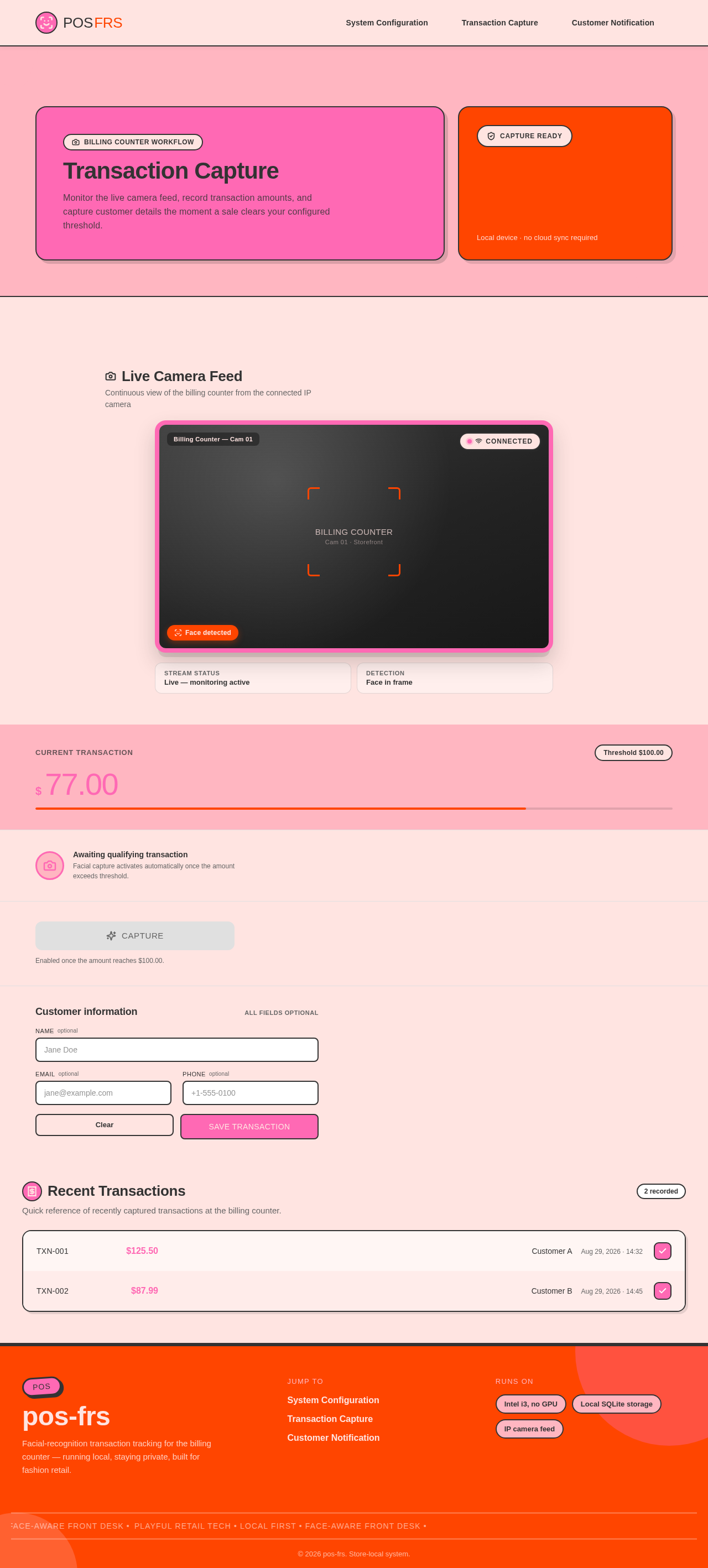
Transaction Capture
Monitor the live camera feed, record transaction amounts, and capture customer details the moment a sale clears your configured threshold.
Local device · no cloud sync required
Live Camera Feed
Continuous view of the billing counter from the connected IP camera
Transaction Recorder
Enabled once the amount reaches $100.00.
Customer information
All fields optionalRecent Transactions
2 recordedQuick reference of recently captured transactions at the billing counter.
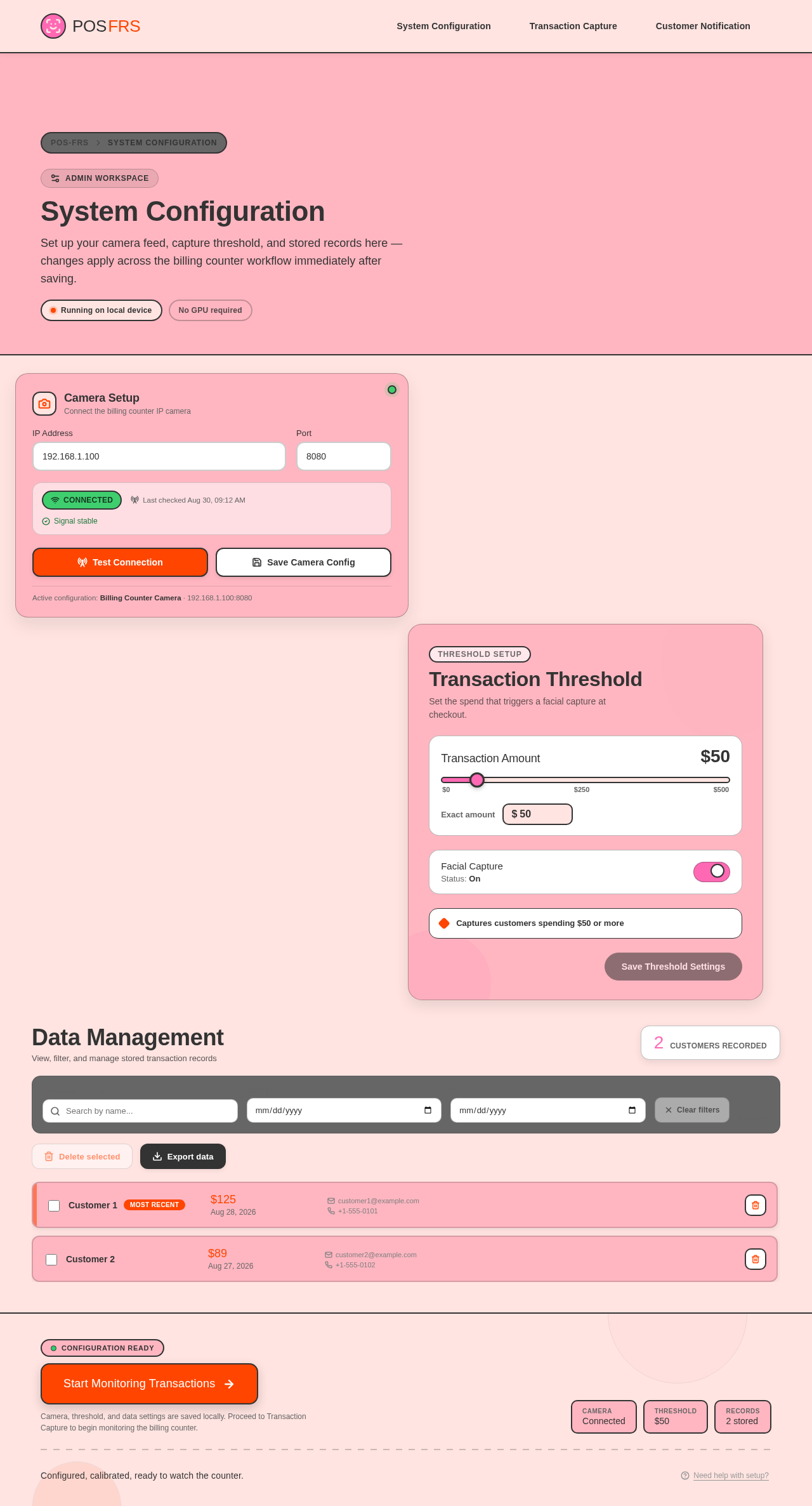
System Configuration
Set up your camera feed, capture threshold, and stored records here — changes apply across the billing counter workflow immediately after saving.
Camera Setup
Connect the billing counter IP camera
Active configuration: Billing Counter Camera · 192.168.1.100:8080
Transaction Threshold
Set the spend that triggers a facial capture at checkout.
Captures customers spending $50 or more
Data Management
View, filter, and manage stored transaction records
- Customer 1Most recent$125Aug 28, 2026customer1@example.com+1-555-0101
- Customer 2$89Aug 27, 2026customer2@example.com+1-555-0102
No comments yet. Be the first!