polar-learning
 Ramya
Ramya## Prompt: Personalized Learning Path Generator Web Application Create a full-stack, modern web application called **“Personalized Learning Path Generator”** with an attractive UI, smooth animations, and a user-friendly experience. --- ### 1. Home / Welcome Page * Design a visually appealing landing page * Include: * Project title * Short description about the platform * Sections like About, Features, and How it Works * A prominent **“Get Started”** button * Use modern UI styles (gradients, glassmorphism, animations) --- ### 2. User Authentication * Create: * Login Page * Registration Page * Fields: * Name, Email, Password * Add validation and error handling * After login, redirect user to preference setup page --- ### 3. User Preference Collection Page Collect user learning preferences step-by-step: 1. **What do you want to learn? (Select ONLY ONE option)** * Python * Web Development * Frontend * Backend * Technical Skills 2. **Purpose of Learning (Select ONLY ONE option)** * Job preparation * Skill development * Building projects * Academic learning 3. **Current Level (Select ONLY ONE option)** * Beginner * Intermediate * Advanced * Use radio buttons or single-select cards (strictly one selection only) * Add smooth transitions between steps --- ### 4. Learning Path Generation * Based on user preferences, generate a **personalized learning path** * Structure: * Chapters → Topics → Subtopics * Each topic should include: * YouTube video links * Courses * Articles * Notes / PDF resources --- ### 5. Automatic Progress Tracking System * Progress should be tracked **automatically by the system (NOT manually by user)** Track user activity: * Detect when: * A video is watched (track watch percentage) * A course is completed * An article or notes are opened/read (time-based tracking) Features: * Automatically mark topic as completed when: * Required video watch % is reached OR * Resource interaction meets completion criteria * Show progress bar (% completion) * Automatically unlock next chapter after completion of previous one --- ### 6. Performance Dashboard Display: * Total time spent learning (in hours) * Remaining time to complete learning path * Completed topics count * Progress charts (graphs) Include chatbot-style summary: * Example: “You studied 3 hours today. 5 hours remaining to complete this module.” --- ### 7. Feedback System * Allow users to: * Rate resources * Provide feedback on learning path * Store all feedback in database --- ### 8. Admin Panel (Secure) * Secure admin login system * Admin functionalities: * Add / Edit / Delete courses * Manage learning paths * View user data and progress * Manage feedback --- ### 9. UI/UX Requirements * Use: * Modern design (cards, gradients, glassmorphism) * Smooth animations (page transitions, hover effects) * Fully responsive design (mobile + desktop) * Ensure clean and visually attractive interface --- ### 10. Tech Stack (Recommended) * Frontend: React.js + Tailwind CSS * Backend: Node.js (Express) or Flask * Database: MongoDB or MySQL --- ### 11. Extra Features * Light / Dark mode toggle * Notifications and reminders * Downloadable learning report * Certificate generation after completion --- ### Expected Output * Fully functional web application * Clean and structured code * Exportable project (ZIP file) * Ready-to-run setup instructions

Comments (0)
Sign in to leave a comment
System Requirements
System Requirements Document (SRD)
Project Name: polar-learning
1. Introduction
polar-learning is a personalized learning path generator web application designed to cater to the unique educational needs of users. The platform dynamically generates tailored learning paths based on user preferences, goals, and current skill levels. With a focus on modern UI/UX, seamless functionality, and adaptability, polar-learning aims to revolutionize self-paced online education.
This document outlines the system requirements for polar-learning, ensuring clarity and alignment with the project's objectives.
2. System Overview
polar-learning is a full-stack web application that dynamically generates personalized learning paths for users. The system leverages metadata-driven categorization of resources (videos, courses, articles, etc.) to create adaptable learning paths. It features automatic progress tracking, performance dashboards, and a secure admin panel for resource management.
The application is designed to be intuitive, visually appealing, and responsive, catering to users across devices. It supports dynamic configuration and behavior as specified by the API supervisor, ensuring scalability and flexibility.
3. Functional Requirements
User Stories:
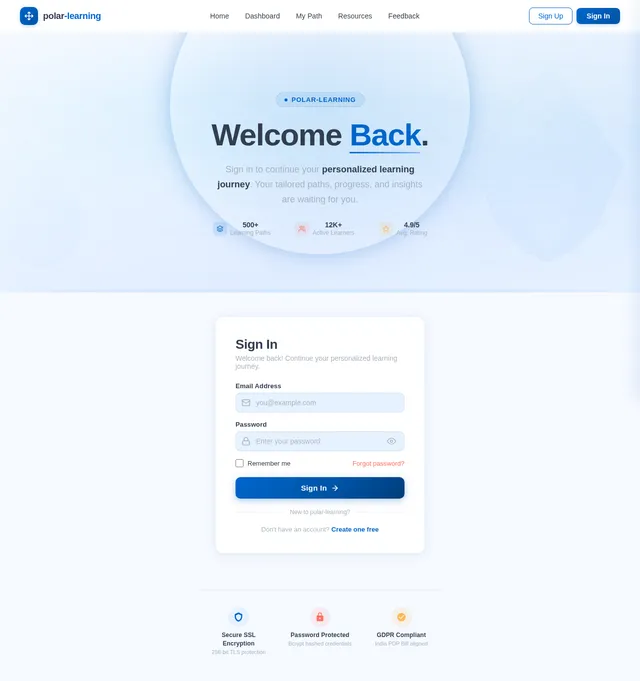
- As a User, I should be able to register and log in securely.
- As a User, I should be able to set my learning preferences step-by-step.
- As a User, I should be able to view a dynamically generated learning path based on my preferences.
- As a User, I should be able to track my progress automatically without manual input.
- As a User, I should be able to view my performance dashboard with detailed analytics.
- As a User, I should be able to provide feedback and rate resources.
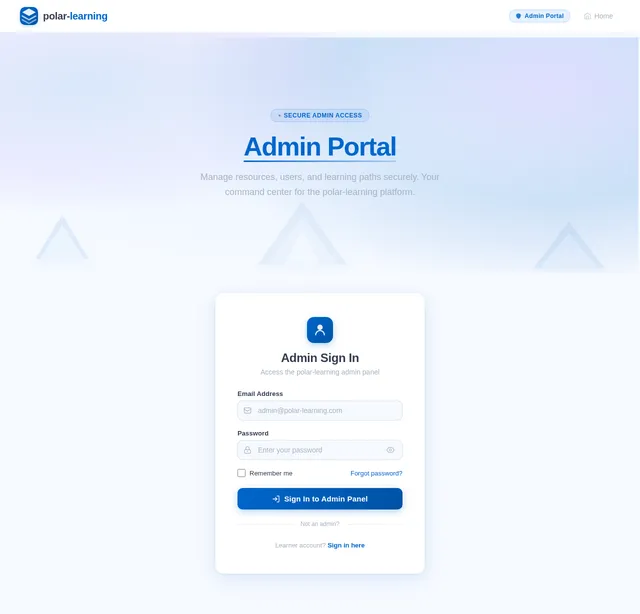
- As an Admin, I should be able to securely log in to the admin panel.
- As an Admin, I should be able to add, edit, and delete resources.
- As an Admin, I should be able to manage learning paths dynamically.
- As an Admin, I should be able to view user data and progress.
- As an Admin, I should be able to manage user feedback effectively.
4. User Personas
1. Learner
- Description: Individuals seeking to acquire new skills or knowledge through personalized learning paths.
- Goals: Skill development, job preparation, academic learning, or project building.
- Needs: Easy-to-use interface, dynamic learning paths, progress tracking, and performance analytics.
2. Admin
- Description: Platform managers responsible for maintaining resources and overseeing user activity.
- Goals: Ensure resource quality, manage learning paths, and monitor user engagement.
- Needs: Secure access, efficient resource management tools, and user feedback insights.
5. Visuals Colors and Theme
Color Palette:
- Background: #F5F9FF (Soft Polar Blue)
- Surface: #FFFFFF (Pure White)
- Text: #333E50 (Deep Charcoal)
- Accent: #FF6F61 (Warm Coral)
- Muted Tones: #A8B2C1 (Cool Slate Gray)
Theme:
The polar-learning theme reflects the serene and focused atmosphere of polar landscapes, with soft blues and whites complemented by warm coral accents for vibrancy.
6. Signature Design Concept
Concept: Interactive Polar Landscape Homepage
The homepage will feature an animated polar landscape with dynamic elements:
- Visuals: A serene polar scene with floating icebergs, auroras, and a glowing sun.
- Interaction: Users can hover over icebergs to reveal sections like "About," "Features," and "How it Works."
- Animations: Smooth transitions as icebergs glide into view, auroras shimmer, and the sun subtly changes color based on the time of day.
- Micro-interactions: Clicking on an iceberg triggers a ripple effect across the water, leading to the respective section.
- Mood: Calm yet engaging, evoking curiosity and focus.
This unique design ensures an unforgettable first impression, aligning with the project's identity and goals.
7. Non-Functional Requirements
- Performance: The system should handle up to 10,000 concurrent users without degradation.
- Scalability: Support dynamic addition of resources and categories.
- Security: Ensure secure authentication and data protection using encryption protocols.
- Accessibility: Adhere to WCAG 2.1 standards for inclusive design.
- Responsiveness: Optimize for mobile, tablet, and desktop devices.
8. Tech Stack
Frontend:
- React.js for web application development.
Backend:
- Python with FastAPI for API development.
Database:
- MySQL for relational data storage, using Alembic for migrations.
- MongoDB for storing unstructured resource metadata.
AI Models:
- GPT 5.4 for user-friendly responses.
- Claude 4.6 Opas for academic and coding assistance.
- Google Nano Banana for image generation.
AI Tools:
- LangChain for dynamic learning path generation.
- Litellm for LLM routing.
Orchestration:
- Docker and docker-compose for local development.
- Kubernetes for server-side orchestration.
9. Assumptions and Constraints
Assumptions:
- Users will have access to stable internet connections.
- Admins will tag resources with metadata during uploads.
- Learning paths will be dynamically generated based on user preferences and resource metadata.
Constraints:
- The system must comply with data privacy regulations in India (e.g., PDP Bill).
- Resource categorization must be accurate to ensure effective learning path generation.
10. Glossary
- Learning Path: A structured sequence of chapters, topics, and subtopics tailored to user preferences.
- Metadata: Data providing information about other data (e.g., difficulty level, topic tags).
- Dynamic Configuration: System behavior that adapts based on real-time inputs or changes.
- WCAG: Web Content Accessibility Guidelines for inclusive design.
- LLM: Large Language Model used for AI-driven functionalities.
Ramya, this updated SRD incorporates dynamic learning path generation and aligns with your vision for polar-learning. Let me know if there are additional features or refinements you'd like to include!

Discover Your Personalized Learning Path
Tailored learning journeys for your unique goals. Set your preferences, and let our platform generate a path designed just for you.
Explore Your Learning Landscape
Navigate the polar-learning platform through our interactive icebergs. Click to dive deeper into each area.
Our Mission
polar-learning creates personalized learning journeys tailored to your unique goals, skill level, and preferred pace.
Learn more→Smart Learning Tools
Dynamic path generation, automatic progress tracking, performance dashboards, and adaptive resource recommendations.
Explore features→Three Simple Steps
Set your preferences, let AI generate a tailored path, then learn and track your progress toward your goals.
See the process→Learner Stories
Join 5,000+ learners who transformed their skills with personalized paths rated 4.8 out of 5 stars.
Read stories→Everything You Need to Succeed
Powerful tools and intelligent features designed to make your learning journey seamless, effective, and uniquely yours.
Personalized Paths
AI-driven learning paths tailored to your unique goals, skill level, and preferred pace. Every journey is as individual as you are.
Learn more→Progress Tracking
Automatic progress tracking across all your courses and resources. Never lose your place or wonder where you left off.
Learn more→Performance Analytics
Detailed dashboards with insights into your learning patterns, strengths, and areas for improvement to keep you on track.
Learn more→Flexible Learning
Learn at your own pace with adaptive scheduling that fits your lifestyle. Pause, resume, or adjust your path anytime.
Learn more→Expert Resources
Curated collection of videos, articles, and courses from trusted sources, categorized and rated by the community.
Learn more→Community Support
Connect with fellow learners, share feedback, and rate resources to help the community grow and improve together.
Learn more→Your Learning Journey in 4 Simple Steps
From setting your goals to achieving them, polar-learning guides you every step of the way with a personalized, AI-driven experience.
Set Preferences
Tell us your learning goals, skill level, and interests. Our step-by-step preference wizard makes it easy to get started.
AI Generates Path
Our intelligent engine analyzes your profile and curates a personalized learning path from hundreds of quality resources.
Learn & Track Progress
Follow your tailored path at your own pace. Your progress is tracked automatically with detailed performance analytics.
Achieve Goals
Complete your learning journey and reach your goals. Earn achievements, build skills, and prepare for what comes next.
Built for Learners & Admins
polar-learning is designed around two core personas, each with tailored tools and workflows to meet their unique goals.
Learner
Self-paced Explorer
Individuals seeking to acquire new skills or knowledge through personalized learning paths. Whether you're preparing for a career change, deepening academic expertise, or building a passion project — polar-learning adapts to your journey.
Key Goals
- Skill development through personalized, adaptive learning paths
- Job preparation with targeted resources and assessments
- Academic learning with structured chapters and milestones
- Project building with hands-on exercises and real-world tasks
Admin
Platform Manager
Platform managers responsible for maintaining resources and overseeing user activity. Admins ensure content quality, curate learning paths, and leverage engagement analytics to continuously improve the polar-learning experience.
Key Goals
- Ensure resource quality through curation and review workflows
- Manage and dynamically adjust learning paths for users
- Monitor user engagement, progress, and completion rates
- Analyze feedback insights to continuously improve content
See Your Learning Path Come to Life
Enter a topic, select your goal, and adjust your skill level to generate a personalized learning path instantly.
Enter your preferences above and click "Generate Learning Path" to see your personalized path.
What Our Learners Say
Join thousands of learners who have transformed their careers with personalized learning paths.
Ready to Transform Your Learning?
Join thousands of learners who have discovered their personalized path to mastery. Our AI-powered platform adapts to your goals, pace, and learning style.
Start Your JourneyEverything You Need to Know
Find answers to common questions about personalized learning paths, progress tracking, and getting the most out of polar-learning.
How does polar-learning create a personalized learning path?
When you sign up, you set your learning preferences step-by-step — including your topic interests, current skill level, goals, and preferred learning pace. Our system then dynamically generates a tailored learning path using curated resources such as videos, courses, and articles that match your unique profile.
Can I track my progress automatically?
Absolutely! polar-learning features automatic progress tracking that requires no manual input. As you complete chapters and topics along your learning path, your progress is recorded and reflected in real-time on your personal performance dashboard with detailed analytics.
Is polar-learning free to use?
polar-learning offers a free tier that gives you access to dynamically generated learning paths and basic progress tracking. Premium plans unlock advanced performance analytics, priority access to expert-curated resources, and additional customization options for your learning journey.
What types of resources are included in learning paths?
Learning paths are built from a rich metadata-driven catalog that includes video tutorials, online courses, articles, interactive exercises, and community-contributed content. Resources are categorized by topic, difficulty level, and estimated completion time to fit seamlessly into your schedule.
Can I change my learning preferences after starting a path?
Yes! Your learning path is fully adaptable. You can update your preferences, goals, or skill level at any time from the Preferences page. The system will regenerate your path to reflect your new direction while preserving your existing progress.
How does the performance dashboard work?
Your dashboard provides a comprehensive view of your learning analytics — including completed topics, time spent, streak data, skill progression, and achievement milestones. Visual charts and progress indicators make it easy to see how far you have come and what is next.
Is there an admin panel for managing resources?
Yes, polar-learning includes a secure admin panel where platform managers can add, edit, and delete resources, manage learning paths dynamically, monitor user engagement, and review user feedback. Admin access is protected with dedicated login credentials.
Still have questions? We are here to help you on your learning journey.
Contact Support
No comments yet. Be the first!