orbit-hello
 Raiisno Iscu
Hello

Comments (0)
Sign in to leave a comment
System Requirements
System Requirements Document for orbit-hello
1. Introduction
orbit-hello is a public website built around a single piece of content: an AI-made film of approximately 45 minutes that plays over the internet. The requester, Raiisno Iscu, asked for "ek aisi website … jismein AI ki takriban 45 minut ki video jo net ho sake" — a site where an approximately 45-minute AI video can be watched online. The product intent is therefore narrow and deliberate: give one long AI film a calm, quiet room on the web, and let a visitor watch it end to end without distraction.
The audience is the Video Viewer — a member of the public who arrives at the site with no account, no sign-in, and no prior relationship to the product, and whose only goal is to watch the film. The site is not a catalogue, a subscription service, a video-generation tool, or a content library. It presents one film, explains in a few quiet words what it is, and plays it.
Success Criteria
- A first-time visitor can reach the film and begin playback in a single interaction from the Landing page, with no account, sign-up, or gate.
- The film plays over the internet for its full duration of approximately 45 minutes without requiring the viewer to download a file first.
- The viewer can pause, resume, seek, and adjust volume through the player's own controls, and can recover from a stalled or failed stream without losing their place.
- The page remains readable and its controls remain whole and operable at 375px, 768px, and 1280px viewport widths.
- The page carries no marketing funnel, no card grid, no gradient decoration, and no bright accent colour; the film is the only subject.
2. System Overview
orbit-hello is a single-destination public website. It consists of one page, Landing, which presents the film's title and a short caption, and hosts a square video player that streams the approximately 45-minute AI film over the internet. There is no navigation beyond that page, no user account, no personalisation, and no stored viewer state beyond what the browser's own media element retains during a session.
The active human actor is the Video Viewer. The system also involves non-persona actors: the browser's native media pipeline, which performs the actual network streaming and decoding, and the origin that serves the video asset over HTTP. Neither is a human persona and neither appears as a destination.
Delivery uses the provisioned scaffold: a React frontend serving the Landing page, a shared FastAPI backend process that exposes the film's metadata (title, caption, duration, and the stream source reference) to the frontend, and a MariaDB database available to that backend. The video asset itself is served over the internet as a streamable media resource; the backend supplies the reference the player uses. No additional service is required for the accepted scope.
Removed from scope
- Short-video generation or delivery (the earlier "short video banakar do" request was superseded by the 45-minute film request).
- AI video generation inside the product (the film is supplied content; the site presents and streams it, it does not produce it).
- User accounts, sign-in, profiles, and saved watch history.
- Video catalogue, multiple films, search, categories, and recommendations.
- Comments, ratings, likes, sharing controls, and social features.
- Upload, editing, trimming, or download of the film.
- Payments, subscriptions, and advertising.
2a. Product Interpretation and Delivery Boundary
The product is a viewing room, not a platform. Everything the site does serves one outcome: a visitor watches an approximately 45-minute AI film that streams over the internet. The Landing page is public and requires no identity; the viewer's session is ephemeral and owned by the browser's media element, so no application-owned identity, account, or persistent viewer record is established or needed.
The film is delivered as a network stream. The frontend requests the film's presentation details from the shared backend, receives the stream reference, and hands playback to the browser's native media element, which fetches the media over the internet and renders it in the square frame. Buffering, seeking, and playback state live in that element; the application's responsibility is to present the frame, the caption, and the play control truthfully, and to surface a clear recovery path when the stream cannot proceed.
Current scope is the single Landing page and the single film. Nothing in this document commits the product to a future library, accounts, or generation features; any such direction would be a separate future decision and is not part of current acceptance.
2c. Page Content and Component Coverage
Landing
Purpose and information/state. The public entry surface. It explains in a few quiet words what the site is and presents the AI film of approximately 45 minutes for streaming over the internet. It is reachable by anyone, with no access requirement.
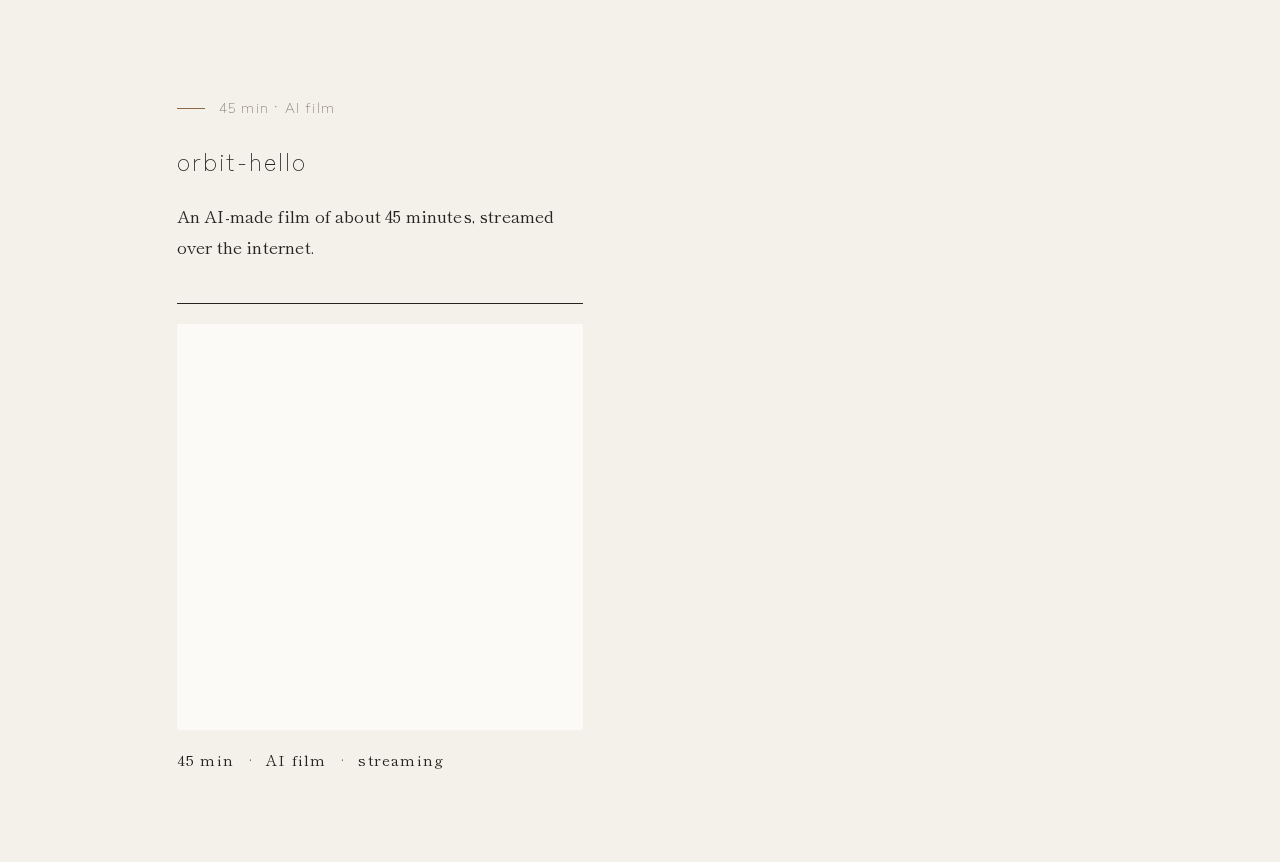
- Film identity block — the film's title as a small charcoal headline in Zen Kaku Gothic New Light, wide tracking, sentence case, set with large margins above the player. Supporting line: a one-sentence description of the film as an AI-made film of about 45 minutes.
- Player frame — a square, near-square-cornered frame (radius no greater than 2px) holding the video, set off-centre low and left of centre on the paper field, with a 1px charcoal rule above it. The frame shows the film's still first frame as its poster before playback.
- Caption row — directly beneath the frame, a small caption in Shippori Mincho reading
45 min · AI film · streaming, with 0.08em tracking on the label text. - Play control — a wood-brown (#8A6A4B) play triangle, the only colour on the screen, centred on the poster frame before playback. After playback begins it is replaced by the native media controls.
- Native media controls — the browser's own play/pause, seek/timeline, volume, and fullscreen controls, exposed once playback starts, so the viewer can pause, resume, seek within the approximately 45-minute timeline, and adjust volume.
Primary actions. Start playback of the film; pause and resume; seek to a position in the timeline; adjust volume; enter fullscreen.
Supporting actions. Retry the stream after a failure; reload the page to re-request the film's presentation details if the initial metadata request fails.
Domain entities. Film — a single AI-made video with a title, a short description, an approximate duration of 45 minutes, a poster still, and a stream source reference. No viewer entity, no account entity, and no watch-history entity exist.
Component responsibilities.
- Landing page container — fetches the film's presentation details from the backend on load and holds the page's loading, ready, and error states.
- Film identity block — renders the title and description; purely presentational.
- Player frame — owns the video element, the poster still, the play control overlay, and the caption row; delegates all streaming and playback to the browser's media element.
- Play control — a single button that starts playback; keyboard-focusable and labelled for assistive technology.
- Caption row — static text beneath the frame.
States.
- Loading — while the film's presentation details are being fetched, the frame area holds its square footprint with the paper surface tone and a quiet placeholder; no spinner spectacle, no layout shift when content arrives.
- Empty — not applicable in the ordinary sense; if the backend returns no film record, the page shows a plain line of text stating the film is currently unavailable, with a retry action, and no player frame.
- Success — poster still, title, description, caption row, and wood-brown play control are visible; pressing play begins streaming and hands control to the native media controls.
- Error (metadata) — the presentation-details request fails: the page shows a plain, readable message that the film could not be loaded, with a retry action that re-requests the details.
- Error (stream) — the media element reports a network or decode failure mid-playback: the frame shows a plain message that the stream was interrupted, with a retry action that re-attempts the stream at the last known position where the browser permits it, otherwise from the start.
- Buffering — the native media element's own buffering indication is used; the page adds no separate spinner.
- Reduced motion — the 900ms frame fade-in is suppressed; the frame appears immediately in its final position.
3. Functional Requirements
FR-1 — Present the AI film of approximately 45 minutes.
As a Video Viewer, I should see the AI-made film of approximately 45 minutes presented on the Landing page, so that I know what the site offers and can watch it.
Provenance: explicit.
Lifecycle: Trigger — the viewer opens the Landing page. Input — the backend's film presentation details (title, description, approximate duration, poster still, stream reference). Observable result — the film's title, description, square poster frame, and the caption 45 min · AI film · streaming are visible. Access — public, no identity. Failure/recovery — if the details cannot be fetched, a plain unavailable message with a retry action is shown. Continuation — the viewer proceeds to start playback.
Acceptance: the Landing page displays the film's title, a one-sentence description identifying it as an AI-made film of about 45 minutes, a square poster frame, and the caption row; the stated duration is approximately 45 minutes.
FR-2 — Stream the film over the internet. As a Video Viewer, I should play the film directly over the internet in the page, so that I can watch it without downloading a file first. Provenance: explicit. Lifecycle: Trigger — the viewer activates the play control. Input — the stream source reference supplied by the backend. Observable result — the browser's media element fetches the media over the network and renders it in the square frame; the native media controls appear. Access — public, no identity. Failure/recovery — if the stream fails to start or is interrupted, the frame shows a plain interruption message with a retry action. Continuation — playback proceeds and the viewer may pause, seek, or adjust volume. Acceptance: activating play begins network playback of the film inside the page's square frame; no file download step is required of the viewer; the film's timeline reflects a duration of approximately 45 minutes.
FR-3 — Control playback of the long film. As a Video Viewer, I should pause, resume, seek within the timeline, and adjust volume while watching, so that I can manage a viewing session that lasts about 45 minutes. Provenance: required_inference (indispensable mechanics for a usable approximately 45-minute viewing session; the source accepts a long watch over the internet). Lifecycle: Trigger — the viewer interacts with the native media controls after playback begins. Input — play/pause, timeline seek, volume. Observable result — the film pauses, resumes, jumps to the sought position, or changes volume, with the media element reflecting the new state. Access — public, no identity. Failure/recovery — if a seek lands outside the buffered range and the network stalls, the buffering indication shows and playback resumes when data arrives, or the interruption message with retry appears. Continuation — the viewer resumes watching from the chosen position. Acceptance: after playback starts, the viewer can pause and resume, move to any position in the approximately 45-minute timeline, and change volume, using the browser's native media controls.
FR-4 — Recover from a failed or interrupted stream. As a Video Viewer, I should be told plainly when the film cannot load or the stream is interrupted, and be able to try again, so that a network problem does not end my viewing session silently. Provenance: required_inference (indispensable failure and recovery mechanics for an internet-streamed film). Lifecycle: Trigger — the presentation-details request fails, or the media element reports a network or decode error. Input — the viewer's retry action. Observable result — a plain, readable message in the frame area stating what failed, and a retry control. Access — public, no identity. Failure/recovery — retry re-requests the details or re-attempts the stream; if it fails again the message remains and retry stays available. Continuation — on success the poster and play control (or playback) return. Acceptance: both failure modes produce a readable message and a working retry action; no failure leaves the page blank or the frame silently empty.
FR-5 — Read the page and operate its controls at every viewport. As a Video Viewer, I should read the title, description, caption, and reach the play control on a phone, tablet, or desktop, so that the film is watchable on whatever screen I arrive with. Provenance: explicit (the creative direction's readable-text-and-controls rule is authoritative for this project). Lifecycle: Trigger — the viewer opens the Landing page at 375px, 768px, or 1280px width. Input — viewport size. Observable result — the headline, caption, and play control remain entirely inside the viewport and their container, wrapping or scaling to fit, with no other element covering them. Access — public, no identity. Failure/recovery — not applicable beyond responsive layout. Continuation — the viewer starts playback. Acceptance: at 375px, 768px, and 1280px, the title, description, caption row, and play control are fully visible and unobstructed; the square frame scales without cropping any readable text or control.
4. User Personas
Video Viewer
Product context. The Video Viewer is a member of the public who has arrived at orbit-hello, most likely from a shared link or a search, with no account and no prior relationship to the site. They have not come to evaluate a product; they have come to watch one film. They may arrive on a phone during a commute, on a tablet on a sofa, or on a desktop in the evening, and they expect to be watching within seconds of the page appearing.
Primary goal. Watch the AI-made film of approximately 45 minutes, in full, over the internet, without friction, sign-up, or distraction.
Distinct accepted responsibilities.
- Decide, from the title, the one-sentence description, and the poster still, whether to start the film.
- Start playback by activating the wood-brown play control.
- Sustain a long viewing session: pause when interrupted, resume, seek back or forward within the approximately 45-minute timeline, and adjust volume.
- Recognise and recover from a failed load or an interrupted stream by using the retry action.
Relevant inputs and decisions. The film's title and description; the poster still; the caption 45 min · AI film · streaming; the decision of when to start, pause, resume, or abandon the watch.
Interactions with other accepted participants. None. The Video Viewer is the only active human persona; the browser's media pipeline and the origin serving the video are non-persona actors that carry out the stream without needing the viewer's interaction beyond starting playback.
Observable success. The viewer has watched the film — in one sitting or across pauses — with playback having started from a single activation, the timeline having reflected approximately 45 minutes, and any interruption having been recoverable without losing the page.
What makes this role distinct. The role's work is almost entirely passive endurance: the product's job is to stay out of the way for 45 minutes. There is no data entry, no decision with consequences beyond the viewer's own time, no counterparty, and no state that must survive the session. The design pressure is calm and legibility, not task efficiency.
5. Core User Flows
Flow 1 — First visit and a complete watch
- The Video Viewer opens the Landing page at orbit-hello. The page is public; no sign-in or gate appears.
- The Landing page requests the film's presentation details from the shared backend. While the request is in flight, the square frame area holds its footprint on the paper surface with a quiet placeholder, and the 900ms frame fade-in plays (suppressed under reduced motion).
- The backend returns the film record: title, one-sentence description, approximate duration of 45 minutes, poster still, and stream reference. The Landing page renders the small charcoal headline, the description, the square poster frame set off-centre low and left of centre beneath a 1px charcoal rule, the caption row
45 min · AI film · streaming, and the wood-brown play triangle. - The Video Viewer reads the title and description, decides to watch, and activates the play control (by pointer or keyboard).
- The browser's media element fetches the film over the internet from the stream reference and begins rendering it in the square frame. The play control overlay gives way to the native media controls.
- The Video Viewer watches. When interrupted, they pause; when ready, they resume. They seek within the approximately 45-minute timeline to re-watch a passage or skip ahead, and adjust volume as needed.
- The film reaches its end. The native media controls remain available so the viewer can replay from the start or leave the page. No watch record is stored; the session ends with the page.
Flow 2 — Recovering from a failed load
- The Video Viewer opens the Landing page.
- The Landing page's request for the film's presentation details fails (network error or backend unavailable).
- The page shows a plain, readable message that the film could not be loaded, in place of the player frame, with a retry action.
- The Video Viewer activates retry. The page re-requests the details.
- On success, the poster frame, title, description, caption row, and play control appear and the viewer continues with Flow 1 from step 4. On repeated failure, the message and retry action remain available.
Flow 3 — Recovering from an interrupted stream
- The Video Viewer is mid-film; the media element reports a network or decode failure.
- The frame shows a plain message that the stream was interrupted, with a retry action.
- The Video Viewer activates retry. The media element re-attempts the stream at the last known position where the browser permits it, otherwise from the start.
- Playback resumes and the viewer continues watching. If the retry fails, the message and retry action remain, and the viewer may reload the page to begin again from Flow 1.
Flow 4 — Watching on a small screen
- The Video Viewer opens the Landing page at 375px width on a phone.
- The title, description, caption row, and play control wrap or scale to remain entirely inside the viewport and their container; the square frame scales with them and no element covers any readable text or control.
- The Video Viewer activates the play control and watches, using the native media controls to pause, seek, and adjust volume, and entering fullscreen where the device supports it.
- The same flow holds at 768px and 1280px, where the frame sits off-centre low and left of centre with wide paper margins holding the type small and quiet.
6. Visuals Colors and Theme
The visual direction follows Kenya Hara: emptiness around a 45-minute film. The page is a quiet room; the film is the only subject.
Mode. Light mode only.
Colour tokens (exact hex, by role).
| Role | Hex | Use |
|---|---|---|
| Background | #F4F1EA | Paper field behind everything |
| Surface | #FBFAF6 | Player frame ground and poster surround |
| Text | #26241F | Headline, description, caption, 1px rules |
| Primary | #26241F | Charcoal for the headline and rules |
| Accent | #8A6A4B | Wood brown — the play triangle and the time marks only |
| Muted | #7C776C | Secondary caption text and placeholder tone |
The wood brown is the only colour on the screen. No gradients, no glass panels, no bright accents.
Typography.
- Headings: Zen Kaku Gothic New, Light weight, wide tracking, sentence case, small sizes with large margins.
- Body: Shippori Mincho.
- Scale: 1.25 modular — 40 / 32 / 24 / 17 / 15 px.
- Tracking: 0.08em on labels (the caption row and any small label text).
Shape language. Square and near-square frames; thin 1px rules; no corner radius above 2px. Soft edges come from light, not from corners.
Layout. One centred column on a wide paper field. The player sits in a square frame with a thin 1px charcoal rule above it and a small caption below it. The frame sits off-centre, low and left of centre, with wide margins holding the type small and quiet.
Spacing rhythm. Generous, even margins around the column; the type is deliberately small relative to the field so the emptiness reads as intentional. Vertical rhythm is set by the 1.25 scale and the rule-to-frame and frame-to-caption gaps.
Imagery style. One still frame of the film on a plain ground as the poster. No stock people, no icons, no decoration. The play triangle is the only graphic mark.
Motion. Almost still: a single slow 900ms fade brings the frame in on load. Nothing else moves. Under prefers-reduced-motion, the fade is suppressed and the frame appears immediately.
Forbidden. Gradient blobs and glass panels; large marketing headlines; card grids with hover lift; bright accent colours; icons or illustrations that carry no meaning; the generic indigo/blue-on-white SaaS template.
7. Signature Design Concept
The quiet room. The Landing page opens as a near-empty paper field (#F4F1EA) with a single small charcoal headline set high and left with wide margins. Below and to the left of centre, a 1px charcoal rule spans the width of the square player frame; beneath the rule, the square frame holds the film's still first frame on the #FBFAF6 surface. A wood-brown play triangle sits at the centre of the frame — the only colour on the screen. Under the frame, a small Shippori Mincho caption reads 45 min · AI film · streaming with 0.08em tracking.
The gesture is subtraction: the page removes everything that is not the film, and the wide margins do the work that a hero image or a marketing headline would do elsewhere. The 900ms fade on load is the only movement — the frame arrives as if a light were being raised in a dark room. The composition recomposes only accepted content: the title, the description, the poster still, the caption, and the play control. It adds no new behaviour, no new page, and no new destination.
8. Interaction Model & Motion Direction
Interaction Model: Static (direction) Motion Tempo: still Hero Dimensionality: flat
Landing Hero Motion Brief
- Focal subject. The square player frame holding the film's still first frame, set off-centre low and left of centre on the paper field, with the wood-brown play triangle at its centre.
- Input → transformation → outcome thesis. On page load, the frame is absent; over 900ms it fades from the paper background into full presence, with the 1px charcoal rule above it and the caption row below it arriving with it. The outcome is a composed, still room in which the only available action is the play control. No other element moves at any point.
- Motion vocabulary. A single opacity fade, 900ms, ease-out, applied to the frame, rule, and caption as one group. No parallax, no scroll-linked motion, no hover lift, no looping animation.
- Composed first frame. Paper field; small charcoal headline upper-left with wide margins; 1px charcoal rule; square frame with the poster still; wood-brown play triangle centred in the frame; caption row beneath. Everything inside the viewport at 375px, 768px, and 1280px, with type wrapping or scaling to fit.
- Reduced-motion state. Under
prefers-reduced-motion: reduce, the fade is removed and the frame, rule, and caption appear immediately in their final positions. The play control remains fully operable and the layout is identical.
9. Non-Functional Requirements
- Streaming delivery. The film must play over the internet as a network stream inside the page; the viewer must not be required to download a file before watching. Provenance: explicit.
- Duration fidelity. The film's presented duration must be approximately 45 minutes, and the timeline exposed by the media element must reflect that duration. Provenance: explicit.
- Public access. The Landing page and the film must be reachable without an account, sign-in, or any identity establishment. Provenance: explicit (the planning scope records
access_requirement: nonefor the Landing surface). - Readable text and whole controls. At 375px, 768px, and 1280px, the headline, description, caption, and play control must remain entirely inside the viewport and their container, wrapping or scaling to fit, with no other element covering any part of them. Imagery and decoration may be cropped or bled as the direction asks, but never over readable text or controls. Provenance: explicit (creative direction).
- Reduced motion. With
prefers-reduced-motion, the 900ms fade must be suppressed and a usable static arrangement provided. Provenance: explicit (creative direction). - Accessible play control. The play control must be keyboard-focusable and carry an accessible label identifying it as the control that plays the film. Provenance: required_inference (indispensable for a control that is the page's only action).
- No persistent viewer state. The site must not create or store a viewer account, profile, or watch history; playback state lives only in the browser's media element for the duration of the session. Provenance: explicit (no identity or persistence is accepted in the source).
- Graceful degradation. A failed metadata request or an interrupted stream must produce a readable message and a working retry action rather than a blank or silently broken frame. Provenance: required_inference.
10. Tech Stack
- Frontend. React application serving the Landing page, with the film rendered in a native HTML video element and the page's presentation details fetched from the backend. Styling implements the paper palette, Zen Kaku Gothic New and Shippori Mincho type, square frames, and the single 900ms fade.
- Backend. Shared FastAPI process exposing the film's presentation details (title, description, approximate duration, poster still reference, stream source reference) to the frontend. This is the existing backend service; the film endpoint is added as a route and module within it rather than as a new service.
- Database. MariaDB, available to the backend for application-owned persistent data. For the accepted scope this holds the single film record; no viewer, account, or watch-history tables are required.
- Media delivery. The film asset is served over the internet as a streamable media resource referenced by the backend's stream source field; the browser's media element performs the streaming and decoding.
- Deployment. The provisioned
docker-compose.ymlinventory —frontend,backend,database— is authoritative. No additional service is required for the accepted scope.
11. Assumptions and Constraints
- Assumption. The approximately 45-minute AI film exists as a finished asset and is supplied to the product; the site presents and streams it and does not generate it. Label: assumption.
- Assumption. The film is encoded in a format the browser's native media element can stream progressively or adaptively over HTTP. Label: assumption.
- Assumption. The film's title, one-sentence description, and poster still are supplied alongside the asset; where a title is not separately supplied, the project name orbit-hello serves as the page's identifying headline. Label: assumption.
- Constraint. The film's length is approximately 45 minutes and must be presented as such. Provenance: explicit.
- Constraint. The film must play over the internet. Provenance: explicit.
- Constraint. The Landing page is public with no access requirement; no account, sign-in, or identity establishment is part of the product. Provenance: explicit (planning scope access requirement
none). - Constraint. The visual direction is authoritative: paper palette, Zen Kaku Gothic New and Shippori Mincho, square frames with radius no greater than 2px, wood brown as the only colour, almost-still motion, and the listed avoidances. Provenance: explicit (creative direction).
- Constraint. The generic indigo/blue-on-white SaaS template is forbidden. Provenance: explicit (creative direction).
- Out of scope. Short-video generation and delivery; in-product AI video generation; accounts and profiles; watch history; catalogue and multiple films; search and recommendations; comments, ratings, likes, and sharing; upload, editing, trimming, and download; payments, subscriptions, and advertising.
12. Glossary
- AI film — the single AI-made video of approximately 45 minutes that orbit-hello presents and streams.
- Landing — the public entry page of orbit-hello; the only destination, hosting the film's title, description, poster frame, caption, and play control.
- Video Viewer — the active human persona; a member of the public who arrives without an account to watch the film.
- Player frame — the square, near-square-cornered frame on the Landing page that holds the video element and its poster still, set off-centre low and left of centre beneath a 1px charcoal rule.
- Play control — the wood-brown (#8A6A4B) play triangle centred in the player frame before playback; the page's only colour and only action.
- Caption row — the small Shippori Mincho line beneath the player frame reading
45 min · AI film · streaming. - Stream source reference — the value supplied by the backend that the browser's media element uses to fetch the film over the internet.
- Native media controls — the browser's own play/pause, timeline, volume, and fullscreen controls, exposed once playback begins.
- Paper field — the
#F4F1EAbackground that carries the page's wide margins and quiet composition.
45 min · AI film
orbit-hello
An AI-made film of about 45 minutes, streamed over the internet.
45 minAI filmstreaming
45 min · AI film
orbit-hello
An AI-made film of about 45 minutes, streamed over the internet.
45 minAI filmstreaming
No comments yet. Be the first!