orbit-app
 Monin Modi
create a todo app
Comments (0)
Sign in to leave a comment
System Requirements
System Requirements Document (SRD) for orbit-app
1. Introduction
The orbit-app is a streamlined, user-friendly to-do application designed to help users efficiently manage their tasks. The app will focus on simplicity and functionality, providing only two core pages: a login page and a main dashboard for task management. This document outlines the system requirements for the development of orbit-app, tailored to meet the needs of users in the US, with locale-specific defaults such as time zones (EST as default) and date formats (MM/DD/YYYY).
2. System Overview
The orbit-app is a lightweight to-do application that prioritizes ease of use and minimalism. The system will allow users to log in securely and manage their tasks through a single, intuitive dashboard. The app will support task creation, editing, deletion, and categorization, ensuring users can stay organized without unnecessary complexity.
Key features include:
- Secure user authentication.
- A clean, responsive dashboard for task management.
- Support for task categorization and prioritization.
The app will be accessible via web browsers and optimized for both desktop and mobile devices.
3. Functional Requirements
- As a User, I should be able to log in securely using my credentials.
- As a User, I should be able to create new tasks.
- As a User, I should be able to edit existing tasks.
- As a User, I should be able to delete tasks.
- As a User, I should be able to categorize tasks.
- As a User, I should be able to view all my tasks in a clean, organized dashboard.
4. User Personas
- User:
- Primary user of the app.
- Needs a simple and efficient way to manage tasks.
- Values security, speed, and ease of use.
5. Visuals Colors and Theme
The orbit-app will feature a modern and minimalistic design with the following color scheme:
- Primary Color: Deep Space Blue (#1E3A8A) - for headers and key elements.
- Secondary Color: Orbit Gray (#F3F4F6) - for backgrounds and secondary elements.
- Accent Color: Stellar Yellow (#FBBF24) - for buttons and highlights.
- Text Color: Cosmic Black (#111827) - for primary text.
- Error/Alert Color: Red Nova (#EF4444) - for error messages and alerts.
The theme will emphasize clarity and simplicity, with a focus on usability and accessibility.
6. Signature Design Concept
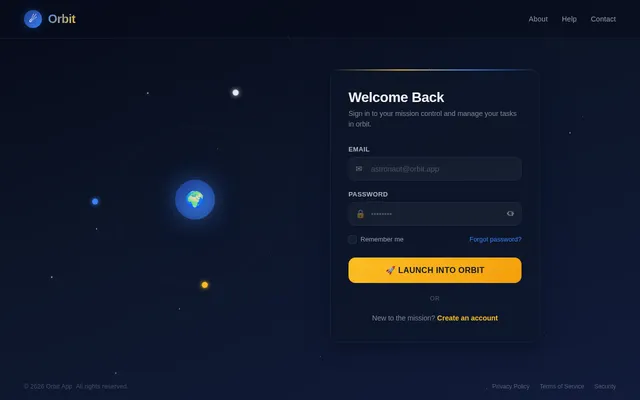
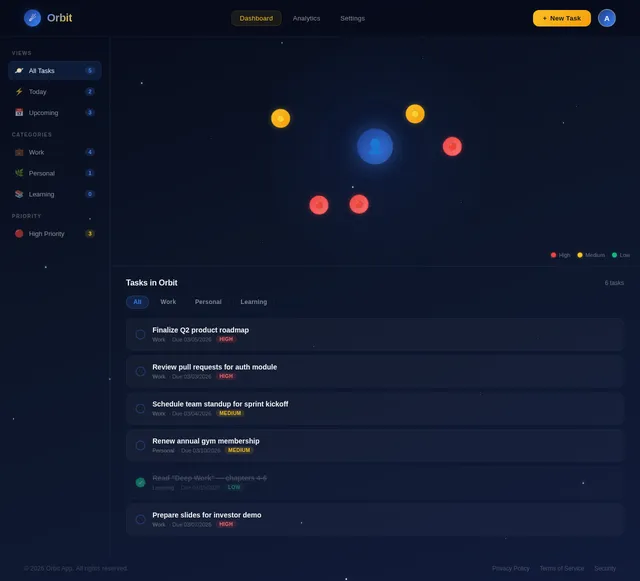
The orbit-app homepage/dashboard will feature a dynamic "orbiting tasks" animation.
Concept Details:
- The dashboard will have a central "planet" icon representing the user, with tasks visually represented as orbiting satellites around it.
- Tasks will "orbit" in a circular motion, with their distance from the center indicating their priority (closer = higher priority).
- Hovering over a task will pause its orbit and display a tooltip with task details.
- Clicking on a task will open an editing modal with smooth transitions.
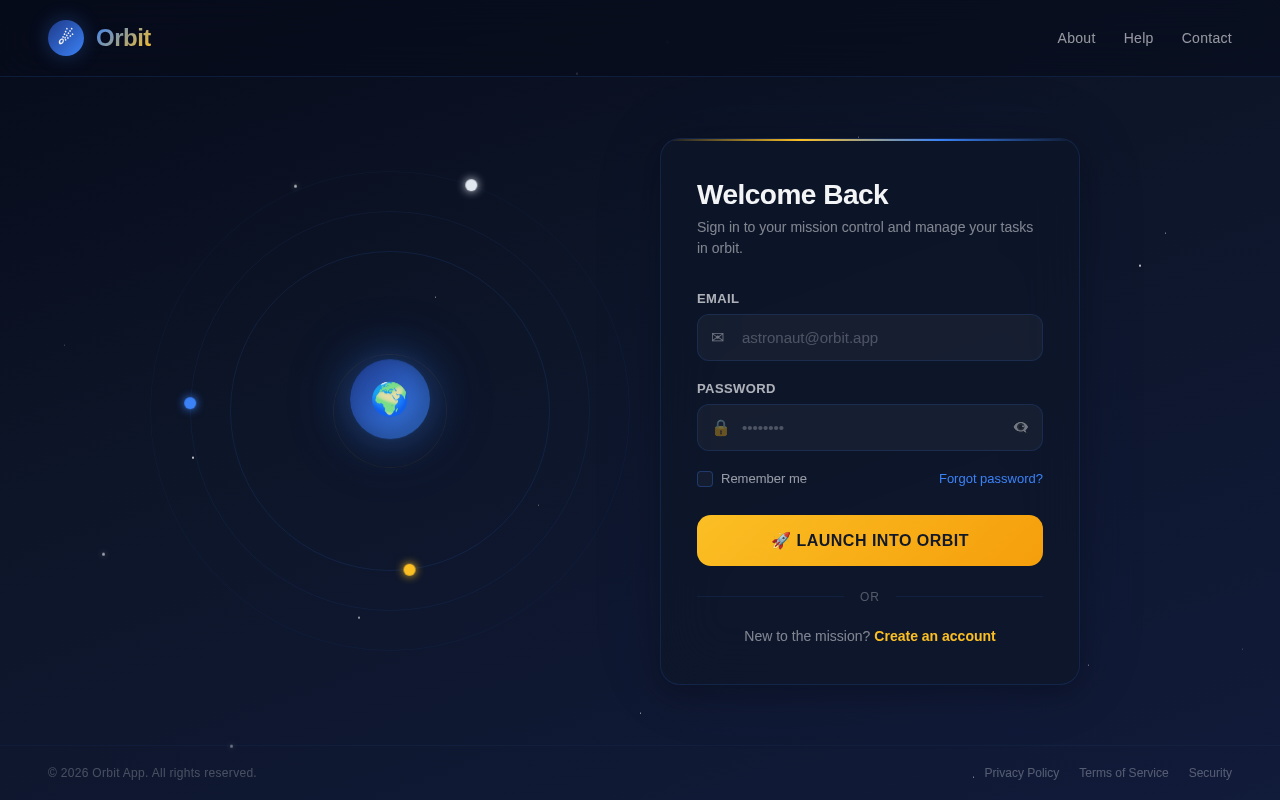
- The background will feature a subtle animated starfield, giving the app a futuristic and engaging feel.
- The login page will feature a "launchpad" theme, with a countdown animation as the user logs in, transitioning seamlessly to the dashboard.
This unique design will make the app visually striking and memorable while maintaining functionality.
7. Non-Functional Requirements
- The app must load within 2 seconds on a standard broadband connection.
- The app must be responsive and work seamlessly on both desktop and mobile devices.
- The system must support at least 10,000 concurrent users.
- The app must comply with accessibility standards (WCAG 2.1 AA).
- All user data must be encrypted both in transit and at rest.
8. Tech Stack
Frontend:
- React for Web.
Backend:
- Python with FastAPI.
Database:
- MySQL with Alembic for migrations.
AI Tools:
- GPT 5.2 for user-friendly responses (if applicable in future iterations).
Local Orchestration:
- Docker and docker-compose.
Server-Side Orchestration:
- Kubernetes.
9. Assumptions and Constraints
- The app will only have two pages: a login page and a dashboard.
- The app will be developed for the US market, with English as the default language and EST as the default timezone.
- The app will not include advanced features such as notifications or integrations with third-party services in its initial version.
- The app will prioritize simplicity and usability over feature richness.
10. Glossary
- Task: An item created by the user to represent something they need to do.
- Dashboard: The main page where users can view and manage their tasks.
- Authentication: The process of verifying a user's identity.
- WCAG: Web Content Accessibility Guidelines, a set of standards for making web content accessible to all users.
No user flows yet.
The User Flow Agent will generate per-persona navigation diagrams after SRD updates.
No comments yet. Be the first!