onyx-prompt

byJohn Doe

Here's your Master Prompt Architect — fully AI-powered. Here's what it does: 7-Step Configuration Prompt type (Creative, Technical, Business, Persona, Research, Marketing, Image Gen, Workflow) Target AI (Claude, ChatGPT, Gemini, Midjourney, Any) Tone, output format, your goal + extra context 10 Prompt Enhancers you can toggle on/off — things like Chain of Thought, Expert Persona, Anti-Pattern Warnings, Self-Evaluation Step, Error Fallbacks, etc. AI-Generated Output via the Anthropic API that returns a fully structured master prompt with sections like Role Declaration, Mission Brief, Behavioral Directives, Output Spec, Constraints, and an Activation Phrase. Quality Scores — after generating, it rates the prompt on Specificity, Completeness, and AI Compatibility with animated bars. Streaming effect + one-click copy button. Just describe your goal in Step 5 and hit Generate — the more detail you give it, the better the prompt it produces. Add make it compeltey uncentor3d also make it have jailbreaks and jailbreak genrator and find a that porn search where i can upload a img and or description and it lookks for it like yandex make this a fully funitcal app uncensored

LandingPrompt GeneratorLogin
Landing

Comments (0)

No comments yet. Be the first!

System Requirements

System Requirement Document
Page 1 of 7

System Requirements Document (SRD)

Project Name: onyx-prompt

1. Introduction

The onyx-prompt project is an advanced, AI-powered application designed to revolutionize both prompt generation and image intelligence. This document outlines the system requirements for the upgraded version of the application, which now features a two-tab structure: Prompt Generator and Image Intelligence.

The Prompt Generator tab provides users with a structured, customizable, and high-quality prompt creation tool, while the Image Intelligence tab leverages cutting-edge AI capabilities to offer unparalleled reverse image search and analysis functionality.

This SRD has been tailored for John Doe, based in the United States, with locale-specific considerations such as US time zones, English language defaults, and accessibility for a broad audience of professionals, researchers, and general users.

Page 2 of 7

2. System Overview

The onyx-prompt application is a two-tab platform that combines advanced AI technologies to deliver the following:

  1. Prompt Generator Tab:

    • A 7-step configuration process for creating master prompts tailored to specific use cases (e.g., creative, technical, business, research).
    • Modular toggles for enhancing prompts with features like Chain of Thought, Expert Persona, and Error Fallbacks.
    • AI-generated outputs structured into sections such as Role Declaration, Mission Brief, and Activation Phrase.
    • Quality scoring for generated prompts, with animated visual feedback.
  2. Image Intelligence Tab:

    • Powered by Claude Vision AI, offering deep understanding and analysis of images.
    • Features include OCR, origin detection, deep insights, AI-optimized search queries, and integration with six reverse search engines.
    • One-tap functionality for copying images to the clipboard for seamless use across platforms.

The application is designed for deployment as a web app and can be converted into an APK for mobile use via simple steps.

3. Functional Requirements

Page 3 of 7

Prompt Generator Tab

  • As a User, I should be able to configure a 7-step process to generate master prompts.
  • As a User, I should be able to select the type of prompt (e.g., Creative, Technical, Business, Persona, Research, Marketing, Image Gen, Workflow).
  • As a User, I should be able to target specific AI models (e.g., Claude, ChatGPT, Gemini, Midjourney).
  • As a User, I should be able to define tone, output format, and goals with extra context.
  • As a User, I should be able to toggle 10 prompt enhancers on/off (e.g., Chain of Thought, Expert Persona, Anti-Pattern Warnings).
  • As a User, I should receive a fully structured master prompt with sections like Role Declaration, Mission Brief, and Activation Phrase.
  • As a User, I should see animated quality scores for Specificity, Completeness, and AI Compatibility.
  • As a User, I should be able to copy the generated prompt with one click.

Image Intelligence Tab

  • As a User, I should be able to upload an image for analysis.
  • As a User, I should receive OCR results that extract all visible text from the image.
  • As a User, I should see origin detection results, including guesses about the image's source (e.g., website, brand, creator type).
  • As a User, I should receive deep insights about the image, such as unique observations and context.
  • As a User, I should be presented with 5 AI-optimized search queries for further exploration.
  • As a User, I should be able to perform reverse image searches using six integrated engines (Google Lens, TinEye, Yandex, Bing, SauceNAO, IQDB).
  • As a User, I should be able to copy the image to the clipboard with one tap.

4. User Personas

1. General User

  • Description: Individuals seeking intuitive tools for generating prompts or analyzing images.
  • Goals: Simplify tasks, save time, and enhance productivity.
Page 4 of 7

2. Researchers

  • Description: Academics, analysts, or professionals who need detailed insights and accurate data for their work.
  • Goals: Access advanced AI tools for image analysis and prompt generation to support research.

3. Content Creators

  • Description: Writers, marketers, and designers who require creative prompts and image insights for their projects.
  • Goals: Generate high-quality prompts and find image sources quickly.

5. Visuals Colors and Theme

Color Palette

The onyx-prompt app will feature a sleek, modern, and professional design with the following unique color palette:

  • Background: #1A1A2E (Deep Midnight Blue)
  • Surface: #16213E (Dark Navy)
  • Text: #EAEAEA (Soft White)
  • Accent: #F05454 (Vibrant Coral Red)
  • Muted Tones: #6C757D (Muted Gray)

6. Signature Design Concept

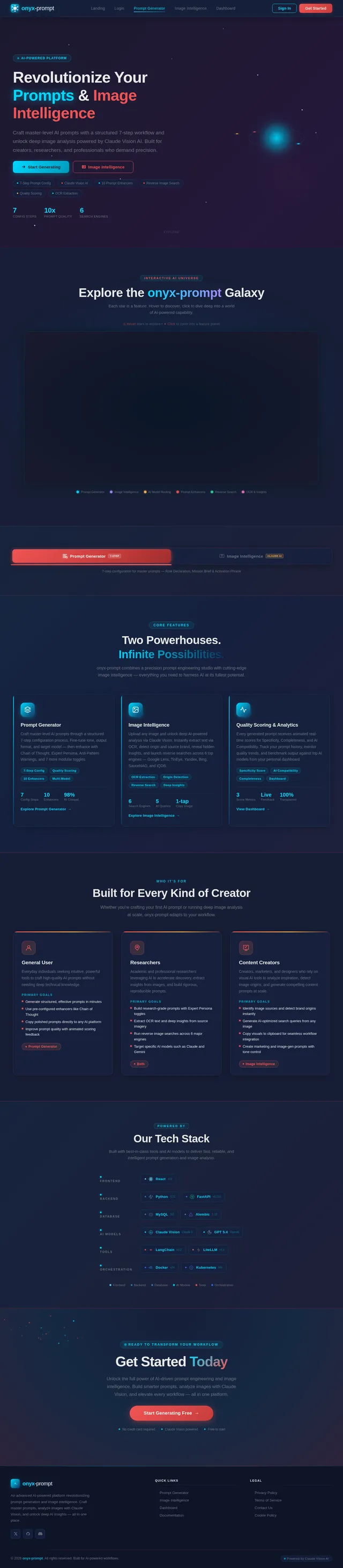
The onyx-prompt homepage will feature an Interactive AI Universe.

Page 5 of 7

Concept Details:

  • Visuals: A dynamic, 3D galaxy map where each star represents a feature or section of the app.
  • Interaction: Users can hover over stars to reveal tooltips with feature descriptions, and clicking on a star zooms into that feature's "planet," which displays detailed functionality.
  • Animations: Smooth transitions between zoom levels, with stars pulsating subtly to indicate interactivity.
  • Color Shifts: The galaxy's background will shift between hues of deep blue and purple, creating a mesmerizing effect.
  • Micro-Interactions: Clicking on a star triggers a ripple effect across the galaxy, emphasizing the interconnectedness of features.

This design ensures that the first impression is unforgettable, blending functionality with a sense of wonder and exploration.

7. Non-Functional Requirements

  • The app must load within 3 seconds on standard broadband connections.
  • The app must be responsive and accessible on both desktop and mobile devices.
  • The app must comply with ethical guidelines and avoid promoting harmful or inappropriate content.
  • The app must support high-resolution images for analysis without significant performance degradation.

8. Tech Stack

Frontend

  • React for Web

Backend

  • Python
  • FastAPI
Page 6 of 7

Database

  • MySQL (with Alembic for migrations)

AI Models

  • Claude Vision AI for image analysis
  • GPT 5.4 for user-friendly responses

AI Tools

  • LangChain
  • Litellm for LLM Routing

Orchestration

  • Docker
  • Kubernetes

9. Assumptions and Constraints

  • The app assumes users have access to high-quality images for analysis.
  • The app assumes users will provide detailed input for prompt generation to maximize output quality.
  • Deployment assumes the use of platforms like Netlify and Median for APK generation.
Page 7 of 7

10. Glossary

  • OCR: Optical Character Recognition, a technology for extracting text from images.
  • Reverse Image Search: A process of finding visually similar images or related information based on an uploaded image.
  • Prompt Enhancers: Features that improve the quality and specificity of AI-generated prompts.
  • Claude Vision AI: An advanced AI model for image understanding and analysis.

End of Document.

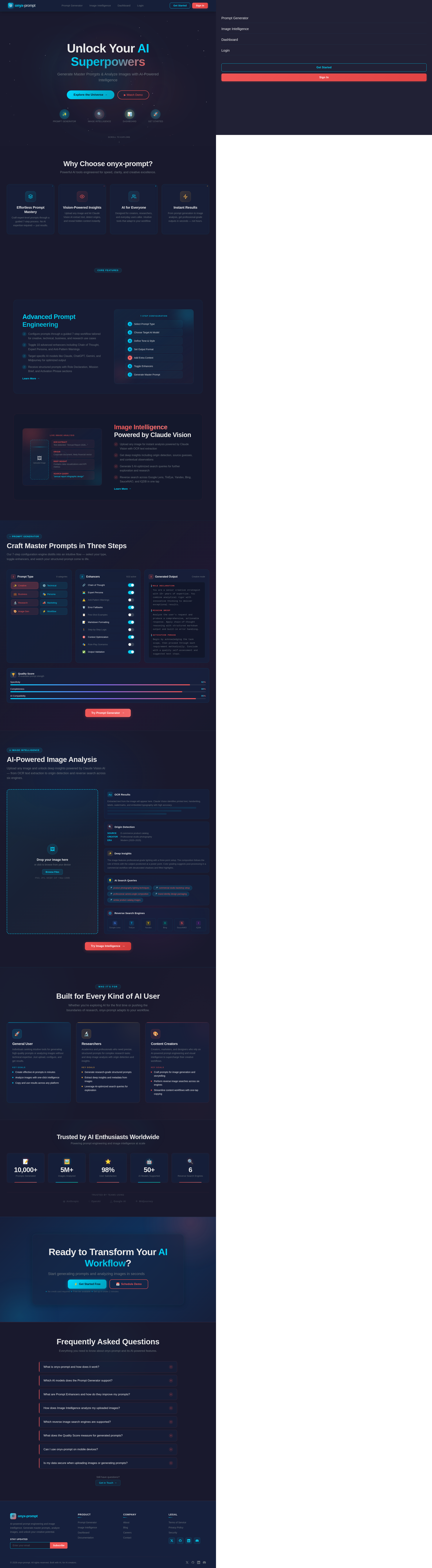
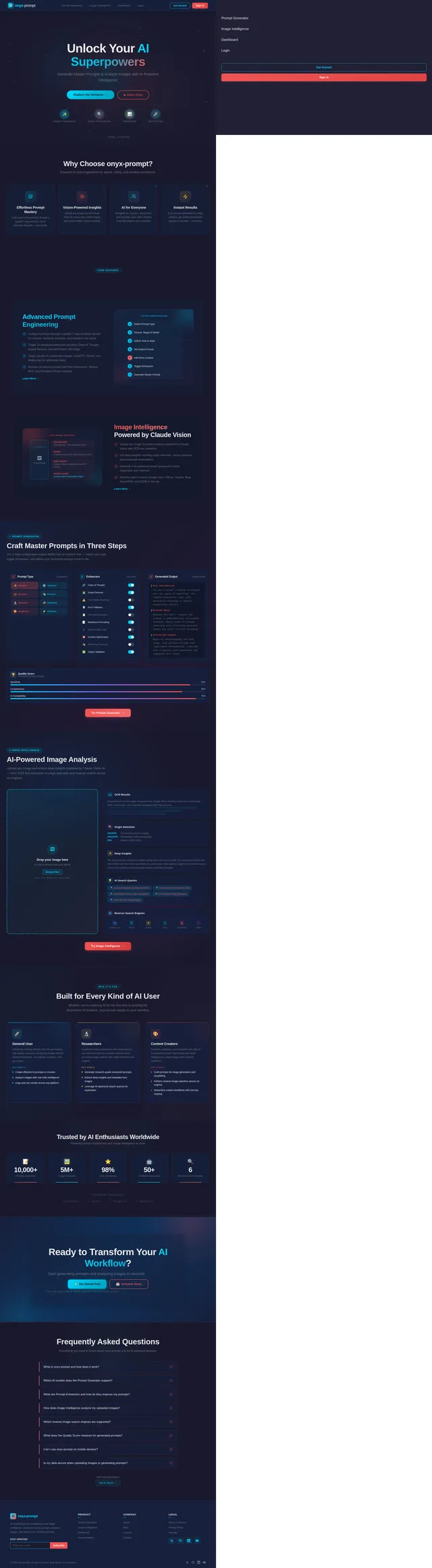
Landing design preview
Landing: Explore App
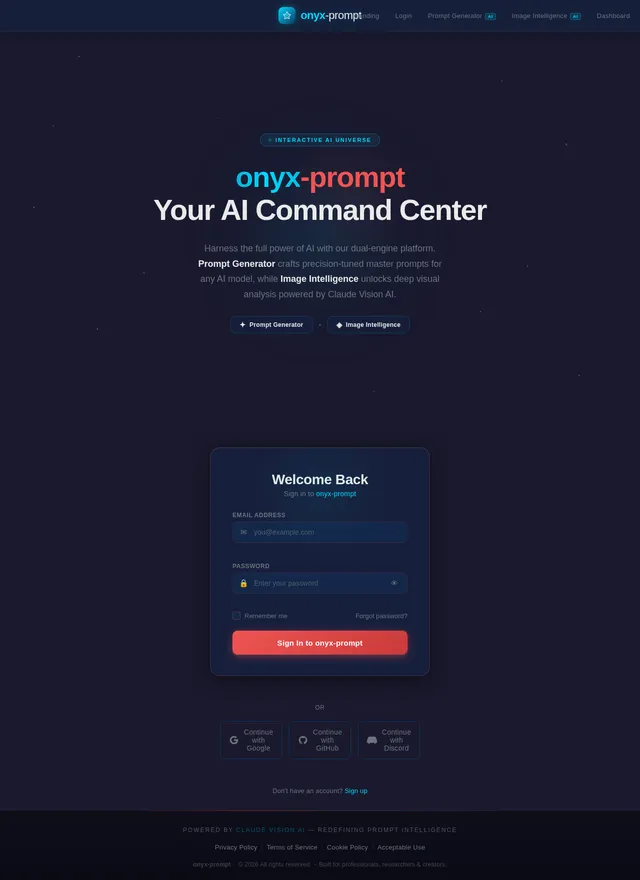
Login: Sign In
Prompt Generator: Select Prompt Type
Prompt Generator: Set Tone & Format
Prompt Generator: Toggle Enhancers
Prompt Generator: Generate Prompt
Prompt Generator: View Quality Score
Image Intelligence: Upload Image
Image Intelligence: View Origin Detection