omega-idea
start project to build simple single page design of calculator

Comments (0)
Sign in to leave a comment
System Requirements
omega-idea System Requirements Document
Introduction
The purpose of this document is to outline the system requirements for the "omega-idea" project. This project involves the development of a simple single-page design for a calculator application.
System Overview
The omega-idea project aims to create a straightforward, user-friendly calculator application that will be accessible as a single-page web application. The focus is on simplicity and ease of use, ensuring that users can perform basic arithmetic operations efficiently.
Functional Requirements
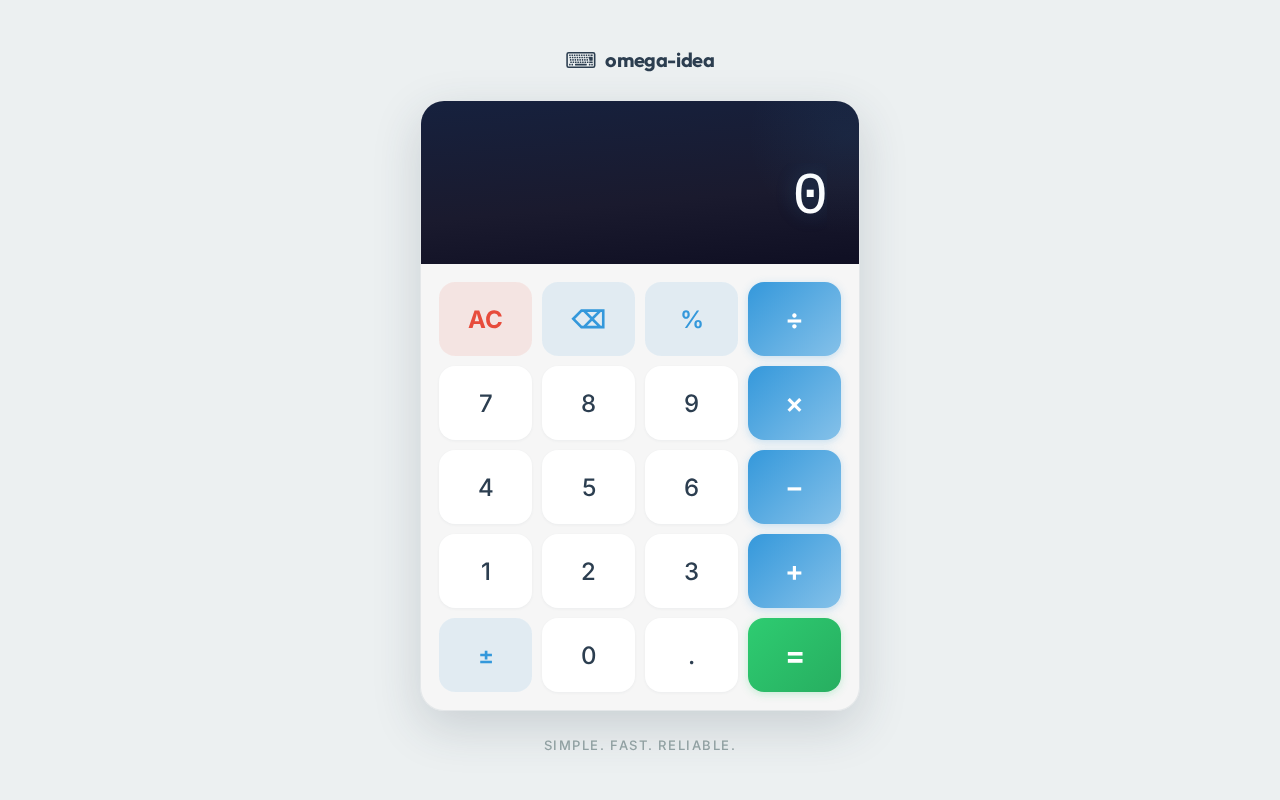
- As a User, I should be able to perform basic arithmetic operations such as addition, subtraction, multiplication, and division.
- As a User, I should be able to clear the current input to start a new calculation.
- As a User, I should be able to view the result of my calculations immediately after pressing the equals button.
- As a User, I should be able to use a backspace function to correct my input before calculating the result.
User Personas
- User: The primary user persona for this project is anyone who needs to perform basic arithmetic calculations. This includes students, professionals, and general users who require quick access to a calculator.
Core User Flows
- User opens the calculator application.
- User inputs numbers and selects an arithmetic operation.
- User presses the equals button to view the result.
- User can clear the input or use the backspace to modify the input.
- User repeats the process for additional calculations.
Visuals Colors and Theme
- primary: #3498db (a calming blue for the main interface)
- primary_light: #85c1e9 (a lighter blue for hover states)
- secondary: #2ecc71 (a green hue for buttons and links)
- accent: #e74c3c (a vibrant red for CTAs and active states)
- highlight: #f1c40f (a warm yellow for notifications and hover states)
- bg: #ecf0f1 (a light grey for the background)
- surface: rgba(255, 255, 255, 0.9) (a white for card/panel backgrounds)
- text: #2c3e50 (a dark blue for primary text)
- text_muted: #95a5a6 (a softer grey for secondary text)
- border: rgba(44, 62, 80, 0.2) (a subtle border color)
Signature Design Concept
The omega-idea calculator will feature an interactive design concept where the calculator buttons animate with a subtle bounce effect when pressed, providing tactile feedback. The layout will be clean and minimalistic, with a digital display that resembles a classic LED screen. The use of framer-motion will enhance the user interaction with smooth transitions and animations, making the calculator feel responsive and engaging.
Interaction Model & Motion Direction
The interaction model for the omega-idea project will be "static" to ensure clarity and focus on functionality. The calculator will have minimal motion, with only essential animations for button presses and result displays to maintain a straightforward user experience.
Non-Functional Requirements
- The application should load quickly and be responsive on all modern web browsers.
- The design should be intuitive and accessible, following best practices for usability.
- The application should handle errors gracefully, providing clear feedback to the user.
Tech Stack
- Frontend: React for Web
- Backend: Not applicable for a simple single-page design
- Database: Not applicable for a simple single-page design
Assumptions and Constraints
- The application will be used primarily on desktop and tablet devices.
- The design will prioritize simplicity and ease of use over advanced features.
- The project will not require backend integration or data persistence.
Glossary
- User: An individual interacting with the calculator application.
- UI: User Interface, the visual elements through which a user interacts with the application.
- CTA: Call to Action, elements that prompt user interaction, such as buttons.
This document outlines the requirements for the omega-idea project, focusing on delivering a simple and effective calculator application.
Simple. Fast. Reliable.
No comments yet. Be the first!