ocean-clone rebuilt our entire web presence and the result flows beautifully. The animated experience feels alive, and our inquiries jumped within the first month.
ocean-clone
by Janakkumar Thakkar
Janakkumar Thakkarhttps://solguruz.com/ Clone this website


Landing
Comments (0)
Sign in to leave a comment
System Requirements
Page 1 of 4
Ocean-Clone
Introduction
The purpose of this System Requirements Document (SRD) is to outline the requirements for the "ocean-clone" project. The goal of this project is to create a full clone of the website https://solguruz.com/, ensuring that all functionalities, design elements, and user interactions are replicated.
System Overview
The "ocean-clone" project aims to replicate the existing Solguruz website, maintaining its design, functionality, and user experience. This includes all front-end and back-end components, ensuring a seamless and identical user experience.
Functional Requirements
- As a User, I should be able to view the homepage with all its sections and content.
- As a User, I should be able to navigate through different pages using the website's menu.
- As a User, I should be able to view service offerings and detailed descriptions.
- As a User, I should be able to access contact information and submit inquiries through a contact form.
- As a User, I should be able to view testimonials and client feedback.
- As a User, I should be able to access the blog section and read articles.
- As a User, I should be able to view the website on various devices with responsive design.
Page 2 of 4
User Personas
- Visitor: A general user who visits the website to learn more about the services offered.
- Potential Client: A user interested in the services and looking to make inquiries or contact the company.
- Blog Reader: A user interested in reading articles and updates from the company.
Core User Flows
- Visitor navigates to the homepage -> explores service offerings -> reads testimonials -> submits an inquiry via the contact form.
- Potential Client visits the homepage -> navigates to the contact page -> fills out and submits the contact form.
- Blog Reader accesses the blog section -> selects an article -> reads the content.
Visuals Colors and Theme
- primary: #1A73E8 (a deep blue for brand identity)
- primary_light: #4D90FE (a lighter blue for hover states)
- secondary: #FF6F61 (a coral hue for emphasis and links)
- accent: #FFD700 (a vibrant gold for CTAs and active states)
- highlight: #FFA500 (an orange for hover states and notifications)
- bg: #FFFFFF (white for the page background)
- surface: rgba(240, 240, 240, 0.8) (light grey for card/panel backgrounds)
- text: #333333 (dark grey for primary text)
- text_muted: #777777 (soft grey for secondary text)
- border: rgba(200, 200, 200, 0.5) (light grey for borders)
Page 3 of 4
Signature Design Concept
The homepage will feature an interactive ocean wave animation using @react-three/fiber and @react-three/drei. As users scroll, the waves will gently move, creating a calming effect. Hovering over different sections will cause subtle ripples, enhancing the interactive experience. This concept will make the website feel dynamic and engaging, capturing the essence of the ocean.
Interaction Model & Motion Direction
The landing page will use a "parallax" interaction model. Layers of ocean waves and atmospheric elements will move at different speeds as the user scrolls, creating a sense of depth and immersion. This approach is ideal for storytelling and creating a visually rich first impression.
Non-Functional Requirements
- The website must be responsive and accessible on all major browsers and devices.
- The website should load within 3 seconds on a standard internet connection.
- The website must be secure, ensuring user data protection and privacy.
Tech Stack
- Frontend: React for Web
- Backend: Python with FastAPI
- Database: MySQL or MariaDB, using Alembic for migrations
- Local Orchestration: Docker, docker-compose
- Server-side Orchestration: Kubernetes
Page 4 of 4
Assumptions and Constraints
- The clone must replicate all functionalities of the original website.
- The project must adhere to the design and branding guidelines of the original site.
- Any third-party integrations present on the original site must be replicated.
Glossary
- Responsive Design: A design approach that ensures a website looks good on all devices.
- Parallax: A scrolling technique where background images move slower than foreground images, creating an illusion of depth.
- CTA: Call to Action, a prompt on a website that tells the user to take some specified action.
Hover & click the waves
Digital craft that flows like the tide
Build experiences that move like the ocean
ocean-clone designs and engineers immersive web products, mobile apps, and interactive experiences — calm to use, powerful underneath, and unmistakably yours.
250+Projects Shipped
98%Client Retention
12yrsCrafting Waves
Scroll
What We Do
Services that move with the current
From first wave to full launch, ocean-clone builds dynamic digital products that feel as smooth and immersive as the sea itself.
Web Development
Fast, scalable React applications engineered to flow seamlessly across every screen and connection.
Learn MoreMobile Apps
Native-feeling mobile experiences that keep your users immersed, wherever the tide takes them.
Learn MoreUI / UX Design
Calm, intuitive interfaces designed around real people, with motion that guides and delights.
Learn MoreConsulting
Strategic guidance to chart your product roadmap and navigate complex technical waters.
Learn MoreSignature Motion
The ocean wave that breathes with your scroll
Click a peak or trough on the wave to reveal its detail
Every page of ocean-clone rides a living wave mesh, rendered in real time and drifting at a calm midground pace. It is more than decoration — the surface reacts to you, turning a quiet moment of scrolling into a soothing, tactile experience that captures the essence of the open sea.
Interaction Points
Client Stories
Trusted by teams who ride the wave
Real feedback from partners we have helped launch immersive, high-performing digital experiences with ocean-clone.
The team captured our brand perfectly. Smooth, immersive, and fast. Patients tell us the site feels calming, which is exactly the tone we were chasing.
From discovery to launch, ocean-clone treated our project like their own. The responsive build looks flawless on every device our customers use.
The interactive wave concept turned a simple landing page into a conversation starter. Our bounce rate dropped and engagement climbed noticeably.
Professional, creative, and genuinely fast. They delivered ahead of schedule without cutting a single corner on quality or accessibility.
Drag or swipe to explore more stories
ocean-clone
About ocean-clone
Digital experiences that move like the ocean.
We are a studio crafting calm, immersive products — blending thoughtful design with engineering that flows. From first ripple to full tide, we build websites and platforms that feel alive.
- Immersive by DesignEvery experience we build flows with intention — calm, fluid interfaces that feel as natural as the tide.
- Client-First CraftWe listen before we build. Your goals shape the current, and we navigate every detail alongside you.
- Performance That FlowsFast, responsive, and resilient. Our products load in seconds and scale smoothly as you grow.
From the ocean-clone Journal
Latest stories, ideas & insights from our team
Fresh thinking on design, engineering, and the craft of building immersive digital experiences that flow.
Design
Designing Calm: How Ocean-Inspired UI Builds Trust
Fluid motion and soft gradients do more than look good — they guide attention and reduce cognitive load. Here is how we bring tidal rhythm into product interfaces.
Engineering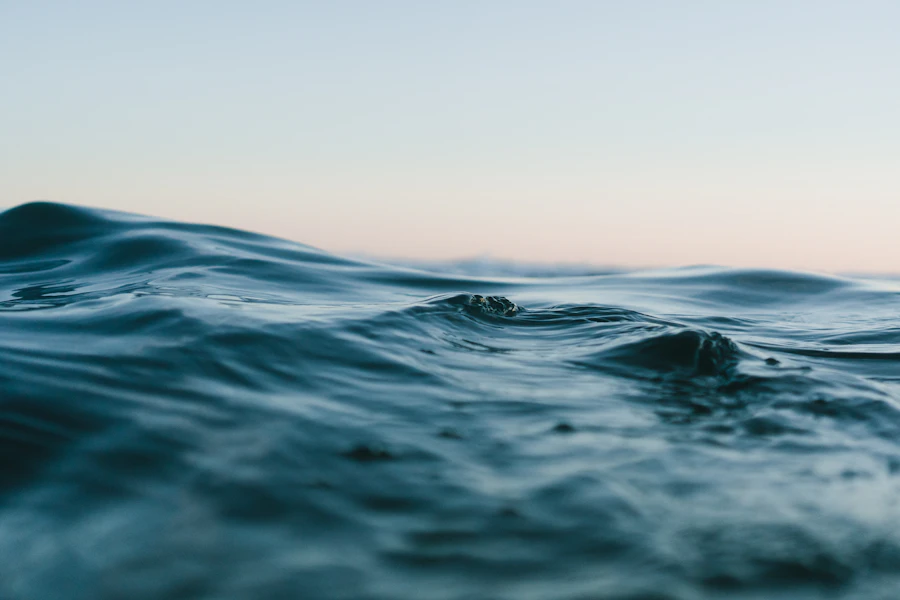
Rendering Living Waves with React Three Fiber
A practical walkthrough of building an interactive WebGL ocean that reacts to scroll and hover — without dropping below 60fps on mid-range devices.
Strategy
From Splash Page to Conversion: A Web Redesign Story
We rebuilt a SaaS landing experience around a single immersive metaphor — and watched engagement climb. The full breakdown of decisions, tests, and results.
Let's build something
Ready to make your idea flow?
Tell us about your project and the ocean-clone team will craft a calm, immersive digital experience tailored to your goals. Submit an inquiry today and let's ride the wave together.
No commitment required — we usually reply within one business day.
No comments yet. Be the first!