Advanced Stock Analysis
Cross-reference price action, valuation ratios, and historical performance to surface signal from noise before you commit capital.
 Umang Suthar
Create me an stock market analysis platform


Sign in to leave a comment
The nova-stock platform is a stock market analysis tool designed to provide investors with advanced capabilities for researching and evaluating stocks. The platform aims to deliver a high-tech, immersive experience, leveraging cutting-edge design and technology to meet the needs of investors seeking comprehensive market insights.
Nova-stock is a web-based platform that offers investors a suite of tools for analyzing stock market data. The platform is designed to be intuitive and visually engaging, with a focus on providing detailed stock metrics and analysis. It supports investor self-service enrollment and returning verification to ensure secure access to protected analysis workflows.
The platform is delivered as a web application with custom UI components. It requires investor identity verification for accessing protected features, ensuring that only authenticated users can perform detailed stock analysis. The system is designed to provide a seamless experience from initial exploration to in-depth analysis, with a focus on security and user engagement.
Not applicable as no content source directive was provided.
A full-viewport 3D data visualization serves as the hero on the Landing page. The design features floating glass panels with thin luminous strokes displaying key data points. Electric blue and red glows highlight interactive elements, creating an immersive entry experience for investors.
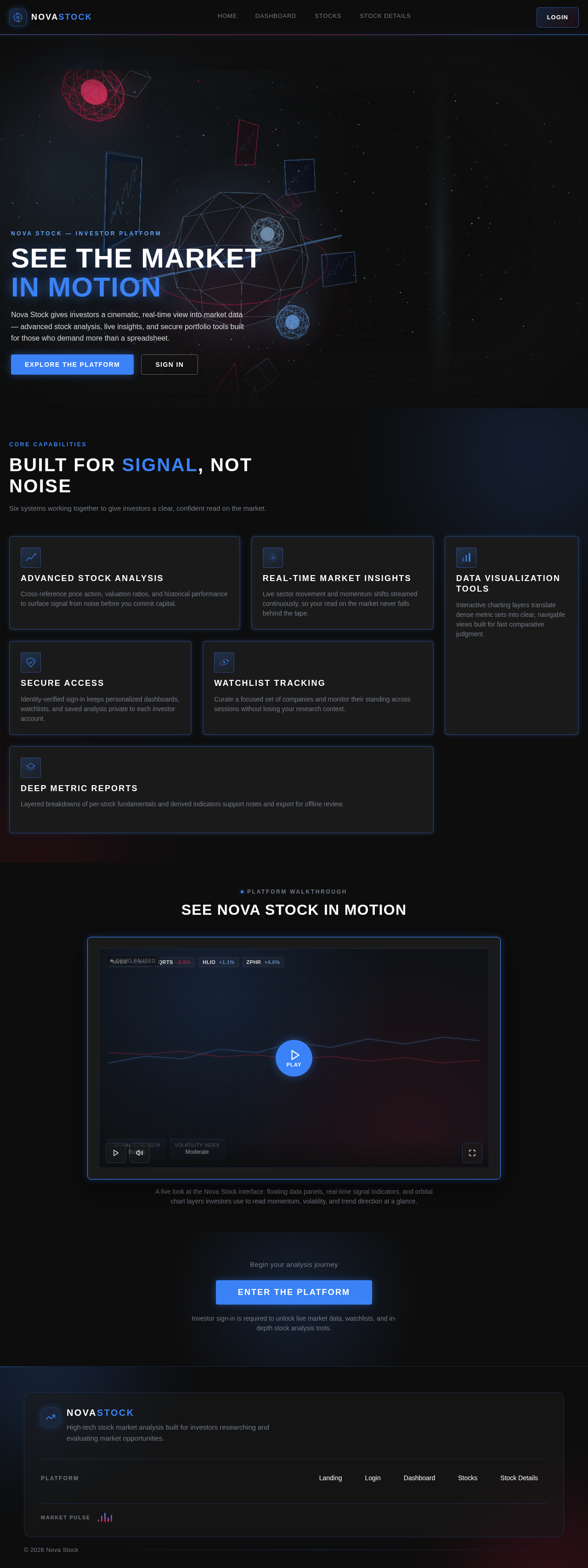
Nova Stock gives investors a cinematic, real-time view into market data — advanced stock analysis, live insights, and secure portfolio tools built for those who demand more than a spreadsheet.
Six systems working together to give investors a clear, confident read on the market.
Cross-reference price action, valuation ratios, and historical performance to surface signal from noise before you commit capital.
Live sector movement and momentum shifts streamed continuously, so your read on the market never falls behind the tape.
Interactive charting layers translate dense metric sets into clear, navigable views built for fast comparative judgment.
Identity-verified sign-in keeps personalized dashboards, watchlists, and saved analysis private to each investor account.
Curate a focused set of companies and monitor their standing across sessions without losing your research context.
Layered breakdowns of per-stock fundamentals and derived indicators support notes and export for offline review.
A live look at the Nova Stock interface: floating data panels, real-time signal indicators, and orbital chart layers investors use to read momentum, volatility, and trend direction at a glance.
Begin your analysis journey
Enter The PlatformInvestor sign-in is required to unlock live market data, watchlists, and in-depth stock analysis tools.
Nova Stock gives investors a cinematic, real-time view into market data — advanced stock analysis, live insights, and secure portfolio tools built for those who demand more than a spreadsheet.
Six systems working together to give investors a clear, confident read on the market.
Cross-reference price action, valuation ratios, and historical performance to surface signal from noise before you commit capital.
Live sector movement and momentum shifts streamed continuously, so your read on the market never falls behind the tape.
Interactive charting layers translate dense metric sets into clear, navigable views built for fast comparative judgment.
Identity-verified sign-in keeps personalized dashboards, watchlists, and saved analysis private to each investor account.
Curate a focused set of companies and monitor their standing across sessions without losing your research context.
Layered breakdowns of per-stock fundamentals and derived indicators support notes and export for offline review.
A live look at the Nova Stock interface: floating data panels, real-time signal indicators, and orbital chart layers investors use to read momentum, volatility, and trend direction at a glance.
Begin your analysis journey
Enter The PlatformInvestor sign-in is required to unlock live market data, watchlists, and in-depth stock analysis tools.
No comments yet. Be the first!