nigerian-teacher-physics
 SALAHDEEN HAMEED
Create a stunning Nigerian teacher teaching physics

Comments (0)
Sign in to leave a comment
System Requirements
System Requirements Document for nigerian-teacher-physics
1. Introduction
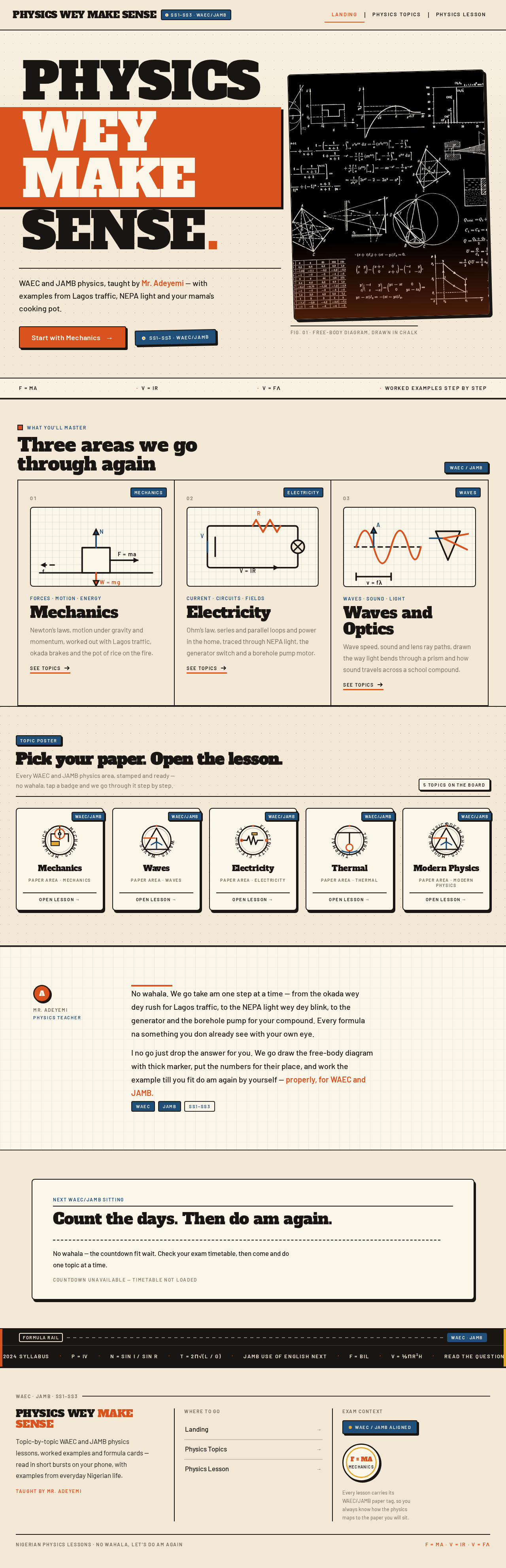
nigerian-teacher-physics is a visually stunning Nigerian physics lesson site for secondary school students preparing for WAEC and JAMB examinations. The product delivers topic-by-topic physics lessons that students read and watch, with fully worked examples written in familiar Nigerian language and grounded in everyday local contexts — Lagos traffic, NEPA light, generator sets, borehole pumps, okada headlights, and a pot of boiling rice.
The site is authored in the voice of a Nigerian physics teacher, Mr. Adeyemi, who explains physics the way a Nigerian classroom teacher does: plainly, warmly, and with thick-marker force diagrams on the board. Every lesson is framed against WAEC/JAMB exam context so that students always know how the material maps to the paper they will sit.
The primary audience is Nigerian Secondary School Physics Students (SS1–SS3) who study on phones in short bursts and need clear explanations and worked examples they can follow to the point of comprehension. The secondary audience is Nigerian Physics Teachers who source clear explanations and worked examples aligned to WAEC/JAMB context for use in their own classes.
2. System Overview
The current product is a three-page, publicly readable lesson site:
- Landing — an anonymous, full-bleed poster entry that introduces the site, the teacher voice, the topic coverage, and the WAEC/JAMB exam framing.
- Physics Topics — a browse destination presenting the full topic catalogue as badge cards grouped by WAEC/JAMB paper area, with exam-tag chips and a "Start here" sidebar.
- Physics Lesson — a focused reading destination for a single topic, containing the explanation, the worked examples as numbered ruled panels, a formula card, and a "Common mistakes" box.
Actors. The accepted active-human catalog is closed at two personas: the Nigerian Secondary School Physics Student and the Nigerian Physics Teacher. Both are anonymous readers; no account, login, or identity establishment is required or accepted anywhere in the current product. There are no system, provider, or external actors that own any human-facing behavior — all content is first-party and statically authored.
Accepted behavior. Students and teachers browse topics, open a lesson, read the explanation, follow worked examples step by step, consult the formula card and common-mistakes box, and move on to the next topic. Lesson content is delivered in Nigerian English with local examples and explicit WAEC/JAMB exam tags.
Narrow exclusions. The current product does not include accounts, sign-in, progress tracking, quizzes, grading, submission, teacher authoring tools, comments, or any personalized state. Nothing in the accepted requirements establishes durable per-user state, so no identity continuity is inferred.
2a. Product Interpretation and Delivery Boundary
The product is a public, anonymous, read-only lesson site. Every accepted destination is reachable without any identity step, and the Planning Scope access contract records access_requirement: none for all three pages. Because no accepted journey requires a student or teacher to privately own, resume, or return to durable actor-specific state, no application-owned identity is introduced. There is no anonymous pre-identity lifecycle to own, because there is no protected destination to enter.
All lesson content, topic metadata, exam tags, worked examples, and formula references are first-party content owned by the application. No provider surface, external destination, or headless delivery channel is accepted. There is no background processing, queue, or asynchronous job in the current scope — the site is a content delivery surface.
Current horizon: the three pages above, with the full topic catalogue and lesson content, delivered as a visually stunning Nigerian classroom poster experience.
Future horizon (not current): nothing in the authoritative thread commits to a future phase. Any account, progress, quiz, or authoring capability would be a new product decision, not an extension of this document.
2c. Page Content and Component Coverage
Landing
- Information and state. Anonymous public entry. Presents the site's purpose, the teacher persona (Mr. Adeyemi), the WAEC/JAMB exam framing, the topic coverage overview, and the exam-countdown panel. No user-specific state.
- Primary action. "Start with Mechanics" — a solid orange rectangular CTA with a 4px ink offset shadow that navigates to the Physics Topics page (or directly to the Mechanics lesson).
- Supporting actions. Navigate to Physics Topics via the topic poster grid; navigate to a specific lesson via a topic badge card; navigate to Physics Topics via the "What you'll master" panels.
- Domain entities. Topic (name, paper area, exam tag), Lesson (title, topic, exam tag), Teacher persona (Mr. Adeyemi), Exam context (WAEC/JAMB, year tags).
- Component responsibilities.
- Poster hero — full-bleed kraft-paper hero; left 7 columns carry the headline "PHYSICS WEY MAKE SENSE" in Alfa Slab One at
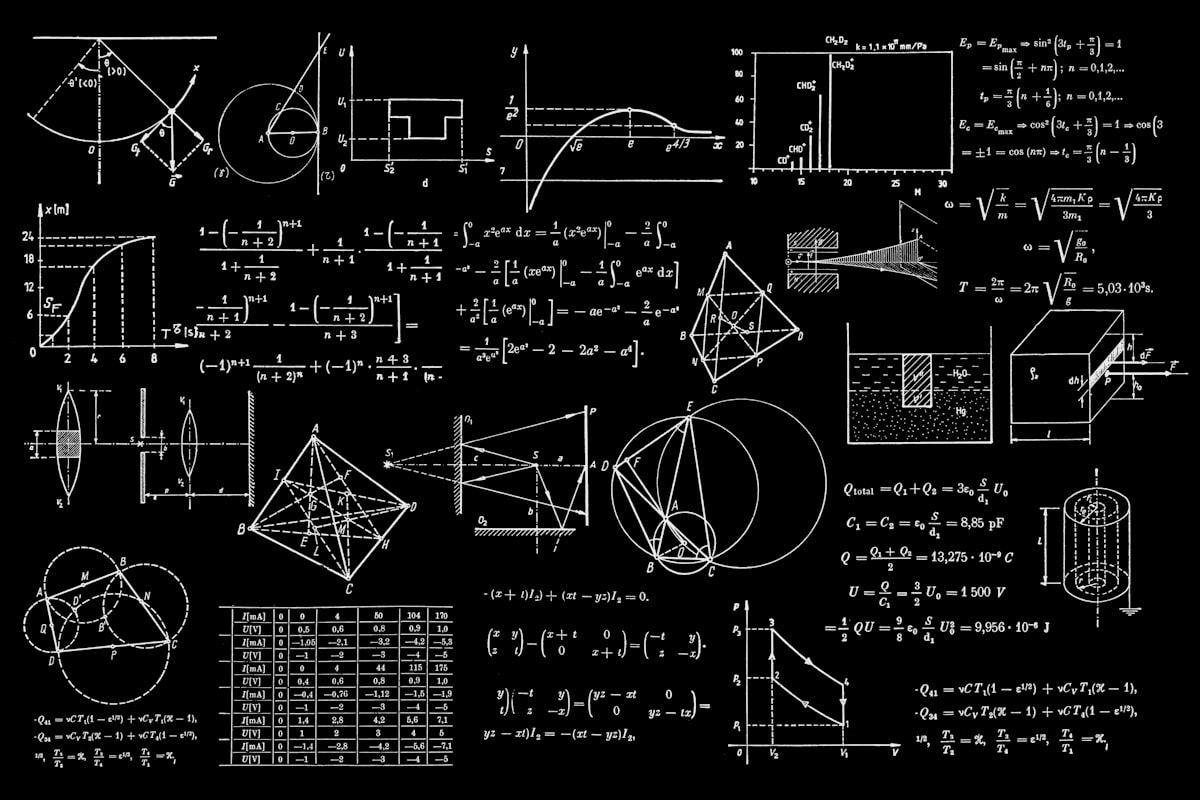
clamp(48px, 11vw, 128px), stacked in three tight lines, ink on kraft, with the second line knocked out of a solid orange block bleeding to the left viewport edge; a 2px ink rule beneath; one sentence in Barlow 20px introducing the teacher and the local-example framing; the orange CTA; a denim stamp badge "SS1–SS3 · WAEC/JAMB". Right 5 columns carry a halftone-treated photograph of a Nigerian teacher at a chalkboard covered in orange-chalk force diagrams, framed by a 2px ink border, tilted −1.5deg, overlapping the orange block by 24px. A ruled formula strip runs full width along the hero bottom: "F = ma · V = IR · v = fλ" in Barlow Semi Condensed uppercase, 13px, letterspaced. - "What you'll master" three-panel row — three ruled panels separated by 2px ink rules, each naming a mastery area with a thick-line vector diagram.
- Poster hero — full-bleed kraft-paper hero; left 7 columns carry the headline "PHYSICS WEY MAKE SENSE" in Alfa Slab One at
- Lesson-topic poster grid — a ruled poster grid of circular topic badge stamps (96px, 3px ink ring, all-caps Barlow Semi Condensed topic name around the ring, hand-drawn thick-line icon in the centre: pulley, resistor, prism, pendulum), rotating 3deg on hover, each stamped with a denim WAEC/JAMB exam-tag chip.
- Teacher-voice strip — a ruled strip carrying Mr. Adeyemi's plain-spoken framing of how the lessons are taught.
- Exam-countdown panel — a ruled panel showing the countdown to the next WAEC/JAMB sitting; numbers count up once on entry.
- Formula ticker — a full-width marquee above the footer scrolling physics formulas and WAEC facts at 40s linear, pausing on hover, reflowing into static wrapped rows under
prefers-reduced-motion. - States.
- Loading: static content; no skeleton required. If the topic grid is populated from a content source, show ruled placeholder badge frames.
- Empty: if no topics are available, the topic grid shows a ruled panel with a plain-spoken message and the CTA remains available.
- Success: hero, mastery row, topic grid, teacher strip, countdown, and ticker all render; CTA and every badge card are fully readable and tappable at 375px, 768px, and 1280px.
- Error: if the topic grid fails to load, the hero, teacher strip, and CTA remain functional and the grid area shows a ruled error panel with a retry control.
- Recovery: retry re-requests the topic list; the rest of the page is unaffected.
Physics Topics
- Information and state. Anonymous public browse destination. Presents the full topic catalogue as badge cards grouped by WAEC/JAMB paper area — Mechanics, Waves, Electricity, Thermal, Modern Physics — each card carrying a denim exam-tag chip. A sidebar lists "Start here" picks.
- Primary action. Open a topic's Physics Lesson.
- Supporting actions. Filter or scan by paper area group; use the "Start here" sidebar to jump to a recommended lesson; return to Landing.
- Domain entities. Topic (name, paper area, exam tag, icon), Paper area (Mechanics, Waves, Electricity, Thermal, Modern Physics), Lesson (title, topic, exam tag), "Start here" pick.
- Component responsibilities.
- Page title — Alfa Slab One at
clamp(34px, 6vw, 64px), with a 2px ink rule beneath. - Paper-area groups — five ruled sections, each headed by a section head in Alfa Slab One at
clamp(26px, 4vw, 40px), containing a dense but ordered grid of topic badge cards. - Topic badge card — 2px ink outline, 8px corner radius, hard 4px/6px offset ink shadow, containing the circular topic badge stamp, the topic name, and a denim WAEC/JAMB exam-tag chip stamped at the corner.
- "Start here" sidebar — a ruled panel listing recommended starting lessons, each a link into the corresponding Physics Lesson.
- Formula ticker — same full-width marquee above the footer as on Landing.
- Page title — Alfa Slab One at
- States.
- Loading: ruled placeholder badge frames in each paper-area group.
- Empty: a ruled panel stating that no topics are published yet, with a link back to Landing.
- Success: all five paper-area groups render with their badge cards; every card's text and exam-tag chip are fully readable and the card is tappable at 375px, 768px, and 1280px.
- Error: a ruled error panel with a retry control replaces the affected group; other groups remain usable.
- Recovery: retry re-requests the topic list; the "Start here" sidebar and page title remain available.
Physics Lesson
- Information and state. Anonymous public reading destination for a single topic. Presents the lesson explanation, the worked examples as numbered ruled panels, a sticky formula card, and a "Common mistakes" box. Two-column reading measure at desktop (max 68ch prose) with a sticky right rail; single column at 375px with the rail folding under the explanation.
- Primary action. Read the explanation and advance through worked-example steps via "Next step".
- Supporting actions. Consult the formula card; consult the "Common mistakes" box; navigate to the next or previous topic; return to Physics Topics.
- Domain entities. Lesson (title, topic, paper area, exam tag), Explanation section, Worked example (step number, step body, tabular numerals), Formula (name, expression), Common mistake (description), Exam tag (WAEC/JAMB, year).
- Component responsibilities.
- Lesson header — page title in Alfa Slab One at
clamp(34px, 6vw, 64px), the topic name, and a denim WAEC/JAMB exam-tag chip. - Explanation body — Barlow 17px, 1.7 leading, max 68ch measure, with thick-line vector diagrams (free-body diagrams, circuit loops, wave traces, lens ray paths) drawn with 3–4px strokes in ink with orange and denim accents on kraft or graph paper.
- Worked-example panel — a left gutter of 40px orange squares with white step numbers; each step on a graph-paper background with Barlow 600 tabular numerals so step columns align; steps stamp in one after another (translateY 12px + opacity, 60ms stagger) as the student scrolls or taps "Next step".
- Formula card — sticky right rail panel with a 2px ink outline and hard offset shadow, listing the lesson's formulas.
- Lesson header — page title in Alfa Slab One at
- "Common mistakes" box — mustard panel with a thick dashed ink border, headed "Where students lose marks".
- Next/previous topic navigation — ruled links at the lesson foot.
- Formula ticker — same full-width marquee above the footer.
- States.
- Loading: ruled placeholder blocks for the explanation, worked-example panel, formula card, and common-mistakes box.
- Empty: if a lesson has no worked examples, the worked-example panel is omitted and the explanation and formula card remain.
- Success: explanation, worked examples, formula card, and common-mistakes box all render; prose stays within 68ch; the rail folds under the explanation at 375px; all text and controls remain fully readable at 375px, 768px, and 1280px.
- Error: if the lesson fails to load, a ruled error panel with a retry control and a link back to Physics Topics is shown.
- Recovery: retry re-requests the lesson; the link back to Physics Topics is always available.
3. Functional Requirements
FR-1 — Browse physics topics by WAEC/JAMB paper area As a Nigerian Secondary School Physics Student, I should browse physics topics grouped by WAEC/JAMB paper area so that I can find the topic I need to study.
- Provenance: explicit (topic-by-topic physics lessons; WAEC/JAMB context).
- Trigger/input: the student opens the Physics Topics page.
- Observable result: five ruled paper-area groups (Mechanics, Waves, Electricity, Thermal, Modern Physics) each render a grid of topic badge cards, each card carrying a denim WAEC/JAMB exam-tag chip.
- Access state: anonymous, no identity required.
- Failure/recovery: if the topic list fails to load, a ruled error panel with a retry control replaces the affected group; other groups remain usable.
- Continuation: the student taps a topic badge card to open its Physics Lesson.
FR-2 — Open a physics lesson from a topic As a Nigerian Secondary School Physics Student, I should open a physics lesson from a topic so that I can read the explanation for that topic.
- Provenance: explicit (topic-by-topic physics lessons that students read/watch).
- Trigger/input: the student taps a topic badge card on Physics Topics, a topic badge in the Landing poster grid, or a "Start here" pick.
- Observable result: the Physics Lesson page renders the lesson header with the topic name and a denim WAEC/JAMB exam-tag chip, followed by the explanation body.
- Access state: anonymous, no identity required.
- Failure/recovery: if the lesson fails to load, a ruled error panel with a retry control and a link back to Physics Topics is shown.
- Continuation: the student reads the explanation and proceeds to the worked examples.
FR-3 — Read the lesson explanation in familiar Nigerian language As a Nigerian Secondary School Physics Student, I should read the lesson explanation in familiar Nigerian language so that I can understand the physics without decoding foreign phrasing.
- Provenance: explicit (familiar language; local examples).
- Trigger/input: the student reads the explanation body on the Physics Lesson page.
- Observable result: the explanation renders in Barlow 17px with 1.7 leading at a max 68ch measure, using plain-spoken Nigerian English and local examples (Lagos traffic, NEPA light, generator, borehole pump, okada headlight, pot of boiling rice).
- Access state: anonymous, no identity required.
- Failure/recovery: not applicable — static prose; if the lesson fails to load, the error panel from FR-2 applies.
- Continuation: the student moves to the worked examples.
FR-4 — Follow worked examples step by step As a Nigerian Secondary School Physics Student, I should follow worked examples step by step so that I can see exactly how each step of a physics problem is solved.
- Provenance: explicit (worked examples).
- Trigger/input: the student scrolls through the worked-example panel or taps "Next step".
- Observable result: each step appears as a numbered ruled panel with a 40px orange square carrying a white step number, on a graph-paper background with Barlow 600 tabular numerals so step columns align; steps stamp in one after another (translateY 12px + opacity, 60ms stagger).
- Access state: anonymous, no identity required.
- Failure/recovery: if a lesson has no worked examples, the panel is omitted and the explanation and formula card remain.
- Continuation: the student consults the formula card or the "Common mistakes" box, then moves to the next topic.
FR-5 — Consult the formula card As a Nigerian Secondary School Physics Student, I should consult the formula card so that I can check the formulas used in the lesson without leaving the page.
- Provenance: required_inference (indispensable to following worked examples to comprehension; the direction specifies a sticky right rail holding the formula card).
- Trigger/input: the student reads the sticky right rail on the Physics Lesson page.
- Observable result: the formula card renders in a 2px ink-outlined panel with a hard offset shadow, listing the lesson's formulas; at 375px the rail folds under the explanation.
- Access state: anonymous, no identity required.
- Failure/recovery: not applicable — static content; if the lesson fails to load, the error panel from FR-2 applies.
- Continuation: the student returns to the explanation or worked examples.
FR-6 — Review common mistakes As a Nigerian Secondary School Physics Student, I should review common mistakes so that I can avoid the errors that cost marks in WAEC and JAMB.
- Provenance: required_inference (indispensable to the exam-prep outcome; the direction specifies a "Common mistakes" box).
- Trigger/input: the student reads the "Where students lose marks" box on the Physics Lesson page.
- Observable result: a mustard panel with a thick dashed ink border lists the common mistakes for the lesson.
- Access state: anonymous, no identity required.
- Failure/recovery: not applicable — static content; if the lesson fails to load, the error panel from FR-2 applies.
- Continuation: the student moves to the next topic or returns to Physics Topics.
FR-7 — Move between topics As a Nigerian Secondary School Physics Student, I should move between topics so that I can continue studying without going back to the topic list.
- Provenance: required_inference (indispensable continuation for a topic-by-topic lesson site).
- Trigger/input: the student taps the next or previous topic link at the lesson foot.
- Observable result: the adjacent Physics Lesson renders.
- Access state: anonymous, no identity required.
- Failure/recovery: if the adjacent lesson fails to load, the error panel from FR-2 applies and the link back to Physics Topics remains available.
- Continuation: the student continues reading.
FR-8 — Source lesson material for teaching As a Nigerian Physics Teacher, I should source clear explanations and worked examples aligned to WAEC/JAMB context so that I can use them as reference material in my own classes.
- Provenance: required_inference (the accepted lesson-site premise supports teachers using topic-by-topic lessons and worked examples as reference material).
- Trigger/input: the teacher browses Physics Topics and opens a Physics Lesson.
- Observable result: the teacher reads the explanation, worked examples, formula card, and common-mistakes box, all carrying WAEC/JAMB exam tags.
- Access state: anonymous, no identity required.
- Failure/recovery: same error and recovery behavior as FR-1 and FR-2.
- Continuation: the teacher moves to another topic or returns to Physics Topics.
FR-9 — See WAEC/JAMB exam context on every lesson As a Nigerian Secondary School Physics Student, I should see WAEC/JAMB exam context on every lesson so that I always know how the material maps to the paper I will sit.
- Provenance: explicit (WAEC/JAMB context).
- Trigger/input: the student views any lesson card, lesson header, or section end.
- Observable result: a denim exam-tag chip with white uppercase 11px text is stamped at the corner of every lesson card and at the end of every section.
- Access state: anonymous, no identity required.
- Failure/recovery: not applicable — static metadata.
- Continuation: the student opens the tagged lesson.
FR-10 — See the exam countdown As a Nigerian Secondary School Physics Student, I should see the exam countdown so that I know how much time remains before the next WAEC/JAMB sitting.
- Provenance: required_inference (the direction specifies an exam-countdown panel on Landing; indispensable to the exam-prep framing).
- Trigger/input: the student opens the Landing page.
- Observable result: a ruled panel shows the countdown to the next WAEC/JAMB sitting; the numbers count up once on entry.
- Access state: anonymous, no identity required.
- Failure/recovery: if the countdown data is unavailable, the panel shows a plain-spoken static message and the rest of the page is unaffected.
- Continuation: the student proceeds to the topic grid or the CTA.
FR-11 — Start with Mechanics from the hero As a Nigerian Secondary School Physics Student, I should start with Mechanics from the hero so that I can begin studying immediately without choosing a topic first.
- Provenance: required_inference (the direction specifies a "Start with Mechanics" CTA in the hero; indispensable entry into the lesson lifecycle).
- Trigger/input: the student taps the solid orange "Start with Mechanics" CTA with its 4px ink offset shadow.
- Observable result: the Mechanics lesson (or the Physics Topics page with Mechanics in view) renders.
- Access state: anonymous, no identity required.
- Failure/recovery: if the destination fails to load, the error panel from FR-2 applies.
- Continuation: the student reads the Mechanics lesson.
FR-12 — Read the formula ticker As a Nigerian Secondary School Physics Student, I should read the formula ticker so that I keep key formulas and WAEC facts in view while browsing.
- Provenance: required_inference (the direction specifies a full-width formula ticker above the footer).
- Trigger/input: the student views the footer area of any page.
- Observable result: a full-width marquee scrolls physics formulas and WAEC facts at 40s linear, pausing on hover; under
prefers-reduced-motionit reflows into static wrapped rows so every item is fully readable. - Access state: anonymous, no identity required.
- Failure/recovery: not applicable — static content.
- Continuation: the student continues browsing.
4. User Personas
Nigerian Secondary School Physics Student
Product context. An SS1–SS3 secondary school student in Nigeria preparing for WAEC and JAMB physics papers. They study on a phone, in short bursts — between classes, on a bus, in the evening when NEPA light is available. They need explanations that do not assume a quiet desk, a textbook, or a teacher standing next to them.
Primary goal. Understand physics topics well enough to answer WAEC and JAMB questions correctly, and to stop losing marks on the steps they keep getting wrong.
Distinct accepted responsibilities. Browsing the topic catalogue by WAEC/JAMB paper area; opening a lesson; reading the explanation in familiar Nigerian language; following worked examples step by step; consulting the formula card; reviewing the "Where students lose marks" box; moving to the next topic; starting from the hero CTA when they want to begin immediately.
Relevant inputs or decisions. Which paper area to study; which topic to open; whether to read the explanation first or jump to the worked examples; whether to tap "Next step" or scroll; whether to move to the next topic or return to the topic list.
Interactions with other accepted participants. The student reads content authored in the voice of Mr. Adeyemi, the Nigerian physics teacher persona. The student does not interact with the teacher directly — the teacher's voice is present in the lesson prose, the local examples, and the plain-spoken framing. The student shares the same public pages with the Nigerian Physics Teacher, but neither sees the other's activity.
Observable success. The student reaches the end of a lesson having followed every worked-example step, has seen the formula card and the common-mistakes box, and can move straight into the next topic without returning to the topic list.
Constraints. Studies on a phone; needs text and controls to stay fully readable at 375px; needs the sticky rail to fold under the explanation on small screens; needs the formula ticker to become static and fully readable under reduced motion.
Nigerian Physics Teacher
Product context. A secondary school physics teacher in Nigeria who prepares lessons and class exercises for SS1–SS3 students sitting WAEC and JAMB. They look for clear explanations and worked examples they can trust and reuse, aligned to the exam context their students face.
Primary goal. Source clear explanations and worked examples aligned to WAEC/JAMB context that are usable as reference material for their own classes.
Distinct accepted responsibilities. Browsing the topic catalogue by paper area; opening lessons to inspect the explanation, worked examples, formula card, and common-mistakes box; using the WAEC/JAMB exam tags to confirm the exam alignment of a topic; moving between topics to assemble material.
Relevant inputs or decisions. Which paper area and topic to inspect; whether the explanation and worked examples are clear enough to reuse; whether the common-mistakes box matches the errors they see in their own classes.
Interactions with other accepted participants. The teacher reads the same lessons as the student, authored in Mr. Adeyemi's voice. The teacher's work is sourcing and reference, not authoring — the current product gives them no authoring, editing, or publishing controls.
Observable success. The teacher finds a topic's explanation, worked examples, formula card, and common-mistakes box, confirms the WAEC/JAMB exam tag, and moves to the next topic.
Constraints. Reads on desktop and phone; needs the 68ch reading measure and the sticky formula rail at desktop; needs the same content to remain fully readable at 375px.
5. Core User Flows
Flow A — Student browses topics and studies a lesson
- The student opens the Landing page on their phone. The full-bleed kraft-paper poster hero renders: "PHYSICS WEY MAKE SENSE" in Alfa Slab One, the second line knocked out of a solid orange block bleeding to the left viewport edge, the 2px ink rule, the one-sentence introduction naming Mr. Adeyemi and the local-example framing, the orange "Start with Mechanics" CTA with its 4px ink offset shadow, and the denim "SS1–SS3 · WAEC/JAMB" stamp badge. The halftone photograph of the teacher at the chalkboard sits framed and tilted −1.5deg on the right. The ruled formula strip "F = ma · V = IR · v = fλ" runs along the hero bottom.
- The student scrolls past the "What you'll master" three-panel row and reaches the lesson-topic poster grid. Each topic is a 96px circular badge stamp with an ink ring, the topic in all-caps Barlow Semi Condensed around the ring, a hand-drawn thick-line icon in the centre, and a denim WAEC/JAMB exam-tag chip at the corner.
- The student taps a topic badge. The Physics Lesson page opens for that topic.
- The lesson header renders the topic name in Alfa Slab One with the denim WAEC/JAMB exam-tag chip. The student reads the explanation in Barlow 17px at a 68ch measure, with thick-line vector diagrams in ink, orange, and denim on kraft or graph paper. Local examples — Lagos traffic, NEPA light, the generator, the borehole pump, the okada headlight, the pot of boiling rice — carry the physics.
- The student reaches the worked-example panel. Each step is a numbered ruled panel: a 40px orange square with a white step number in the left gutter, the step body on graph-paper background with Barlow 600 tabular numerals so the columns align. The student taps "Next step" and each step stamps in (translateY 12px + opacity, 60ms stagger).
- The student consults the sticky formula card in the right rail, then the mustard "Where students lose marks" box with its thick dashed ink border.
- Failure/recovery. If the lesson fails to load, a ruled error panel with a retry control and a link back to Physics Topics appears. The student taps retry; the lesson loads. If a lesson has no worked examples, the panel is omitted and the explanation and formula card remain.
- Continuation. The student taps the next-topic link at the lesson foot and the adjacent Physics Lesson renders. Alternatively they return to Physics Topics and pick another paper area.
Flow B — Student starts immediately from the hero CTA
- The student opens the Landing page and does not want to choose a topic.
- The student taps the solid orange "Start with Mechanics" CTA beneath the 2px ink rule.
- The Mechanics lesson (or the Physics Topics page with Mechanics in view) renders.
- The student reads the explanation and follows the worked examples as in Flow A, steps 4–6.
- Failure/recovery. If the destination fails to load, the ruled error panel with a retry control appears; the student taps retry or returns to Landing.
- Continuation. The student moves to the next topic via the lesson-foot link.
Flow C — Student scans the topic catalogue by paper area
- The student opens Physics Topics.
- The page title renders in Alfa Slab One at
clamp(34px, 6vw, 64px)with a 2px ink rule beneath. - Five ruled paper-area groups render — Mechanics, Waves, Electricity, Thermal, Modern Physics — each headed by a section head in Alfa Slab One at
clamp(26px, 4vw, 40px), each containing a dense but ordered grid of topic badge cards with 2px ink outlines, 8px corner radii, hard 4px/6px offset ink shadows, and denim WAEC/JAMB exam-tag chips at the corners. - The student scans the "Start here" sidebar and taps a recommended lesson.
- Failure/recovery. If a paper-area group fails to load, a ruled error panel with a retry control replaces that group; the other groups and the "Start here" sidebar remain usable. The student taps retry.
- Continuation. The chosen Physics Lesson opens and the student reads it as in Flow A, steps 4–6.
Flow D — Student keeps formulas in view while browsing
- The student is on Landing, Physics Topics, or Physics Lesson and scrolls to the footer area.
- The full-width formula ticker scrolls physics formulas and WAEC facts at 40s linear. The student hovers or taps to pause it and read an item.
- Reduced motion. Under
prefers-reduced-motion, the ticker reflows into static wrapped rows so every formula and fact is fully readable without motion. - Continuation. The student returns to the topic grid or the lesson.
Flow E — Teacher sources lesson material for class
- The teacher opens Physics Topics on desktop.
- The teacher scans the five paper-area groups and uses the denim WAEC/JAMB exam-tag chips to confirm which topics map to the papers their students will sit.
- The teacher opens a Physics Lesson and reads the explanation at the 68ch measure, with the sticky formula card in the right rail.
- The teacher works through the numbered worked-example panels, checking that each step is clear enough to reuse, and reads the mustard "Where students lose marks" box to compare against the errors they see in their own classes.
- Failure/recovery. If the lesson fails to load, the ruled error panel with a retry control and a link back to Physics Topics appears. The teacher taps retry.
- Continuation. The teacher taps the next-topic link at the lesson foot and inspects the adjacent lesson, assembling reference material topic by topic.
Flow F — Student checks the exam countdown
- The student opens Landing.
- The ruled exam-countdown panel shows the countdown to the next WAEC/JAMB sitting; the numbers count up once on entry.
- Failure/recovery. If the countdown data is unavailable, the panel shows a plain-spoken static message and the rest of the page is unaffected.
- Continuation. The student proceeds to the topic grid or taps the "Start with Mechanics" CTA.
6. Visuals Colors and Theme
Muse and headline. Aaron Draplin — Field-notes physics: thick-stroke badges for a Nigerian classroom. The register is warm, plain-spoken, encouraging, and sturdy: a teacher who draws force diagrams on the board in thick marker and says "no wahala, let's do am again." It must feel local and hand-made, not a foreign corporate edtech product.
Palette (light mode).
| Role | Hex | Use |
|---|---|---|
| Background (kraft paper) | #F2E8D5 | Page ground — always warm, never white |
| Surface (cream) | #FBF6EA | Lesson cards and panels |
| Text (ink) | #191512 | All body and headings |
| Primary (Draplin orange) | #D9531E | CTAs, step numbers, badge fills, section rules — roughly 10% of surface, never a wash |
| Accent (denim) | #1F4E79 | WAEC/JAMB exam tags and secondary labels |
| Mustard | #E3A72F | Small coded accents — topic chips, correct-answer marks, badge rings |
| Forest | #2E5A3C | Small coded accents — topic chips, correct-answer marks, badge rings |
| Muted | #8A7F6D | Captions and metadata |
No blue-on-white anywhere; the ground is always warm. The indigo/blue-on-white SaaS template is forbidden.
Typography.
- Headings: Alfa Slab One — heavy slab, tight tracking (−0.02em), mostly sentence case with occasional all-caps for badges and stamps. Hero display
clamp(48px, 11vw, 128px); page titleclamp(34px, 6vw, 64px); section headclamp(26px, 4vw, 40px); card title 20px. - Body: Barlow (400/500/600) at 17px with 1.7 leading.
- Labels and stamps: Barlow Semi Condensed 600 uppercase at 11–13px with 0.14em letterspacing — topic chips, exam tags, figure captions, "WORKED EXAMPLE", "WAEC 2019".
- Numerals: Barlow 600 tabular figures in worked examples so step columns align.
- Scale: 1.250 modular — 128 / 64 / 48 / 32 / 24 / 17 / 13.
Shape language. Chunky and hand-built: 2px ink outlines on every card, badge, button, and figure frame; 8px corner radius on panels, 4px on chips and buttons; hard 4px/6px offset shadows in solid ink, never blurred. Badges are circular stamps with a 3px ring and a tiny rotated inner text arc. Ruled panels with dot-grid or graph-paper backgrounds for equation blocks. Halftone texture at 8–12% opacity on photographic panels. No soft 24px radii, no frosted glass, no floating pills.
Layout. Poster-like sections stacked on a 12-column grid with visible 2px ink rules between them, generous 24px gutters, and 48–96px vertical rhythm. Landing: full-bleed hero, then a ruled "What you'll master" three-panel row, a lesson-topic poster grid of badge cards, a teacher-voice strip, an exam-countdown panel. Physics Topics: a dense but ordered grid of topic badges grouped by WAEC/JAMB paper area with exam-tag chips and a "Start here" sidebar. Physics Lesson: two-column reading measure at desktop (max 68ch prose) with a sticky right rail holding the formula card, worked-example steps, and the "Common mistakes" box; single column at 375px with the rail folding under the explanation. Everything aligns to the grid; nothing floats decoratively.
Imagery. Thick-line vector diagrams as the primary imagery — free-body diagrams, circuit loops, wave traces, lens ray paths — drawn with 3–4px strokes in ink with orange and denim accents on kraft or graph paper. Halftone-treated documentary photography of a Nigerian classroom, lab bench, generator, borehole pump, and okada headlight: warm, real, never stock-glossy. Badge stamps for topics ("MECHANICS · WAEC 2024"). No 3D renders, no gradient blobs, no illustrated mascots.
7. Signature Design Concept
The kraft-paper poster hero. The Landing page opens as a full-bleed kraft-paper poster, not a centred SaaS stack.
- Left 7 columns. The headline "PHYSICS WEY MAKE SENSE" set in Alfa Slab One at
clamp(48px, 11vw, 128px), stacked in three tight lines, ink on kraft, with the second line knocked out of a solid orange block that bleeds to the left viewport edge. Directly beneath the headline, a 2px ink rule and one sentence in Barlow 20px: "WAEC and JAMB physics, taught by Mr. Adeyemi — with examples from Lagos traffic, NEPA light and your mama's cooking pot." Below that, a solid orange rectangular CTA "Start with Mechanics" with a 4px ink offset shadow, and a denim stamp badge "SS1–SS3 · WAEC/JAMB". - Right 5 columns. A halftone-treated photograph of a Nigerian teacher at a chalkboard covered in orange-chalk force diagrams, framed by a 2px ink border and tilted −1.5deg, overlapping the orange block by 24px.
- Bottom. A ruled formula strip runs along the full width of the hero: "F = ma · V = IR · v = fλ" in Barlow Semi Condensed uppercase, 13px, letterspaced.
- Mobile. The headline wraps to four lines at 48px, the orange block becomes a full-width band behind lines 2–3, the photo moves below the CTA at 100% width, and nothing overlaps text or the button.
Signature moves carried through the site. Oversized slab headline stacked over a solid orange block bleeding off the left edge with the CTA pinned beneath the rule. Circular topic badge stamps — 96px ink-ringed badges with the topic in all-caps Barlow Semi Condensed around the ring and a hand-drawn thick-line icon (pulley, resistor, prism, pendulum) in the centre — sitting in a ruled poster grid and rotating 3deg on hover. Worked examples as numbered ruled panels with a 40px orange-square gutter, white step numbers, graph-paper backgrounds, tabular numerals, and a mustard "Where students lose marks" box with a thick dashed ink border. WAEC/JAMB exam-tag chips in denim with white uppercase 11px text, stamped at the corner of every lesson card and at the end of every section. A full-width formula ticker above the footer that scrolls continuously, pauses on hover, and reflows into static wrapped rows under prefers-reduced-motion.
8. Interaction Model & Motion Direction
Interaction Model: Static (direction) Motion Tempo: restrained Hero Dimensionality: flat
Landing Hero Motion Brief.
- Focal subject. The kraft-paper poster hero: the stacked Alfa Slab One headline "PHYSICS WEY MAKE SENSE" with its second line knocked out of a solid orange block bleeding to the left viewport edge, the halftone teacher-at-chalkboard photograph tilted −1.5deg on the right, and the ruled formula strip along the hero bottom.
- Input → transformation → outcome thesis. As the student scrolls or the page settles, the hero's ruled elements — the 2px ink rule beneath the headline, the formula strip, and the section rules below — snap into place with 120–180ms linear-ish transitions, no bounce and no float. The outcome is a poster that reads as a single printed sheet: the headline, the orange block, the photograph, and the formula strip all land on the grid, and the "Start with Mechanics" CTA stays pinned beneath the rule.
- Motion vocabulary. Sturdy and mechanical: 120–180ms snap transitions with a linear-ish ease; no bounce, no spring, no float. Topic chips flip colour on hover (kraft → orange with ink text). Lesson steps stamp in one after another (translateY 12px + opacity, 60ms stagger) as the student scrolls or taps "Next step". The formula ticker runs at 40s linear, pausing on hover. Exam-countdown numbers count up once on entry.
- Composed first frame. The hero at rest: headline stacked in three tight lines, second line knocked out of the orange block bleeding left, 2px ink rule and the one-sentence introduction beneath, orange CTA with its 4px ink offset shadow, denim "SS1–SS3 · WAEC/JAMB" stamp badge, the tilted halftone photograph overlapping the orange block by 24px, and the ruled formula strip running full width along the bottom.
- Reduced-motion state. Under
prefers-reduced-motion, the formula ticker reflows into static wrapped rows so every formula and WAEC fact is fully readable; the exam-countdown numbers appear at their final values without counting up; lesson steps appear in place without the translateY stagger; hover colour flips remain as instant state changes. The hero itself is already static and needs no change.
9. Non-Functional Requirements
NFR-1 — Readable text and controls at every viewport. Headlines, wordmarks, labels, numbers, cards' text, and controls stay entirely inside the viewport and their container at 375px, 768px, and 1280px, wrapping or scaling (for example font-size: clamp(...) with its mobile size) to fit, and no other element covers any part of them. Imagery, decoration, and motion may be cropped, bled off an edge, rotated, overlapped, or cut exactly as the creative direction asks, as long as they cover no readable text or control. Provenance: explicit (creative direction readability rule).
NFR-2 — Moving and scrollable content. The formula ticker may cross the viewport edge by design; it is judged by whether it actually moves and whether every item becomes fully readable as it passes. Under prefers-reduced-motion, it provides a usable static arrangement — wrapped rows — so each item can be brought fully into view. Provenance: explicit (creative direction motion rule).
NFR-3 — Warm ground, no blue-on-white. The page ground is always warm kraft #F2E8D5; the indigo/blue-on-white SaaS template and the #0057FF / #2563EB / #6366F1 family are forbidden anywhere. Provenance: explicit (creative direction palette and avoid list).
NFR-4 — Typography fidelity. Headings use Alfa Slab One; body uses Barlow; labels and stamps use Barlow Semi Condensed 600 uppercase. Inter, Roboto, Arial, Helvetica, Poppins, Lato, and system-ui are forbidden for headings and body. Provenance: explicit (creative direction typography and avoid list).
NFR-5 — Shape and shadow fidelity. 2px ink outlines on every card, badge, button, and figure frame; 8px corner radius on panels, 4px on chips and buttons; hard 4px/6px offset shadows in solid ink, never blurred. No soft 24px radii, no frosted glass, no floating pills, no neon glows. Provenance: explicit (creative direction shape language and avoid list).
NFR-6 — Motion fidelity. 120–180ms snap transitions with a linear-ish ease; no bounce or spring easing; no decorative motion. Provenance: explicit (creative direction motion and avoid list).
NFR-7 — Nigerian framing. Every lesson uses local examples, WAEC/JAMB context, and familiar Nigerian language. Provenance: explicit (hard constraint).
NFR-8 — Mobile-first reading. The Physics Lesson page presents a single column at 375px with the sticky rail folding under the explanation, and a two-column reading measure at desktop with prose capped at 68ch. Provenance: explicit (creative direction layout).
NFR-9 — Anonymous public access. All three pages are reachable without any identity step. No account, login, or session continuity is required or accepted. Provenance: explicit (Planning Scope access contract, access_requirement: none).
10. Tech Stack
- Frontend: React — a single-page application rendering the three accepted pages (Landing, Physics Topics, Physics Lesson) with client-side routing.
- Styling: CSS with custom properties for the palette tokens,
clamp()for the type scale, and the ruled/graph-paper backgrounds described in the creative direction. - Backend: Python / FastAPI — serves the topic catalogue and lesson content as JSON to the frontend.
- Storage: A lightweight relational or document store for topics, lessons, worked-example steps, formulas, and common-mistake entries. Content is authored, not user-generated, so no per-user tables are required.
- Containerization: Docker and
docker-compose.yml— one frontend service and one backend service, reusing the existing backend process, port, and dependencies. No separate worker, queue, or additional ingress route is needed, because the current product has no background processing. - Kubernetes: not required for the current scope.
All technology choices above are [Default — not specified by user] except where the creative direction fixes presentation tokens.
11. Assumptions and Constraints
Assumptions.
- A1. Lesson content — explanations, worked examples, formula cards, and common-mistakes entries — is authored first-party in Mr. Adeyemi's voice and shipped with the application. [Default — not specified by user]
- A2. The exam countdown targets the next WAEC/JAMB sitting date, supplied as content metadata. [Default — not specified by user]
- A3. The "Start with Mechanics" CTA opens the Mechanics lesson directly; if no Mechanics lesson is published, it opens Physics Topics with Mechanics in view. [Default — not specified by user]
- A4. The formula ticker's items are drawn from the published lessons' formula cards. [Default — not specified by user]
Constraints.
- C1. Distinctly Nigerian framing: local examples, WAEC/JAMB context, familiar language. Provenance: explicit.
- C2. The site must be visually stunning, in the Draplin field-notes register described in the creative direction. Provenance: explicit.
- C3. The main user is secondary school students preparing for exams. Provenance: explicit.
- C4. All three pages are anonymous and publicly readable; no identity step is introduced. Provenance: explicit (Planning Scope access contract).
- C5. No accounts, sign-in, progress tracking, quizzes, grading, submission, teacher authoring tools, comments, or personalized state in the current scope. Provenance: explicit (narrow exclusions derived from the accepted scope).
- C6. The indigo/blue-on-white SaaS template is forbidden. Provenance: explicit (creative direction avoid list).
12. Glossary
- WAEC — West African Examinations Council; the body whose physics paper Nigerian secondary school students sit.
- JAMB — Joint Admissions and Matriculation Board; the body whose physics examination Nigerian students sit for university admission.
- SS1–SS3 — Senior Secondary years 1 through 3, the Nigerian secondary school stage that prepares students for WAEC and JAMB.
- Paper area — one of the five WAEC/JAMB physics groupings used to organise the topic catalogue: Mechanics, Waves, Electricity, Thermal, Modern Physics.
- Topic badge — a 96px circular ink-ringed stamp representing a physics topic, with the topic name in all-caps Barlow Semi Condensed around the ring and a hand-drawn thick-line icon in the centre.
- Exam-tag chip — a denim chip with white uppercase 11px text stamped at the corner of every lesson card and at the end of every section, carrying the WAEC/JAMB exam context.
- Worked example — a numbered ruled panel showing one step of a solved physics problem, with a 40px orange square carrying a white step number and the step body on a graph-paper background with tabular numerals.
- Formula card — the sticky right-rail panel on the Physics Lesson page listing the lesson's formulas.
- "Where students lose marks" box — the mustard panel with a thick dashed ink border listing the common mistakes for a lesson.
- Formula ticker — the full-width marquee above the footer scrolling physics formulas and WAEC facts at 40s linear, pausing on hover and reflowing into static wrapped rows under
prefers-reduced-motion. - Kraft paper — the warm page ground
#F2E8D5that replaces white throughout the site. - Mr. Adeyemi — the Nigerian physics teacher persona whose voice authors every lesson.
PhysicsWey MakeSense
WAEC and JAMB physics, taught by Mr. Adeyemi — with examples from Lagos traffic, NEPA light and your mama's cooking pot.
- F = ma
- V = IR
- v = fλ
- WORKED EXAMPLES STEP BY STEP
Three areas we go through again
Mechanics
Newton’s laws, motion under gravity and momentum, worked out with Lagos traffic, okada brakes and the pot of rice on the fire.
See topics02ElectricityCurrent · Circuits · FieldsElectricity
Ohm’s law, series and parallel loops and power in the home, traced through NEPA light, the generator switch and a borehole pump motor.
See topics03WavesWaves · Sound · LightWaves and Optics
Wave speed, sound and lens ray paths, drawn the way light bends through a prism and how sound travels across a school compound.
See topicsPick your paper. Open the lesson.
Every WAEC and JAMB physics area, stamped and ready — no wahala, tap a badge and we go through it step by step.
No wahala. We go take am one step at a time — from the okada wey dey rush for Lagos traffic, to the NEPA light wey dey blink, to the generator and the borehole pump for your compound. Every formula na something you don already see with your own eye.
I no go just drop the answer for you. We go draw the free-body diagram with thick marker, put the numbers for their place, and work the example till you fit do am again by yourself — properly, for WAEC and JAMB.
Count the days. Then do am again.
No wahala — the countdown fit wait. Check your exam timetable, then come and do one topic at a time.
Countdown unavailable — timetable not loadedPhysicsWey MakeSense
WAEC and JAMB physics, taught by Mr. Adeyemi — with examples from Lagos traffic, NEPA light and your mama's cooking pot.
- F = ma
- V = IR
- v = fλ
- WORKED EXAMPLES STEP BY STEP
Three areas we go through again
Mechanics
Newton’s laws, motion under gravity and momentum, worked out with Lagos traffic, okada brakes and the pot of rice on the fire.
See topics02ElectricityCurrent · Circuits · FieldsElectricity
Ohm’s law, series and parallel loops and power in the home, traced through NEPA light, the generator switch and a borehole pump motor.
See topics03WavesWaves · Sound · LightWaves and Optics
Wave speed, sound and lens ray paths, drawn the way light bends through a prism and how sound travels across a school compound.
See topicsPick your paper. Open the lesson.
Every WAEC and JAMB physics area, stamped and ready — no wahala, tap a badge and we go through it step by step.
No wahala. We go take am one step at a time — from the okada wey dey rush for Lagos traffic, to the NEPA light wey dey blink, to the generator and the borehole pump for your compound. Every formula na something you don already see with your own eye.
I no go just drop the answer for you. We go draw the free-body diagram with thick marker, put the numbers for their place, and work the example till you fit do am again by yourself — properly, for WAEC and JAMB.
Count the days. Then do am again.
No wahala — the countdown fit wait. Check your exam timetable, then come and do one topic at a time.
Countdown unavailable — timetable not loaded
No comments yet. Be the first!