neon-web
 Tamim Not
Create a web-based Rent Affordability Calculator that includes input fields for monthly net income, monthly debts, monthly expenses, and monthly savings. The calculator should determine the affordable monthly rent and display the result clearly, along with a visual progress bar.


Comments (0)
Sign in to leave a comment
System Requirements
System Requirements Document for neon-web
1. Introduction
The neon-web project aims to deliver a web-based Rent Affordability Calculator. This tool is designed for individuals seeking to determine an affordable monthly rent based on their financial inputs. The calculator will provide a user-friendly interface to input monthly net income, debts, expenses, and savings, and will clearly display the affordable rent result along with a visual progress bar.
2. System Overview
The Rent Affordability Calculator is a web-based application that allows users to input their monthly financial details to calculate an affordable rent amount. The system is designed to be accessible to anonymous users, providing a seamless experience without requiring user accounts. The application consists of two main pages: the Landing page and the Rent Calculator page. The Landing page introduces the tool, while the Rent Calculator page is where users input their data and view results.
2a. Product Interpretation and Delivery Boundary
The Rent Affordability Calculator is delivered as a web application accessible to any user without requiring login or account creation. The scope is strictly limited to the specified inputs and outputs related to rent affordability calculation. The application does not store user data beyond the session, ensuring privacy and simplicity. The design and interaction model are inspired by Haraldur Thorleifsson's style, focusing on a bold, friendly, and engaging user experience.
2b. Source Content Inventory
Not applicable as no content source directive was provided.
2c. Page Content and Component Coverage
Landing
- Introduction Section: Brief explanation of the Rent Affordability Calculator and its purpose.
- Call-to-Action Button: Directs users to the Rent Calculator page.
- Visual Elements: Character illustrations and color-blocked sections to engage users.
Rent Calculator
- Input Fields:
- Monthly Net Income
- Monthly Debts
- Monthly Expenses
- Monthly Savings
- Calculate Button: Initiates the calculation of affordable rent.
- Result Display: Shows the calculated affordable rent amount.
- Progress Bar: Visual representation of the calculation progress.
- Error Handling: Displays validation messages for incorrect or incomplete inputs.
- Visual Feedback: Lively animations for input validation and progress updates.
3. Functional Requirements
- As a Rent affordability calculator user, I should be able to input my monthly net income, debts, expenses, and savings to calculate affordable rent. (explicit)
- As a Rent affordability calculator user, I should see a clear display of the calculated affordable rent. (explicit)
- As a Rent affordability calculator user, I should see a visual progress bar indicating the calculation progress. (explicit)
- As a Rent affordability calculator user, I should be able to access the calculator without needing to log in or create an account. (required_inference)
4. User Personas
- Rent affordability calculator user: An individual who interacts with the calculator by entering monthly financial figures and reviewing the calculated affordable rent and progress visualization.
5. Core User Flows
-
Accessing the Calculator:
- User visits the Landing page.
- User reads the introduction and clicks the Call-to-Action button to proceed to the Rent Calculator page.
-
Using the Calculator:
- User enters monthly net income, debts, expenses, and savings into the respective fields.
- User clicks the Calculate button.
- System processes the inputs and displays the affordable rent amount.
- Progress bar updates to reflect calculation progress.
- User receives visual feedback for any input errors and corrects them as needed.
6. Visuals Colors and Theme
- Muse: Haraldur Thorleifsson
- Palette:
- Background: #f4f4f4
- Surface: #ffffff
- Text: #333333
- Primary: #ff5733 (for call-to-action buttons)
- Accent: #ffd700 (for highlights and progress bar)
- Muted: #cccccc (for secondary text and borders)
- Typography:
- Headings: Sora — Bold, large, tight tracking, sentence case
- Body: Outfit
- Scale: 1.25 modular, 48/32/24/18/16
- Shape Language: Chunky rounded cards and elements with soft edges
- Layout: Color-blocked sections with clear, large input fields and progress visualization
- Imagery: Custom character and spot illustration to guide users through input fields
7. Signature Design Concept
The Landing page features a large, friendly illustration with character elements introducing the calculator. Bold color-blocked sections are used for each input area, and a progress bar with smooth, lively animations is included. Large, friendly typography is used for headings and key data, with hover animations providing playful feedback.
8. Interaction Model & Motion Direction
- Interaction Model: Animated
- Motion Tempo: Expressive
- Hero Dimensionality: Layered_2d
- Landing Hero Motion Brief: The hero illustration on the Landing page features a character guiding users through the input fields. Upon user interaction, the input fields animate into view with lively transitions, and the progress bar updates smoothly as calculations are made. Reduced-motion settings provide a static alternative.
9. Non-Functional Requirements
- The application must be accessible via standard web browsers without requiring additional plugins or extensions. (basic_default)
- The application should load quickly and provide responsive feedback to user interactions. (basic_default)
10. Tech Stack
- Frontend: React
- Backend: Python/FastAPI
- Deployment: Docker/docker-compose
11. Assumptions and Constraints
- The calculator does not store user data beyond the session.
- The scope is limited to the specified rent affordability calculation inputs, calculation outcome, and progress visualization.
12. Glossary
- Rent Affordability Calculator: A tool that calculates the maximum affordable rent based on user-provided financial inputs.
- Progress Bar: A visual indicator showing the progress of the rent calculation process.
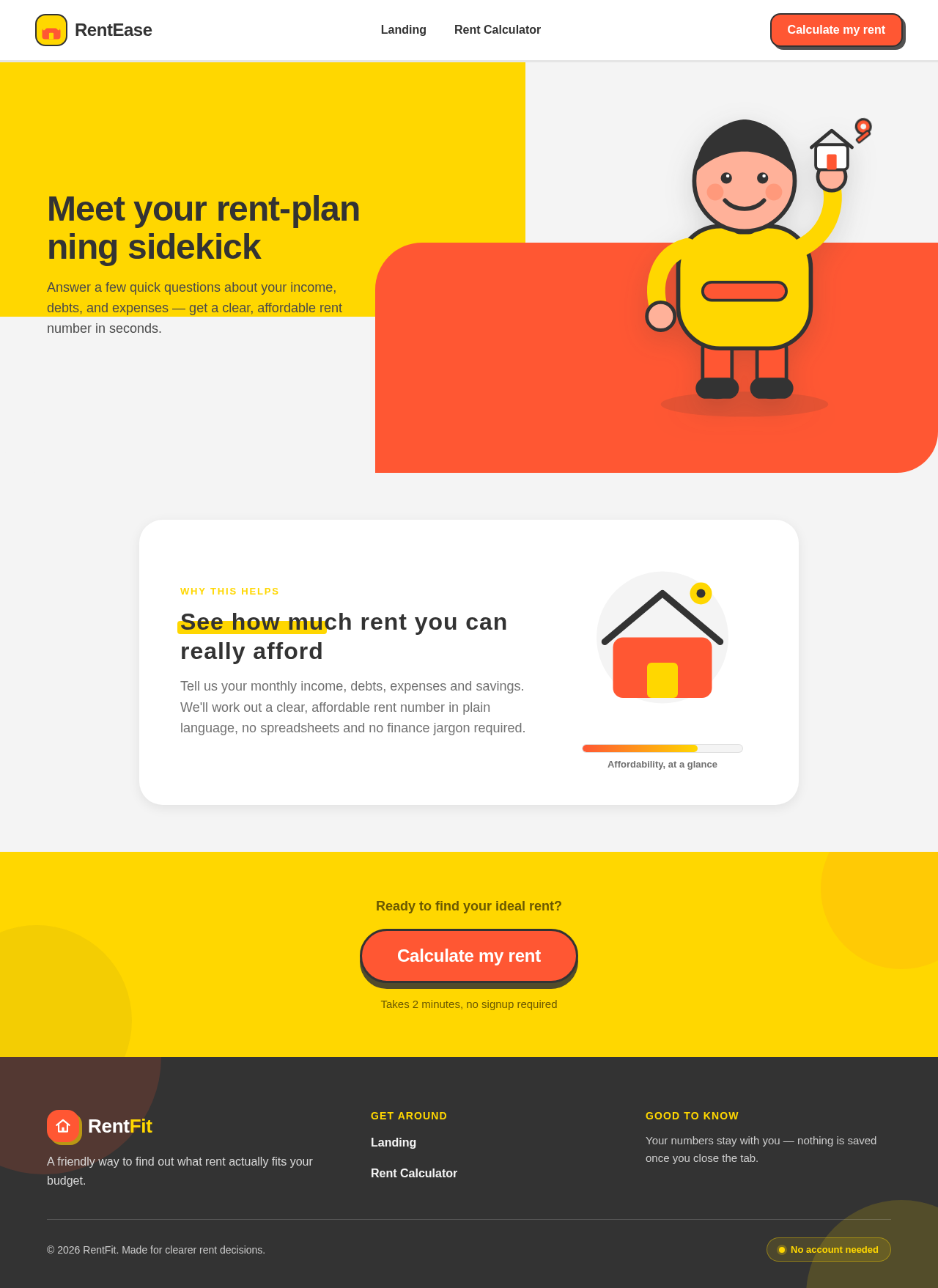
Answer a few quick questions about your income, debts, and expenses — get a clear, affordable rent number in seconds.
See how much rent you can really afford
Tell us your monthly income, debts, expenses and savings. We'll work out a clear, affordable rent number in plain language, no spreadsheets and no finance jargon required.
Answer a few quick questions about your income, debts, and expenses — get a clear, affordable rent number in seconds.
See how much rent you can really afford
Tell us your monthly income, debts, expenses and savings. We'll work out a clear, affordable rent number in plain language, no spreadsheets and no finance jargon required.
No comments yet. Be the first!