Define 01
Job
The work a bot is responsible for. You define the job in Job Setup, and the bot runs it continuously as its always-on responsibility.
Job Setup arjun patel
build me alwasy on agent or bots . multi bot ai saas app were u can define his job , with instruction and build his skills and workflow as optional with most importent plugin feature .

Sign in to leave a comment
Always-on agents
Always-on operation
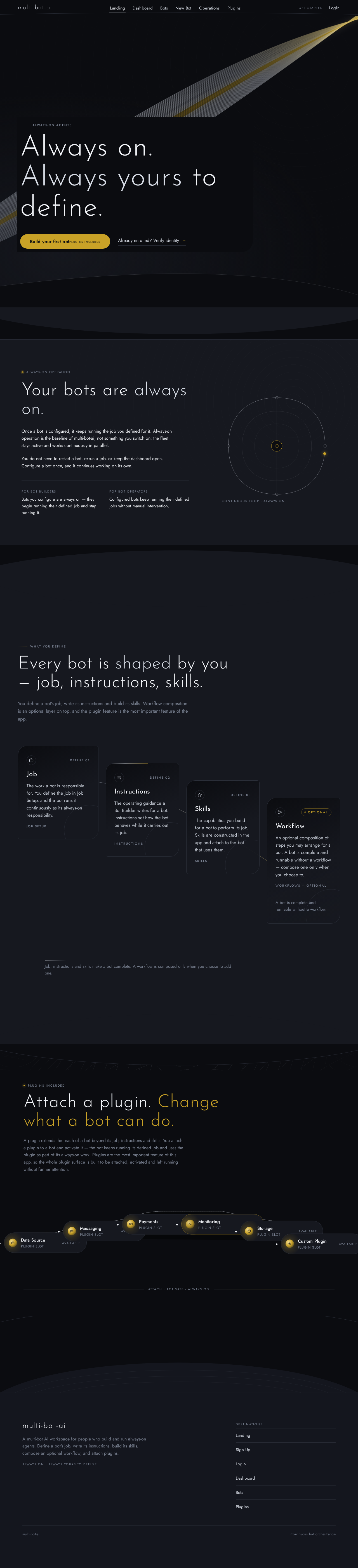
Once a bot is configured, it keeps running the job you defined for it. Always-on operation is the baseline of multi-bot-ai, not something you switch on: the fleet stays active and works continuously in parallel.
You do not need to restart a bot, re-run a job, or keep the dashboard open. Configure a bot once, and it continues working on its own.
For bot builders
Bots you configure are always on — they begin running their defined job and stay running it.
For bot operators
Configured bots keep running their defined jobs without manual intervention.
You define a bot's job, write its instructions and build its skills. Workflow composition is an optional layer on top, and the plugin feature is the most important feature of the app.
The work a bot is responsible for. You define the job in Job Setup, and the bot runs it continuously as its always-on responsibility.
Job SetupThe operating guidance a Bot Builder writes for a bot. Instructions set how the bot behaves while it carries out its job.
InstructionsThe capabilities you build for a bot to perform its job. Skills are constructed in the app and attach to the bot that uses them.
SkillsAn optional composition of steps you may arrange for a bot. A bot is complete and runnable without a workflow — compose one only when you choose to.
Workflows — optionalA bot is complete and runnable without a workflow.
Job, instructions and skills make a bot complete. A workflow is composed only when you choose to add one.
A plugin extends the reach of a bot beyond its job, instructions and skills. You attach a plugin to a bot and activate it — the bot keeps running its defined job and uses the plugin as part of its always-on work. Plugins are the most important feature of this app, so the whole plugin surface is built to be attached, activated and left running without further attention.
Always-on agents
Always-on operation
Once a bot is configured, it keeps running the job you defined for it. Always-on operation is the baseline of multi-bot-ai, not something you switch on: the fleet stays active and works continuously in parallel.
You do not need to restart a bot, re-run a job, or keep the dashboard open. Configure a bot once, and it continues working on its own.
For bot builders
Bots you configure are always on — they begin running their defined job and stay running it.
For bot operators
Configured bots keep running their defined jobs without manual intervention.
You define a bot's job, write its instructions and build its skills. Workflow composition is an optional layer on top, and the plugin feature is the most important feature of the app.
The work a bot is responsible for. You define the job in Job Setup, and the bot runs it continuously as its always-on responsibility.
Job SetupThe operating guidance a Bot Builder writes for a bot. Instructions set how the bot behaves while it carries out its job.
InstructionsThe capabilities you build for a bot to perform its job. Skills are constructed in the app and attach to the bot that uses them.
SkillsAn optional composition of steps you may arrange for a bot. A bot is complete and runnable without a workflow — compose one only when you choose to.
Workflows — optionalA bot is complete and runnable without a workflow.
Job, instructions and skills make a bot complete. A workflow is composed only when you choose to add one.
A plugin extends the reach of a bot beyond its job, instructions and skills. You attach a plugin to a bot and activate it — the bot keeps running its defined job and uses the plugin as part of its always-on work. Plugins are the most important feature of this app, so the whole plugin surface is built to be attached, activated and left running without further attention.
No comments yet. Be the first!