mstools
 Shiva Mishra


Comments (0)
Sign in to leave a comment
System Requirements
System Requirements Document for mstools
1. Introduction
1.1 MASTER DEVELOPMENT PROMPT – MSTOOLS
Act as a Senior Full-Stack Developer, SaaS Architect, UI/UX Designer, Database Engineer, Security Engineer and E-commerce Specialist.
Your task is to design and develop a complete, production-ready, subscription-based industrial e-commerce web application named MSTOOLS.
Do not create a basic demo, static landing page, cartoon-style interface or non-functional prototype. Build a premium, professional industrial B2B e-commerce platform with real authentication, database integration, subscription access control, product management, payment verification and order management.
1.2 MASTER DEVELOPMENT PROMPT – MSTOOLS / COMPANY INFORMATION
Company Name: MSTOOLS
Owner Email: mstoolserode.25@gmail.com
Business Type: Industrial Tools and Abrasives E-commerce
Target Customers:
-
Industrial companies
-
Manufacturers
-
Wholesale buyers
-
Distributors
-
Individual customers
Use MSTOOLS branding throughout the application.
1.3 MASTER DEVELOPMENT PROMPT – MSTOOLS / FIRST TASK – DO NOT BUILD EVERYTHING AT ONCE
FINAL GOAL: A fully functional, secure, premium, subscription-based industrial e-commerce platform for MSTOOLS, ready for real customers and production deployment.
Project name: mstools.
2. System Overview
MSTOOLS is a production-ready, subscription-based industrial B2B e-commerce web application. It is not a demo, static landing page, cartoon-style interface or non-functional prototype: the target is a premium, professional platform with real authentication, database integration, subscription access control, product management, payment verification and order management, ready for real customers and production deployment. The project name is mstools.
Actors. Human roles are the visitor (unauthenticated), the registered user (an individual account holder who subscribes and buys), and the administrator, who works in a separate protected admin dashboard. Supporting systems are Supabase (PostgreSQL database and authentication), Razorpay (payment gateway with webhook verification), and the server-side application layer that enforces access and pricing.
Access journey. No visitor may reach the e-commerce application without authentication. A visitor opening the site sees the Login / Register screen; new users create accounts and existing users log in. After successful login the system checks subscription status: inactive subscriptions are redirected to the subscription page, active subscriptions unlock the complete application. The product catalogue, shopping cart, checkout and customer dashboard are never exposed to unauthenticated visitors, and pages are protected on the server side rather than by hiding frontend elements.
Subscription. A monthly subscription of ₹2,999, scoped to an individual user account, with manual renewal. The flow begins at user registration and continues through payment, verification and activation, with activation records retained for administration.
Commerce journey. Once unlocked, the user reaches the dashboard, product catalogue, categories, product details, shopping cart, checkout, My Orders, Purchase Orders and Company Profile. The cart persists for logged-in users and computes subtotal, applicable GST, shipping charges and final payable amount; all important price and tax calculations are performed on the backend, and browser-submitted prices are never trusted. Purchase orders move through the statuses Submitted, Under Review, Approved, Rejected, Processing and Completed.
Catalogue. The main category is ABRASIVES, with subcategories Cutting Wheels, Grinding Wheels, Flap Disc, Polish Wheels, Buffing Wheels, Emery Paper, Emery Roll, White Wheel and Soap. Each subcategory supports multiple products, and each product carries Product Name, Product SKU, Product Code, Category, Subcategory, Brand, Product Images, Description, Size, Specifications, Price, GST Rate, Stock Quantity, Availability, Minimum Order Quantity and Unit of Measurement.
Administration. A separate protected admin dashboard reports total users, active subscriptions, expired subscriptions, subscription revenue, product orders, pending orders and pending PO requests, and holds subscription activation records. Website Settings cover company details, logo, contact information, GST settings and payment settings.
Data and security. Supabase PostgreSQL holds properly related tables: profiles, companies, addresses, subscriptions, subscription_payments, categories, subcategories, products, product_images, cart_items, orders, order_items, purchase_orders, purchase_order_items, invoices, payment_transactions and audit_logs. Security is mandatory and includes payment signature verification and webhook signature verification.
Delivery. Implementation proceeds in a fixed order: Phase 1 project setup, design system, folder structure and professional UI foundation; Phase 2 Supabase configuration, database migrations, authentication and company profiles; Phase 3 subscription system, Razorpay test integration, payment verification and protected routes; Phase 4 main dashboard, product categories, product catalogue and product details. The platform is not to be built all at once.
3. Functional Requirements
3.1 MASTER DEVELOPMENT PROMPT – MSTOOLS / MOST IMPORTANT FEATURE – MANDATORY LOGIN
No visitor should be able to access the actual e-commerce application without authentication.
Initial flow:
-
Visitor opens the website.
-
Display Login / Register screen.
-
New users can create accounts.
-
Existing users can log in.
-
After successful login, check subscription status.
-
If subscription is inactive, redirect to subscription page.
-
If subscription is active, unlock the complete e-commerce application.
Do not expose the actual product catalogue, shopping cart, checkout or customer dashboard to unauthenticated visitors.
Protect pages on the server side, not just by hiding frontend elements.
3.2 MASTER DEVELOPMENT PROMPT – MSTOOLS / USER AUTHENTICATION
Implement:
-
User registration.
-
Email and password login.
-
Email verification.
-
Forgot password.
-
Reset password.
-
Logout.
-
Session persistence.
-
Protected routes.
Use Supabase Authentication.
Each customer must have an individual account.
3.3 MASTER DEVELOPMENT PROMPT – MSTOOLS / MONTHLY SUBSCRIPTION SYSTEM
This is a core business requirement.
Subscription Price: ₹2,999
Duration: Monthly
Renewal: Manual
Subscription Scope: Individual user account.
Subscription flow:
- User registers.
Subscription rules:
-
No automatic recurring debit.
-
User must manually renew.
-
Expired users cannot access the e-commerce application.
-
Expired users should see a renewal page.
-
Failed payments must never activate subscriptions.
-
Prevent duplicate subscription activation from repeated webhooks.
-
Keep payment history.
-
Show subscription start date and expiry date.
-
Display remaining subscription days.
-
Send renewal reminders when email configuration is available.
If a customer renews early, extend the existing expiry date rather than shortening their remaining validity.
3.4 MASTER DEVELOPMENT PROMPT – MSTOOLS / PAYMENT GATEWAY
Implement:
- Backend order creation.
Implement:
- Secure payment signature verification.
Implement:
- Webhook verification.
Implement:
- Payment status storage.
Implement:
-
Failed payment handling.
-
Duplicate webhook protection.
-
Transaction reference storage.
Never trust frontend payment success alone.
Provide a Razorpay TEST MODE integration first. Switch to live mode only after the merchant account is approved and tested.
3.5 MASTER DEVELOPMENT PROMPT – MSTOOLS / COMPANY PROFILE REGISTRATION
After account creation, ask customers to complete their company information.
Fields:
-
Company Name
-
Contact Person
-
Email Address
-
Mobile Number
-
GSTIN
-
Billing Address
-
Shipping Address
-
Country
-
State
-
City
-
PIN Code
Allow customers to update their information.
Support separate billing and shipping addresses.
3.6 MASTER DEVELOPMENT PROMPT – MSTOOLS / MAIN E-COMMERCE APPLICATION
After subscription activation, unlock the complete MSTOOLS application.
Create:
-
Dashboard
-
Product Catalogue
-
Categories
-
Product Details
-
Shopping Cart
-
Checkout
-
My Orders
-
Purchase Orders
-
Company Profile
-
Subscription Details
-
Account Settings
Create a professional dashboard showing:
-
Total orders
-
Recent orders
-
Subscription status
-
Subscription expiry date
-
Quick product search
-
Popular categories
3.7 MASTER DEVELOPMENT PROMPT – MSTOOLS / PRODUCT CATEGORY STRUCTURE
Main Category:
ABRASIVES
Subcategories:
-
Cutting Wheels
-
Grinding Wheels
-
Flap Disc
-
Polish Wheels
-
Buffing Wheels
-
Emery Paper
-
Emery Roll
-
White Wheel
-
Soap
Each subcategory must support multiple products.
Each product should support:
-
Product Name
-
Product SKU
-
Product Code
-
Category
-
Subcategory
-
Brand
-
Product Images
-
Description
-
Size
-
Specifications
-
Price
-
GST Rate
-
Stock Quantity
-
Availability
-
Minimum Order Quantity
-
Unit of Measurement
Make all product information manageable through the admin panel.
Support adding more categories and subcategories later.
3.8 MASTER DEVELOPMENT PROMPT – MSTOOLS / PRODUCT CATALOGUE
Implement:
-
Product search.
-
Category filtering.
-
Subcategory filtering.
-
Brand filtering.
-
Price filtering.
-
Sorting.
-
Pagination.
-
Product detail pages.
-
Product image gallery.
-
Stock availability.
-
Quantity selection.
-
Add to Cart.
3.9 MASTER DEVELOPMENT PROMPT – MSTOOLS / SHOPPING CART
Implement:
-
Add to Cart.
-
Remove from Cart.
-
Increase quantity.
-
Decrease quantity.
-
Update cart.
-
Persist cart for logged-in users.
-
Calculate subtotal.
-
Calculate applicable GST.
-
Calculate shipping charges.
-
Calculate final payable amount.
Perform all important price and tax calculations on the backend.
Do not trust prices submitted by the browser.
3.10 MASTER DEVELOPMENT PROMPT – MSTOOLS / CHECKOUT AND PRODUCT PAYMENTS
Checkout should include:
-
Customer information.
-
Company information.
-
Billing address.
-
Shipping address.
-
Product summary.
-
Quantity.
-
GST calculation.
-
Shipping calculation.
-
Grand total.
-
Payment method.
Payment methods:
-
Online payment through Razorpay.
-
Purchase Order request.
-
Bank transfer, if enabled by admin.
Create orders only after valid payment confirmation or authorized PO approval.
3.11 MASTER DEVELOPMENT PROMPT – MSTOOLS / PURCHASE ORDER SYSTEM
Create a separate Purchase Order workflow.
Customer can:
-
Select products.
-
Enter quantities.
-
Enter company information.
-
Submit PO request.
-
Receive unique PO reference number.
-
Download PO PDF.
-
Track approval status.
Admin can:
-
Review PO requests.
-
Approve PO.
-
Reject PO.
-
Add remarks.
-
Confirm commercial terms.
-
Convert approved PO into an order.
PO statuses:
Submitted
Under Review
Approved
Rejected
Processing
Completed
Generate professional PDF documents with company information, product list, quantities, prices, dates and PO reference number.
3.12 MASTER DEVELOPMENT PROMPT – MSTOOLS / ORDER MANAGEMENT
Implement:
- Order history.
Implement:
-
Order details.
-
Order reference number.
-
Payment status.
-
Order status.
-
Invoice download.
-
Shipping information.
Allow administrators to update order statuses.
3.13 MASTER DEVELOPMENT PROMPT – MSTOOLS / ADMIN DASHBOARD
Create a separate protected admin dashboard.
Admin features:
A. Dashboard
-
Total users.
-
Active subscriptions.
-
Expired subscriptions.
-
Subscription revenue.
-
Product orders.
-
Pending orders.
-
Pending PO requests.
B. Customer Management
-
View registered customers.
-
View company profiles.
-
View subscription status.
-
View order history.
-
Manage customer accounts.
C. Subscription Management
- Active subscriptions.
-
Expired subscriptions.
-
Payment history.
-
Subscription activation records.
-
Manual administrative adjustments with audit logs.
D. Product Management
-
Add products.
-
Edit products.
-
Delete products.
-
Upload images.
-
Manage SKU.
-
Manage prices.
-
Manage stock.
E. Category Management
-
Add categories.
-
Add subcategories.
-
Edit categories.
-
Delete categories.
F. Order Management
-
View orders.
-
Update status.
-
Review payments.
-
Manage invoices.
G. Purchase Order Management
-
Review PO requests.
-
Approve or reject.
-
Add remarks.
-
Download documents.
H. Website Settings
-
Company details.
-
Logo.
-
Contact information.
-
GST settings.
-
Payment settings.
Admin access must be role-based and securely controlled through server-side authorization.
Never allow users to make themselves administrators through registration or profile editing.
3.14 MASTER DEVELOPMENT PROMPT – MSTOOLS / DATABASE ARCHITECTURE
Implement Row Level Security (RLS) on all relevant tables.
Customers must only access their own private records.
Public/unauthenticated access to protected business data must be denied.
Only authorized administrators can manage global product inventory and other customers' records.
3.15 MASTER DEVELOPMENT PROMPT – MSTOOLS / SECURITY REQUIREMENTS
Security is mandatory.
Implement:
- Server-side authentication checks.
Security is mandatory.
Implement:
- Server-side subscription checks.
Security is mandatory.
Implement:
- Role-based authorization.
Security is mandatory.
Implement:
- Supabase RLS.
3.16 MASTER DEVELOPMENT PROMPT – MSTOOLS / RESPONSIVE DESIGN
-
Android mobile.
-
iPhone.
Create a responsive sidebar for desktop and mobile navigation.
Forms and checkout must remain easy to use on mobile.
3.17 MASTER DEVELOPMENT PROMPT – MSTOOLS / FIRST TASK – DO NOT BUILD EVERYTHING AT ONCE
Start by inspecting my current project folder and checking the installed development environment.
Then:
- Explain whether the project is ready.
Then:
- Identify missing dependencies.
Then:
- Propose the complete folder architecture.
Then:
-
Create a professional MSTOOLS design system.
-
Build Phase 1 only.
-
Run the project.
-
Fix any errors.
-
Show me the working local website.
4. User Personas
4.1 MASTER DEVELOPMENT PROMPT – MSTOOLS / FIRST TASK – DO NOT BUILD EVERYTHING AT ONCE
I am a beginner and will rely heavily on AI assistance. Give me clear instructions for every manual action. Never assume I know how to configure a technical service.
5. Core User Flows
5.1 Visitor Registration and Login
Actors: Visitor (prospective customer), Supabase Authentication (supporting system).
Trigger: Visitor opens the MSTOOLS website.
- The site displays the Login / Register screen; no catalogue, cart, checkout or customer dashboard is reachable.
- A new visitor registers with email and password; an existing user logs in with the same credentials.
- The system sends an email verification; the visitor confirms the address.
- On successful authentication, the system checks the account's subscription status.
- If the subscription is inactive, the user is redirected to the subscription page (Journey 3).
- If active, the complete e-commerce application unlocks.
Branches and recovery: Forgot password sends a reset link; the user sets a new password and returns to login. Sessions persist across visits, and protected routes are enforced server-side, so direct URL access without authentication is refused rather than merely hidden.
Result: An authenticated, individually owned customer account with a known subscription state.
5.2 Company Profile Completion
Actors: Customer, Admin (later viewer of the profile).
Trigger: Account creation completes.
- The customer is asked to complete company information: Company Name, Contact Person, Email Address, Mobile Number, GSTIN, Billing Address, Shipping Address, Country.
- The customer saves the profile.
- The customer may return later and update any of these details.
Result: A stored company profile that feeds checkout and is visible to the admin in customer management.
5.3 Monthly Subscription Purchase and Renewal
Actors: Customer, backend order service, payment gateway (Razorpay), server-side verification.
Trigger: Customer reaches the subscription page with an inactive subscription, or chooses to renew.
- The page displays the ₹2,999 monthly subscription (individual account scope, manual renewal).
- The customer clicks Subscribe Now.
- The backend creates the payment order securely.
- The gateway checkout opens; the customer pays.
- The server verifies the payment signature and confirms payment against the trusted gateway status/webhook.
- Only after successful verification is the subscription activated.
- The customer is redirected to the main application.
Branches and recovery: A failed payment leaves the subscription inactive and the customer on the subscription page to retry. Early renewal extends the existing expiry date rather than shortening remaining validity.
Result: An active monthly subscription unlocking the application, with a visible expiry date.
5.4 Product Discovery and Cart Building
Actors: Customer.
Trigger: Customer enters the unlocked application.
- The dashboard shows total orders, recent orders, subscription status and expiry date, quick product search and popular categories.
- The customer searches or filters the catalogue by category, subcategory, brand and price.
- The customer opens a product detail page and selects a quantity.
- The customer adds the item to the cart.
- In the cart, the customer increases or decreases quantity, removes items, and updates the cart.
Result: A cart ready for checkout or for a Purchase Order request.
5.5 Checkout with Online Payment
Actors: Customer, Razorpay, backend order service.
Trigger: Customer proceeds from the cart.
- Checkout presents customer information, company information, billing and shipping addresses, product summary, quantity, GST calculation, shipping calculation, grand total and payment method.
- The customer selects online payment through Razorpay and pays.
- The order is created only after valid payment confirmation.
Branches and recovery: Failed payments are handled without creating an order; the customer can retry. Bank transfer appears only if enabled by admin.
Result: A confirmed order visible in order history and to the admin.
5.6 Purchase Order Request and Approval
Actors: Customer, Admin.
Trigger: Customer prefers PO-based purchasing instead of online payment.
- The customer selects products and enters quantities and company information.
- The customer submits the PO request and receives a unique PO reference number.
- The customer downloads the PO PDF and tracks approval status.
- The admin reviews the request, then approves or rejects it, adding remarks and confirming commercial terms.
- An approved PO is converted into an order.
Branches and recovery: A rejected PO remains visible with the admin's remarks; the customer can raise a new request. No order exists until authorized PO approval.
Result: A tracked PO that becomes an order on approval.
5.7 Order Tracking and Administration
Actors: Customer, Admin.
Trigger: Customer reviews past purchases, or admin processes orders.
- The customer opens order history and order details.
- The admin views orders, updates statuses, reviews payments and manages invoices.
- The customer sees the updated status in order details.
Result: Orders progress through admin-managed statuses with customer visibility.
5.8 Admin Catalogue and Customer Management
Actors: Admin.
Trigger: Admin maintains the storefront.
- Admin adds, edits or deletes products, uploads images, and manages SKU, prices and stock.
- Admin adds, edits or deletes categories and subcategories.
- Admin views registered customers, company profiles, subscription status and order history, and manages customer accounts.
- Admin reviews PO requests, approves or rejects them, adds remarks and downloads documents.
Result: All product information and customer records remain manageable through the admin panel.
5.9 Account and Subscription Self-Service
Actors: Customer.
Trigger: Customer needs account or billing information.
- The customer opens Subscription Details or Account Settings from the application.
- The customer reviews subscription status and expiry date, and updates company information.
- The customer logs out when finished; the session ends and protected routes again require authentication.
Result: Customer-controlled account data with a clear subscription state.
5.10 MASTER DEVELOPMENT PROMPT – MSTOOLS / MONTHLY SUBSCRIPTION SYSTEM
-
User completes company profile.
-
User reaches subscription page.
-
Display ₹2,999 monthly subscription.
-
User clicks Subscribe Now.
-
Create payment order securely from backend.
-
Open payment gateway checkout.
-
Verify payment signature on server.
-
Confirm payment using trusted gateway status/webhook.
-
Activate subscription only after successful verification.
-
Redirect user to the main application.
6. Visuals Colors and Theme
[Design proposal; unspecified choices are defaults.]
6.1 Industrial grit, framed in navy and brass
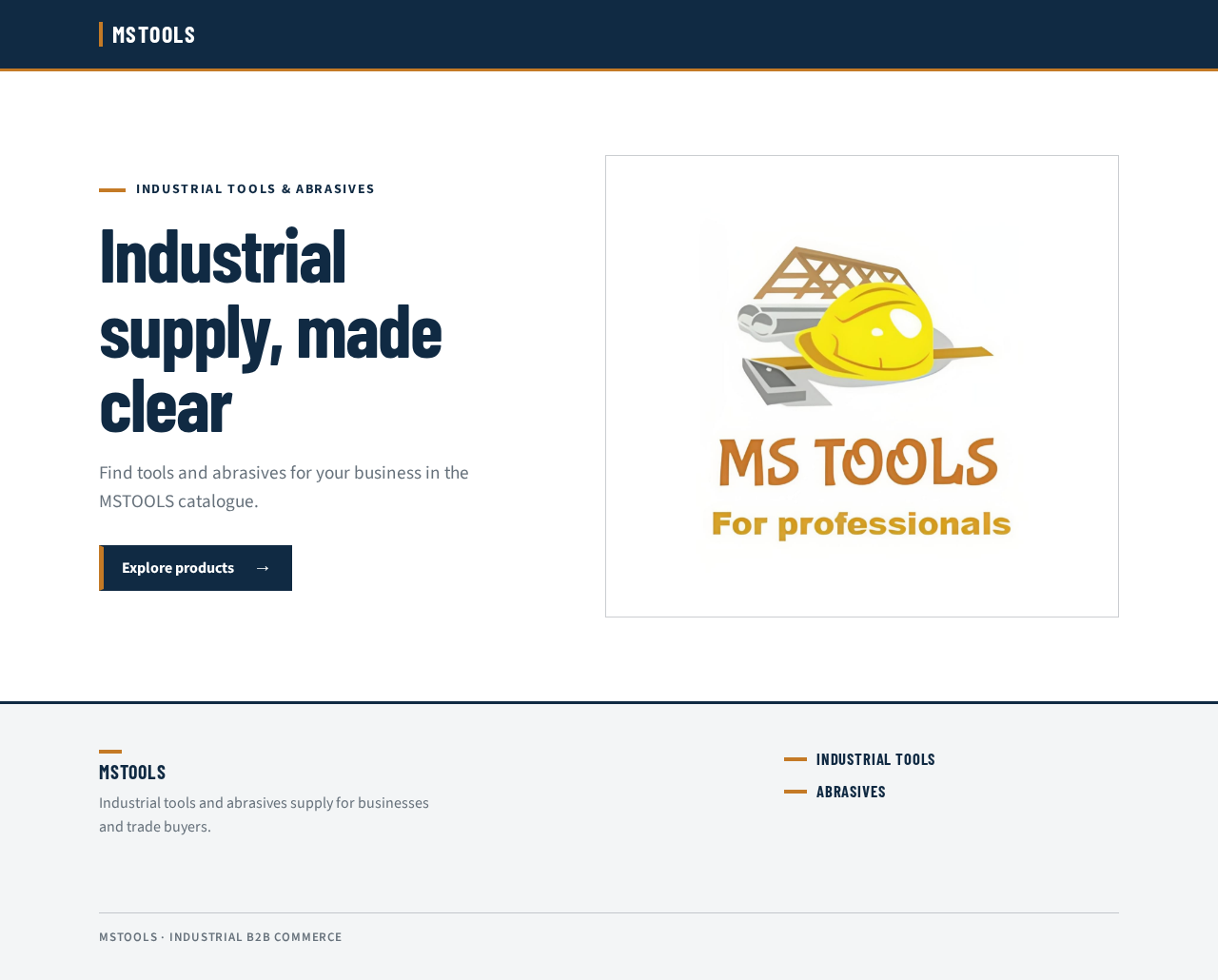
Muse: Aaron Draplin. Headline: “Industrial supply, made clear.” MSTOOLS is a premium industrial commerce platform for industrial companies, manufacturers, wholesale buyers, distributors, and individual customers—not a demo, static landing page, or school-project interface.
Design tokens:
- Background:
#FFFFFF - Surface and secondary panels:
#F3F5F6 - Primary navy controls and navigation:
#102A43 - Text:
#17212B - Measured brass/gold signal:
#C47A26 - Muted text, borders, and labels:
#66717B - Headings: Barlow Condensed, bold and compact
- Body and labels: Source Sans 3, medium weights where clarity requires it
- Type scale: 1.25 ratio; display text from
44pxon mobile to80pxon desktop, followed by32px,24px,18px, and16px - Shape language: square-corner panels, thick navy rules, compact gold labels, thin cool-grey image rules, and consistent buttons, forms, and icons
- Spacing: premium, disciplined spacing with structured grids
The public entry uses a navy navigation band with the MSTOOLS wordmark and clear account controls. A white hero places the large left-aligned headline beside a wide, licensed photograph of a real industrial tool or abrasive; the compact CTA sits below in navy with a controlled gold signal. On mobile, the photograph stacks beneath the text. Category labels use short gold bars and bold navy text; product photographs are framed by thin grey rules, with stock status beside the product name. Use a neutral product placeholder when a verified image is unavailable. Avoid gradients, glass panels, cartoon tools, emojis, oversized decorative illustrations, gaming-style UI, excessive gold, and unverified image links.
The responsive system supports desktop, tablet, Android mobile, and iPhone layouts, with a professional navigation bar and a collapsible category sidebar for desktop and mobile. At 375px, 768px, and 1280px, all readable text, wordmarks, labels, numbers, cards, and controls remain wholly inside their containers and viewport, wrapping or scaling rather than clipping or overflowing. Product cards stay clean, professional, and structured.
6.2 MASTER DEVELOPMENT PROMPT – MSTOOLS / DESIGN DIRECTION
-
Professional white and deep navy blue theme.
-
Clean typography.
-
Premium spacing and layouts.
-
Modern cards and structured grids.
-
Professional product photography.
-
Smooth but subtle animations.
-
Consistent buttons, forms and icons.
-
Responsive desktop, tablet and mobile layouts.
-
Professional navigation and sidebar.
Avoid:
-
Cartoon designs.
-
Gaming-style UI.
-
Excessive gradients.
-
Excessive glassmorphism.
-
Random emojis.
-
Oversized decorative illustrations.
-
Generic AI-generated landing page layouts.
Use genuine product photography from properly licensed sources such as Unsplash or other legitimate image providers. Product images should match the actual industrial product. Use placeholders when actual product images are unavailable.
The application should look like a premium industrial commerce platform, not a school project.
6.3 MASTER DEVELOPMENT PROMPT – MSTOOLS / PRODUCT CATALOGUE
Make product cards clean and professional.
7. Signature Design Concept
[Design proposal; unspecified choices are defaults.]
MSTOOLS is industrial grit, framed in navy and brass: a premium, practical catalogue and business-tool environment where clear hierarchy communicates dependable purchasing. Aaron Draplin’s sturdy labels and workwear palette inform the compact headings, strong rules, and warm signal colour, while the required white and deep navy foundation keeps the subscription-based industrial B2B commerce experience professional and readable.
The signature public entry recomposes only accepted content into a focused catalogue invitation: a deep navy navigation band, the MSTOOLS wordmark, account controls, and a white hero with the accepted copy—“Industrial supply, made clear”, “Find tools and abrasives for your business in the MSTOOLS catalogue.”, and “Explore products”. The hero’s licensed industrial product photograph gives the brand a tangible commerce reference without inventing a product or destination. The same visual language carries into authenticated catalogue, account, checkout, order, and administrative surfaces through square panels, compact labels, structured grids, consistent buttons, forms, icons, and professional product photography.
Product and business information take precedence over decoration: category, product, stock, pricing, subscription, order, and payment states use clear text and restrained brass markers. The system must feel production-ready and trustworthy, preserve readable containment at every supported viewport, and avoid generic AI landing-page patterns, oversized illustrations, gaming styling, and excessive ornament.
7.1 MASTER DEVELOPMENT PROMPT – MSTOOLS / DESIGN DIRECTION
Create a premium industrial corporate design.
Design requirements:
8. Interaction Model & Motion Direction
[Design proposal; unspecified choices are defaults.]
Interaction Model: Static (direction) Motion Tempo: restrained Hero Dimensionality: flat
8.1 Landing Hero Motion Brief
Focal subject: a verified photograph of a real industrial tool or abrasive, framed by a thin cool-grey rule beside the MSTOOLS hero copy.
Input → transformation → outcome thesis: the visitor selects the accepted “Explore products” CTA; the interface makes a short, direct state change toward the product catalogue, communicating that a clear entry point leads to dependable industrial product choices. No new behaviour or destination is introduced.
Motion vocabulary: short fades, direct state changes, restrained opacity and position transitions, and subtle control feedback. No decorative floating shapes, gradients, parallax, exaggerated scaling, or continuous motion. The first frame is composed and stable: navy navigation band above, left-aligned headline and subline on white, compact CTA below, and the wide industrial photograph to the right on desktop. On mobile, the complete text and controls remain visible before the photograph stacks beneath them.
Reduced-motion state: disable decorative animation and transition directly between states. Keep the hero fully static, with the CTA clearly usable and the product photograph presented without movement or cropping over readable content. Any responsive or scrollable catalogue content can be brought fully into view without requiring animation.
9. Non-Functional Requirements
9.1 MASTER DEVELOPMENT PROMPT – MSTOOLS / MONTHLY SUBSCRIPTION SYSTEM
Subscription expiry must be calculated safely using calendar-month logic.
9.2 MASTER DEVELOPMENT PROMPT – MSTOOLS / PAYMENT GATEWAY
Do not hardcode API keys or expose secret credentials in frontend code.
Use environment variables.
9.3 MASTER DEVELOPMENT PROMPT – MSTOOLS / SECURITY REQUIREMENTS
Security is mandatory.
Implement:
- Secure environment variables.
Security is mandatory.
Implement:
- Payment signature verification.
Security is mandatory.
Implement:
- Webhook signature verification.
Security is mandatory.
Implement:
-
Input validation.
-
Secure database queries.
-
Protection against duplicate payment processing.
-
Safe error handling.
-
Audit logs for important admin actions.
Never:
- Hardcode passwords.
-
Expose service role keys.
-
Expose Razorpay secret keys.
-
Trust frontend payment status.
-
Allow customers to modify subscription status.
-
Allow customers to change their role to admin.
-
Store raw card information.
9.4 MASTER DEVELOPMENT PROMPT – MSTOOLS / RESPONSIVE DESIGN
The entire application must work properly on:
-
Desktop.
-
Laptop.
-
Tablet.
10. Tech Stack
10.1 MASTER DEVELOPMENT PROMPT – MSTOOLS / PAYMENT GATEWAY
Use Razorpay for:
-
Monthly subscription payment.
-
Product order payment.
10.2 MASTER DEVELOPMENT PROMPT – MSTOOLS / DATABASE ARCHITECTURE
Use Supabase PostgreSQL.
Create properly related database tables:
-
profiles
-
companies
-
addresses
-
subscriptions
-
subscription_payments
-
categories
-
subcategories
-
products
-
product_images
-
cart_items
-
orders
-
order_items
-
purchase_orders
-
purchase_order_items
-
invoices
-
payment_transactions
- audit_logs
Include:
-
UUID primary keys.
-
Foreign key relationships.
-
Created and updated timestamps.
-
Appropriate indexes.
-
Unique constraints.
-
Database migrations.
10.3 MASTER DEVELOPMENT PROMPT – MSTOOLS / TECHNOLOGY STACK
Use:
Frontend:
-
Next.js App Router
-
React
-
TypeScript
-
Tailwind CSS
Use:
Backend:
-
Next.js Server Actions / Route Handlers
-
Supabase
Use:
Database:
- PostgreSQL
Use:
Authentication:
- Supabase Auth
Use:
Payment:
- Razorpay
Use:
Storage:
- Supabase Storage
Hosting:
- Vercel
Version Control:
- GitHub
Use a modular and maintainable architecture.
10.4 MASTER DEVELOPMENT PROMPT – MSTOOLS / DEVELOPMENT RULES
-
Use proper TypeScript types.
-
Provide Supabase SQL migration files.
11. Assumptions and Constraints
11.1 MASTER DEVELOPMENT PROMPT – MSTOOLS / COMPANY INFORMATION
Do not invent company address, GST number, phone number or other official details. Keep these configurable from the admin panel.
11.2 MASTER DEVELOPMENT PROMPT – MSTOOLS / PRODUCT CATEGORY STRUCTURE
Do not invent actual product prices, specifications, brands or inventory.
11.3 MASTER DEVELOPMENT PROMPT – MSTOOLS / DEVELOPMENT RULES
Follow these instructions strictly:
-
First inspect the current project folder.
-
Do not delete existing user files without permission.
-
Create a proper project architecture.
-
Explain the development phases.
-
Build one phase at a time.
-
Do not skip database planning.
-
Do not use fake backend data as a replacement for real functionality.
-
Do not create fake payment success functionality.
-
Do not claim any feature is complete without testing it.
-
Run the application and fix build errors.
-
Keep code clean and modular.
-
Create README documentation.
-
Create an environment variable example file without real secrets.
-
Explain every external account or credential required.
-
Ask me before any irreversible operation.
-
Do not silently skip unfinished features.
11.4 MASTER DEVELOPMENT PROMPT – MSTOOLS / IMPLEMENTATION PHASES
Develop in this exact order:
PHASE 1:
Project setup, design system, folder structure and professional UI foundation.
PHASE 2:
Supabase configuration, database migrations, authentication and company profiles.
PHASE 3:
Subscription system, Razorpay test integration, payment verification and protected routes.
PHASE 4:
Main dashboard, product categories, product catalogue and product details.
PHASE 5:
Shopping cart, checkout, product payments and inventory.
PHASE 6:
Purchase Order system and PDF generation.
PHASE 7:
Admin dashboard and complete management functionality.
PHASE 8:
Security audit, RLS verification, testing, performance and responsive optimization.
PHASE 9:
Production deployment, domain connection and final documentation.
11.5 MASTER DEVELOPMENT PROMPT – MSTOOLS / FIRST TASK – DO NOT BUILD EVERYTHING AT ONCE
Start by inspecting my current project folder and checking the installed development environment.
Do not begin payment integration or production database operations before the initial project foundation is reviewed.
For every phase, provide:
-
What you implemented.
-
Files created or modified.
-
Commands executed.
-
Testing results.
-
Any remaining work.
-
Exact next action for me.
12. Glossary
12.1 MASTER DEVELOPMENT PROMPT – MSTOOLS / ORDER MANAGEMENT
Order statuses:
-
Pending
-
Confirmed
-
Processing
-
Shipped
-
Delivered
-
Cancelled
Industrial tools & abrasives
Industrial supply, made clear
Find tools and abrasives for your business in the MSTOOLS catalogue.

Industrial tools & abrasives
Industrial supply, made clear
Find tools and abrasives for your business in the MSTOOLS catalogue.
No comments yet. Be the first!