Cursor Control
Steer the on-screen pointer with subtle facial movements. The front camera tracks your motion and translates it into smooth, precise navigation.
Fully hands-free Chandra Mouli Puli
Build a mobile app: create an app which is like a facial cursor app but which can scroll u copy facial cursor apps and create but it should scroll. If u have any doubts ask me and tell me how much time will to take to finish the app it should scan the movements and do the thing

Sign in to leave a comment
The "Movable and Scrollable Cursor for Mobile" project aims to develop a mobile application that functions like a facial cursor app with added scrolling capabilities. This app is designed for users who prefer hands-free navigation on their mobile devices, providing a PC-like experience through facial movements.
This mobile application will utilize the device's front camera to detect facial movements, allowing users to control a cursor and scroll through content without using their hands. The app will be free to use and will include adjustable speed settings for personalized user experience.
Facial Movement Detection:
Scrolling:
Clicking:
Speed Adjustment:
Interactive Galaxy Interface: The home screen will feature an interactive galaxy map where each star represents a different feature of the app. Users can click on stars to access features, drag to rotate the galaxy, and hover to highlight connections. This concept will be brought to life using @react-three/fiber for 3D rendering and gsap for smooth animations and transitions.
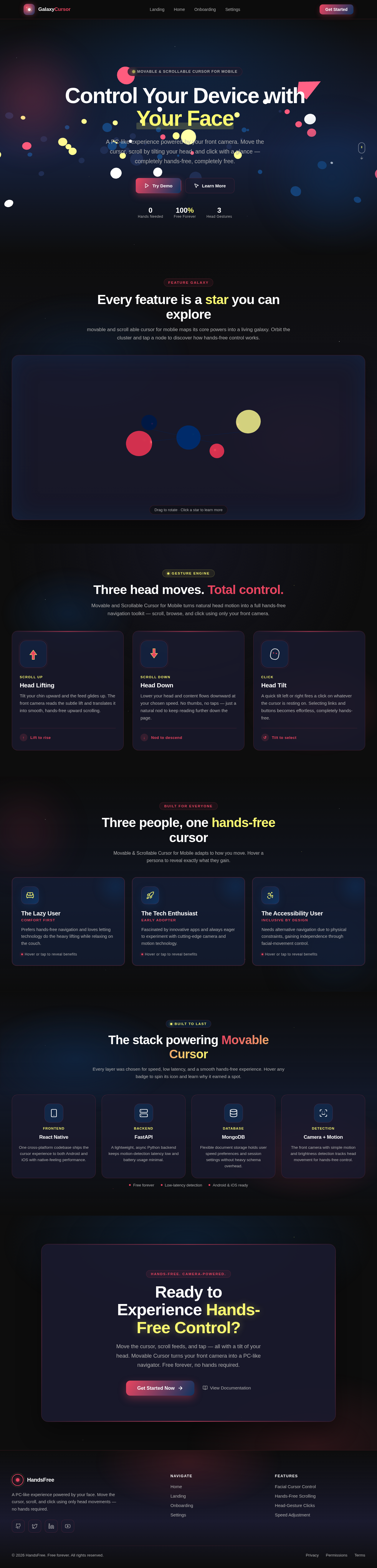
A PC-like experience powered by your front camera. Move the cursor, scroll by tilting your head, and click with a glance — completely hands-free, completely free.
movable and scroll able cursor for moblie maps its core powers into a living galaxy. Orbit the cluster and tap a node to discover how hands-free control works.
Steer the on-screen pointer with subtle facial movements. The front camera tracks your motion and translates it into smooth, precise navigation.
Fully hands-freeLift your head to scroll up, drop it to scroll down. Browse feeds, articles, and images without ever touching the screen.
Tilt to scrollTip your head left or right to trigger a click. Selecting buttons and links becomes a natural, effortless gesture.
Gesture clicksDial in cursor sensitivity from the settings slider. Tune the experience to feel exactly like the PC you know.
Personalized paceMovable and Scrollable Cursor for Mobile turns natural head motion into a full hands-free navigation toolkit — scroll, browse, and click using only your front camera.
Tilt your chin upward and the feed glides up. The front camera reads the subtle lift and translates it into smooth, hands-free upward scrolling.
↑Lift to riseLower your head and content flows downward at your chosen speed. No thumbs, no taps — just a natural nod to keep reading further down the page.
↓Nod to descendA quick tilt left or right fires a click on whatever the cursor is resting on. Selecting links and buttons becomes effortless, completely hands-free.
↺Tilt to selectMovable & Scrollable Cursor for Mobile adapts to how you move. Hover a persona to reveal exactly what they gain.
Comfort First
Prefers hands-free navigation and loves letting technology do the heavy lifting while relaxing on the couch.
Hover or tap to reveal benefitsEarly Adopter
Fascinated by innovative apps and always eager to experiment with cutting-edge camera and motion technology.
Hover or tap to reveal benefitsInclusive by Design
Needs alternative navigation due to physical constraints, gaining independence through facial-movement control.
Hover or tap to reveal benefitsEvery layer was chosen for speed, low latency, and a smooth hands-free experience. Hover any badge to spin its icon and learn why it earned a spot.
One cross-platform codebase ships the cursor experience to both Android and iOS with native-feeling performance.
A lightweight, async Python backend keeps motion-detection latency low and battery usage minimal.
Flexible document storage holds user speed preferences and session settings without heavy schema overhead.
The front camera with simple motion and brightness detection tracks head movement for hands-free control.
Move the cursor, scroll feeds, and tap — all with a tilt of your head. Movable Cursor turns your front camera into a PC-like navigator. Free forever, no hands required.
No comments yet. Be the first!