moon-cms
 Minapara Siraz
Create cms builder using python
Comments (0)
Sign in to leave a comment
System Requirements
System Requirements Document (SRD)
1. Introduction
This document outlines the system requirements for a lightweight CMS builder developed using Python. The CMS is designed to be simple and efficient, focusing on basic content creation and management. The system will support posts, and additional features like categories and tags will enhance content organization.
2. System Overview
The CMS builder is a lightweight, Python-based application aimed at providing users with a straightforward platform for creating and managing content. The system will prioritize simplicity and usability, offering basic CRUD (Create, Read, Update, Delete) functionality for posts. It will also include features for categorizing and tagging content to improve organization and searchability.
3. Functional Requirements as Story Points
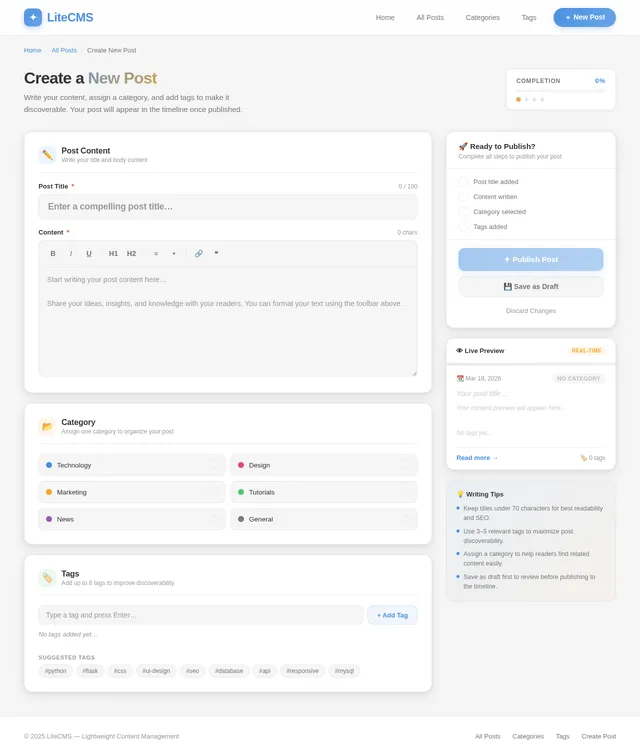
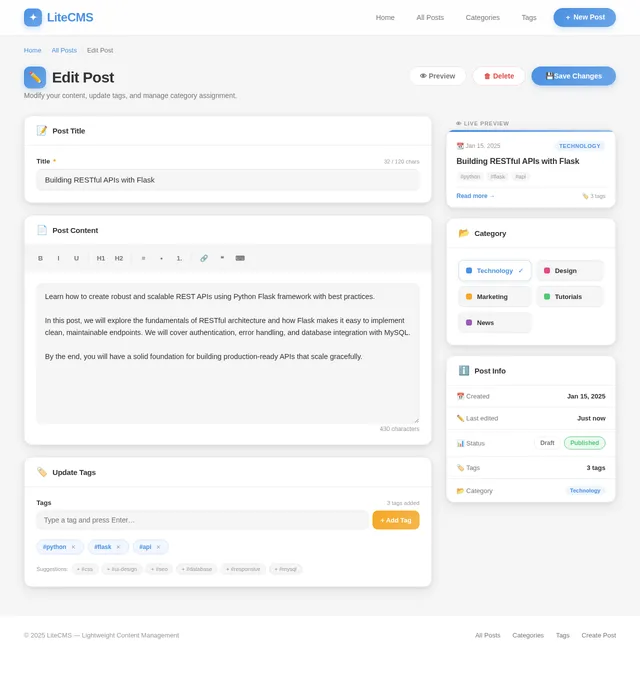
- As a User, I should be able to create, edit, and delete posts.
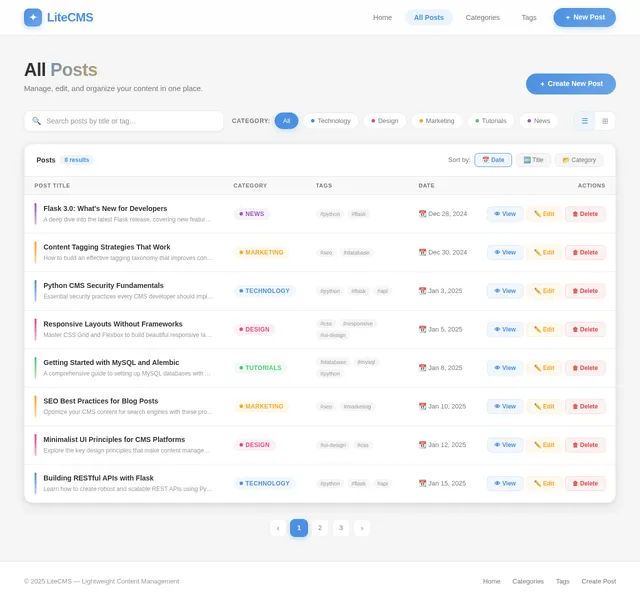
- As a User, I should be able to view a list of all posts.
- As a User, I should be able to assign categories to posts.
- As a User, I should be able to add tags to posts.
- As a User, I should be able to filter posts by categories.
- As a User, I should be able to search posts by tags.
4. User Personas
- User: The primary user of the CMS who creates, edits, and manages posts. They will also organize content using categories and tags.
5. Visuals Colors and Theme
The CMS will use a clean and minimalistic design to align with its lightweight nature. The proposed color scheme includes:
- Primary Color: Soft Blue (#4A90E2) for buttons and highlights.
- Secondary Color: Light Gray (#F5F5F5) for backgrounds.
- Accent Color: Vibrant Orange (#F5A623) for notifications or important actions.
- Text Color: Dark Gray (#333333) for readability.
The theme will focus on simplicity, with a responsive layout that works seamlessly across devices.
6. Signature Design Concept
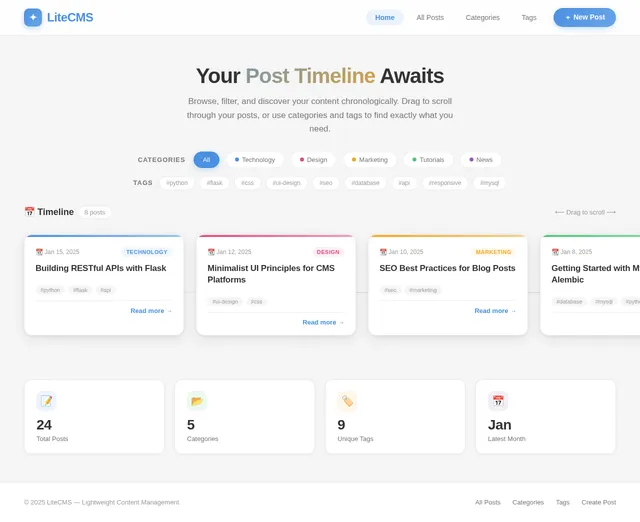
The homepage of the CMS will feature an interactive "Post Timeline". This timeline will visually display posts as cards arranged chronologically, with smooth horizontal scrolling. Each card will show a preview of the post, including its title, date, category, and tags.
Key Features:
- Hover Animation: When hovering over a card, it will slightly enlarge and display additional details like a short excerpt or the number of tags.
- Drag-and-Scroll Interaction: Users can click and drag to scroll through the timeline, creating a tactile and engaging experience.
- Dynamic Filters: Above the timeline, users can select categories or tags to instantly filter the visible posts. The timeline will animate smoothly as it updates.
- Color-Coded Categories: Each card will have a small color-coded strip to indicate its category, making it easy to identify at a glance.
- Micro-Interactions: Subtle animations, such as a ripple effect when clicking on a card, will add polish and delight.
This design concept ensures the CMS is not only functional but also visually appealing and enjoyable to use.
7. Non-Functional Requirements
- The system should be lightweight and fast, with minimal load times.
- The CMS should be responsive and work seamlessly on desktops, tablets, and mobile devices.
- The system should be secure, ensuring that only authorized users can create, edit, or delete posts.
- The database should efficiently handle categorization and tagging for posts.
8. Tech Stack
- Frontend: Flask for lightweight web application development.
- Backend: Python for server-side logic.
- Database: MySQL for relational data management, using Alembic for migrations.
9. Assumptions and Constraints
- The CMS will initially support only one user role (User) with no multi-user or admin functionality.
- The system will focus on posts, categories, and tags without additional features like media uploads or advanced analytics.
- The CMS will not include a drag-and-drop interface, keeping the design and functionality basic.
10. Glossary
- CMS: Content Management System, a platform for creating and managing digital content.
- CRUD: Create, Read, Update, Delete; basic operations for managing data.
- Category: A label used to group related posts.
- Tag: A keyword or term assigned to a post to describe its content and facilitate searchability.
- Flask: A lightweight Python web framework.
- MySQL: A relational database management system.
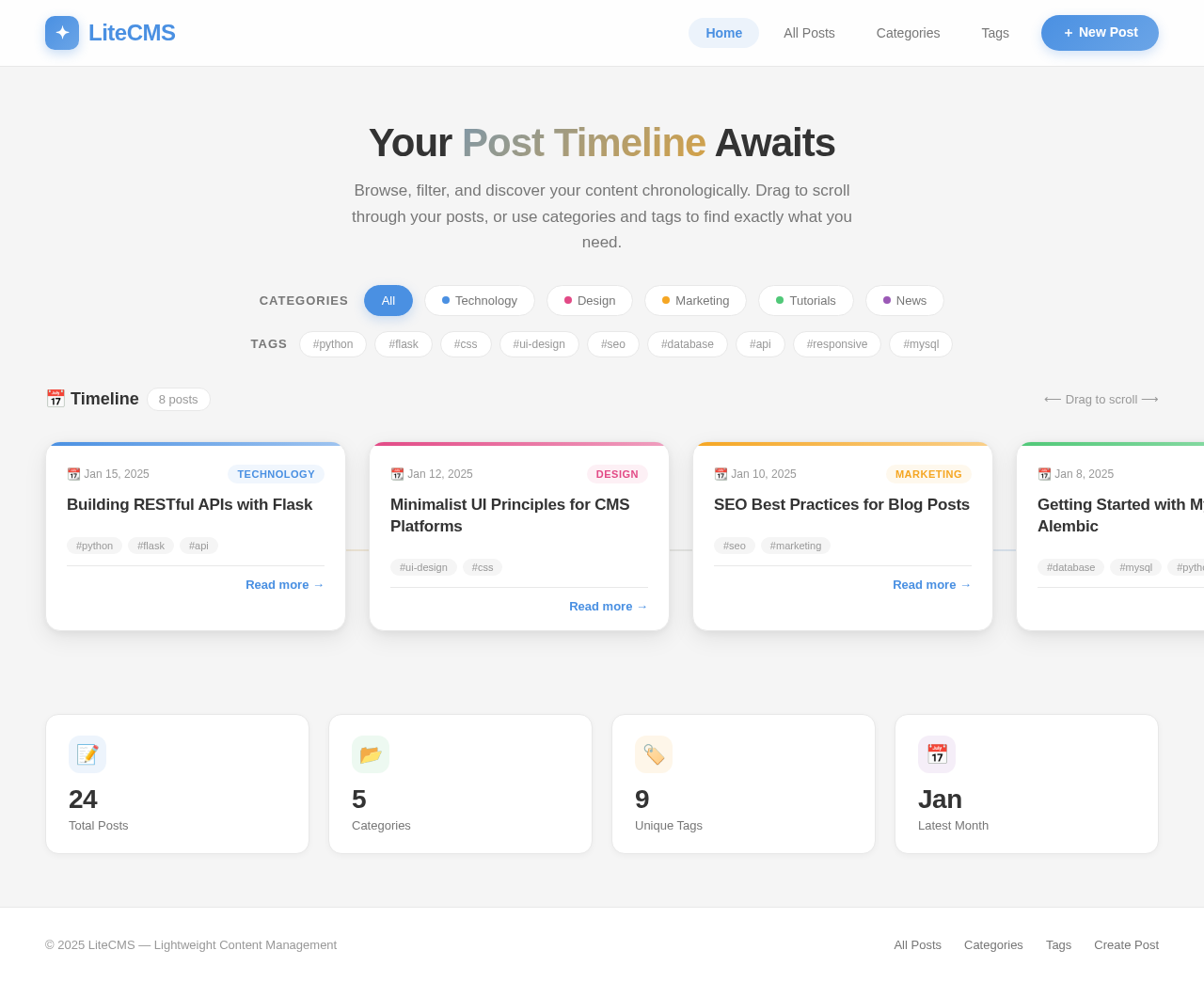
Your Post Timeline Awaits
Browse, filter, and discover your content chronologically. Drag to scroll through your posts, or use categories and tags to find exactly what you need.
Building RESTful APIs with Flask
Learn how to create robust and scalable REST APIs using Python Flask framework with best practices.
Minimalist UI Principles for CMS Platforms
Explore the key design principles that make content management systems intuitive and delightful to use.
SEO Best Practices for Blog Posts
Optimize your CMS content for search engines with these proven strategies and techniques.
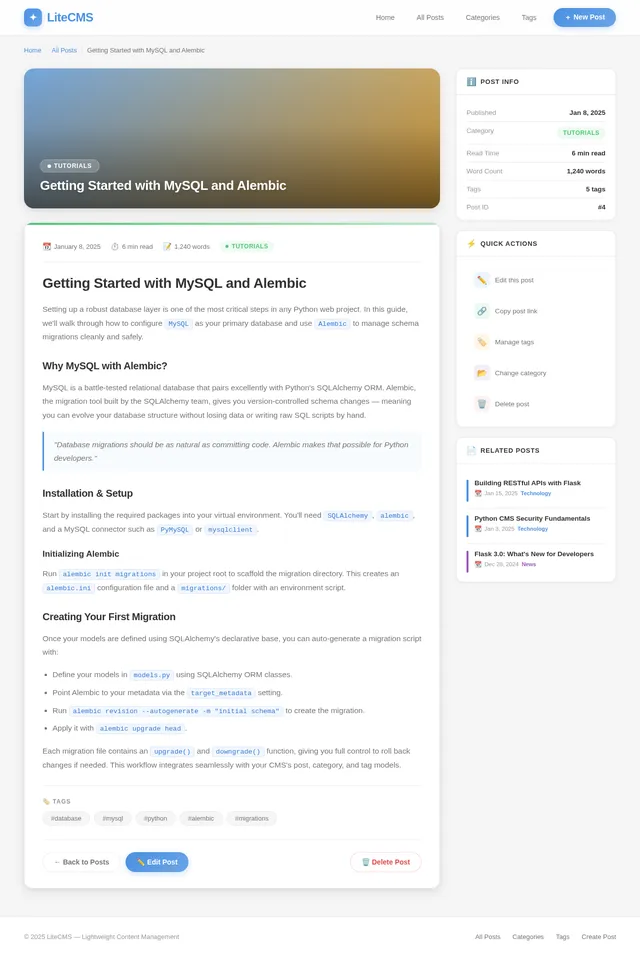
Getting Started with MySQL and Alembic
A comprehensive guide to setting up MySQL databases with Alembic migrations for your Python projects.
Responsive Layouts Without Frameworks
Master CSS Grid and Flexbox to build beautiful responsive layouts from scratch without heavy frameworks.
Python CMS Security Fundamentals
Essential security practices every CMS developer should implement to protect content and user data.
Content Tagging Strategies That Work
How to build an effective tagging taxonomy that improves content discoverability and user engagement.
Flask 3.0: What's New for Developers
A deep dive into the latest Flask release, covering new features, improvements, and migration tips.
No comments yet. Be the first!