mets-toi-nu
 Lenie
Leniemets-toi nu

Comments (0)
Sign in to leave a comment
System Requirements
System Requirements Document for mets-toi-nu
1. Introduction
mets-toi-nu is a product-focused fashion experience for a shopper considering a Corset Dark Navy Bodycon Beaded Homecoming Dress. Its current scope is limited to introducing the named dress and presenting its available product information. The experience must be honest about imagery: the supplied photograph shows a person wearing a red top and jeans, not the named dress, and must not be presented as product imagery.
The intended audience is a fashion shopper who wants to view and consider this specific homecoming dress. No purchase, account, or other shopping workflow is specified.
2. System Overview
The system is a custom, anonymous web experience with two ordered destinations: Landing and Product. The Fashion shopper can enter through Landing and continue to Product to view the featured dress and available product information. Both destinations are publicly accessible; no account or identity workflow is required.
The product name and style are known, but no verified dress photograph or additional product facts are supplied. The experience must not invent product details or imply that unrelated imagery depicts the dress. If verified dress photography is unavailable, the image area must clearly communicate that the image is unavailable and request the correct asset.
Current behavior is limited to the product-focused introduction and product information view. Purchasing, account management, inventory, sizing, pricing, shipping, and other storefront workflows are not specified and are outside this SRD.
2a. Product Interpretation and Delivery Boundary
The current delivery is a first-party custom experience with anonymous access to both supplied pages. Landing introduces the named dress; Product presents its available information. The uploaded portrait is visual inspiration only and is explicitly not a reference image of the dress. It may inform a restrained vermilion accent, but it must never appear as the dress or as a product stand-in.
No verified dress image or populated product details are provided. The experience must show an honest unavailable-image state rather than substitute unrelated imagery, and must not fabricate product facts. No future requirements are specified.
2b. Page Content and Component Coverage
Landing
- Information and state
- Introduces the Corset Dark Navy Bodycon Beaded Homecoming Dress as the focus of the experience.
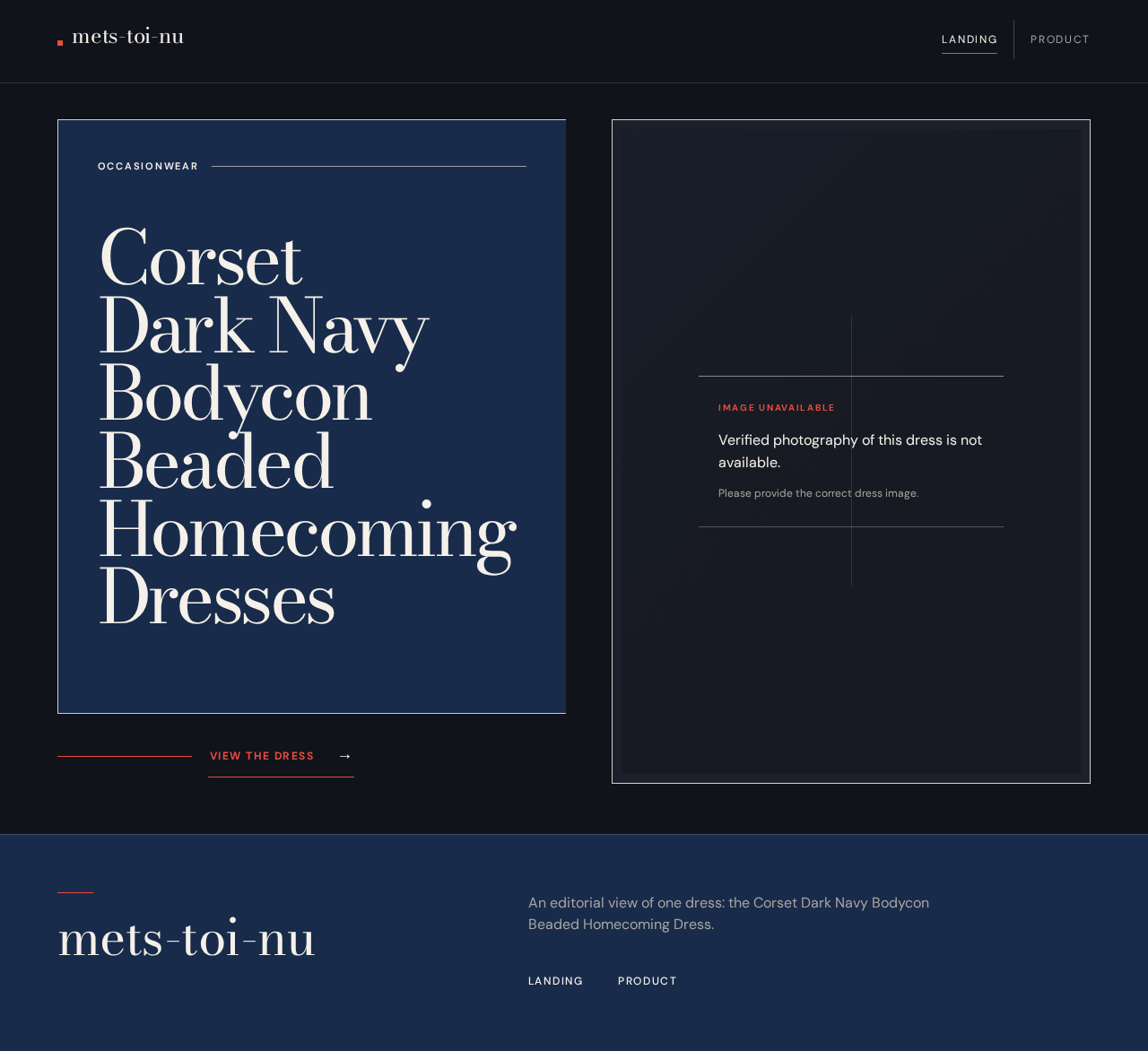
- Uses the editorial hero composition: oversized headline in a deep-navy rectangular field, adjacent image area, occasionwear micro-label, fine rule, and a compact vermilion link to Product.
- The image area displays verified photography of the named dress only when such an asset is available. Otherwise, it displays a clear unavailable-image state requesting the correct asset.
- The supplied red-top-and-jeans portrait is not used as product imagery.
- Primary action
- Follow the product link to open Product.
- Supporting components
- Compact utility header and clear navigation to Product.
- Editorial headline and occasionwear label.
- Image frame and image-index label only when a verified image is available; do not imply an image index or image set where none exists.
- Responsive layout that stacks headline, image area, and link on narrow screens without clipping readable content or controls.
- States
- Loading: Keep the image area and page structure stable while any verified image is loading.
- Empty/unavailable: Clearly state that verified dress photography is unavailable and request the correct asset; do not substitute unrelated imagery.
- Success: Show the verified dress image, if available, and the product link.
- Error/recovery: If a verified image cannot load, retain the honest unavailable-image state and allow the shopper to continue to Product.
Product
- Information and state
- Presents the named dress and only product information that is available and verified.
- Product details use sparse, ruled metadata rows for silhouette, colour, and beading only when corresponding facts are verified.
- A close-up image may be shown only when it is verified as depicting the actual garment.
- No price, sizes, stock, designer, or other product facts are supplied; do not invent or imply them.
- Primary action
- View the available information about the featured dress.
- Supporting components
- Product title and verified information.
- Verified garment image area, or a clear unavailable-image state requesting the correct asset.
- Navigation back to Landing.
- States
- Loading: Keep the product title and page structure stable while verified content loads.
- Empty/unavailable: Identify unavailable imagery or unspecified product details without filling gaps with invented content.
- Success: Display verified product information and, if available, verified dress photography.
- Error/recovery: If an image or product information cannot be loaded, communicate what is unavailable and allow the shopper to return to Landing or continue viewing the remaining available information.
3. Functional Requirements
-
As a Fashion shopper, I should be able to open Landing anonymously and understand that the experience is about the Corset Dark Navy Bodycon Beaded Homecoming Dress.
- Provenance:
explicitproduct-focused experience;required_inferenceLanding page and anonymous entry from the versioned page contract. - Lifecycle: The shopper opens Landing without establishing an account. The page presents the named dress and its editorial introduction. If content or imagery is unavailable, the page communicates that state without misrepresenting the dress. The shopper can continue to Product.
- Acceptance: Landing is publicly reachable, identifies the named dress, and does not present the uploaded red-top-and-jeans portrait as the dress.
- Provenance:
-
As a Fashion shopper, I should be able to follow the Landing product link to view the featured dress on Product.
- Provenance:
required_inferencefrom the versioned page contract and its required navigation between the product introduction and product information. - Lifecycle: From Landing, the shopper activates the product link. Product opens and presents the named dress and available verified information. If Product content fails to load, the page communicates the failure and the shopper can return to Landing.
- Acceptance: The link navigates to Product; Product identifies the named dress and provides a usable return to Landing.
- Provenance:
-
As a Fashion shopper, I should see verified dress imagery only when it is available, and otherwise see an honest unavailable-image state.
- Provenance:
explicitimage constraint and creative direction; unavailable-state behavior isrequired_inferenceto preserve truthful product presentation. - Lifecycle: On Landing or Product, the shopper encounters the image area. The system displays an image only if it is verified as depicting the named dress. If no such image is available or it fails to load, the shopper sees an unavailable-image message requesting the correct asset and can continue using the page.
- Acceptance: The uploaded portrait is never used as the dress or as a product stand-in. Missing or failed imagery does not block navigation or access to available product information.
- Provenance:
-
As a Fashion shopper, I should be able to view available product information without being shown invented details.
- Provenance:
explicitproduct-focused experience and source boundary; the named product attributes arerequired_inferenceonly as fields to display when verified, as specified by the creative direction. - Lifecycle: On Product, the shopper views the named dress and any verified information. Silhouette, colour, and beading may be shown only when their values are verified. Unspecified or unavailable details remain unstated. If information fails to load, the page communicates the limitation and the shopper can continue with remaining available information or return to Landing.
- Acceptance: No unsupported price, size, stock, designer, or other product fact is displayed or implied.
- Provenance:
4. User Personas
Fashion shopper
- Provenance:
required_inferencepersona from the versioned Planning Scope contract, grounded in the named homecoming dress and the accepted product-viewing experience. - Product context: Wants to consider a specific dark navy corset bodycon beaded homecoming dress. No purchase or account workflow is specified.
- Primary goal: Understand what the experience offers and view the featured dress and its available product information.
- Distinct responsibilities: Enter through Landing, follow the product link, and assess only the information and verified imagery presented.
- Relevant inputs and decisions: Chooses whether to continue from Landing to Product; interprets unavailable imagery or unspecified product details as unavailable rather than as implied facts.
- Interactions with other participants: No other accepted human participant is involved.
- Observable success: Reaches Product and can view available verified information without being misled by unrelated imagery or invented details.
5. Core User Flows
5.1 Discover the featured dress
- The Fashion shopper opens Landing anonymously.
- Landing introduces the Corset Dark Navy Bodycon Beaded Homecoming Dress using the editorial headline and occasionwear framing.
- If verified dress photography is available, Landing displays it. Otherwise, the image area states that verified photography is unavailable and requests the correct asset. The uploaded red-top-and-jeans portrait is not shown as the dress.
- The shopper follows the product link to Product.
- Product presents the named dress and available verified information. If an image or information is unavailable, Product communicates that limitation and retains the remaining usable content.
- The shopper may return to Landing using the page navigation. If content or imagery fails, the shopper can still continue between the two pages.
5.2 View the featured dress directly
- The Fashion shopper opens Product anonymously.
- Product identifies the named dress and displays only available verified information.
- Verified dress photography is shown only if available. Otherwise, the page presents the unavailable-image state and requests the correct asset.
- If content fails to load, Product communicates the failure and preserves access to any remaining available information.
- The shopper may return to Landing.
6. Visuals Colors and Theme
The authoritative creative direction is “After-dark occasionwear, with editorial swagger.” Its muse is Tobias van Schneider. The headline is the product name: “Corset Dark Navy Bodycon Beaded Homecoming Dresses.”
- Palette
- Background:
#11131A— ink charcoal across most of the canvas. - Surface:
#1D202A— restrained content surfaces. - Text:
#F5F0E9— warm ivory for readable text. - Primary:
#182B4A— deep navy product and editorial panels. - Accent:
#E84B3C— sparing vermilion for the primary product link, small rules, and selected labels. - Muted:
#A9A5A0— secondary text and metadata.
- Background:
- Typography
- Headings: Bodoni Moda, high-contrast editorial serif.
- Body: DM Sans, calm and compact.
- Type scale: display 56px mobile to 120px desktop; section titles 40/56px; product name 30/40px; body 16/18px; metadata 12/13px.
- Use tight headline leading, sentence case, and occasional small uppercase metadata.
- Shape and layout
- Sharp editorial edges, fine hairline rules, and deliberate rectangular colour fields; avoid ornamental rounding.
- Use an asymmetric fashion-editorial grid with a compact utility header, oversized headline on the left, and a large verified dress photograph on the right.
- On mobile, stack headline, image, and link in a deliberate sequence. Keep all readable text and controls within the viewport and their containers at 375px, 768px, and 1280px.
- Imagery
- Use large, art-directed photography of the actual dark navy corset bodycon beaded dress only when verified.
- If verified dress photography is unavailable, show an honest unavailable-image state and request the correct asset. Do not substitute unrelated imagery.
- The uploaded red-top-and-jeans portrait is not product imagery. Its red may inform the accent colour only.
- Responsive and accessibility constraints
- Headlines, labels, numbers, and controls must remain fully readable and unobscured at 375px, 768px, and 1280px; wrap or scale text to fit.
- Imagery and decoration may be cropped or overlap only where they do not cover readable text or controls.
- Respect reduced-motion preferences with a usable static composition. Any moving or scrollable content must allow every item to become fully readable through its intended motion or scrolling.
7. Signature Design Concept
Create an after-dark editorial opening for the named dress. A deep-navy rectangular field carries the oversized warm-ivory Bodoni Moda headline in short, deliberate lines. Beside it, reserve a large framed image plate for verified dress photography; when no verified image is available, the plate clearly states that the correct dress image is unavailable rather than showing a substitute. A small uppercase occasionwear label and fine ivory rule frame the composition. A thin vermilion rule leads toward a compact product link beneath the headline, making the transition to Product part of the editorial grid rather than a generic storefront button. On narrow screens, stack the headline, image area, and link without clipping text or controls.
8. Interaction Model & Motion Direction
Interaction Model: Animated
Motion Tempo: restrained
Hero Dimensionality: flat
Landing Hero Motion Brief
- Focal subject: The named dark navy corset bodycon beaded homecoming dress, represented by verified dress photography when available; otherwise, the focal image plate remains an honest unavailable-image state.
- Input → transformation → outcome: The shopper enters Landing → the headline reveals briefly and any verified dress imagery crossfades into view → the shopper can follow the product link to Product. No motion implies unavailable product facts or imagery.
- Motion vocabulary: Restrained, slow crossfades for verified product imagery; a brief type reveal on entry; subtle hover response for image swaps only when applicable. No bounce or continuous decorative animation.
- Composed first frame: Dark asymmetric layout with the warm-ivory headline in a deep-navy block, adjacent image plate, occasionwear micro-label, fine rule, and compact vermilion product link.
- Reduced-motion state: Use a static composition with all text and controls readable. Do not require animation to reveal content or make navigation usable.
9. Non-Functional Requirements
-
Responsive readability
- Provenance:
explicitcreative-direction constraint. - At 375px, 768px, and 1280px, headlines, labels, numbers, and controls must remain fully inside the viewport and their containers, with no element covering readable content. Text may wrap or scale to fit.
- Provenance:
-
Reduced motion
- Provenance:
explicitcreative-direction constraint. - Respect reduced-motion preferences with a usable static arrangement. Motion must not be necessary to access content or controls.
- Provenance:
-
Truthful product representation
- Provenance:
explicitimage constraint and creative direction. - Do not present the uploaded red-top-and-jeans portrait as the named dress or as its product photograph. Do not invent or imply product imagery when verified dress photography is unavailable.
- Provenance:
-
Content integrity
- Provenance:
required_inferencefrom the absence of verified product facts and the requirement to present available product information. - Display only verified product information. Keep unspecified details unstated; communicate unavailable imagery or information honestly.
- Provenance:
10. Tech Stack
- Frontend: [Default — not specified by user] React for the two-page custom web experience.
- Backend: Not required by the accepted current behavior; no server-side workflow or API is specified.
- Storage and deployment: [Default — not specified by user] No product-data storage or deployment technology is specified. Use the project’s existing delivery setup if present; do not add services solely for unspecified workflows.
11. Assumptions and Constraints
- The current product scope is limited to the Landing and Product pages in the supplied versioned page contract.
- The Fashion shopper is the only accepted active human persona.
- Both pages are anonymous and do not require an account.
- The product name is known; no verified dress photograph or additional product facts are supplied.
- The uploaded image depicts a person wearing a red top and jeans, not the named dress. It must not be presented as the dress or as product imagery.
- Verified dress photography and product facts may be displayed if available; otherwise, the experience must communicate their unavailability without substituting or inventing content.
- No future requirements are specified.
- [Default — not specified by user] The experience is a responsive web application; no specific browser support matrix, hosting provider, or persistence requirement is specified.
12. Glossary
- Verified dress imagery: An image confirmed to depict the named Corset Dark Navy Bodycon Beaded Homecoming Dress.
- Unavailable-image state: A clear message in the image area that verified dress photography is unavailable and the correct asset is needed.
Occasionwear
CorsetDark NavyBodyconBeadedHomecomingDresses
Verified photography of this dress is not available.
Please provide the correct dress image.Occasionwear
CorsetDark NavyBodyconBeadedHomecomingDresses
Verified photography of this dress is not available.
Please provide the correct dress image.
No comments yet. Be the first!