meta-keen
 Supash R


Comments (0)
Sign in to leave a comment
System Requirements
System Requirements Document for meta-keen
1. Introduction
1.1 PROJECT: CLASSYPRO — PREMIUM FASHION E-COMMERCE WEBSITE
Act as a senior UI/UX designer, full-stack developer, and e-commerce architect.
Build a complete, premium, modern, fully responsive fashion e-commerce website for:
Brand Name: CLASSYPRO
Business Type: Fashion Studio / Clothing Store
Location: Belagavi, Karnataka, India
Instagram: https://www.instagram.com/classypro_belgaum/
Website Goal: Create a professional online shopping experience that reflects the ClassyPro brand and allows customers to browse products and place orders through WhatsApp.
IMPORTANT:
Do not invent business information such as phone numbers, physical addresses, product prices, offers, opening hours or delivery policies. Make these configurable through the admin dashboard. Use the Instagram profile as the official social media destination.
1.2 BRAND IDENTITY
1.3 WEBSITE STRUCTURE
- Project name: meta-keen.
2. System Overview
2.1 TECHNOLOGY STACK
2.2 WEBSITE STRUCTURE
Create these public pages:
-
Home
-
Shop
-
New Arrivals
-
Categories
-
Product Details
-
Cart
-
Checkout
-
About Us
-
Contact
-
Privacy Policy
-
Terms and Conditions
-
Shipping and Returns
Admin pages:
-
Admin Login
-
Dashboard
-
Orders
-
Products
-
Add Product
-
Edit Product
-
Inventory
-
Categories
-
Store Settings
3. Functional Requirements
3.1 PROJECT: CLASSYPRO — PREMIUM FASHION E-COMMERCE WEBSITE
IMPORTANT:
Do not invent business information such as phone numbers, physical addresses, product prices, offers, opening hours or delivery policies. Make these configurable through the admin dashboard. Use the Instagram profile as the official social media destination.
3.2 BRAND IDENTITY
Create an original typographic logo using the word CLASSYPRO. Make the logo editable or replaceable through the admin panel.
3.3 HOMEPAGE DESIGN
Build the homepage in this exact order.
3.4 HOMEPAGE DESIGN / A. Announcement Bar
Make the text editable from the admin panel.
3.5 HOMEPAGE DESIGN / B. Navigation Bar
-
Search.
-
Cart.
-
Hamburger menu.
3.6 HOMEPAGE DESIGN / C. Hero Section
The hero image and text must be editable through the admin dashboard.
3.7 HOMEPAGE DESIGN / D. Shop by Category
Do not assume the exact product categories. Allow the administrator to create, edit, reorder and delete categories.
3.8 HOMEPAGE DESIGN / E. New Arrivals
Display the latest eight active products.
Each product card should show:
-
Product image.
-
Product name.
-
Selling price.
-
Original price, if applicable.
-
Discount, if applicable.
-
Availability.
-
Quick Add button.
3.9 HOMEPAGE DESIGN / F. Featured Collection
"CLASSYPRO PICKS"
Show products marked as featured by the administrator.
3.10 HOMEPAGE DESIGN / G. Brand Story
Heading:
"YOUR STYLE. YOUR STATEMENT."
Use a professional brand introduction without inventing the store's history, founders or claims.
Make the content editable from the admin panel.
3.11 HOMEPAGE DESIGN / H. Promotional Banner
Heading:
"FIND YOUR NEXT FAVOURITE."
Button:
"SHOP NOW"
The image, heading and button must be editable.
3.12 HOMEPAGE DESIGN / I. Footer
Include:
-
CLASSYPRO logo.
-
About Us.
-
Contact.
-
Shop.
-
Categories.
-
Instagram.
-
WhatsApp.
-
Privacy Policy.
-
Terms and Conditions.
-
Shipping and Returns.
-
Location: Belagavi, Karnataka, India.
Instagram button must open:
3.13 SHOP PAGE
Create a premium product listing page.
Features:
-
Product grid.
-
Search.
-
Category filters.
-
Price filters.
-
Sorting.
-
Newest first.
-
Price low to high.
-
Price high to low.
-
Availability filter.
3.14 PRODUCT DETAILS PAGE
Create a professional product detail page.
-
Image thumbnails.
-
Image zoom.
Right side:
-
Product name.
-
Selling price.
-
Original price, if applicable.
-
Discount percentage, if applicable.
-
Description.
-
Available sizes or product options.
-
Product-specific details.
-
Stock availability.
Display clear availability labels:
-
IN STOCK
-
LOW STOCK
-
Quantity selector.
-
Add to Cart button.
-
SOLD OUT
Only show sizes, colours and options configured for that product.
Validate stock before adding items to the cart and again during checkout.
3.15 CART SYSTEM
Create a functional shopping cart.
Features:
-
Add products.
-
Remove products.
-
Change quantities.
-
Select sizes or variants.
-
Calculate subtotal.
-
Calculate delivery charges.
-
Calculate final total.
-
Display product images.
Use a slide-in cart drawer with smooth animations.
Save cart data in localStorage so it remains available after refreshing the page.
Check actual product availability before checkout.
3.16 WHATSAPP CHECKOUT SYSTEM
The checkout process should work as follows:
STEP 2:
Customer enters:
-
Full name.
-
Mobile number.
-
WhatsApp number.
-
Complete delivery address.
-
City.
-
PIN code.
-
Optional delivery instructions.
STEP 3:
Validate all required fields.
STEP 4:
Recheck product prices and stock from the database.
STEP 5:
Save the complete order in Supabase.
STEP 6:
Generate a unique Order ID.
STEP 7:
Open WhatsApp with a pre-filled order message using the store's configurable WhatsApp number.
The customer must manually press Send in WhatsApp.
Example message:
Hello CLASSYPRO!
I would like to place an order.
Order ID: #CP-00001
Customer Name: [Name]
Do not display an order as WhatsApp-confirmed merely because WhatsApp opened.
Example message:
Hello CLASSYPRO!
I would like to place an order.
Order ID: #CP-00001
Customer Name: [Name]
Mobile: [Number]
Address: [Address]
ORDER DETAILS:
[Product Name]
Size/Variant: [Selected Option]
Quantity: [Quantity]
Price: ₹[Price]
Subtotal: ₹[Amount]
Delivery: ₹[Amount]
Total: ₹[Amount]
Please confirm my order.
Use a properly encoded WhatsApp URL.
IMPORTANT:
-
Save the order before opening WhatsApp.
-
The order must remain saved if WhatsApp is closed.
-
Do not depend on the customer sending the WhatsApp message to preserve the order.
-
Display a clear order-created confirmation page.
-
Explain that the customer must send the prepared WhatsApp message to contact the store.
-
Allow the administrator to contact customers using their order information.
3.17 INVENTORY MANAGEMENT
Implement reliable stock management.
-
Track stock for every product.
-
Support sizes and product variants.
-
Update stock when an order is confirmed.
-
Prevent overselling.
-
Handle cancellations correctly.
-
Show low-stock alerts.
-
Show out-of-stock products.
Features:
For limited-stock products:
-
Reserve stock temporarily during checkout.
-
Set an expiry time for reservations.
-
Release expired reservations.
-
Prevent duplicate stock deductions.
-
Ensure cancelled orders restore stock correctly.
Do not allow customers to purchase unavailable products.
3.18 ADMIN DASHBOARD
Create a secure, professional admin dashboard.
Only administrators should be able to access it.
Admin username:
supash
Configure the password securely through Supabase Authentication or a secure setup process. Never hardcode passwords in frontend code or expose credentials.
Dashboard overview cards:
-
Total Orders.
-
New Orders.
-
Pending Orders.
-
Confirmed Orders.
-
Completed Orders.
-
Total Products.
-
Out-of-Stock Products.
-
Revenue from paid orders.
Include:
-
Recent orders.
-
Latest products.
-
Low-stock alerts.
-
Sales overview chart.
-
Order status chart.
Use Recharts for charts.
3.19 ORDER MANAGEMENT
Admin should be able to:
-
View all orders.
-
View complete customer information.
-
View purchased products.
-
View sizes and variants.
-
View order totals.
-
Search orders.
-
Filter by date.
-
Filter by order status.
-
Filter by payment status.
-
Open the customer's WhatsApp chat.
-
Update order status.
-
Update payment status.
-
Cancel orders.
-
View order history.
Order statuses:
-
New
-
Pending Confirmation
-
Confirmed
-
Processing
-
Shipped
-
Delivered
-
Cancelled
Payment statuses:
-
Unpaid
-
Payment Pending
-
Paid
-
Refunded
Create a clear notification for new orders received since the administrator's previous visit.
Use database timestamps and admin activity records to track unseen orders.
3.20 PRODUCT MANAGEMENT
Admin must be able to:
-
Add products.
-
Edit products.
-
Delete products.
-
Duplicate products.
-
Upload multiple product images.
-
Preview images.
-
Delete images.
-
Set a main product image.
-
Update product prices.
-
Set original prices.
-
Add descriptions.
-
Manage sizes.
-
Manage colours and variants.
-
Manage stock.
-
Assign categories.
-
Add product tags.
-
Mark products as featured.
-
Mark products as new arrivals.
-
Publish or unpublish products.
3.21 STORE SETTINGS
Create an admin settings page where the administrator can update:
-
Store name.
-
Logo.
-
Hero image.
-
Announcement bar.
-
Store description.
-
Instagram URL.
-
WhatsApp number.
-
Contact number.
-
Store email.
-
Location.
-
Delivery charges.
-
Free-delivery threshold.
-
Shipping information.
-
Return policy.
-
Promotional banners.
-
Homepage content.
3.22 FINAL TESTING
-
Product search.
-
Category filters.
-
Product details.
-
Variant selection.
-
Add to cart.
-
Cart quantity updates.
-
Stock validation.
-
Checkout validation.
-
Order creation in Supabase.
-
Order ID generation.
-
WhatsApp message generation.
-
Admin login.
-
Admin order management.
-
Product creation and editing.
-
Image uploads.
-
Inventory updates.
3.23 FINAL INSTRUCTION
Make all business-specific information editable through the admin dashboard.
Complete the frontend, backend, database integration, admin dashboard, inventory system and WhatsApp checkout.
4. User Personas
ClassyPro is a premium fashion studio and clothing store in Belagavi, Karnataka, India, selling through a responsive website where customers browse products and place orders via WhatsApp. Two human roles are established by the requirements; the admin dashboard, WhatsApp, and the Instagram profile are supporting systems, not personas.
| Role | Responsibilities | Inputs | Decisions | Observable success | Access |
|---|---|---|---|---|---|
| Customer (shopper) | Browse the homepage and category listings, view products, assemble an order, and send it through WhatsApp checkout | Announcement bar, hero content, category and product listings, store settings | Which products and categories to view; whether to submit an order via WhatsApp | Order details reach the store through WhatsApp | Public storefront only |
| Administrator | Run the store: manage orders, products, inventory, categories and store settings; contact customers using their order information | Customer order information and purchased products; product and category data; business details | What to publish (announcement text, hero image and text, categories and their order), which products to add, edit, duplicate or delete, and how to follow up on orders | Storefront content and catalog reflect admin edits; orders are visible with complete customer information and purchased products | Secure admin dashboard, restricted to administrators only |
4.1 Customer journey
- Land on the homepage and read the announcement bar and hero section.
- Browse Shop by Category and open products.
- Assemble the desired items and complete WhatsApp checkout, which sends the order to the store.
- The administrator reviews the order and may contact the customer using the submitted order information.
4.2 Administrator journey
- Sign in through Admin Login to reach the Dashboard.
- Maintain the catalog: add, edit, duplicate or delete products; manage Inventory and Categories (create, edit, reorder, delete).
- Configure store settings and homepage content — announcement bar text, hero image and text — plus other business-specific information.
- Review Orders, including complete customer information and purchased products, and contact customers as needed.
Defaults (not specified by the source): the customer role is unauthenticated and has no account area; the administrator is a single role without sub-roles or permission tiers beyond dashboard-only access. These are working assumptions to be confirmed, not established requirements.
5. Core User Flows
5.1 Browse and discover products
Actor: Shopper. Trigger: Opening the site.
- Shopper lands on Home and moves through the fixed homepage order: announcement bar, navigation (search, cart, hamburger menu), hero ("STYLE THAT SPEAKS."), Shop by Category, New Arrivals (latest eight active products), remaining sections, footer.
- Shopper opens Shop, New Arrivals, Categories or a category tile, or uses navigation search.
- On Shop, shopper narrows results with search, category, price and availability filters, and sorts by newest first, price low to high or price high to low.
- Shopper opens a product card (image, name, selling price, original price and discount if applicable, availability, Quick Add) or the product details page.
Result: A filtered, sorted product listing or a product details view. Failure/recovery: Empty results are recoverable by clearing filters or changing the search term. Continuation: Product details, Quick Add, or the Instagram link in the footer.
5.2 Inspect a product and choose a variant
Actor: Shopper. Trigger: Selecting a product.
- Shopper reviews image thumbnails with zoom, name, selling price, original price and discount percentage where applicable, description, product-specific details, and available sizes/options.
- Shopper reads the availability label (IN STOCK or LOW STOCK) and sets quantity.
- Shopper selects a size/variant and presses Add to Cart.
Result: Item added to cart. Failure/recovery: Stock is validated before adding; unavailable combinations are refused and the shopper can pick another size or quantity. Continuation: Cart, or continued browsing.
5.3 Manage the cart
Actor: Shopper. Trigger: Opening the cart.
- Shopper reviews line items with product images, sizes/variants and quantities.
- Shopper adds products, removes products, changes quantities or changes variants.
- The cart recalculates subtotal, delivery charges and final total.
- Shopper proceeds to checkout.
Result: An accurate cart total. Failure/recovery: Actual product availability is checked before checkout; affected lines are flagged for adjustment. Continuation: Checkout.
5.4 Place an order via WhatsApp checkout
Actor: Shopper. Participants: Store (receives the WhatsApp message); Supabase (stores the order). Trigger: Proceeding from the cart.
- Shopper reviews the cart (Step 1).
- Shopper enters full name, mobile number, WhatsApp number, complete delivery address, city, PIN code and optional delivery instructions (Step 2).
- All required fields are validated (Step 3); invalid entries return the shopper to the form.
- Product prices and stock are rechecked against the database (Step 4); unavailable items must be resolved before continuing.
- The complete order is saved in Supabase (Step 5) and a unique Order ID is generated (Step 6).
- WhatsApp opens with a pre-filled, properly encoded message to the store's configurable WhatsApp number, containing Order ID (e.g. #CP-00001), customer details, order lines with size/variant, quantity and price, subtotal, delivery and total (Step 7).
- A clear order-created confirmation page explains that the shopper must manually press Send in WhatsApp to contact the store.
Result: A saved order plus a prepared WhatsApp message. Failure/recovery: The order stays saved if WhatsApp is closed or the message is never sent; the order is never shown as WhatsApp-confirmed merely because WhatsApp opened. Limited-stock items are reserved temporarily during checkout. Continuation: Store confirmation over WhatsApp.
5.5 Review and process orders
Actor: Administrator. Trigger: New order notification or opening Orders.
- Administrator sees a notification of orders received since the previous visit, tracked via database timestamps and admin activity records.
- Administrator searches orders and filters by date, order status and payment status.
- Administrator opens an order to view customer information, purchased products, sizes/variants, totals and order history.
- Administrator opens the customer's WhatsApp chat, then updates order status or payment status, or cancels the order.
Result: Updated order and payment state. Continuation: Fulfilment coordination with the customer on WhatsApp.
5.6 Manage products and inventory
Actor: Administrator. Trigger: Catalogue or stock changes.
- Administrator adds, edits, duplicates or deletes products, uploading multiple images with preview, deletion and a designated main image.
- Administrator sets prices, options, product details and stock, then publishes or unpublishes the product.
- Administrator maintains inventory so unavailable products cannot be purchased.
Result: Updated storefront catalogue. Continuation: Changes appear on Home, Shop, New Arrivals and product pages.
5.7 Configure store settings
Actor: Administrator. Trigger: Brand or policy updates.
- Administrator signs in through Admin Login.
- From Store Settings, administrator updates store name, logo, hero image and text, announcement bar, store description, Instagram URL, WhatsApp number, contact number, store email, location, delivery charges, free-delivery threshold and shipping information.
Result: Storefront and checkout reflect the new configuration, including the WhatsApp destination used at checkout.
5.8 WHATSAPP CHECKOUT SYSTEM
The checkout process should work as follows:
STEP 1:
Customer reviews the cart.
6. Visuals Colors and Theme
[Design proposal; unspecified choices are defaults.]
6.1 Brand System
Muse: Paula Scher. Project: meta-keen, for CLASSYPRO, a premium fashion studio in Belagavi serving a young Indian audience through web, Instagram and WhatsApp.
The identity is modern, premium, stylish, minimal, confident, fashion-forward and professional. Light mode: white ground #FFFFFF, off-white section bands and surfaces #F7F6F3, primary text #111111, primary button blocks #222222, secondary text and rules #777777, borders #E8E8E8, success #21845B, warning #D69E36, and error/accent red #D94B4B reserved for small marks only — including the square CLASSYPRO stamp in the sticky navigation.
Space Grotesk 700 carries uppercase headings at -0.02em tracking, stacked in short lines; Inter carries body copy; italic Playfair Display carries one editorial accent word per section opener. Type scale is 1.333 modular: 40/56/72/104/128px display, 16px body, 12px uppercase labels. Layout uses a visible 12-column grid, consistent spacing, hard square corners and sharp rectangular buttons — no gradients, shadows, glass, blur, excessive rounding or clutter. Readable text and controls wrap or scale (e.g. clamp(...) with its mobile size) to stay wholly visible at 375px, 768px and 1280px; imagery and decoration may crop and bleed instead.
Photography is large, high-contrast, editorial and hard-cropped to the grid; type is the main image and photos support it. Avoid stock smiles, clip art, fake reviews, ratings, invented prices or unverified business claims. The original typographic CLASSYPRO logo is editable or replaceable through the admin panel. The announcement bar is a slim near-black band with white uppercase ticker text. The sticky navigation carries the logo, desktop links HOME, SHOP, NEW ARRIVALS, CATEGORIES and ABOUT, plus search and cart controls; mobile preserves the logo and responsive navigation controls.
The public entry uses a full-bleed fashion photograph with a near-black lower-left type block. STYLE THAT SPEAKS. sets in three stacked lines at clamp(40px, 9vw, 128px), above a thin white rule, the accepted subline, and sharp solid #222222 and white-outline calls to action. Category cards are full-bleed photo tiles with uppercase names across the lower edge. Product cards stay consistent site-wide with undistorted 4:5 imagery in a four-column desktop, three-column tablet and two-column mobile grid.
6.2 BRAND IDENTITY
Create a distinctive fashion-focused visual identity for CLASSYPRO.
Brand personality:
-
Modern
-
Premium
-
Stylish
-
Minimal
-
Confident
-
Fashion-forward
-
Professional
Use the following design system:
Colours:
-
White: #FFFFFF
-
Off-white: #F7F6F3
-
Primary text: #111111
-
Secondary text: #777777
-
Borders: #E8E8E8
-
Accent: #222222
-
Success: #21845B
-
Warning: #D69E36
-
Error: #D94B4B
Typography:
-
Headings: Space Grotesk
-
Body: Inter
-
Editorial accents: Playfair Display
Avoid:
-
Generic ecommerce templates.
-
Excessive rounded cards.
-
Unnecessary gradients.
-
Heavy shadows.
-
Cluttered layouts.
-
Random colours.
-
Fake product reviews or ratings.
6.3 HOMEPAGE DESIGN / A. Announcement Bar
A slim black announcement bar with white uppercase text.
Example:
"DISCOVER YOUR NEXT FAVOURITE STYLE — EXPLORE CLASSYPRO."
6.4 HOMEPAGE DESIGN / B. Navigation Bar
Create a clean sticky navigation bar.
Desktop:
-
CLASSYPRO logo on the left.
-
HOME
-
SHOP
-
NEW ARRIVALS
-
CATEGORIES
-
ABOUT
-
Search icon.
-
Cart icon.
Mobile:
- Logo.
6.5 HOMEPAGE DESIGN / C. Hero Section
Use a large, premium fashion editorial image.
Main heading:
"STYLE THAT SPEAKS."
Supporting text:
"Discover your style. Explore the latest fashion at ClassyPro."
Buttons:
-
EXPLORE COLLECTION
-
SHOP NEW ARRIVALS
Use a strong fashion-focused layout with excellent typography.
6.6 HOMEPAGE DESIGN / D. Shop by Category
Heading:
"EXPLORE COLLECTIONS"
Create image-based category cards.
6.7 HOMEPAGE DESIGN / E. New Arrivals
Heading:
"JUST DROPPED."
Subtitle:
"Explore the latest additions to ClassyPro."
6.8 HOMEPAGE DESIGN / F. Featured Collection
Heading:
6.9 SHOP PAGE
Grid:
-
Four columns on desktop.
-
Three columns on tablets.
-
Two columns on mobile.
Product images should use a consistent 4:5 aspect ratio without distortion.
Every product card must have consistent styling throughout the website.
6.10 PRODUCT DETAILS PAGE
Left side:
-
Main product image.
-
Additional product images.
6.11 FINAL INSTRUCTION
Build CLASSYPRO as a polished, premium fashion e-commerce platform.
The design should feel like a professionally designed fashion brand website, not a generic AI-generated ecommerce template.
Maintain a consistent visual identity across all pages.
7. Signature Design Concept
[Design proposal; unspecified choices are defaults.]
Typography as architecture: a poster-like editorial storefront where oversized type, hard colour blocks and hard-cropped fashion imagery build the brand instead of a generic ecommerce template. The system is mobile-first, spacious and deliberately confident.
The homepage keeps the accepted sequence and content: editable announcement bar; sticky navigation; hero with “STYLE THAT SPEAKS.”, “Discover your style. Explore the latest fashion at ClassyPro.”, “EXPLORE COLLECTION” and “SHOP NEW ARRIVALS”; “EXPLORE COLLECTIONS” image-based category cards; “JUST DROPPED.” with “Explore the latest additions to ClassyPro.”; featured collection; editable brand story headed “YOUR STYLE. YOUR STATEMENT.” without invented history, founders or claims; editable promotional banner headed “FIND YOUR NEXT FAVOURITE.” with “SHOP NOW”; and a footer with navigation, social, policy and location information. Instagram links to https://www.instagram.com/classypro_belgaum/.
Section openers pair one italic Playfair Display word with a Space Grotesk uppercase line. The same editorial rules carry across Shop, Product Details, Cart, Checkout, informational pages and administrator surfaces, preserving loading, error and empty states. The slide-in cart drawer is a sharp right-side panel, not a rounded card. Imagery, headings, buttons and editable content come from the accepted product and admin capabilities; no new behaviour is implied.
7.1 BRAND IDENTITY
Design rules:
-
Clean editorial fashion layouts.
-
Large, high-quality product photography.
-
Generous whitespace.
-
Sharp, minimal buttons.
-
Subtle animations.
-
Consistent spacing.
-
Premium fashion-store appearance.
-
Mobile-first responsive design.
8. Interaction Model & Motion Direction
[Design proposal; unspecified choices are defaults.]
Interaction Model: Animated Motion Tempo: expressive Hero Dimensionality: flat
8.1 Landing Hero Motion Brief
Focal subject: a high-contrast editorial fashion photograph filling the hero, with the CLASSYPRO wordmark and oversized stacked typography providing the primary drama.
Input → transformation → outcome: the visitor selects “EXPLORE COLLECTION” or “SHOP NEW ARRIVALS”; the hero answers with a crisp colour-block transition into the accepted storefront destination, making the path from editorial inspiration to product discovery clear. No new destination or behaviour is introduced.
Motion vocabulary: staggered word reveals on the hero headline, colour-block wipes on section entry, and subtle Framer Motion transitions. The announcement bar may run as a slow uppercase ticker, with every item becoming fully readable as it passes. The cart drawer slides in from the right. Transitions stay crisp and editorial — never soft, glossy or decorative.
First frame: the full-bleed photograph is already composed behind the lower-left near-black block; “STYLE THAT SPEAKS.” reads as a strong three-line lockup, followed by the thin white rule, supporting copy and two sharp buttons. The red square CLASSYPRO stamp sits fixed in the navigation.
Reduced motion: under prefers-reduced-motion, stop word reveals, wipes, ticker movement and drawer easing; show the hero in its final readable arrangement, keep controls functional, and wrap or allow horizontal scrolling for moving content so every item can be brought fully into view.
8.2 RESPONSIVENESS AND PERFORMANCE
Use subtle Framer Motion animations.
9. Non-Functional Requirements
9.1 TECHNOLOGY STACK
The website must be functional, not just a visual prototype.
9.2 INVENTORY MANAGEMENT
Use database transactions or atomic stock-reservation logic.
9.3 DATABASE STRUCTURE
Implement Row Level Security.
Security requirements:
-
Customers must not be able to read other customers' orders.
-
Customers must not access admin data.
-
Only authenticated administrators can manage products and settings.
-
Validate checkout operations on the server side.
-
Never expose Supabase service-role keys in frontend code.
-
Securely validate all database operations.
9.4 RESPONSIVENESS AND PERFORMANCE
The website must work smoothly on:
-
Android phones.
-
iPhones.
-
Tablets.
-
Laptops.
-
Desktop computers.
Prioritise mobile shopping usability.
Performance:
-
Optimise images.
-
Lazy-load product images.
-
Use responsive image sizes.
-
Avoid unnecessary re-rendering.
-
Use reusable components.
-
Add loading states.
-
Add error states.
-
Add empty states.
-
Validate forms.
-
Ensure accessible navigation.
9.5 FINAL TESTING
Before considering the project complete, test:
-
Homepage navigation.
-
Responsive layouts.
-
Error handling.
Do not leave important buttons non-functional.
9.6 FINAL INSTRUCTION
The final result must be responsive, secure, maintainable and ready for real business configuration and testing.
10. Tech Stack
10.1 TECHNOLOGY STACK
Use the same stack throughout the project:
-
React
-
TypeScript
-
Vite
-
Tailwind CSS
-
React Router
-
Supabase
-
Supabase Authentication
-
PostgreSQL
-
Supabase Storage
-
Framer Motion
-
Lucide React
-
Recharts
-
React Hook Form
-
Zod
Use reusable components and a clean folder structure.
10.2 STORE SETTINGS
10.3 DATABASE STRUCTURE
Create the required Supabase database tables:
-
products
-
product_variants
-
categories
-
orders
-
order_items
-
admin_users
-
store_settings
-
admin_activity
-
stock_reservations
Use appropriate:
-
Primary keys.
-
Foreign keys.
-
Unique constraints.
-
Indexes.
-
Timestamps.
-
Data validation.
Use Supabase Storage for:
-
Product images.
-
Category images.
-
Logo.
-
Homepage hero image.
-
Promotional banners.
10.4 FINAL TESTING
- Supabase Row Level Security.
11. Assumptions and Constraints
11.1 HOMEPAGE DESIGN / D. Shop by Category
Use attractive sample categories only as placeholders until real products and categories are entered.
11.2 WHATSAPP CHECKOUT SYSTEM
IMPORTANT: Do not integrate an online payment gateway.
11.3 PRODUCT MANAGEMENT
All product information must come from Supabase.
Do not rely on static sample products after the backend is connected.
11.4 STORE SETTINGS
Initial settings:
Store Name: CLASSYPRO
Location: Belagavi, Karnataka, India
Instagram:
https://www.instagram.com/classypro_belgaum/
Do not invent missing contact details. Leave them editable and clearly indicate when they have not been configured.
11.5 FINAL TESTING
Do not use fake success messages.
Do not claim that WhatsApp messages have been sent automatically.
11.6 FINAL INSTRUCTION
Use realistic placeholder content only where necessary, and clearly distinguish placeholder information from verified business information.
12. Glossary
| Term | Definition |
|---|---|
| ClassyPro | The premium fashion studio / clothing store brand based in Belagavi, Karnataka, India, for which the website is built. |
| WhatsApp ordering | The site's order-placement channel: customers browse products and place orders through WhatsApp rather than an on-site checkout. |
| Instagram profile | The ClassyPro Instagram account (https://www.instagram.com/classypro_belgaum/), designated as the official social media destination linked from the site. |
| Admin dashboard | The back-office area where business information that must not be invented — phone numbers, physical address, product prices, offers, opening hours, delivery policies — is configured. |
| Order status | The lifecycle state of a customer order, one of: New, Pending Confirmation, Confirmed, Processing, Shipped, Delivered, Cancelled. |
| Payment status | The settlement state of an order's payment, one of: Unpaid, Payment Pending, Paid, Refunded. |
Defaults: No glossary terms beyond those evidenced above are defined; terminology for actors, journeys, and components is introduced in their respective chapters.

Premium fashion studiosince you walked in
STYLETHATSPEAKS.
Discover your style. Explore the latest fashion at ClassyPro.
ExploreCollections
Four collections. One point of view. Pick your starting line.




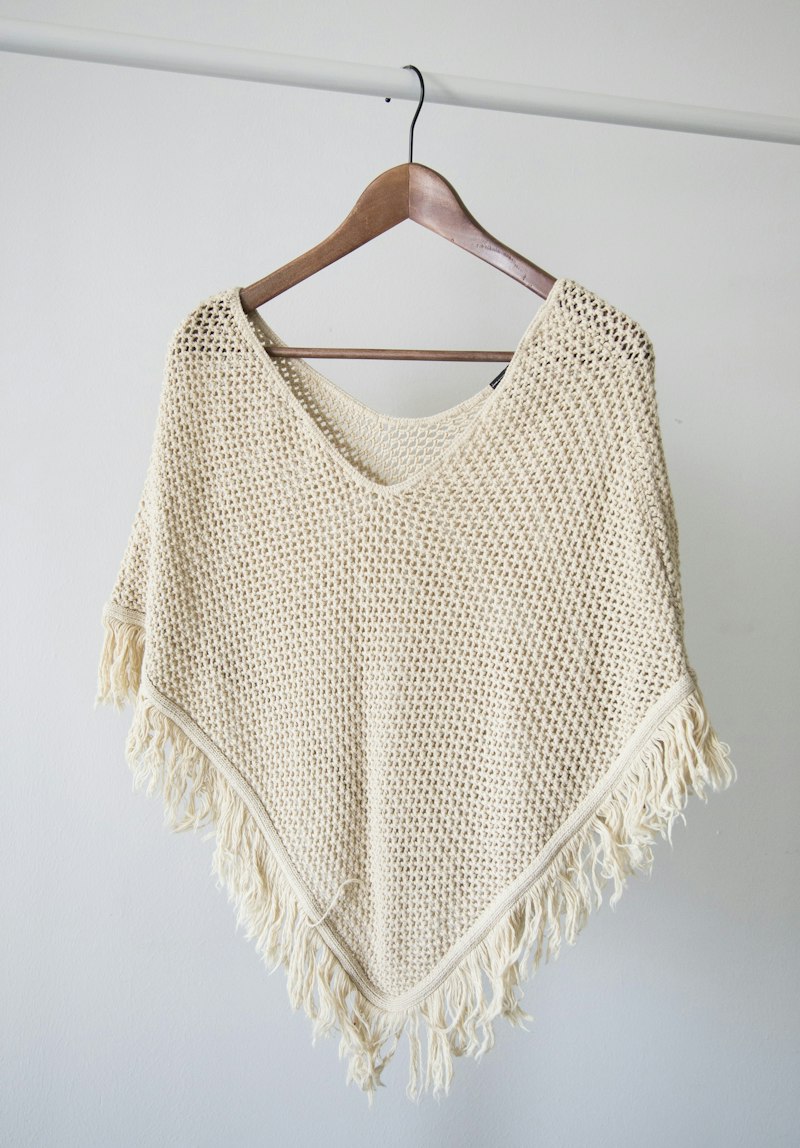
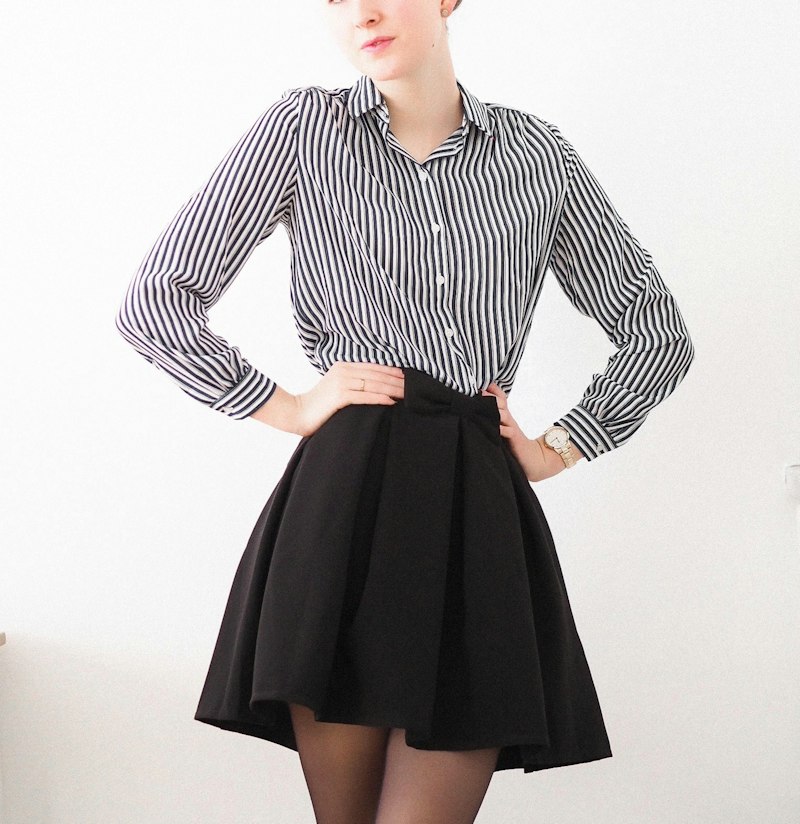
New Arrivals
Justdropped.
Explore the latest additions to ClassyPro.
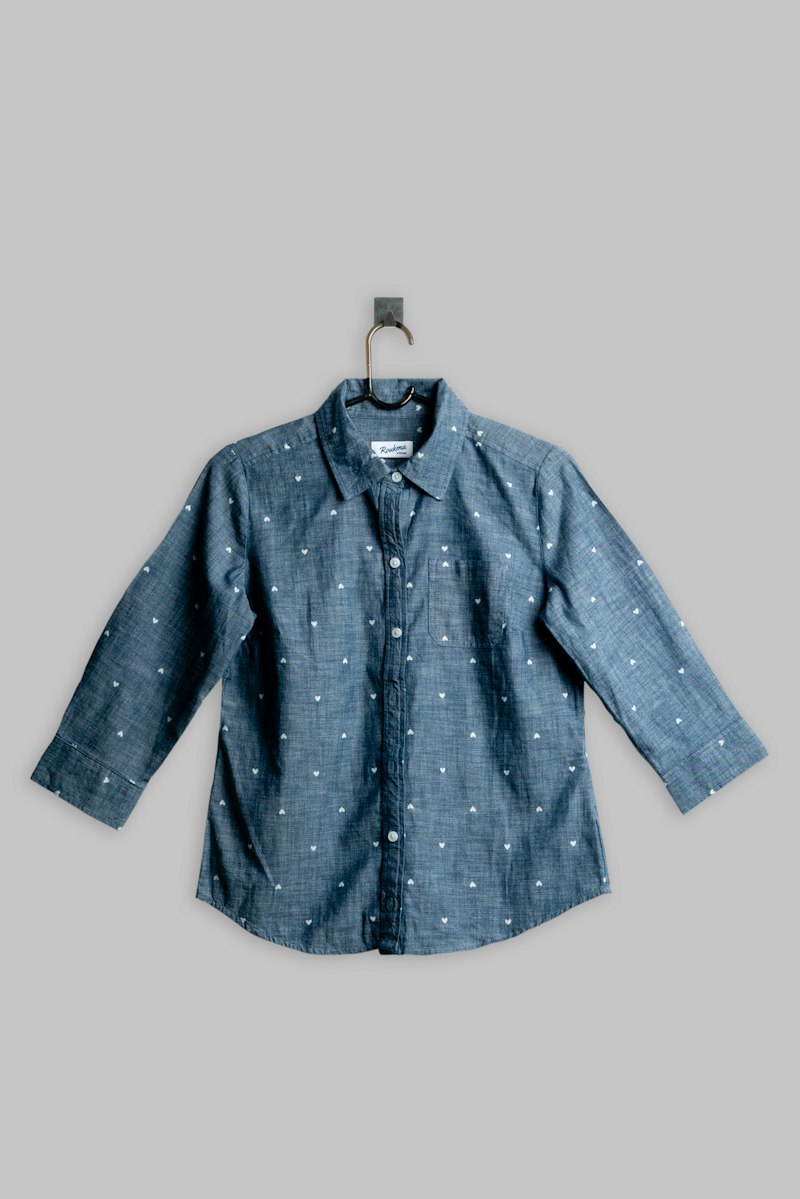
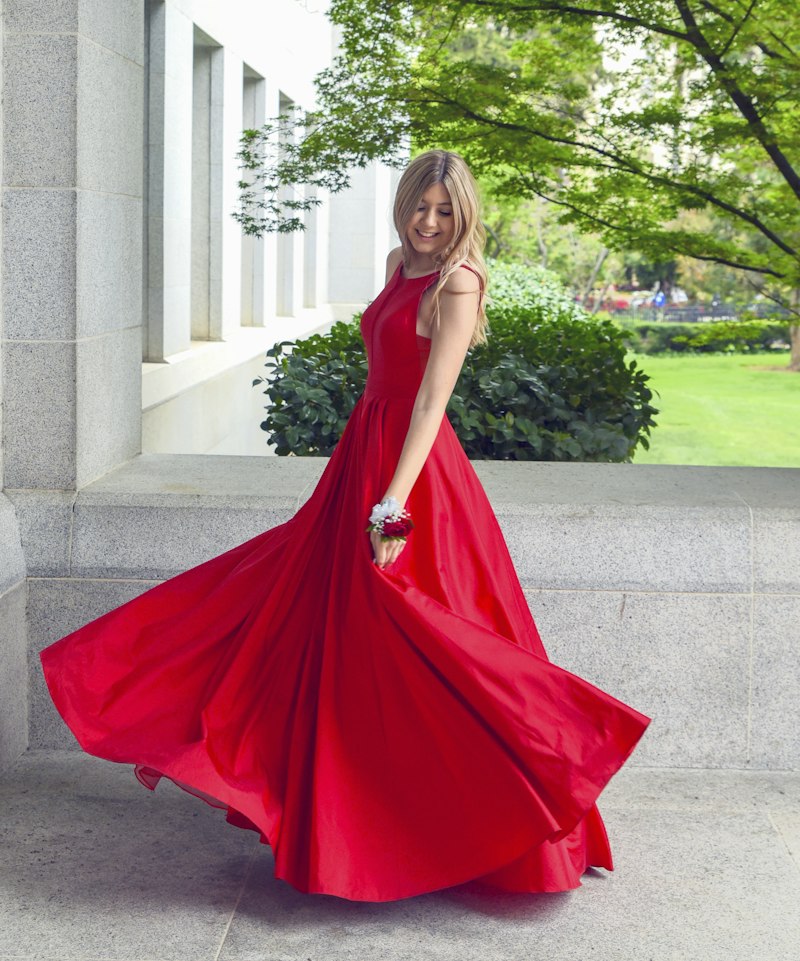

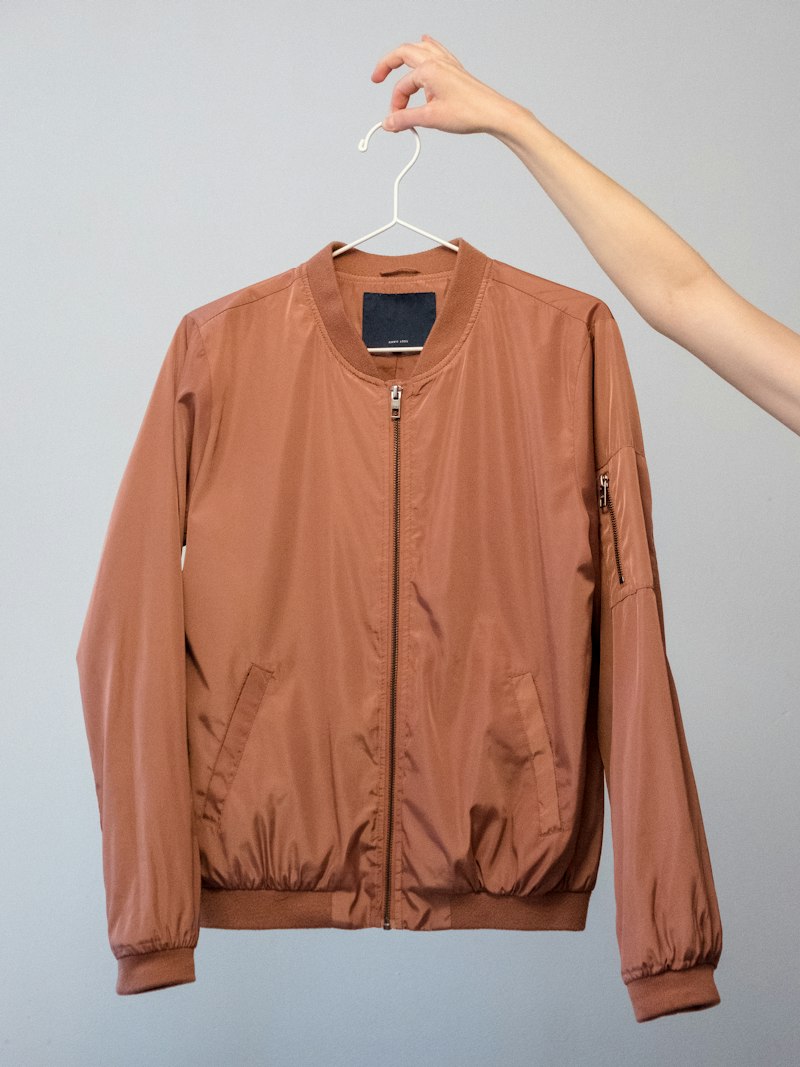


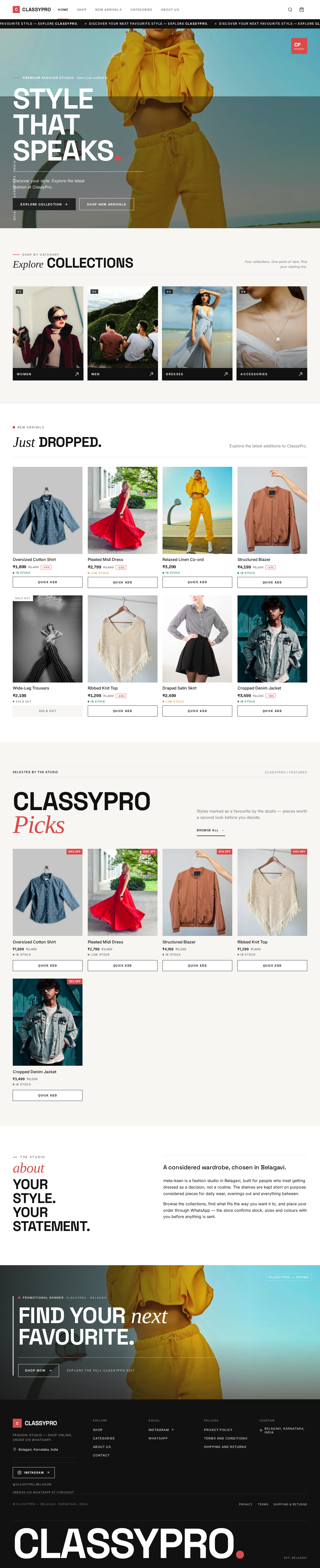
ClassyProPicks
YOURSTYLE.YOURSTATEMENT.
A considered wardrobe, chosen in Belagavi.
meta-keen is a fashion studio in Belagavi, built for people who treat getting dressed as a decision, not a routine. The shelves are kept short on purpose: considered pieces for daily wear, evenings out and everything between.
Browse the collections, find what fits the way you want it to, and place your order through WhatsApp — the store confirms stock, sizes and colours with you before anything is sent.

Promotional BannerCLASSYPRO · BELAGAVI
FIND YOUR next FAVOURITE.
Explore the full ClassyPro edit
Premium fashion studiosince you walked in
STYLETHATSPEAKS.
Discover your style. Explore the latest fashion at ClassyPro.
ExploreCollections
Four collections. One point of view. Pick your starting line.
New Arrivals
Justdropped.
Explore the latest additions to ClassyPro.
ClassyProPicks
YOURSTYLE.YOURSTATEMENT.
A considered wardrobe, chosen in Belagavi.
meta-keen is a fashion studio in Belagavi, built for people who treat getting dressed as a decision, not a routine. The shelves are kept short on purpose: considered pieces for daily wear, evenings out and everything between.
Browse the collections, find what fits the way you want it to, and place your order through WhatsApp — the store confirms stock, sizes and colours with you before anything is sent.
Promotional BannerCLASSYPRO · BELAGAVI
FIND YOUR next FAVOURITE.
Explore the full ClassyPro edit
No comments yet. Be the first!