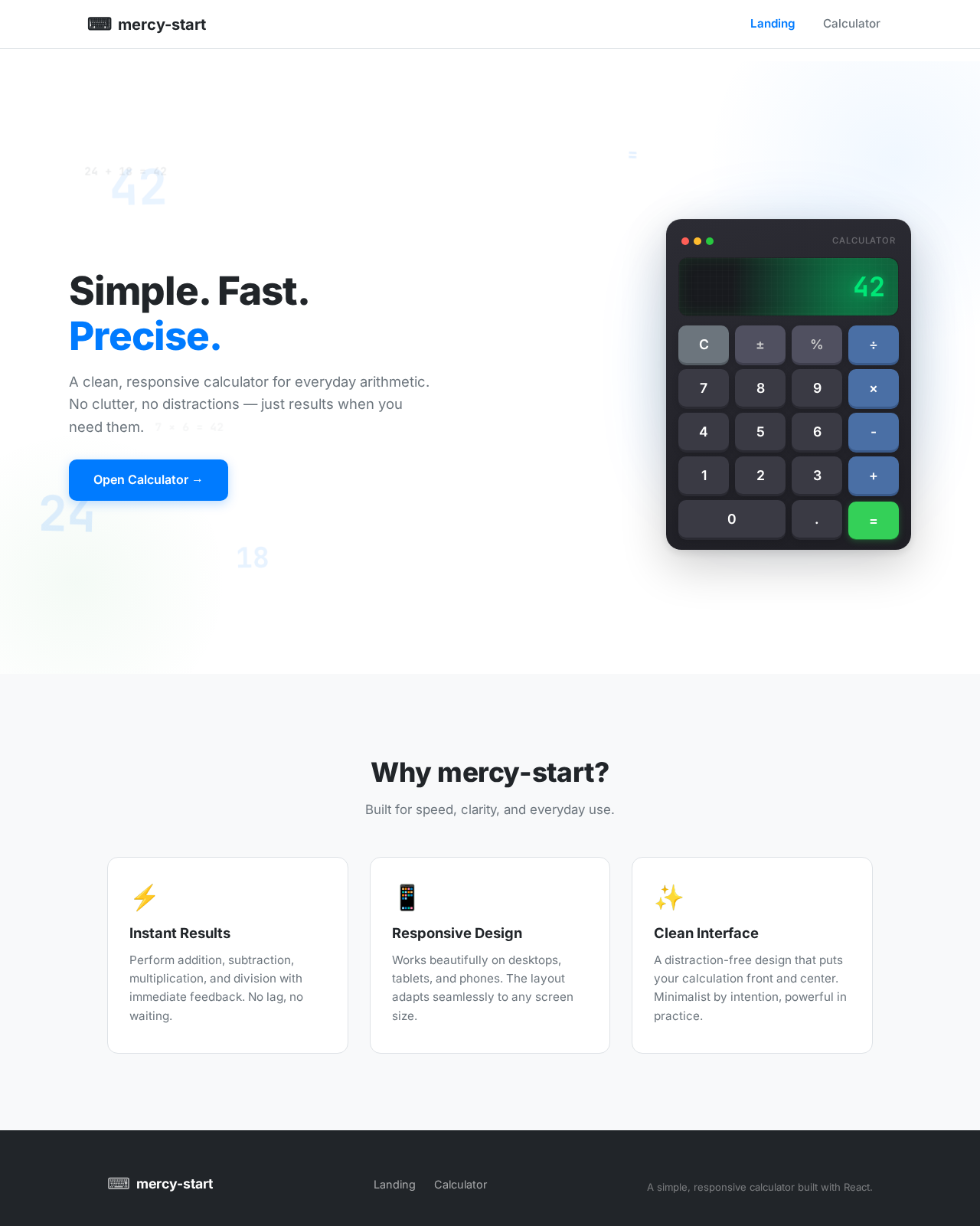
As a frontend developer, implement the FeaturesSection on the Landing page. This section includes a grid of feature cards, each displaying an icon, title, and description. The features are mapped from a predefined array and rendered dynamically. Ensure the section is styled according to the provided CSS, with a responsive layout that adapts to different screen sizes. This section is accessible to all users.
Page access: shared by all personas (User).
As a frontend developer, implement the Footer section for the Landing page. This section includes brand information and navigation links to the Landing and Calculator pages. Ensure the footer is styled with the provided CSS and is responsive. Note that links to restricted pages must be conditionally shown based on user access. This section is accessible to all users.
Page access: shared by all personas (User).
As a frontend developer, implement the HeroSection on the Landing page. This section features animated calculator steps and floating numbers using motion components. It includes state management for display and active button highlighting. Ensure animations respect user preferences for reduced motion. This section is accessible to all users.
Page access: shared by all personas (User).
As a frontend developer, implement the Navbar for the Landing page. This section includes a brand link and a hamburger menu for navigation. The menu state is managed with a useState hook, allowing toggling of the navigation links. Ensure the navbar is styled with the provided CSS and is responsive. This section is accessible to all users.
Page access: shared by all personas (User).
As a frontend developer, implement the Navbar section for the Calculator page. This section includes a responsive navigation bar with a brand icon and text, a hamburger menu for mobile view, and links to the Landing and Calculator pages. The menu state is managed using a useState hook to toggle visibility. Ensure that links to restricted pages are conditionally shown based on user persona access. This component may already exist from the Landing page.
Page access: shared by all personas (User).
Depends on:#1
Waiting for dependencies
As a frontend developer, implement the CalculatorDisplay section for the Calculator page. This section uses the motion library to animate the display of the current value and result. It includes an AnimatePresence component to handle transitions when the displayed value changes, with animations for opacity and vertical movement. Ensure the display updates correctly based on the 'value' and 'isResult' props.
Page access: shared by all personas (User).
Depends on:#5
Waiting for dependencies
As a frontend developer, implement the CalculatorPad section for the Calculator page. This section includes a grid of buttons for numbers, operations, and functions. Each button uses the motion library for tap animations, with a spring transition for a responsive feel. The buttons trigger the 'onButtonClick' callback with their label when clicked. Ensure the layout is responsive and supports various screen sizes.
Page access: shared by all personas (User).
Depends on:#5
Waiting for dependencies
As a frontend developer, implement the Footer section for the Calculator page. This section includes branding elements and navigation links to the Landing and Calculator pages. It also contains a brief description of the application. Ensure the footer is responsive and consistent with the overall design. This component may already exist from the Landing page.
Page access: shared by all personas (User).
Depends on:#5
Waiting for dependencies



No comments yet. Be the first!