mercy-gameweek
 Dawud Raza
import React, { useState, useEffect } from "react"; import { base44 } from "@/api/base44Client"; import { Calendar, Trophy, CalendarClock, Radio, Target } from "lucide-react"; import StatCards from "@/components/StatCards"; import TopPerformers from "@/components/TopPerformers"; import GameweekFixtures from "@/components/GameweekFixtures"; import SidebarLeagueTable from "@/components/SidebarLeagueTable"; import FixtureTicker from "@/components/FixtureTicker"; import CalendarSync from "@/components/CalendarSync"; import { CalendarPlus } from "lucide-react"; import { fetchPlStandings } from "@/lib/plStandings"; export default function FixturesHub() { const [matches, setMatches] = useState([]); const [players, setPlayers] = useState([]); const [table, setTable] = useState([]); const [loading, setLoading] = useState(true); const [syncOpen, setSyncOpen] = useState(false); useEffect(() => { (async () => { try { const [pl] = await Promise.all([base44.entities.Player.list("-avg_points", 60)]); setPlayers(pl); try { const plRes = await base44.functions.invoke("plLive"); if (plRes.data?.matches?.length) { setMatches(plRes.data.matches); } else { setMatches(await base44.entities.Match.list("-kickoff", 50)); } } catch { setMatches(await base44.entities.Match.list("-kickoff", 50)); } fetchPlStandings() .then((r) => setTable(r.table || [])) .catch(() => {}); } finally { setLoading(false); } })(); }, []); if (loading) return ( <div className="flex items-center justify-center h-96"> <div className="w-8 h-8 border-4 border-gold-500/20 border-t-gold-500 rounded-full animate-spin" /> </div> ); const live = matches.filter((m) => m.status === "live"); const upcoming = matches.filter((m) => m.status === "scheduled"); const finished = matches.filter((m) => m.status === "finished"); const currentGw = live[0]?.gameweek || upcoming[0]?.gameweek || finished[0]?.gameweek || null; const gwMatches = currentGw ? matches.filter((m) => m.gameweek === currentGw) : []; const gwLive = gwMatches.filter((m) => m.status === "live"); const gwDone = gwMatches.filter((m) => m.status === "finished"); const gwGoals = gwMatches.reduce( (s, m) => s + (m.home_score || 0) + (m.away_score || 0), 0 ); const statItems = [ { label: currentGw ? `Gameweek ${currentGw}` : "Gameweek", value: currentGw ?? "—", icon: CalendarClock }, { label: "Fixtures", value: gwMatches.length, icon: Calendar }, { label: "Live Now", value: gwLive.length, icon: Radio, pulse: gwLive.length > 0 }, { label: "Goals (GW)", value: gwGoals, icon: Target }, ]; return ( <div className="space-y-6"> <div className="flex items-start justify-between gap-4 flex-wrap"> <div> <h1 className="text-3xl font-bold tracking-tight flex items-center gap-3"> <Calendar className="w-7 h-7 text-gold-400" /> Fixtures Hub </h1> <p className="text-slate-400 mt-2">Live gameweek fixtures, top performers, and the Premier League table.</p> </div> <button onClick={() => setSyncOpen(true)} className="inline-flex items-center gap-2 px-4 py-2.5 rounded-xl bg-gold-500 text-[#0a0e14] font-semibold text-sm hover:bg-gold-400 transition-colors shrink-0" > <CalendarPlus className="w-4 h-4" /> Sync to Calendar </button> </div> <StatCards items={statItems} /> <div className="grid lg:grid-cols-3 gap-6"> <div className="lg:col-span-2 space-y-6"> <TopPerformers players={players} gameweek={currentGw} /> <section> <div className="flex items-center gap-2 mb-4"> <Calendar className="w-5 h-5 text-gold-400" /> <h2 className="text-xl font-bold">Gameweek Fixtures</h2> </div> <GameweekFixtures matches={matches} /> </section> </div> <aside className="space-y-6"> <section> <div className="flex items-center gap-2 mb-4"> <Trophy className="w-5 h-5 text-gold-400" /> <h2 className="text-xl font-bold">League Table</h2> </div> <SidebarLeagueTable table={table} /> </section> <section className="rounded-2xl bg-[#0d131c] border border-gold-500/15 overflow-hidden"> <div className="flex items-center gap-2 px-4 py-3 bg-gradient-to-r from-gold-500/10 to-transparent border-b border-gold-500/15"> <Calendar className="w-4 h-4 text-gold-400" /> <span className="text-sm font-semibold text-gold-300">Fixture Ticker</span> </div> <div className="overflow-x-auto p-3"> <FixtureTicker matches={matches} /> </div> </section> </aside> </div> <CalendarSync open={syncOpen} onClose={() => setSyncOpen(false)} matches={matches} /> </div> ); }


Comments (0)
Sign in to leave a comment
System Requirements
System Requirements Document for mercy-gameweek
1. Introduction
mercy-gameweek is a Fantasy Premier League (FPL) companion application. Its product intent is to give an engaged FPL manager a single, dense, instantly legible surface for the current gameweek: live fixtures and scores, upcoming and finished matches, gameweek goal totals, the top-performing players ranked by average points, the Premier League league table, a horizontally scrolling fixture ticker, and a one-action path to sync the fixture schedule into the manager's own calendar.
The audience is the engaged FPL manager who checks live gameweek data repeatedly and needs information density and instant legibility rather than lifestyle warmth. The emotional register is competitive, analytical, and urgent — live match states, gameweek deadlines, and goal totals drive the design and the information hierarchy.
The product is delivered as a first-party web application with two pages: an anonymous Landing page that explains the companion and directs visitors to the working surface, and the Fixtures Hub, which carries all accepted gameweek behavior. Both pages are reachable without an account; no sign-in, profile, or account-management capability is part of this product.
2. System Overview
mercy-gameweek is a React single-page application backed by a data layer that supplies three kinds of live football data:
- Match data — fetched from a live
plLivefunction, with a fallback to the storedMatchentity sorted by kickoff when the live function returns no matches or fails. - Player data — fetched from the
Playerentity sorted by average points (descending), limited to 60 records. - Premier League standings — fetched from the standings source (
fetchPlStandings), returning atablearray.
The application renders a loading spinner while the initial data fetch is in flight, then presents the Fixtures Hub: a masthead with the current gameweek numeral and the Sync to Calendar call to action, a row of four stat modules, a Top Performers section, a Gameweek Fixtures section, a League Table section, and a Fixture Ticker section. The calendar sync dialog opens from the masthead button and receives the loaded matches.
2a. Product Interpretation and Delivery Boundary
Delivery ownership. All accepted behavior is first-party custom UI owned by the application. Live match data is supplied by the plLive function; when that function returns no matches or errors, the application falls back to the stored Match entity. Player data comes from the Player entity and standings come from the Premier League standings source. The user's own calendar is the external destination for the calendar sync flow — the application produces the fixture schedule for the user's calendar, and the calendar itself remains user-owned and outside the application.
Access ownership. Both pages are anonymously reachable. The accepted journeys — reading the current gameweek, checking live fixtures, reviewing top performers and standings, and syncing fixtures to a calendar — require no account, no private durable state, and no commitment bound to a verified identity. No application-owned identity, sign-in, or account-management capability is introduced.
Current vs. future boundary. Everything described in this document is current. No future-horizon requirements were accepted in the authoritative thread; nothing is deferred.
Exclusions. No account or profile management, no FPL squad selection or transfer management, no league creation or private mini-leagues, no notifications or alerts, and no social or sharing features are part of this product. The application does not own the user's calendar; it only supplies fixture data to the calendar sync flow.
2c. Page Content and Component Coverage
Landing
- Information / state. Anonymous first impression of the mercy-gameweek FPL companion: the product name, a one-line statement of what the companion does (live gameweek fixtures, top performers, and the Premier League table), and a clear pointer to the Fixtures Hub. No live data is required to render this page.
- Primary action. A single hard-edged gold control that takes the visitor into the Fixtures Hub.
- Supporting actions. None beyond the entry control; no sign-in, no form, no account creation.
- Domain entities. None rendered; the page is static product framing.
- Component responsibilities. Masthead with the product wordmark and the 2px gold rule; a short explanatory block; the entry control aligned to the grid.
- States. Loading: not applicable (static). Empty: not applicable. Success: page renders fully. Error: not applicable. Recovery: not applicable.
Fixtures Hub
- Information / state. The current gameweek number; the number of fixtures in that gameweek; the number of matches currently live (with a pulse indicator when greater than zero); total goals scored in the gameweek; the list of matches with live, scheduled, and finished statuses; the top performers for the current gameweek ranked by average points; the Premier League league table; and the fixture ticker strip of matches.
- Primary action. Sync to Calendar — opens the calendar sync dialog for the loaded fixtures.
- Supporting actions. Reading and scanning the stat modules, the Top Performers list, the Gameweek Fixtures list, the League Table, and the Fixture Ticker; closing the calendar sync dialog.
- Domain entities. Match (kickoff, status, gameweek, home team, away team, home score, away score), Player (average points and associated player attributes), League table row (position and standing attributes), and the calendar sync selection.
- Component responsibilities.
- Masthead — oversized gameweek numeral in the left grid columns, "FIXTURES HUB" title and subtitle stacked to its right, and the Sync to Calendar control pinned flush-right, separated by a full-width 2px gold rule.
- StatCards — four equal modules in a single row separated by hairlines: Gameweek, Fixtures, Live Now (with a red pulse dot when live count > 0), Goals (GW).
- TopPerformers — top performers for the current gameweek, driven by players ranked by average points.
- GameweekFixtures — the match list with live, scheduled, and finished statuses, each row carrying a 4px left-edge status bar (gold scheduled, red live with pulse, muted finished).
- SidebarLeagueTable — the Premier League table rendered as a ruled tabular system with position numbers in the first column.
- FixtureTicker — a horizontally scrollable ruled strip of evenly-sized cells divided by 1px hairlines, each cell showing kickoff time, two crests, and score.
- CalendarSync — the dialog opened by the Sync to Calendar control, receiving the loaded matches and closing on request.
- States.
- Loading — a centered spinner is shown while the initial data fetch is in flight; the rest of the page is not rendered.
- Empty — when no current gameweek can be determined, the gameweek stat shows "—" and the gameweek-derived sections render with no gameweek matches; when the standings fetch fails, the League Table renders without rows.
- Success — stat modules, Top Performers, Gameweek Fixtures, League Table, and Fixture Ticker render with loaded data.
- Error — if the
plLivefunction returns no matches or throws, the application falls back to the storedMatchentity sorted by kickoff; if the standings fetch fails, the table is left empty and the rest of the page still renders. - Recovery — the fallback path is the recovery for live match data; the page remains usable with stored match data and an empty table.
3. Functional Requirements
FR-1 — Fixtures Hub page identity. As an FPL Manager, I should see a Fixtures Hub page headed "Fixtures Hub" with the subtitle "Live gameweek fixtures, top performers, and the Premier League table." so that I know I am on the gameweek surface. (explicit)
- Trigger: navigating to the Fixtures Hub.
- Observable result: the heading "Fixtures Hub" and the subtitle text render at the top of the page.
- Access state: anonymous.
- Failure/recovery: not applicable (static content).
- Continuation: the manager reads the stat modules and sections below.
FR-2 — Gameweek stat card. As an FPL Manager, I should see a stat card showing the current gameweek number so that I know which gameweek I am looking at. (explicit)
- Trigger: page load completes.
- Input: the current gameweek derived from live matches first, then scheduled matches, then finished matches.
- Observable result: the card labeled "Gameweek <n>" shows the gameweek number; when no gameweek can be determined the label reads "Gameweek" and the value reads "—".
- Access state: anonymous.
- Failure/recovery: when no gameweek is determinable, the card shows the em-dash placeholder.
- Continuation: the manager reads the remaining stat cards.
FR-3 — Fixtures count stat card. As an FPL Manager, I should see a stat card showing the number of fixtures in the current gameweek so that I know how many matches make up the gameweek. (explicit)
- Trigger: page load completes.
- Input: the count of matches whose gameweek equals the current gameweek.
- Observable result: the "Fixtures" card shows that count.
- Access state: anonymous.
- Failure/recovery: when no current gameweek exists, the count is zero.
- Continuation: the manager reads the remaining stat cards.
FR-4 — Live Now stat card with pulse. As an FPL Manager, I should see a stat card showing the number of matches live now, with a pulse indicator when any are live, so that I can tell at a glance whether matches are in progress. (explicit)
- Trigger: page load completes.
- Input: the count of current-gameweek matches with status "live".
- Observable result: the "Live Now" card shows that count and displays a pulse indicator when the count is greater than zero.
- Access state: anonymous.
- Failure/recovery: when no matches are live, the count is zero and no pulse is shown.
- Continuation: the manager reads the remaining stat cards.
FR-5 — Goals (GW) stat card. As an FPL Manager, I should see a stat card showing total goals scored in the gameweek so that I can gauge how high-scoring the gameweek has been. (explicit)
- Trigger: page load completes.
- Input: the sum of home and away scores across current-gameweek matches, treating missing scores as zero.
- Observable result: the "Goals (GW)" card shows that total.
- Access state: anonymous.
- Failure/recovery: when no current gameweek exists, the total is zero.
- Continuation: the manager reads the remaining stat cards.
FR-6 — Top Performers section. As an FPL Manager, I should see a Top Performers section for the current gameweek based on players ranked by average points so that I can see who is performing best. (explicit)
- Trigger: page load completes with player data.
- Input: players loaded from the
Playerentity sorted by average points descending, limited to 60 records, and the current gameweek. - Observable result: the Top Performers section renders the ranked players for the current gameweek.
- Access state: anonymous.
- Failure/recovery: when no current gameweek is determinable, the section renders without a gameweek context.
- Continuation: the manager scans the ranked players and continues to the fixtures.
FR-7 — Gameweek Fixtures section. As an FPL Manager, I should see a Gameweek Fixtures section listing matches with live, scheduled, and finished statuses so that I can follow the gameweek's matches. (explicit)
- Trigger: page load completes with match data.
- Input: the loaded matches, including their statuses.
- Observable result: the Gameweek Fixtures section lists matches with live, scheduled, and finished statuses.
- Access state: anonymous.
- Failure/recovery: when the live function returns no matches or fails, the section renders the stored
Matchentity data sorted by kickoff. - Continuation: the manager reads individual fixtures and continues to the league table or ticker.
FR-8 — League Table section. As an FPL Manager, I should see a League Table section populated from Premier League standings so that I can see current league positions. (explicit)
- Trigger: page load completes and the standings fetch resolves.
- Input: the
tablearray returned by the Premier League standings source. - Observable result: the League Table section renders the standings rows.
- Access state: anonymous.
- Failure/recovery: when the standings fetch fails, the table is left empty and the rest of the page still renders.
- Continuation: the manager reads the table and continues to the ticker or syncs fixtures.
FR-9 — Fixture Ticker section. As an FPL Manager, I should see a Fixture Ticker section listing matches in a horizontally scrollable strip so that I can scan the fixture schedule quickly. (explicit)
- Trigger: page load completes with match data.
- Input: the loaded matches.
- Observable result: the Fixture Ticker renders as a horizontally scrollable strip of match cells.
- Access state: anonymous.
- Failure/recovery: when no matches are loaded, the strip renders empty.
- Continuation: the manager scrolls the strip and continues to the sync action.
FR-10 — Sync to Calendar button. As an FPL Manager, I should be able to press a "Sync to Calendar" button that opens a calendar sync dialog for the fixtures so that I can put the fixture schedule into my own calendar. (explicit)
- Trigger: pressing the Sync to Calendar button in the masthead.
- Observable result: the calendar sync dialog opens with the loaded matches.
- Access state: anonymous.
- Failure/recovery: closing the dialog returns the manager to the Fixtures Hub unchanged.
- Continuation: the manager completes or dismisses the sync and returns to the hub.
FR-11 — Player data loading. As an FPL Manager, I should have player data loaded from the Player entity sorted by average points so that the Top Performers section reflects the best performers. (explicit)
- Trigger: page mount.
- Input: a request to the
Playerentity sorted by-avg_pointswith a limit of 60. - Observable result: the loaded players are available to the Top Performers section.
- Access state: anonymous.
- Failure/recovery: a failed player fetch leaves the player list empty and the rest of the page still renders.
- Continuation: the manager reads the Top Performers section.
FR-12 — Match data loading with live-first fallback. As an FPL Manager, I should have match data loaded from the live plLive function with fallback to the Match entity sorted by kickoff so that I see live data when available and stored data otherwise. (explicit)
- Trigger: page mount.
- Input: an invocation of the
plLivefunction; on empty results or error, a request to theMatchentity sorted by-kickoffwith a limit of 50. - Observable result: the loaded matches are available to the stat modules, Gameweek Fixtures, and Fixture Ticker.
- Access state: anonymous.
- Failure/recovery: the fallback to the stored
Matchentity is the recovery path for live data. - Continuation: the manager reads the gameweek state.
FR-13 — Loading spinner. As an FPL Manager, I should see a loading spinner while data is being fetched so that I know the page is working. (explicit)
- Trigger: page mount, before the initial data fetch resolves.
- Observable result: a centered spinner is displayed in place of the page content.
- Access state: anonymous.
- Failure/recovery: the spinner is replaced by the page content once the fetch settles, including when the fetch fails.
- Continuation: the manager sees the loaded Fixtures Hub.
FR-14 — Live football data availability. As an FPL Manager, I should have live football data available through the plLive function or the stored Match entity fallback so that the gameweek surface always has match data to show. (required_inference)
- Trigger: page mount.
- Observable result: match data is present for the stat modules, Gameweek Fixtures, and Fixture Ticker.
- Access state: anonymous.
- Failure/recovery: the stored
Matchentity is the fallback when the live function yields nothing. - Continuation: the manager reads the gameweek state.
FR-15 — Player and standings data availability. As an FPL Manager, I should have player data available from the Player entity and Premier League standings available from the standings source so that the Top Performers and League Table sections can render. (required_inference)
- Trigger: page mount.
- Observable result: player rows and standings rows are present for their sections.
- Access state: anonymous.
- Failure/recovery: a failed standings fetch leaves the table empty without blocking the rest of the page.
- Continuation: the manager reads the Top Performers and League Table sections.
FR-16 — Calendar availability for sync. As an FPL Manager, I should have my calendar available to the calendar synchronization flow so that the fixtures can be added to it. (required_inference)
- Trigger: opening the calendar sync dialog and proceeding with the sync.
- Observable result: the fixture schedule is supplied to the manager's calendar.
- Access state: anonymous; the calendar is user-owned and external to the application.
- Failure/recovery: if the calendar is unavailable or the sync is dismissed, the manager returns to the Fixtures Hub with no change to the hub.
- Continuation: the manager returns to the Fixtures Hub.
4. User Personas
FPL Manager
Product context. The FPL Manager is an engaged Fantasy Premier League player who checks live gameweek data repeatedly — during matches, around deadlines, and when planning ahead. They already know the league, the clubs, and the gameweek structure, so they do not need onboarding or explanation; they need the current state of the gameweek in one dense, scannable surface.
Primary goal. Know the state of the current gameweek at a glance — which matches are live, what the scores are, how many goals have been scored, who the top performers are, where clubs sit in the table — and get the fixture schedule into their own calendar.
Distinct accepted responsibilities.
- Reading the current gameweek number and the gameweek's fixture count, live count, and goal total from the stat modules.
- Scanning the Gameweek Fixtures list to follow live, scheduled, and finished matches.
- Reviewing the Top Performers for the current gameweek, ranked by average points.
- Reading the Premier League league table.
- Scanning the Fixture Ticker strip for the fixture schedule.
- Opening the calendar sync dialog and syncing the fixtures to their own calendar.
Relevant inputs and decisions. The manager reads live and stored match data, player average points, and league standings. Their decisions are about attention and timing — which matches to watch, how the gameweek is unfolding, and whether to sync the schedule now.
Interactions with other accepted participants. The FPL Manager is the only accepted human persona. The other participants in the accepted behavior are non-human: the plLive function and the stored Match entity supply match data, the Player entity supplies player data, the Premier League standings source supplies the table, and the manager's own calendar is the external destination of the sync flow.
Observable success. The manager sees the current gameweek number, the fixture count, the live count with its pulse, and the gameweek goal total; the fixtures list shows live, scheduled, and finished matches; the top performers and league table render; the ticker scrolls; and the fixture schedule is delivered to their calendar.
5. Core User Flows
Flow 1 — First visit and entry into the Fixtures Hub
- The FPL Manager opens mercy-gameweek and lands on the Landing page.
- The Landing page presents the product name, a one-line statement that the companion covers live gameweek fixtures, top performers, and the Premier League table, and a single hard-edged gold entry control.
- The manager activates the entry control.
- The Fixtures Hub opens and immediately shows the loading spinner while the initial data fetch is in flight.
- The fetch settles: player data loads from the
Playerentity sorted by average points, match data loads from theplLivefunction (or falls back to the storedMatchentity sorted by kickoff), and the standings fetch resolves. - The spinner is replaced by the Fixtures Hub content. The manager continues with Flow 2.
Flow 2 — Reading the current gameweek state
- The FPL Manager is on the Fixtures Hub with data loaded.
- The masthead shows the current gameweek numeral oversized in the left grid columns, with "FIXTURES HUB" and the subtitle to its right.
- The manager reads the four stat modules: Gameweek (the current gameweek number), Fixtures (the number of matches in that gameweek), Live Now (the number of live matches, with a red pulse dot when greater than zero), and Goals (GW) (the total goals scored in the gameweek).
- If no current gameweek can be determined, the Gameweek module shows "—" and the gameweek-derived counts read zero; the manager still sees the page and can continue.
- The manager continues to Flow 3, Flow 4, or Flow 5.
Flow 3 — Following the gameweek fixtures
- The FPL Manager is on the Fixtures Hub and scrolls to the Gameweek Fixtures section.
- The section lists the matches with live, scheduled, and finished statuses, each row carrying a 4px left-edge status bar — gold for scheduled, red with a pulse for live, muted for finished.
- The manager scans the live matches and their scores, then the scheduled and finished matches.
- If the live function returned no matches or failed, the section shows the stored
Matchentity data sorted by kickoff instead, and the manager continues reading normally. - The manager continues to Flow 4 or Flow 5.
Flow 4 — Reviewing top performers and the league table
- The FPL Manager is on the Fixtures Hub and reads the Top Performers section for the current gameweek, ranked by average points.
- The manager then reads the League Table section, populated from the Premier League standings source, with position numbers in the first column.
- If the standings fetch failed, the table renders without rows and the rest of the page remains usable; the manager continues without the table.
- The manager continues to Flow 5 or Flow 6.
Flow 5 — Scanning the fixture ticker
- The FPL Manager is on the Fixtures Hub and moves to the Fixture Ticker section.
- The ticker renders as a horizontally scrollable ruled strip of evenly-sized cells divided by 1px hairlines, each cell showing kickoff time, two crests, and score.
- The manager scrolls the strip to scan the fixture schedule.
- The manager continues to Flow 6 or returns to the fixtures list.
Flow 6 — Syncing fixtures to the calendar
- The FPL Manager is on the Fixtures Hub and presses the Sync to Calendar button in the masthead.
- The calendar sync dialog opens with the loaded matches.
- The manager proceeds with the sync, and the fixture schedule is supplied to their own calendar.
- If the manager dismisses the dialog instead, the dialog closes and the Fixtures Hub is unchanged.
- The manager returns to the Fixtures Hub and continues reading the gameweek state.
6. Visuals Colors and Theme
Muse and headline. Josef Müller-Brockmann — Swiss rigour for the gameweek: grid-locked fixtures, pure colour as status. The visual language is an information poster: a visible modular grid, strict typographic scale, and pure geometric colour coding that turns dense data into wayfinding.
Colour tokens (dark mode).
| Role | Hex | Use |
|---|---|---|
| Background | #0B0D10 | Dark graphite ground |
| Surface | #14171C | Slightly lifted modules |
| Text | #F2F3F5 | Primary text |
| Primary | #E8B53C | Gold signal: gameweek number, section rules, active tab, Sync CTA |
| Accent | #E23B2E | Red, reserved strictly for LIVE status and negative deltas |
| Muted | #7A808A | Metadata and secondary labels |
| Hairline | #232830 | 1px module separators |
Colour appears as flat blocks and 2px rules only, in the proportion of an information poster: 85% ground, 10% gold, 5% red. No gradients, no glow.
Typography. Headings and body: Archivo. Headings use Heavy weight (800/900) for section headers and the gameweek number, set flush-left ragged-right, tight tracking (-0.02em); section labels are uppercase with wide tracking (+0.08em) at small sizes. The single display moment is the gameweek numeral set at 96–128px, weight 900, gold, aligned to the grid's left column. Scale is a 1.25 modular scale on a 16px base: 128 / 64 / 40 / 28 / 20 / 16 / 13. Section headers 28px, stat values 40px, labels 13px uppercase, body 16px. Line-height 1.15 for headings, 1.5 for body. No italic, no decorative weights.
Shape language. Hard edges everywhere — 0px radius on cards, buttons, and inputs. Modules are separated by 1px hairlines (#232830) and 2px gold rules above section headers. Status is a solid 4px vertical bar on the left edge of each fixture row (gold = scheduled, red = live with pulse, muted = finished). No pills, no soft shadows, no rounded corners. The only circular elements are the loading spinner and the live pulse dot.
Layout. A strict 12-column modular grid with a 24px gutter at 1280px, collapsing to 8 columns at 768px and 4 columns at 375px. The page opens with a full-width masthead: gameweek numeral in the left 4 columns, title and subtitle stacked in columns 5–9, and the Sync CTA pinned flush-right in columns 10–12, separated by a 2px gold rule spanning the full width. Stat cards form a 4-up row of equal modules with hairline dividers between them (no card gaps). Below, fixtures occupy columns 1–8 and the sidebar (league table + ticker) occupies columns 9–12. Every section is labelled with an uppercase 13px gold eyebrow above a 2px rule, then the content. Nothing floats; everything aligns to the grid.
Imagery. No photography, no illustration. The visual language is diagrammatic: club crests as small monochrome or full-colour marks inside 32px square cells, geometric status bars, and a league table rendered as a ruled tabular system with position numbers in the first column. The fixture ticker is a horizontal strip of evenly-sized cells divided by 1px rules, each cell containing kickoff time, two crests, and score — a wayfinding strip, not a carousel of cards.
Readable text and controls. Headlines, wordmarks, labels, numbers, and card text and controls stay entirely inside the viewport and their container at 375px, 768px, and 1280px, wrapping or scaling (for example font-size: clamp(...) with its mobile size) to fit. No other element covers any part of them. Moving and scrollable content — the fixture ticker — may cross the container edge by design; every item becomes fully readable as it passes.
7. Signature Design Concept
The public entry is a full-width masthead, not a card. A 2px gold rule runs edge-to-edge at the top of the Landing page. Below it, a 12-column grid carries the product wordmark and a single line stating what the companion covers — live gameweek fixtures, top performers, and the Premier League table — set flush-left ragged-right in Archivo, with the entry control as a hard-edged gold rectangle aligned to the grid's right edge. The composition is a transit map, not a hero: the eye moves left to right along the grid, and the only colour is the gold rule, the gold control, and the muted grey of the supporting line. On the Fixtures Hub, the same masthead logic scales up: the current gameweek numeral sits oversized at 96px mobile / 128px desktop, weight 900, gold, in the left columns as a section marker rather than a headline; "FIXTURES HUB" in 40px Archivo 900 uppercase and the subtitle in 16px muted grey sit to its right; and the Sync to Calendar control is pinned flush to the grid's right edge, sharing a baseline with the numeral. Beneath the masthead, a single row of four stat modules separated by hairlines — Gameweek, Fixtures, Live Now (with a red pulse dot when > 0), Goals (GW) — completes the first screen. No gradient, no blob, no centred composition.
8. Interaction Model & Motion Direction
Interaction Model: Static Motion Tempo: restrained Hero Dimensionality: flat
Landing Hero Motion Brief. The focal subject is the masthead itself: the 2px gold rule, the flush-left wordmark and supporting line, and the hard-edged gold entry control aligned to the grid's right edge. The input→transformation→outcome thesis is: on load, the gold rule draws across the full width and the wordmark and supporting line fade in at their final grid positions, so the visitor's first frame resolves into a ruled, grid-locked composition and the entry control is immediately legible as the single next action. Motion vocabulary: a 120ms opacity fade for the text block, staggered by 40ms, and a single IntersectionObserver fade for the section below; hover on the entry control is an instant colour inversion (gold fill, dark text) with a 100ms linear transition — no scale, no lift, no bounce. The composed first frame is the full-width gold rule with the wordmark, supporting line, and entry control already in their final grid positions. Under prefers-reduced-motion, all animation stops and the page renders in its final state.
Fixtures Hub motion. Fixture rows reveal with a 120ms opacity fade staggered by 40ms on mount. Live status bars pulse with a 2s ease-in-out opacity loop. The gameweek numeral counts up once on load over 600ms. Hover states are instant colour inversions with a 100ms linear transition. Section reveals use a single IntersectionObserver fade. The fixture ticker scrolls continuously and pauses on hover; under prefers-reduced-motion it becomes a static wrapped grid of whole cells, or a horizontally scrollable row (overflow-x: auto) whose further items are reached by scrolling. Under prefers-reduced-motion, all animation stops and content renders in its final state.
9. Non-Functional Requirements
NFR-1 — Live-first data freshness. Match data must be requested from the plLive function first, and the stored Match entity sorted by kickoff must be used only when the live function returns no matches or fails. (explicit) — rationale: the product's value depends on live gameweek state, with stored data as a resilience path.
NFR-2 — Graceful degradation. A failure of the live match function, the player fetch, or the standings fetch must not prevent the rest of the Fixtures Hub from rendering. (explicit) — rationale: the source's fallback and catch behavior keeps the page usable when one data source is unavailable.
NFR-3 — Loading feedback. A loading spinner must be shown while the initial data fetch is in flight, and must be replaced by the page content once the fetch settles. (explicit) — rationale: the source renders the spinner in place of the page until loading completes.
NFR-4 — Readable text and controls at every viewport. Headlines, wordmarks, labels, numbers, and card text and controls must stay entirely inside the viewport and their container at 375px, 768px, and 1280px, wrapping or scaling to fit, with no other element covering any part of them. (explicit — creative direction) — rationale: legibility of dense data is the product's core value.
NFR-5 — Reduced-motion support. Under prefers-reduced-motion, all animation must stop and content must render in its final state; the fixture ticker must become a static wrapped grid of whole cells or a horizontally scrollable row whose further items are reached by scrolling. (explicit — creative direction) — rationale: motion is decorative and must not gate access to information.
NFR-6 — Anonymous access. Both the Landing page and the Fixtures Hub must be reachable without an account, and no sign-in, profile, or account-management capability is part of the product. (explicit — planning scope access contract) — rationale: the accepted journeys require no private durable state or identity-bound commitment.
NFR-7 — No gradients, glows, or rounded corners. The interface must use flat colour blocks, 2px rules, and 1px hairlines with 0px radius on cards, buttons, and inputs; gold and red are the only accents. (explicit — creative direction) — rationale: the Swiss Style direction treats colour as status code, not decoration.
10. Tech Stack
- Frontend: React (single-page application), with the Fixtures Hub composed from
StatCards,TopPerformers,GameweekFixtures,SidebarLeagueTable,FixtureTicker, andCalendarSynccomponents. (explicit — source) - Icons:
lucide-react(Calendar,Trophy,CalendarClock,Radio,Target,CalendarPlus). (explicit — source) - Data client:
base44client —base44.entities.Player.list("-avg_points", 60),base44.entities.Match.list("-kickoff", 50), andbase44.functions.invoke("plLive"). (explicit — source) - Standings source:
fetchPlStandingsfrom@/lib/plStandings, returning atablearray. (explicit — source) - Styling: Tailwind-style utility classes with the project's gold palette tokens, extended with the creative direction's dark-mode tokens and 0px radius. (explicit — source, extended by creative direction)
- Backend integration: required for the
plLivefunction, thePlayerandMatchentities, and the standings source. (explicit — planning scope)
11. Assumptions and Constraints
- A-1. The
plLivefunction returns a payload with amatchesarray; when that array is empty or the invocation throws, the application falls back to the storedMatchentity. (explicit — source) - A-2. The
Playerentity exposes anavg_pointsfield used for descending sort, and theMatchentity exposeskickoff,status,gameweek,home_score, andaway_scorefields. (explicit — source) - A-3. The standings source returns an object with a
tablearray; a failed fetch leaves the table empty without blocking the page. (explicit — source) - A-4. The current gameweek is derived from live matches first, then scheduled matches, then finished matches; when none exist, the gameweek is
nulland the gameweek stat shows "—". (explicit — source) - A-5. The user's calendar is user-owned and external to the application; the application supplies fixture data to the calendar sync flow and does not own or manage the calendar. (required_inference)
- A-6. Both pages are anonymously reachable; no application-owned identity, sign-in, or account-management capability is introduced. (explicit — planning scope access contract)
- A-7. No future-horizon requirements were accepted; everything in this document is current. (explicit — planning scope)
- A-8. The creative direction's dark-mode palette, Archivo typography, 0px radius, and grid-locked layout are authoritative for presentation; the source's gold accent is preserved as the primary signal colour. (explicit — creative direction)
12. Glossary
- FPL — Fantasy Premier League, the fantasy football game this companion supports.
- FPL Manager — the accepted human persona: an engaged Fantasy Premier League player who follows the current gameweek.
- Gameweek (GW) — the round of Premier League matches that the Fixtures Hub presents; the current gameweek drives the stat modules, Top Performers, and Gameweek Fixtures.
- Fixtures Hub — the primary working page of the application, carrying the masthead, stat modules, Top Performers, Gameweek Fixtures, League Table, Fixture Ticker, and calendar sync.
- Landing — the anonymous public entry page that explains the companion and directs visitors to the Fixtures Hub.
plLive— the live match data function invoked by the application; its results are used when present, with the storedMatchentity as fallback.- Match entity — the stored match records, sorted by kickoff descending, used as the fallback data source.
- Player entity — the stored player records, sorted by average points descending, used by the Top Performers section.
- Standings source — the Premier League standings provider (
fetchPlStandings) that supplies the League Table rows. - Fixture Ticker — the horizontally scrollable ruled strip of match cells showing kickoff time, two crests, and score.
- Calendar sync — the flow that supplies the loaded fixture schedule to the manager's own calendar.
- Status bar — the 4px solid vertical bar on the left edge of each fixture row: gold for scheduled, red with pulse for live, muted for finished.
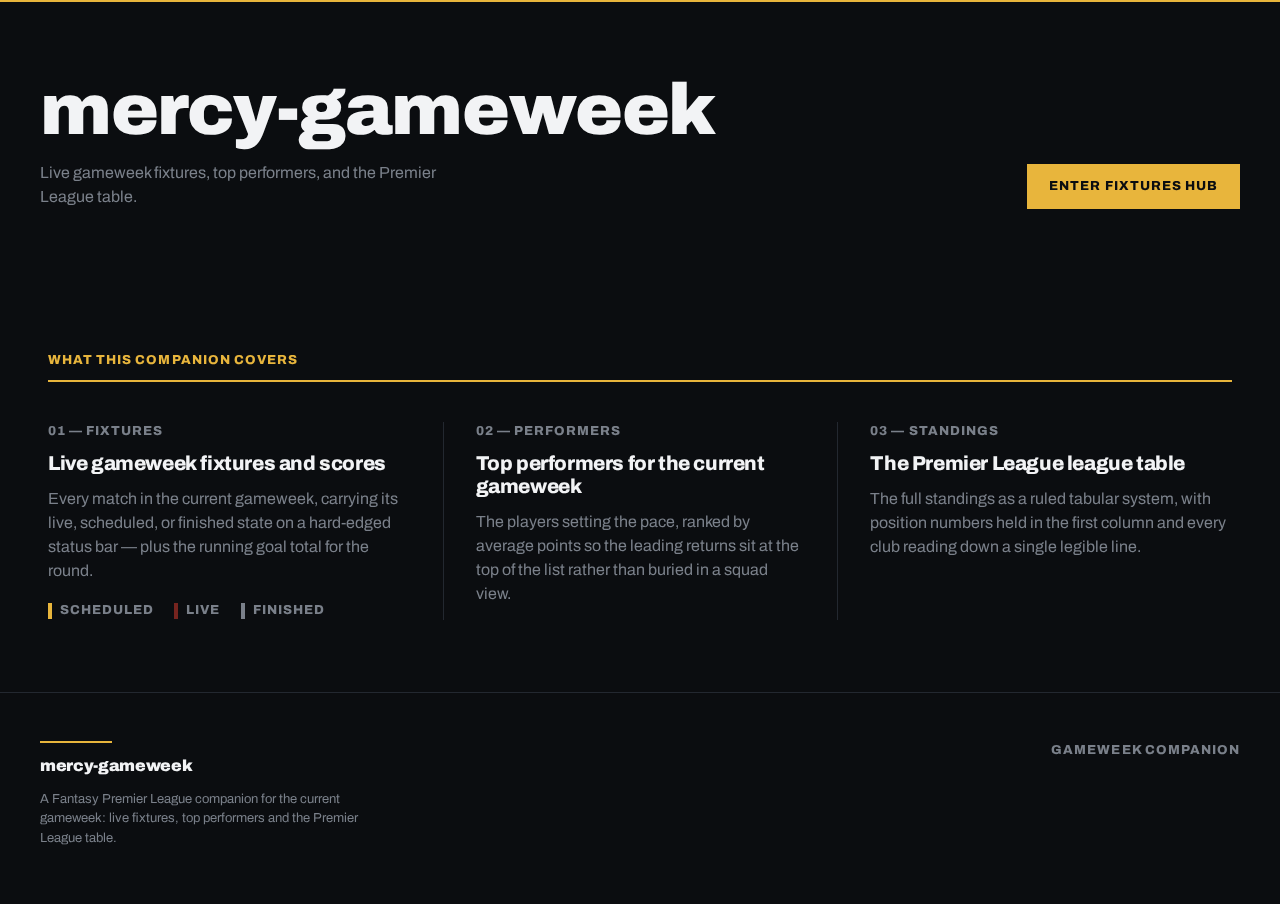
mercy-gameweek
Live gameweek fixtures, top performers, and the Premier League table.
Live gameweek fixtures and scores
Every match in the current gameweek, carrying its live, scheduled, or finished state on a hard-edged status bar — plus the running goal total for the round.
- Scheduled
- Live
- Finished
Top performers for the current gameweek
The players setting the pace, ranked by average points so the leading returns sit at the top of the list rather than buried in a squad view.
The Premier League league table
The full standings as a ruled tabular system, with position numbers held in the first column and every club reading down a single legible line.
mercy-gameweek
Live gameweek fixtures, top performers, and the Premier League table.
Live gameweek fixtures and scores
Every match in the current gameweek, carrying its live, scheduled, or finished state on a hard-edged status bar — plus the running goal total for the round.
- Scheduled
- Live
- Finished
Top performers for the current gameweek
The players setting the pace, ranked by average points so the leading returns sit at the top of the list rather than buried in a squad view.
The Premier League league table
The full standings as a ruled tabular system, with position numbers held in the first column and every club reading down a single legible line.
No comments yet. Be the first!