mercy-facilities
 SC Lim 丽心
Generate a full-stack Facilities Management System for a commercial office tower. It needs three user views: Tenant Portal: To report issues (e.g., 'AC leaking', 'broken light') with photo uploads. Operations Dashboard: A master queue for the dispatcher to view incoming issues, triage urgency, and assign them to technicians. Technician Mobile View: A simplified work-order view to track assigned tasks, update status to 'In Progress' or 'Completed', log inventory parts used, and collect a tenant sign-off signature.


Comments (0)
Sign in to leave a comment
System Requirements
System Requirements Document for Mercy-Facilities
1. Introduction
The Mercy-Facilities project aims to develop a comprehensive Facilities Management System tailored for a commercial office tower. This system will streamline the reporting, management, and resolution of facility-related issues, enhancing operational efficiency and tenant satisfaction.
2. System Overview
The Mercy-Facilities system is designed to cater to three primary user groups: tenants, operations staff, and technicians. Each group will have a dedicated interface to perform their respective tasks efficiently. The system will facilitate seamless communication and task management among these groups, ensuring timely resolution of facility issues.
3. Functional Requirements
- As a Tenant, I should be able to report issues such as 'AC leaking' or 'broken light' with photo uploads.
- As a Tenant, I should be able to view the status of reported issues.
- As an Operations Staff, I should be able to view a master queue of incoming issues.
- As an Operations Staff, I should be able to triage issues based on urgency.
- As an Operations Staff, I should be able to assign issues to technicians.
- As an Operations Staff, I should be able to view the issue assignee in the issue list on the Dashboard page.
- As a Technician, I should be able to view assigned tasks in a simplified work-order view.
- As a Technician, I should be able to update the status of tasks to 'In Progress' or 'Completed'.
- As a Technician, I should be able to log inventory parts used for each task.
- As a Technician, I should be able to collect a tenant sign-off signature upon task completion.
4. User Personas
- Tenant: Individuals or organizations occupying the office tower who report facility issues.
- Operations Staff: Personnel responsible for managing and dispatching facility-related tasks.
- Technician: Field workers tasked with resolving reported issues and maintaining facilities.
5. Core User Flows
- Tenant Flow: Report issue -> Upload photo -> View issue status
- Operations Staff Flow: View master queue -> Triage issue urgency -> Assign to technician
- Technician Flow: View assigned tasks -> Update task status -> Log inventory -> Collect tenant signature
6. Visuals Colors and Theme
- primary: #2A9D8F (Teal)
- primary_light: #A8DADC (Light Teal)
- secondary: #E76F51 (Coral)
- accent: #F4A261 (Orange)
- highlight: #FFB703 (Amber)
- bg: #F1FAEE (Off White)
- surface: rgba(42, 157, 143, 0.8)
- text: #264653 (Dark Blue)
- text_muted: #8D99AE (Muted Gray)
- border: rgba(233, 69, 96, 0.2)
7. Signature Design Concept
The Mercy-Facilities homepage will feature an interactive 3D model of the office tower using @react-three/fiber. Users can click on different floors to view reported issues and their statuses. Hovering over a floor will highlight ongoing maintenance activities, while clicking will zoom into a detailed view of that floor's issues. This immersive experience will provide users with an intuitive understanding of facility operations and maintenance activities.
8. Interaction Model & Motion Direction
The landing page will employ a "parallax" interaction model. Layers of the office tower will move at different speeds as users scroll, creating a sense of depth. Interactive elements will have smooth transitions and hover effects, enhancing user engagement and providing a visually rich first impression.
9. Non-Functional Requirements
- The system must be available 99.9% of the time.
- The system should handle concurrent access by up to 500 users.
- Data privacy and security must comply with local regulations in Singapore.
10. Tech Stack
- Frontend: React for Web
- Backend: Python, FastAPI
- Database: MySQL or MariaDB, use alembic for migrations
- Local orchestration: Docker, docker-compose
- Server-side orchestration: Kubernetes
11. Assumptions and Constraints
- The system will be deployed in a cloud environment.
- Users will access the system via modern web browsers.
- The system will integrate with existing building management systems where applicable.
12. Glossary
- Tenant: An occupant of the office tower.
- Operations Staff: Personnel managing facility operations.
- Technician: Personnel responsible for maintenance and repairs.
- Work-order: A task assigned to a technician for resolution.
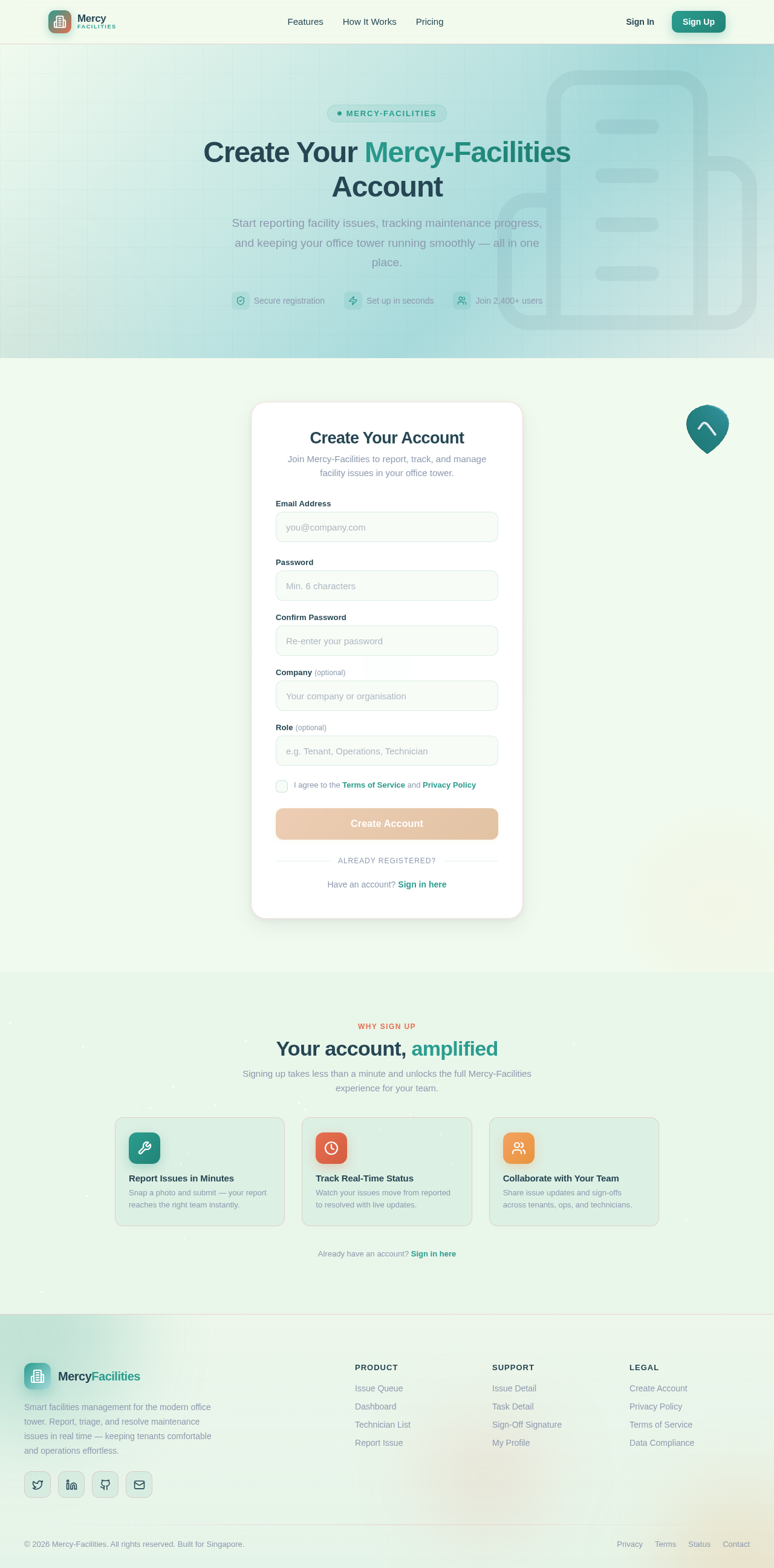
Create Your Mercy-Facilities Account
Start reporting facility issues, tracking maintenance progress, and keeping your office tower running smoothly — all in one place.
Create Your Account
Join Mercy-Facilities to report, track, and manage facility issues in your office tower.
Have an account?Sign in here
Your account, amplified
Signing up takes less than a minute and unlocks the full Mercy-Facilities experience for your team.
Already have an account? Sign in here
Create Your Mercy-Facilities Account
Start reporting facility issues, tracking maintenance progress, and keeping your office tower running smoothly — all in one place.
Create Your Account
Join Mercy-Facilities to report, track, and manage facility issues in your office tower.
Have an account?Sign in here
Your account, amplified
Signing up takes less than a minute and unlocks the full Mercy-Facilities experience for your team.
Already have an account? Sign in here
No comments yet. Be the first!