
mellow-application

byDiya Trivedi

I want to create the to do application

Home
Home

Comments (0)

No comments yet. Be the first!

System Requirements

System Requirement Document
Page 1 of 6

System Requirements Document (SRD)

Project Name: mellow-application

1. Introduction

The mellow-application is a professional to-do application designed to streamline workflows and enhance productivity for individuals and teams. Developed with a focus on task management, this application will provide features such as task assignments, deadlines, and progress tracking to ensure users can efficiently organize and execute their work.

This document outlines the system requirements for the mellow-application, tailored to meet the needs of professional users in India (IN), considering locale-specific defaults such as time zones (IST) and currency (INR).

2. System Overview

The mellow-application will serve as a robust platform for professional task management. It will cater to individuals and teams, enabling seamless collaboration and organization. The system will include features such as:

  • Task creation and categorization
  • Assignment of tasks to team members
  • Deadline tracking and reminders
  • Progress monitoring and reporting

The application will be accessible via web and mobile platforms, ensuring users can manage their tasks anytime, anywhere.

Page 2 of 6

3. Functional Requirements

User Stories:

  • As a User, I should be able to create tasks with titles, descriptions, and deadlines.
  • As a User, I should be able to categorize tasks into different groups or projects.
  • As a User, I should be able to assign tasks to team members.
  • As a User, I should be able to track the progress of tasks and mark them as complete.
  • As a User, I should be able to set reminders for upcoming deadlines.
  • As an Admin, I should be able to manage user roles and permissions.
  • As an Admin, I should be able to view reports on team productivity and task completion rates.

4. User Personas

1. Admin

  • Role: Oversees the application, manages user roles, permissions, and productivity reports.
  • Needs: Administrative control, team insights, and system management tools.

2. User

  • Role: Creates, manages, and completes tasks; collaborates with team members.
  • Needs: Intuitive task management, reminders, and progress tracking.

5. Visuals Colors and Theme

Page 3 of 6

Color Palette:

The mellow-application will feature a professional yet calming theme to align with its purpose of productivity and organization.

  • Background: #F5F5F5 (Soft Gray)
  • Surface: #FFFFFF (Pure White)
  • Text: #333333 (Dark Charcoal)
  • Accent: #007BFF (Calm Blue)
  • Muted Tones: #E0E0E0 (Light Gray)

This palette ensures a clean and professional interface while maintaining a mellow and approachable aesthetic.

6. Signature Design Concept

Page 4 of 6

Concept: Interactive Task Flow Animation

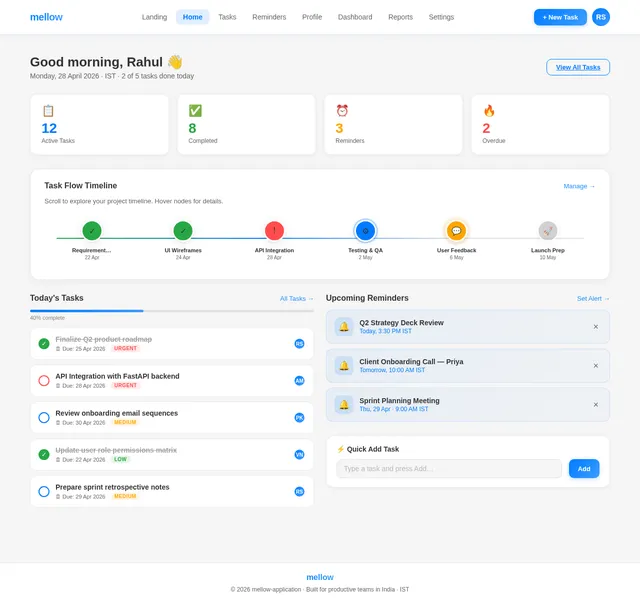
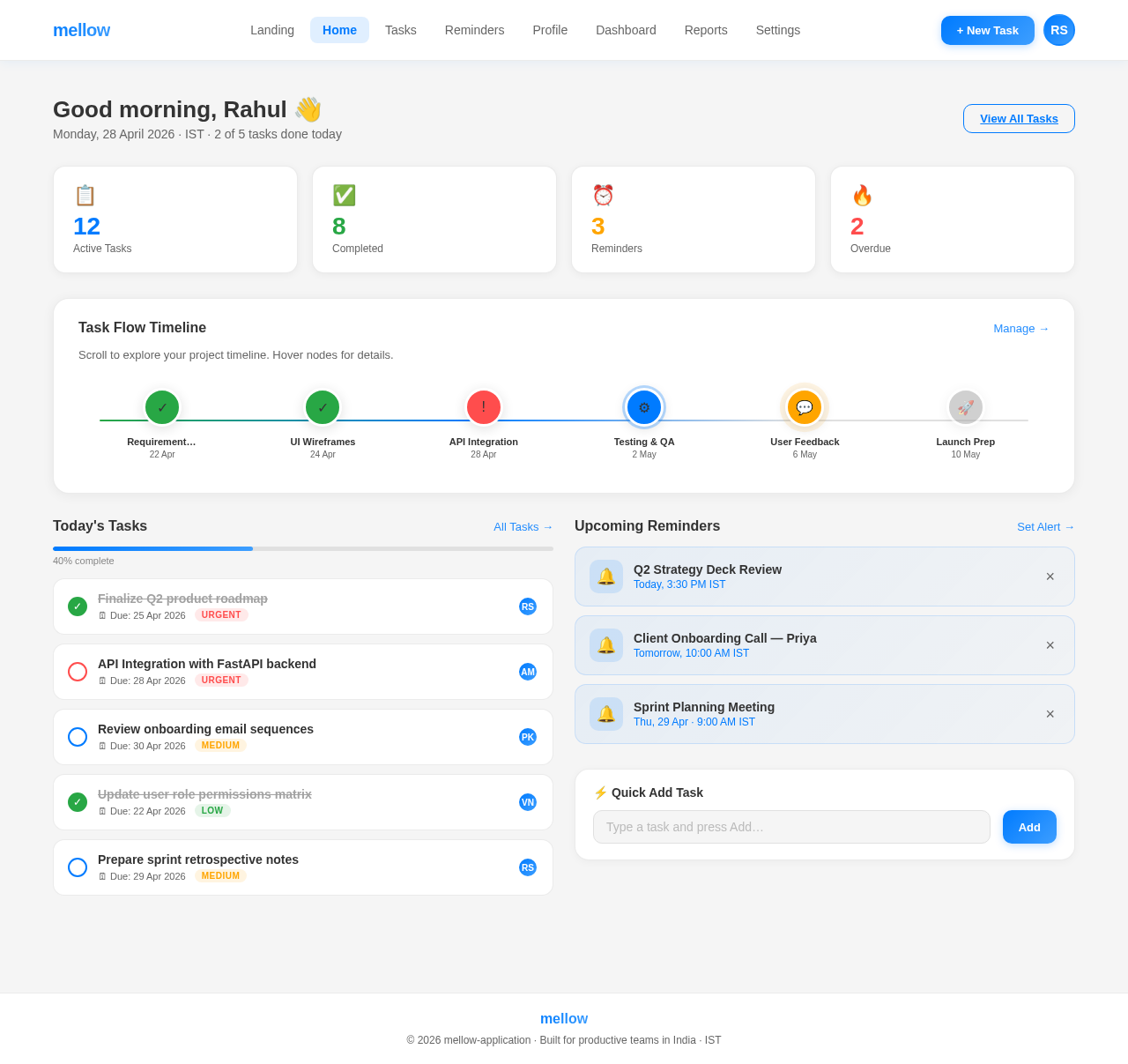
The home page of the mellow-application will feature a dynamic task flow animation. Users will see a visual representation of their tasks as interconnected nodes on a flowing timeline.

  • Design Details:

    • Tasks will appear as circular nodes, color-coded by priority (e.g., red for urgent, green for completed).
    • The timeline will scroll horizontally, with smooth animations as users navigate through tasks.
    • Hovering over a node will expand it to show task details, including title, deadline, and assigned user.
    • Completed tasks will fade into muted tones, while upcoming tasks will pulse gently to draw attention.
  • Interactions:

    • Users can drag and drop tasks to reorder them or assign them to different team members.
    • Clicking a node will open a detailed view with options to edit, mark as complete, or set reminders.

This design will make task management visually engaging and intuitive, leaving a lasting impression on users.

Page 5 of 6

7. Non-Functional Requirements

  • Performance: The application must load within 2 seconds on both web and mobile platforms.
  • Scalability: The system should support up to 10,000 concurrent users.
  • Security: Implement role-based access control (RBAC) and encrypt sensitive data using AES-256.
  • Availability: Ensure 99.9% uptime with robust failover mechanisms.
  • Localization: Default to Indian Standard Time (IST) and support INR currency for any financial transactions.

8. Tech Stack

Frontend:

  • React for Web
  • React Native for Mobile

Backend:

  • Python
  • FastAPI

Database:

  • MySQL (with Alembic for migrations)

AI Models:

  • GPT 5.4 for user-friendly responses
Page 6 of 6

AI Tools:

  • Langchain
  • Litellm for LLM Routing

Orchestration:

  • Docker
  • Kubernetes

9. Assumptions and Constraints

Assumptions:

  • Users will primarily access the application during business hours (9 AM - 6 PM IST).
  • The application will be used by small to medium-sized teams (up to 50 members).

Constraints:

  • The system must comply with Indian data protection laws.
  • Limited budget for initial development and deployment.

10. Glossary

  • RBAC: Role-Based Access Control, a method of restricting system access based on user roles.
  • AES-256: Advanced Encryption Standard with a 256-bit key, used for secure data encryption.
  • IST: Indian Standard Time, the time zone for India.
  • UI/UX: User Interface/User Experience, the design and interaction aspects of the application.
Home design preview
Landing: View Info
Login: Sign In
Dashboard: View Stats
Dashboard: Manage Users
Users: Edit Roles
Users: Set Permissions
Reports: View Productivity
Reports: Export Data
Settings: Configure App
Settings: Manage Teams