manichatapp
 Kirobaby
build this mobile app using flutter it is a chating app and i want real time communication. Just make a real chatting app using this ui


Comments (0)
Sign in to leave a comment
System Requirements
System Requirements Document for manichatapp
1. Introduction
The manichatapp is a mobile application designed to facilitate real-time communication between users. Built using Flutter, the app aims to provide a seamless and engaging chatting experience. The target audience includes mobile users seeking friendly, real-time communication.
2. System Overview
The manichatapp is a mobile application that supports real-time messaging, allowing users to communicate instantly. The app is built using Flutter, ensuring a smooth and responsive user interface. The application requires users to sign up or log in to access chat functionalities, ensuring secure and personalized communication. The app's design is inspired by a bold and vibrant visual language, encouraging user engagement.
2a. Product Interpretation and Delivery Boundary
The manichatapp is delivered as a mobile application with custom UI built using Flutter. It supports real-time communication and requires backend integration for message transport and durable chat state. The app includes self-service enrollment and returning verification to manage user access. The app's visual design is characterized by bold colors and friendly typography, aligning with the project's creative direction.
2b. Source Content Inventory
Not applicable as no content source directive was provided.
2c. Page Content and Component Coverage
Landing
- Purpose: Introduce the app and its real-time chatting capabilities.
- Components:
- Welcome message
- Overview of features
- Call-to-action buttons for Sign Up and Login
- States: Loading, success, error
Login
- Purpose: Allow returning users to verify their identity and access ongoing conversations.
- Components:
- Email/Username input
- Password input
- Login button
- Forgot password link
- States: Loading, success, error
Sign Up
- Purpose: Enable new users to create an account.
- Components:
- Email input
- Username input
- Password input
- Sign Up button
- States: Loading, success, error
Chats
- Purpose: Display a list of ongoing and past conversations.
- Components:
- List of chat previews
- New chat button
- States: Loading, empty, success, error
Chat
- Purpose: Provide a workspace for real-time conversation.
- Components:
- Message display area
- Message input field
- Send button
- Emoji reactions
- States: Loading, success, error
3. Functional Requirements
- As a Chat participant, I should be able to sign up for a new account to start using the app. (Provenance: required_inference)
- As a Chat participant, I should be able to log in to access my ongoing conversations. (Provenance: required_inference)
- As a Chat participant, I should be able to view a list of my ongoing and past conversations. (Provenance: required_inference)
- As a Chat participant, I should be able to send and receive messages in real-time within a chat. (Provenance: explicit)
- As a Chat participant, I should be able to react to messages with emojis. (Provenance: required_inference)
4. User Personas
- Chat participant: A user who engages in real-time communication through the app. Responsibilities include signing up, logging in, viewing chats, and participating in conversations.
5. Core User Flows
-
Sign Up Flow:
- User accesses the Landing page.
- User selects "Sign Up" and is directed to the Sign Up page.
- User enters email, username, and password, then submits the form.
- User receives confirmation and is redirected to the Chats page.
-
Login Flow:
- User accesses the Landing page.
- User selects "Login" and is directed to the Login page.
- User enters credentials and submits the form.
- User is authenticated and redirected to the Chats page.
-
Chat Viewing and Participation Flow:
- User logs in and accesses the Chats page.
- User selects a chat to open the Chat page.
- User sends and receives messages in real-time.
- User can react to messages with emojis.
6. Visuals Colors and Theme
- Muse: Haraldur Thorleifsson
- Palette:
- Background: #FFFFFF
- Surface: #FFEDD5
- Text: #1F2937
- Primary: #F97316
- Accent: #5B21B6
- Muted: #9CA3AF
- Typography:
- Headings: Sora — Bold
- Body: Outfit
- Scale: 1.5 modular
- Shape Language: Chunky rounded shapes and color-blocked sections
- Layout: Generous spacing with color-blocked sections and rounded cards
- Motion: Lively entrance animations and hover pops
7. Signature Design Concept
A split-screen hero on the Landing page with large text on one side and a bold character illustration on the other. The design features dominant orange and cream color blocks with a purple accent, rounded chat bubbles, and interactive hover effects.
8. Interaction Model & Motion Direction
- Interaction Model: Animated
- Motion Tempo: Expressive
- Hero Dimensionality: Layered_2d
- Landing Hero Motion Brief: A split-screen hero with a large character illustration and oversized welcome text; dynamic transition effects such as color slides or reveal animations; interactive hover effects on icons and buttons.
9. Non-Functional Requirements
- The app must support real-time communication with minimal latency. (Provenance: explicit)
- The app must be responsive and perform well on mobile devices. (Provenance: explicit)
10. Tech Stack
- Frontend: Flutter
- Backend: Real-time messaging transport (e.g., WebSockets)
- Database: Appropriate storage for chat history and user data
11. Assumptions and Constraints
- The app will be developed using Flutter as specified by the user.
- Real-time communication is a core feature and must be implemented effectively.
- The UI design will follow the creative direction provided, despite the absence of a specific UI reference.
12. Glossary
- Chat participant: A user who engages in conversations using the app.
- Real-time communication: The ability to send and receive messages instantly without noticeable delay.
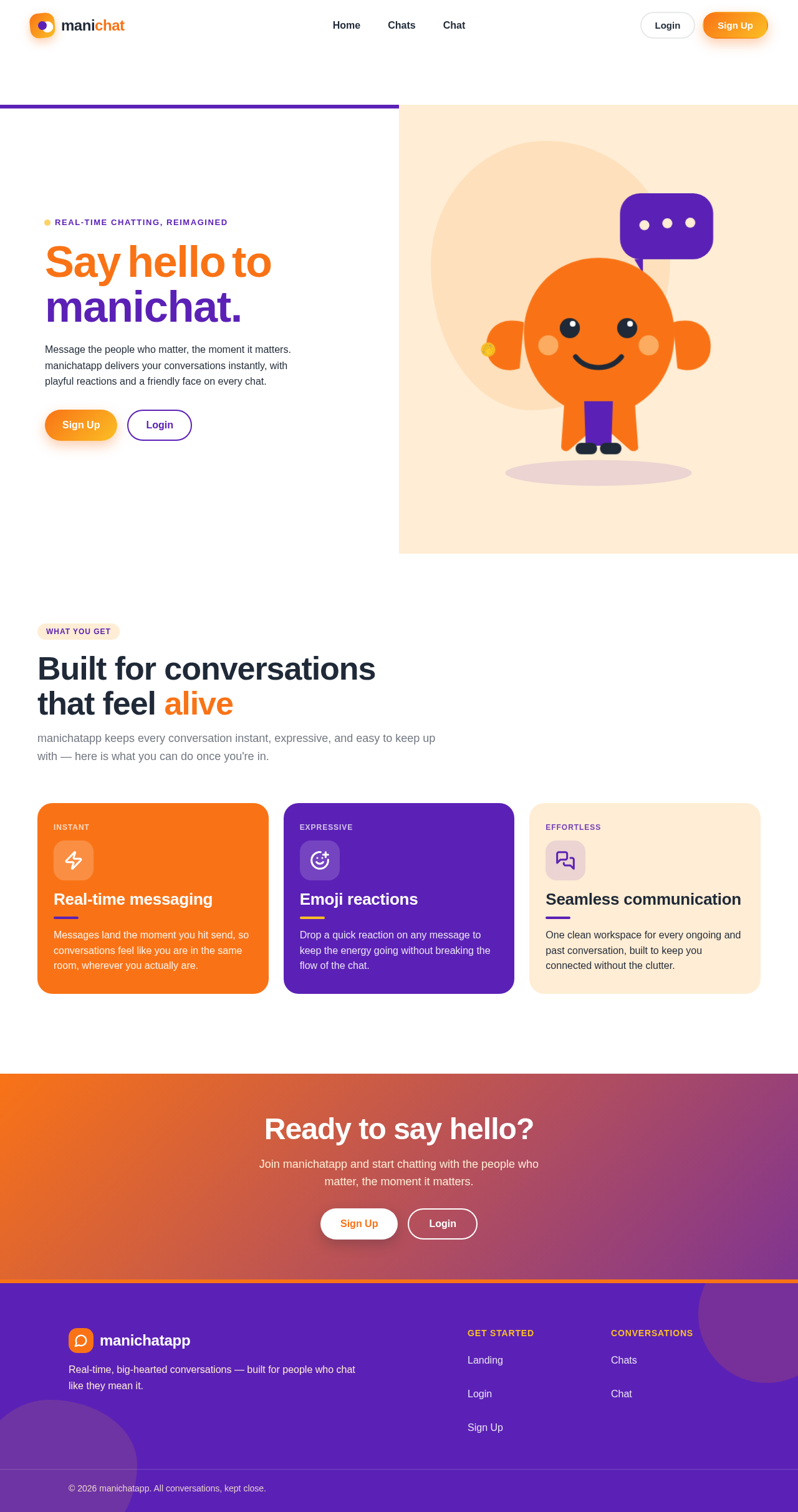
Built for conversations that feel alive
manichatapp keeps every conversation instant, expressive, and easy to keep up with — here is what you can do once you're in.
Real-time messaging
Messages land the moment you hit send, so conversations feel like you are in the same room, wherever you actually are.
Emoji reactions
Drop a quick reaction on any message to keep the energy going without breaking the flow of the chat.
Seamless communication
One clean workspace for every ongoing and past conversation, built to keep you connected without the clutter.
Built for conversations that feel alive
manichatapp keeps every conversation instant, expressive, and easy to keep up with — here is what you can do once you're in.
Real-time messaging
Messages land the moment you hit send, so conversations feel like you are in the same room, wherever you actually are.
Emoji reactions
Drop a quick reaction on any message to keep the energy going without breaking the flow of the chat.
Seamless communication
One clean workspace for every ongoing and past conversation, built to keep you connected without the clutter.
No comments yet. Be the first!