mango-aplicativo
 Carlos Eduardo Carvalho
Crie uma aplicativo web de controle de estoque, preparado para um SaaS, que tenham as seguintes funcionalidades e peculiaridades:usuários - Administrador, Manufatur e Gerente -, que tenha possibilidade de criar filiais,

Comments (0)
Sign in to leave a comment
System Requirements
System Requirements Document (SRD)
Project Name: mango-aplicativo
1. Introduction
The mango-aplicativo is a web-based inventory management system designed as a SaaS platform. It aims to provide a scalable and efficient solution for managing stock across multiple branches, with distinct roles for users such as Administrador, Manufatur, and Gerente. The system is tailored for users in Germany (DE), ensuring locale-specific defaults such as currency (€), timezone (CET/CEST), and language preferences.
Carlos Eduardo Carvalho, your vision for this project is inspiring, and this document outlines the requirements to bring your ideas to life.
2. System Overview
The mango-aplicativo is designed to streamline inventory management and inter-user collaboration. Key features include:
- Role-based access control for Administrador, Manufatur, and Gerente.
- The ability for Administrador to create and share product tables within suppliers.
- Interactions between users, including product requests visible across branches.
- Automated calculations for stock statuses and guided updates for inventory fields.
- A SaaS-ready architecture with user management, backup/restoration, and a customizable dashboard for Administrador.
3. Functional Requirements
As story points:
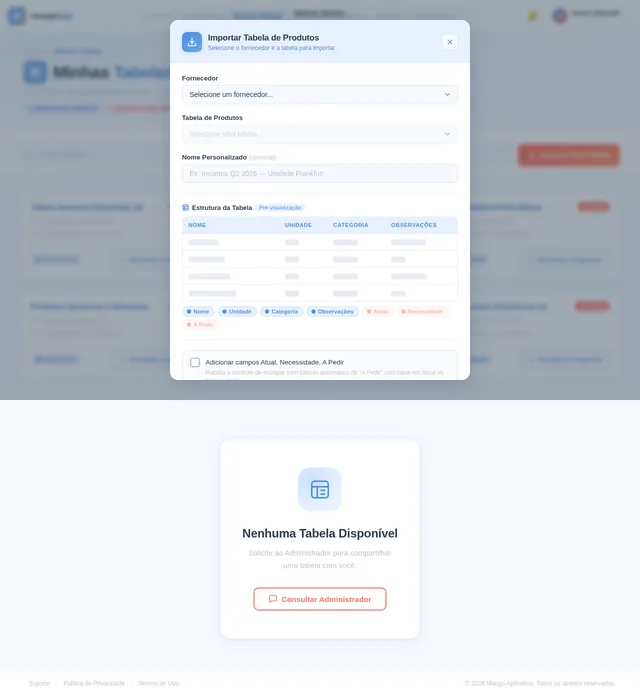
- As Administrador, I should be able to create product tables within suppliers, including fields: Nome, Unidade, Categoria, and Observações de Produto.
- As Administrador, I should be able to share tables with other users (Manufatur and Gerente).
- As Administrador, I should be able to generate links of invitation for new users with predefined roles and permissions.
- As Administrador, I should have access to a dashboard displaying system metrics such as stock summary, user activity, and notifications.
- As Manufatur or Gerente, I should be able to import tables and manage additional fields: Atual, Necessidade, and A Pedir.
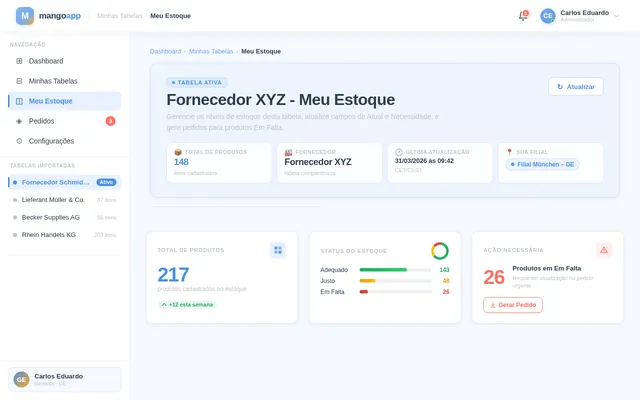
- As Manufatur or Gerente, I should be able to update Atual and Necessidade fields using a guided function or individual edits via an IconButton.
- As Manufatur or Gerente, I should be able to generate a list of products with A Pedir status "Em Falta" and send it to the Pedidos page.
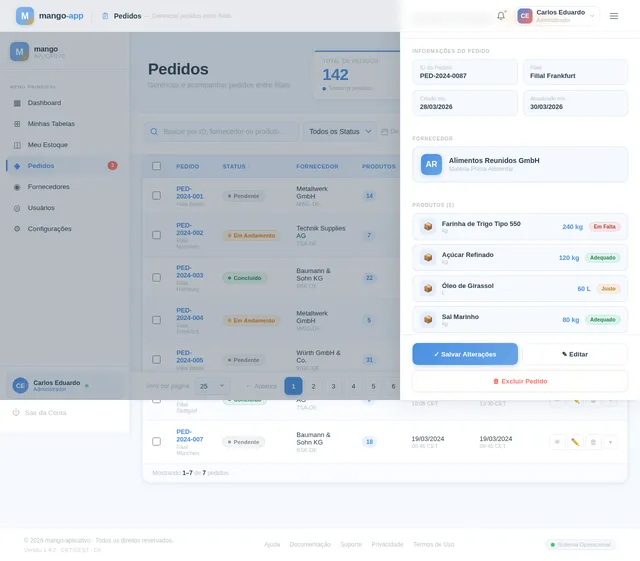
- As any user, I should be able to view and manage Pedidos with statuses: Pendente, Em Andamento, and Concluído.
- As any user, I should be able to access a personal Configurações page to update profile images and manage backups/restorations.
4. User Personas
1. Administrador
- Role: System owner and manager.
- Responsibilities: Create and share product tables, manage users, monitor system metrics via the dashboard, and oversee stock and pedidos.
2. Manufatur
- Role: Operational user focused on stock updates and requests.
- Responsibilities: Import tables, update stock fields, and generate pedidos.
3. Gerente
- Role: Managerial user overseeing stock and pedidos.
- Responsibilities: Similar to Manufatur, with additional oversight of stock management.
5. Visuals Colors and Theme
Color Palette:
- Background:
#F5F9FF(soft sky blue for a clean SaaS feel). - Surface:
#FFFFFF(pure white for clarity and focus). - Text:
#2C3E50(dark slate for readability). - Accent:
#FF6F61(vivid coral for actionable elements like buttons). - Muted Tones:
#BDC3C7(light gray for secondary elements).
6. Signature Design Concept
Dynamic Dashboard with Interactive Metrics
The homepage/dashboard for the Administrador will feature a live, interactive dashboard. Key design elements include:
- Circular Progress Charts: Display stock statuses (Adequado, Justo, Em Falta) with color-coded segments (green, yellow, red).
- Activity Heatmap: Visualize user logins and actions over time.
- Notification Panel: A collapsible sidebar showing alerts for stock shortages, pending backups, and user invitations.
- Micro-Interactions: Hover effects on charts and metrics to reveal detailed insights (e.g., clicking a stock chart shows product-specific data).
- Real-Time Updates: Metrics refresh dynamically without page reloads, ensuring the dashboard feels alive and responsive.
7. Non-Functional Requirements
- Performance: The system must support up to 10,000 concurrent users without degradation.
- Scalability: SaaS architecture must allow seamless addition of branches and users.
- Security: Role-based access control and encrypted backups.
- Localization: Default settings for Germany (currency: €, timezone: CET/CEST).
8. Tech Stack
Frontend:
- React for Web
- React Native for mobile app
Backend:
- Python
- FastAPI
Database:
- MySQL or MariaDB (with Alembic for migrations)
AI Tools:
- GPT 5.4 for user-friendly responses
- Litellm for LLM Routing
Orchestration:
- Docker for local development
- Kubernetes for server-side orchestration
9. Assumptions and Constraints
-
Assumptions:
- Users will have basic familiarity with inventory management systems.
- Administrador will handle initial user onboarding and table creation.
-
Constraints:
- System must comply with GDPR regulations for data privacy.
- Backup/restoration processes must be seamless and error-free.
10. Glossary
- Administrador: The primary user responsible for managing the system.
- Manufatur: Operational user focused on stock updates.
- Gerente: Managerial user overseeing stock and pedidos.
- Pedidos: Requests for products between branches.
- A Pedir: Calculated field indicating stock status (Adequado, Justo, Em Falta).
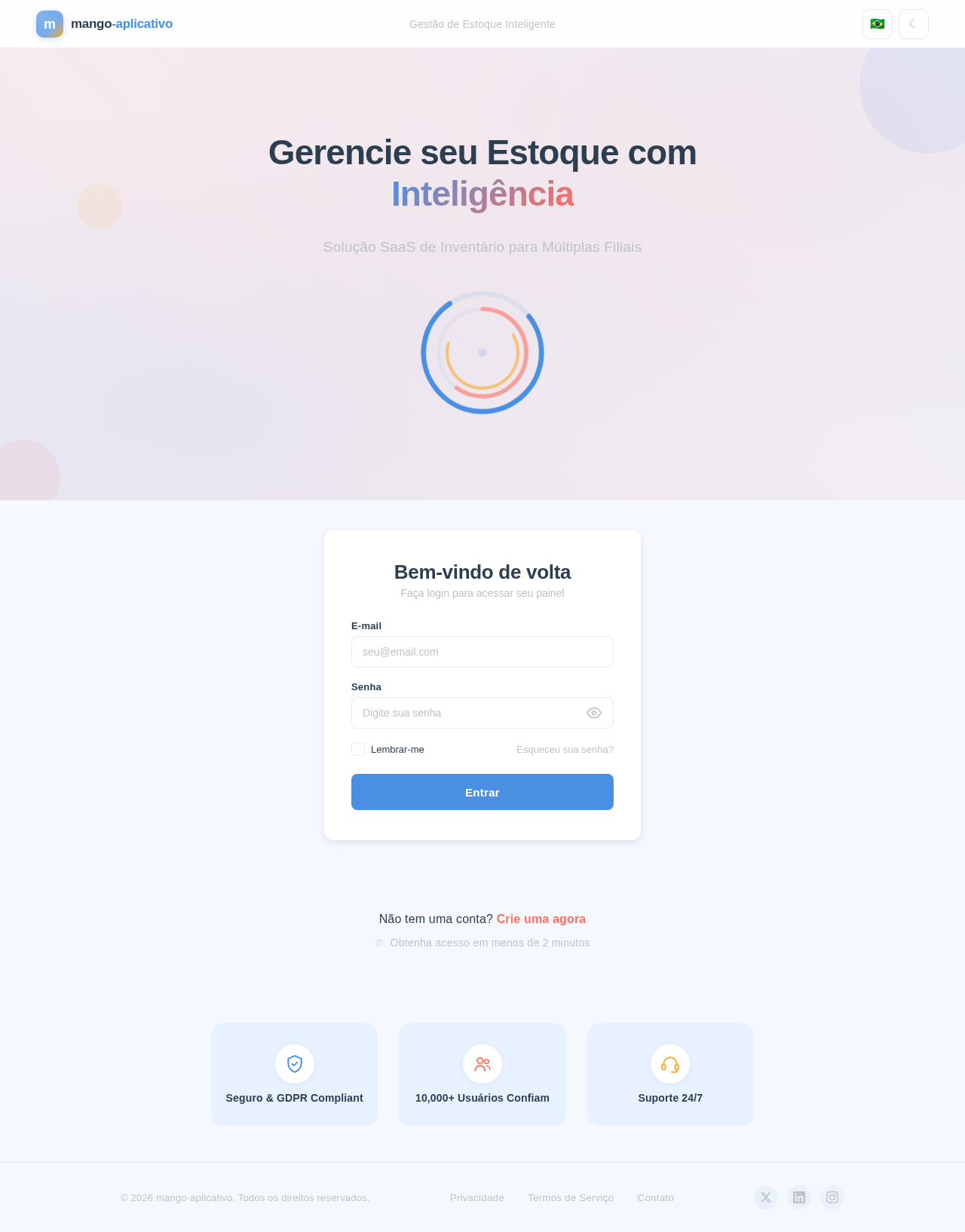
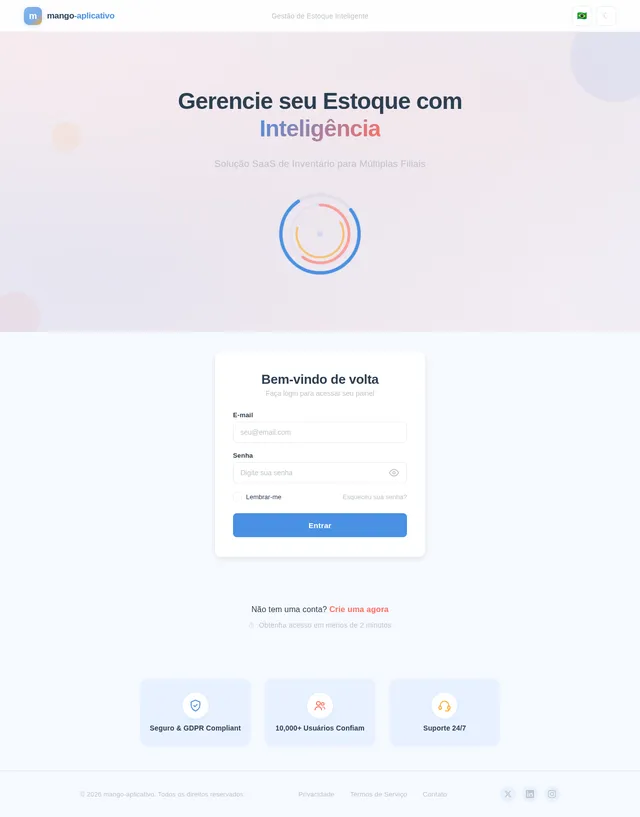
Gerencie seu Estoque com Inteligência
Solução SaaS de Inventário para Múltiplas Filiais
Bem-vindo de volta
Faça login para acessar seu painel
Não tem uma conta? Crie uma agora
Obtenha acesso em menos de 2 minutos
No comments yet. Be the first!