mammoth-scanner
 Shaikh sharukh
I want make a app like DocScanner
Comments (0)
Sign in to leave a comment
System Requirements
System Requirements Document (SRD)
Project Name: Mammoth-Scanner
1. Introduction
The Mammoth-Scanner project is a mobile application designed to provide seamless document scanning, editing, and storage solutions for users in India (IN). Inspired by popular apps like DocScanner, Mammoth-Scanner aims to empower students, professionals, and small businesses with advanced features such as Optical Character Recognition (OCR), document editing tools, and cloud storage integration.
This SRD outlines the functional and non-functional requirements, user personas, design concepts, and technical specifications for the Mammoth-Scanner project.
2. System Overview
Mammoth-Scanner is a mobile-first application that enables users to scan physical documents using their smartphone camera, extract text using OCR technology, edit scanned documents, and securely store them in the cloud. The app will prioritize simplicity, speed, and accuracy, ensuring users can manage their documents effortlessly.
Key features include:
- High-quality document scanning with auto-cropping and enhancement.
- OCR for text extraction and editing.
- Integration with popular cloud storage platforms for secure backups.
- Intuitive user interface optimized for mobile devices.
The app will cater to the Indian market, considering locale-specific needs such as support for regional languages and integration with local cloud services.
3. Functional Requirements
As User:
- I should be able to scan documents using my phone camera.
- I should be able to extract text from scanned documents using OCR.
- I should be able to edit scanned documents (crop, rotate, adjust brightness/contrast).
- I should be able to save documents to cloud storage platforms like Google Drive and Dropbox.
- I should be able to organize scanned documents into folders.
- I should be able to share scanned documents via email or messaging apps.
- I should be able to search for documents using keywords extracted via OCR.
4. User Personas
Persona 1: Student
Description: A college student who frequently scans notes, assignments, and reference materials.
Needs: Fast scanning, OCR for extracting text from handwritten notes, and easy sharing with classmates.
Persona 2: Professional
Description: A working professional who scans contracts, invoices, and reports.
Needs: High-quality scans, cloud storage for backups, and secure sharing options.
Persona 3: Small Business Owner
Description: A small business owner who scans receipts, bills, and inventory lists.
Needs: Organization tools, OCR for digitizing records, and integration with accounting software.
5. Visuals Colors and Theme
Color Palette:
- Background:
#F5F5F5(Soft Gray) - Surface:
#FFFFFF(Pure White) - Text:
#333333(Dark Charcoal) - Accent:
#FF6F61(Warm Coral) - Muted Tones:
#B0BEC5(Cool Steel Blue)
The theme will emphasize clarity and simplicity, with a clean layout and vibrant accents to highlight actionable elements.
6. Signature Design Concept
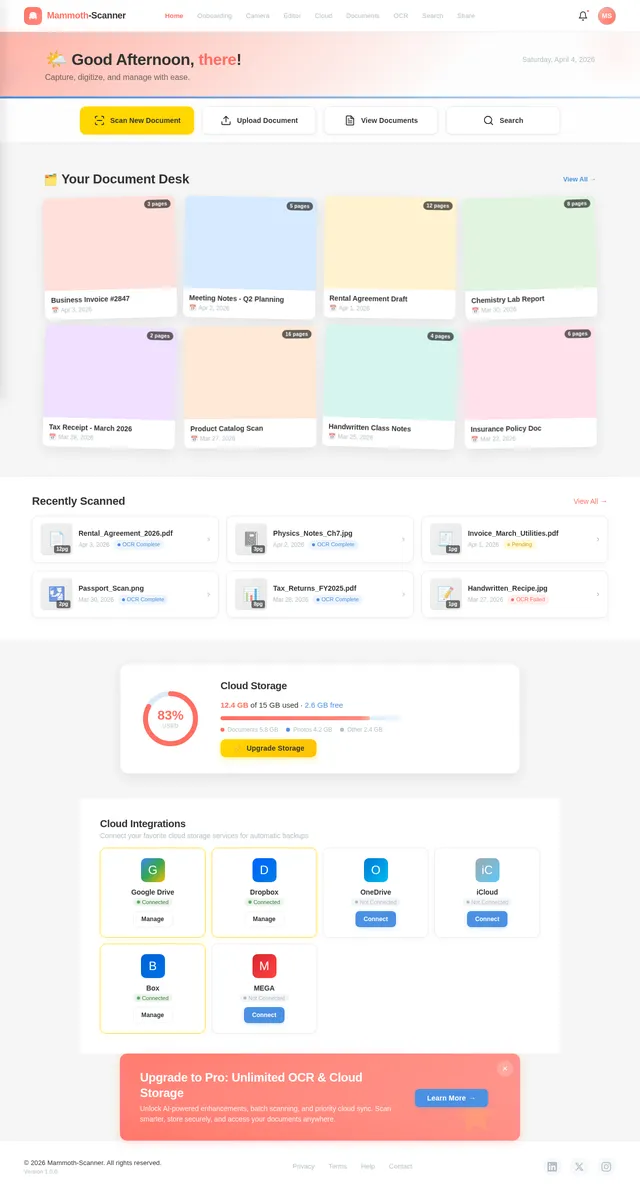
Concept: Interactive Document Desk
The home page of Mammoth-Scanner will resemble a virtual desk, where scanned documents appear as physical sheets scattered across the surface. Users can interact with these "papers" by dragging, stacking, or flipping them.
Details:
- Animations: Documents will "lift" slightly when tapped and "snap" into place when organized into folders.
- Transitions: Smooth transitions between scanning, editing, and saving workflows.
- Color Shifts: The background will subtly shift between soft gray and white based on user activity, creating a dynamic yet calming effect.
- Micro-Interactions: Hovering over icons will produce gentle ripples, and tapping buttons will trigger satisfying sound effects like paper rustling.
This design will make the app feel tactile and engaging, ensuring users enjoy a unique and memorable experience.
7. Non-Functional Requirements
- The app must support Android and iOS platforms.
- The OCR functionality should support at least 10 Indian regional languages.
- The app should load within 3 seconds on devices with 4GB RAM or higher.
- All scanned documents must be encrypted before uploading to cloud storage.
- The app must comply with GDPR and Indian data protection laws.
8. Tech Stack
Frontend:
- React Native for mobile app development.
Backend:
- Python with FastAPI for API development.
Database:
- MySQL for structured data storage (e.g., user accounts, document metadata).
- MongoDB for unstructured data storage (e.g., scanned document images).
AI Models:
- GPT 5.4 for user-friendly responses and OCR text correction.
- Google Nano Banana for image enhancement and generation.
AI Tools:
- Langchain for seamless AI integration.
Local Orchestration:
- Docker and docker-compose for containerized development.
Server-Side Orchestration:
- Kubernetes for scalable deployment.
9. Assumptions and Constraints
Assumptions:
- Users will have access to stable internet connections for cloud storage integration.
- Smartphones used will have cameras with at least 8MP resolution.
Constraints:
- The app must operate within the storage and processing limits of mobile devices.
- OCR accuracy may vary depending on the quality of the scanned document.
10. Glossary
- OCR (Optical Character Recognition): Technology used to extract text from images.
- Cloud Storage: Online storage services like Google Drive and Dropbox.
- GDPR: General Data Protection Regulation, a European privacy law.
- React Native: A framework for building mobile apps using JavaScript.
- FastAPI: A modern web framework for building APIs with Python.
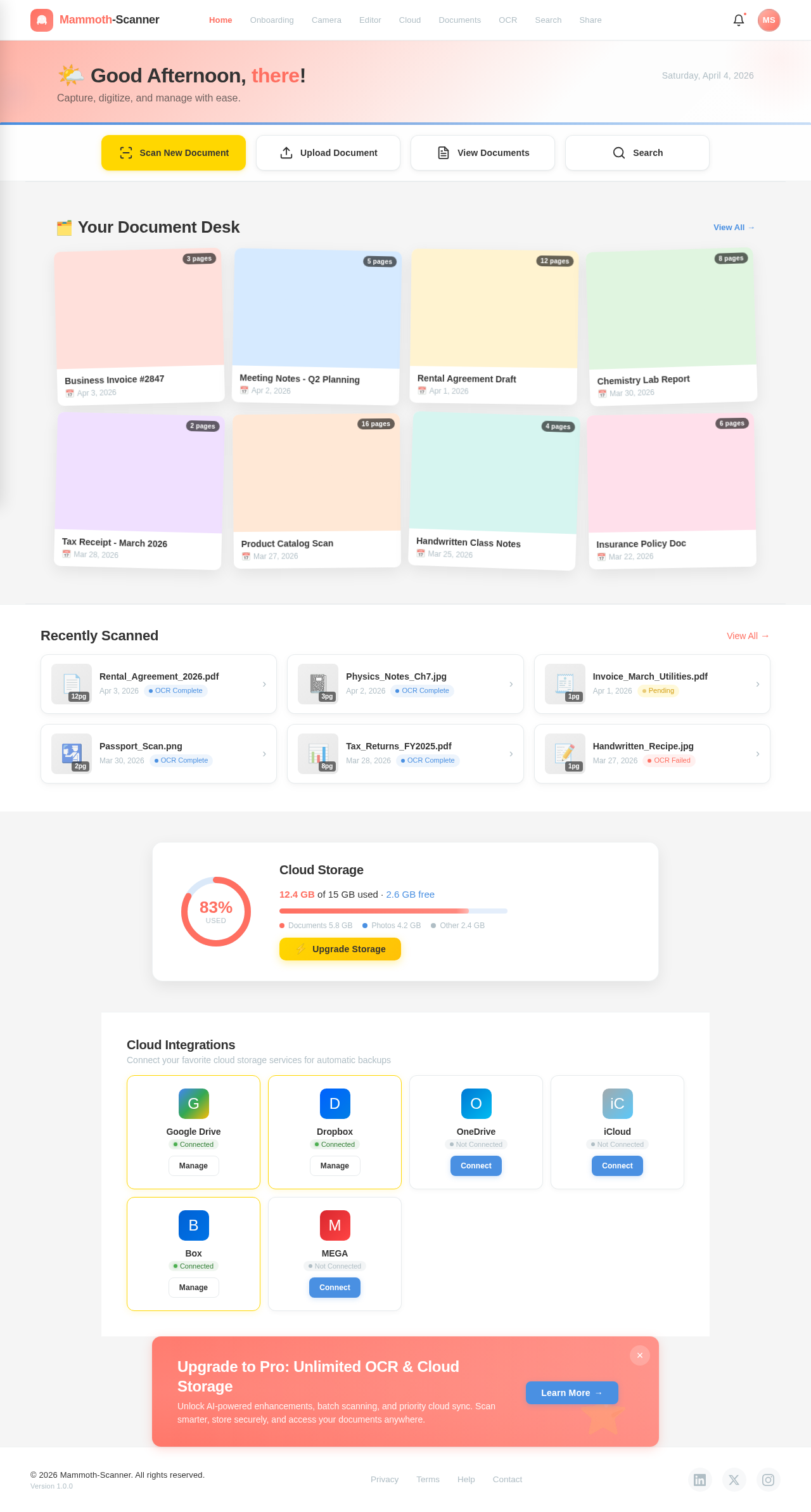
Capture, digitize, and manage with ease.
Your Document Desk
View All →Business Invoice #2847
Apr 3, 2026Meeting Notes - Q2 Planning
Apr 2, 2026Rental Agreement Draft
Apr 1, 2026Chemistry Lab Report
Mar 30, 2026Tax Receipt - March 2026
Mar 28, 2026Product Catalog Scan
Mar 27, 2026Handwritten Class Notes
Mar 25, 2026Insurance Policy Doc
Mar 22, 2026Recently Scanned
View All→Cloud Storage
12.4 GB of 15 GB used · 2.6 GB free
Cloud Integrations
Connect your favorite cloud storage services for automatic backups
No comments yet. Be the first!