mammoth-app
 Dennis Busienei (KILOMETRE)
Buld app that I can text with each other and it's well encrypted only sms, no video or voice note or picture, time stamp available and no delete chat, and also have password ercypted
Comments (0)
Sign in to leave a comment
Project Tasks12
Implement Theme & Global Styles
As a user, I want to experience a consistent Digital Vault visual theme across all pages. Set up global CSS variables and theme tokens: Background #F3F4F6, Surface #FFFFFF, Text #1F2937, Accent #2563EB, Muted #9CA3AF. Configure Inter font family, base typography scale, reusable button/card/input component styles, and remove or repurpose scaffold pages that are not part of the mammoth-app flow (welcome page, dashboard/overview, dashboard/ai-assistant, dashboard/settings). This task must be completed before all page implementation tasks.
Build Landing Page
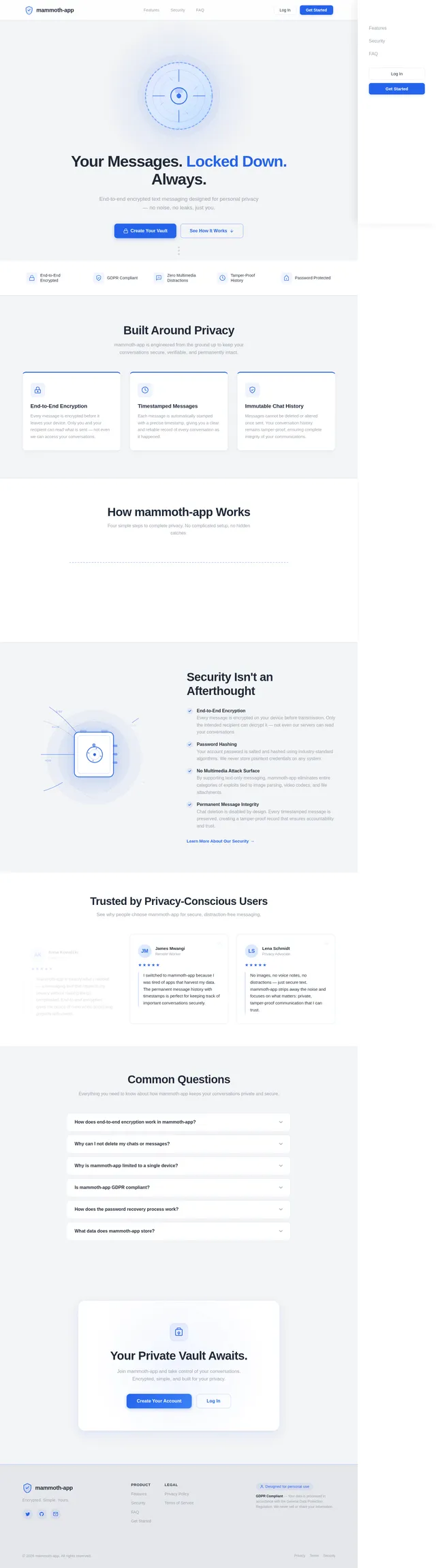
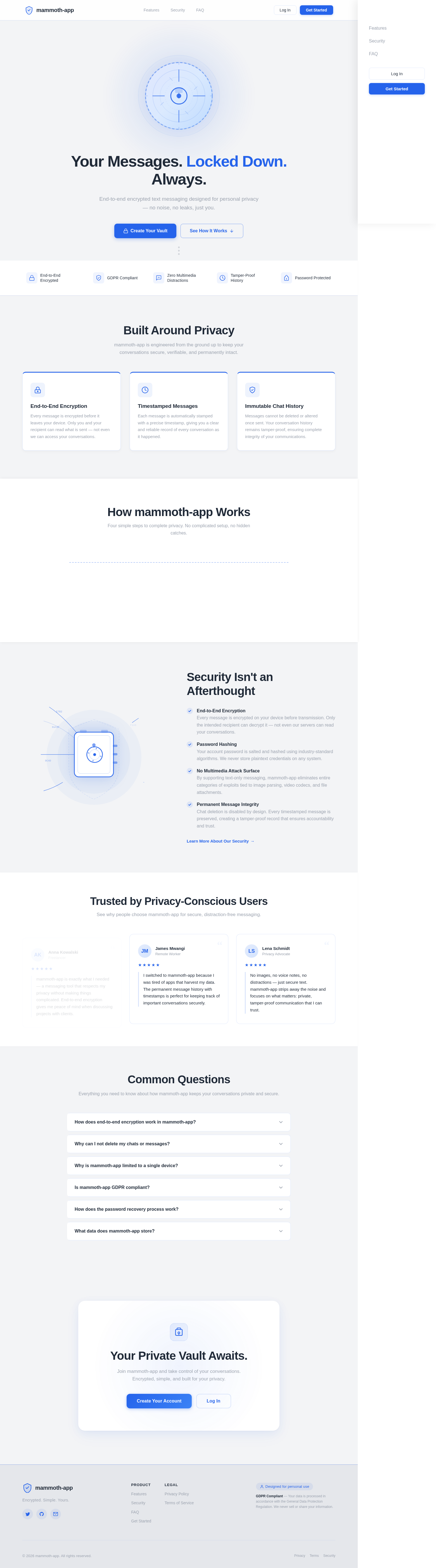
As a user, I want to see the Digital Vault landing page so I understand mammoth-app's value proposition. Implement the Landing page based on the existing JSX design (v2). Includes: NavBar with frosted glass, Hero with animated vault door SVG, TrustBadges strip, FeatureHighlights 3-column cards, HowItWorks timeline, SecurityDeepDive two-column, Testimonials carousel, FAQ accordion, CallToAction section, and Footer. Links navigate to /Login and /Signup. Animated data-stream canvas background at ~0.04 opacity.
Build Login Page
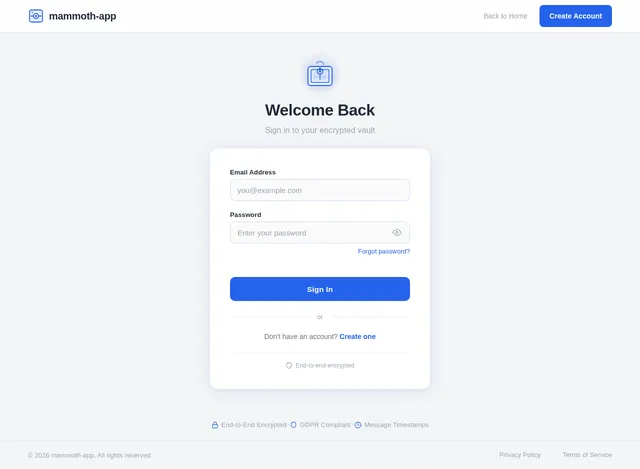
As a user, I want to sign in to my account securely so I can access my encrypted messages. Implement the Login page based on the existing JSX design (v2) with email/password form, password visibility toggle, encrypted vault aesthetic (consistent with Landing theme), and error state handling. On successful login, navigate to /Inbox. Includes a link to /Signup for new users. Follows the Digital Vault design style with accent blue glow on interactive elements.
Build Signup Page
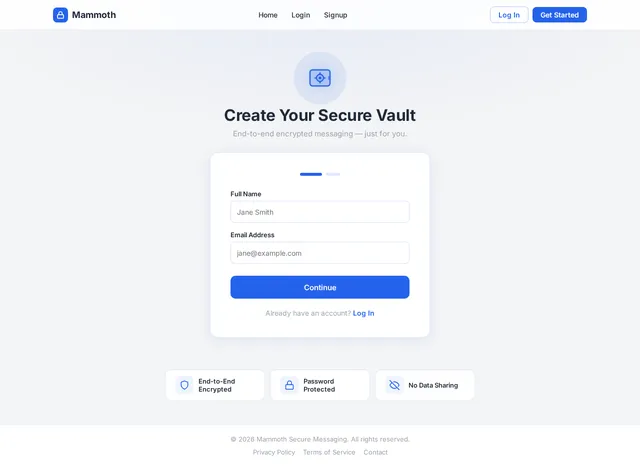
As a user, I want to create a new account so I can start using mammoth-app. Implement the Signup page based on the existing JSX design (v2) with two steps: (1) account creation form (name, email), (2) encrypted password setup with strength indicator and confirmation field. On completion, navigate to /Login. Follows Digital Vault theme with vault-unlock micro-interaction on form submit. Includes link back to /Login for existing users.
Enforce Single-Device Session Policy
As a user, I want my account to be accessible only on one device at a time so unauthorized concurrent access is prevented. Implement session token invalidation logic in the backend: on new login, revoke all existing sessions for that user. Store active session tokens with device fingerprint in MySQL. Return 401 on stale tokens. Integrate with the Login API flow.
Implement Inbox & Contacts API
As a user, I want the backend to serve my conversation list so the Inbox page can display all my chats. Implement FastAPI endpoints: GET /api/conversations (list all conversations for authenticated user with last message and timestamp). Enforce single-device session policy. Integrate with MySQL via Alembic migrations for conversations and participants tables.
Implement Password Update API
As a user, I want the backend to securely handle password changes so my account remains protected. Implement FastAPI endpoint: PUT /api/users/password (verify current password hash, validate new password, store new bcrypt hash). Enforce single active session invalidation on password change. Follows GDPR compliance — no plaintext password logging.
Build Inbox Page
As a user, I want to view all my conversations in an inbox so I can select and continue chats. Implement the Inbox page based on the existing JSX design (v2) listing all active chats with contact name, last message preview, and timestamp. No delete option exposed per SRD constraints. Tapping a chat navigates to /Chat. A Profile link navigates to /Profile. Uses Surface white card style with blue accent, consistent with mammoth-app theme.
Build Profile Page
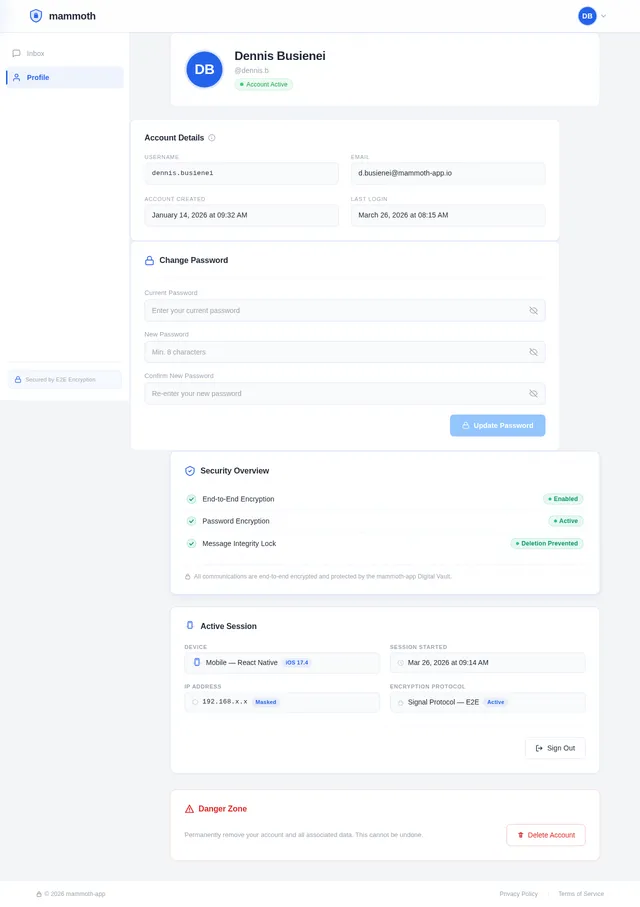
As a user, I want to update my account password on the Profile page so I can maintain account security. Implement the Profile page based on the existing JSX design (v2) with current password verification, new password input with confirmation, and success/error feedback. Follows Digital Vault theme. Navigate back to /Inbox on save. No ability to change username or add profile picture per SRD simplicity constraint.
Implement Messaging API
As a user, I want the backend to store and retrieve encrypted messages so my conversations are always private and intact. Implement FastAPI endpoints: GET /api/conversations/{id}/messages (paginated, with timestamps) and POST /api/conversations/{id}/messages (send new encrypted text message). Enforce no-delete policy at API level — DELETE endpoints must not exist. Store messages with E2E encryption and Unix timestamps in MySQL.
Implement E2E Encryption Layer
As a user, I want all my messages to be end-to-end encrypted so no third party — including the server — can read them. Implement client-side encryption/decryption logic using AES-256-GCM with ECDH key exchange. Keys are derived from user credentials and never sent to the server. Integrate encryption into the Chat page send/receive flow and ensure the Messaging API stores only ciphertext.
Build Chat Page
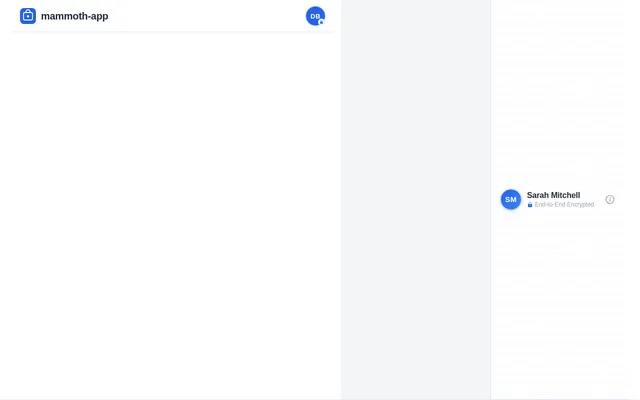
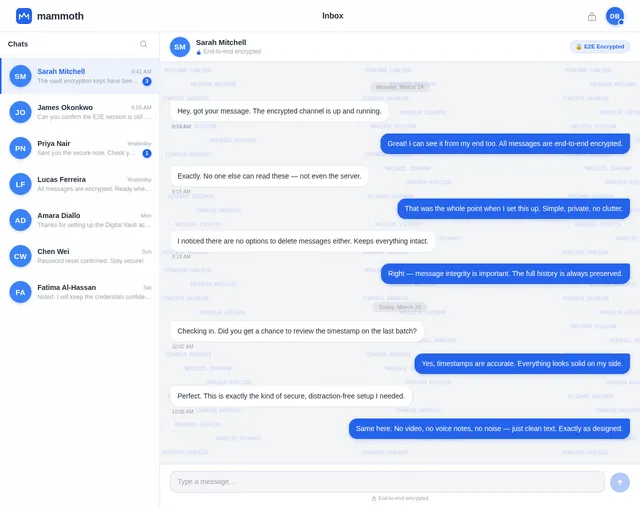
As a user, I want to read and send encrypted text messages in a conversation so I can communicate privately. Implement the Chat page based on the existing JSX design (v2) with: ConversationSidebar (300px fixed panel with conversation list, search, active state, unread badges, mobile drawer), ChatHeader (contact name, E2E encrypted label, shield icon), MessageThread (scrollable bubble view with timestamps, outgoing blue right-aligned, incoming white left-aligned, date separators, lock icon on each bubble), EncryptionStatusBar (slim persistent bar), and MessageInputBar (pill input, send button with pulse animation). No delete button or media upload options. Real-time or polling-based message updates. Navigate back to /Inbox.
Your Messages. Locked Down. Always.
End-to-end encrypted text messaging designed for personal privacy — no noise, no leaks, just you.
Built Around Privacy
mammoth-app is engineered from the ground up to keep your conversations secure, verifiable, and permanently intact.
End-to-End Encryption
Every message is encrypted before it leaves your device. Only you and your recipient can read what is sent — not even we can access your conversations.
Timestamped Messages
Each message is automatically stamped with a precise timestamp, giving you a clear and reliable record of every conversation as it happened.
Immutable Chat History
Messages cannot be deleted or altered once sent. Your conversation history remains tamper-proof, ensuring complete integrity of your communications.
How mammoth-app Works
Four simple steps to complete privacy. No complicated setup, no hidden catches.
Create Your Account
Sign up in seconds with just your name and email. No phone number, no social logins — just a simple, private registration.
Set Your Encrypted Password
Choose a strong password that gets hashed and encrypted before it ever leaves your device. Your credentials stay yours.
Start a Conversation
Find contacts and begin messaging instantly. Pure text, zero distractions — just focused, meaningful communication.
Messages Are Encrypted Instantly
Every message is sealed with end-to-end encryption the moment you hit send. Not even we can read your conversations.
Security Isn't an Afterthought
- End-to-End Encryption
Every message is encrypted on your device before transmission. Only the intended recipient can decrypt it — not even our servers can read your conversations. - Password Hashing
Your account password is salted and hashed using industry-standard algorithms. We never store plaintext credentials on any system. - No Multimedia Attack Surface
By supporting text-only messaging, mammoth-app eliminates entire categories of exploits tied to image parsing, video codecs, and file attachments. - Permanent Message Integrity
Chat deletion is disabled by design. Every timestamped message is preserved, creating a tamper-proof record that ensures accountability and trust.
Trusted by Privacy-Conscious Users
See why people choose mammoth-app for secure, distraction-free messaging.
mammoth-app is exactly what I needed — a messaging tool that respects my privacy without making things complicated. End-to-end encryption gives me peace of mind when discussing projects with clients.
I switched to mammoth-app because I was tired of apps that harvest my data. The permanent message history with timestamps is perfect for keeping track of important conversations securely.
No images, no voice notes, no distractions — just secure text. mammoth-app strips away the noise and focuses on what matters: private, tamper-proof communication that I can trust.
Common Questions
Everything you need to know about how mammoth-app keeps your conversations private and secure.
Every message you send is encrypted on your device before it leaves, using industry-standard end-to-end encryption. Only the intended recipient can decrypt and read it. Our servers never have access to your plaintext messages, ensuring your conversations remain completely private.
Chat deletion is intentionally disabled to maintain message integrity and a tamper-proof conversation history. This ensures that no party can alter or erase the record of a conversation, providing accountability and a reliable, timestamped archive of all communications.
Single-device access is enforced as an additional layer of security. By tying your account to one device, we minimize the risk of unauthorized access from compromised or shared devices, keeping your encrypted vault as secure as possible.
Yes, mammoth-app is fully GDPR compliant. We collect only the minimum data necessary to operate the service, and all stored information is protected with encryption. You have full rights to access, review, and request removal of your personal data at any time.
Your account password is encrypted using strong hashing algorithms and is never stored in plaintext. If you forget your password, you can initiate a secure recovery process via your registered email. For security reasons, we cannot retrieve your original password — a new one must be created.
We store only the essentials: your encrypted messages with timestamps, your hashed account password, and basic profile information. We do not store multimedia, voice data, or images because mammoth-app is a text-only platform by design. All stored data is encrypted at rest.
Your Private Vault Awaits.
Join mammoth-app and take control of your conversations. Encrypted, simple, and built for your privacy.
No comments yet. Be the first!